
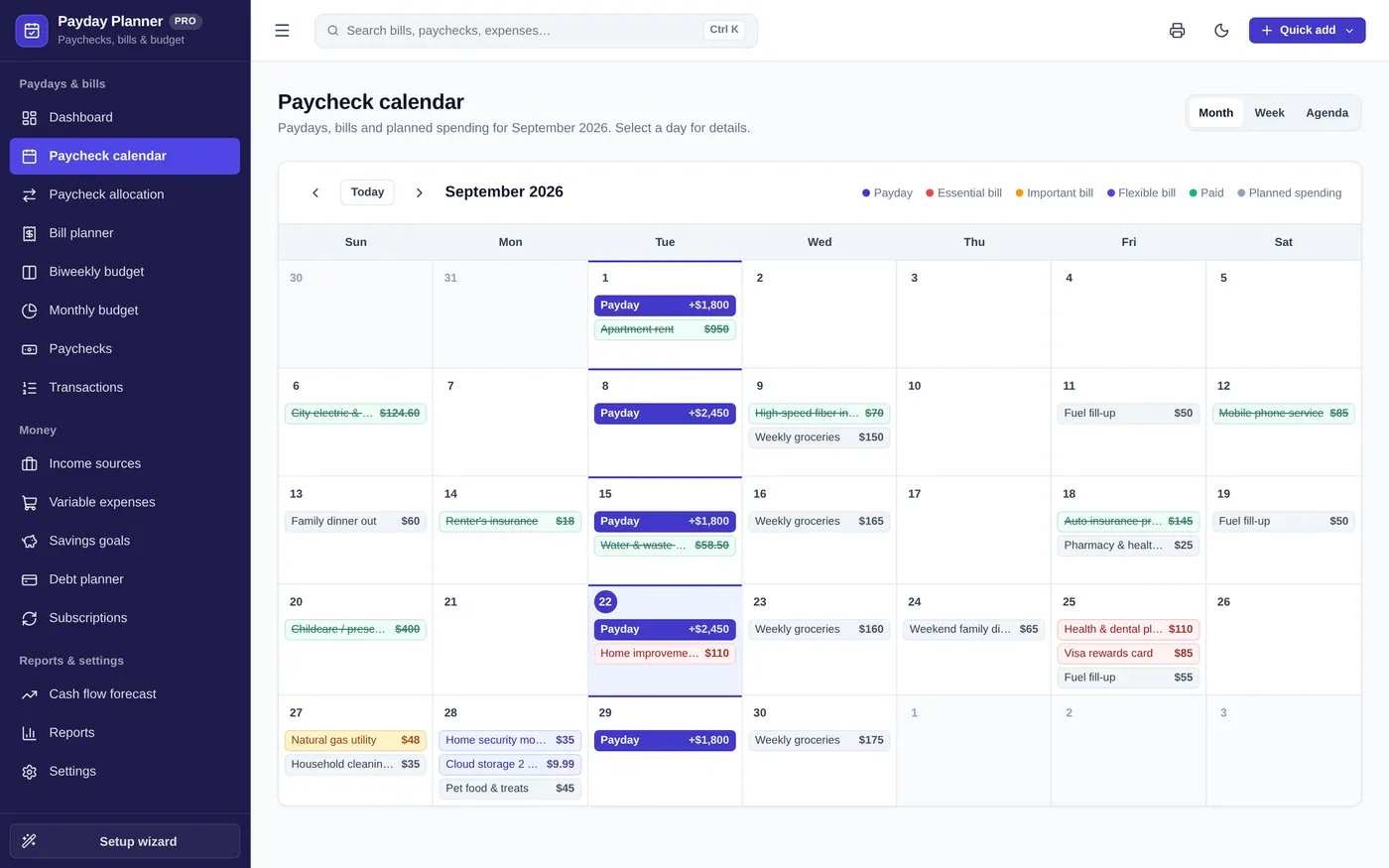
Paycheck calendar
See paydays and bills together
- Every payday, bill and planned expense
- Colour-coded by priority and paid status
- Month, week and agenda views
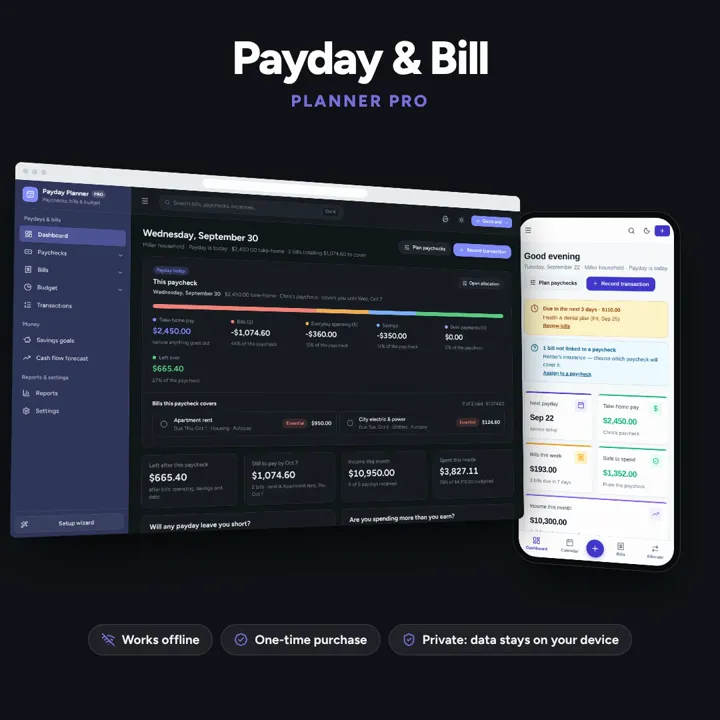
Plan every paycheck: bills, budgets, savings and cash flow — one offline app.
No subscription. Pay once and keep it.
Checkout by Paddle. Tax is added where it applies, and you download straight after paying.
Made for Individuals, couples, and households paid weekly, biweekly, twice a month, or monthly
Paycheck calendar
Paycheck allocation
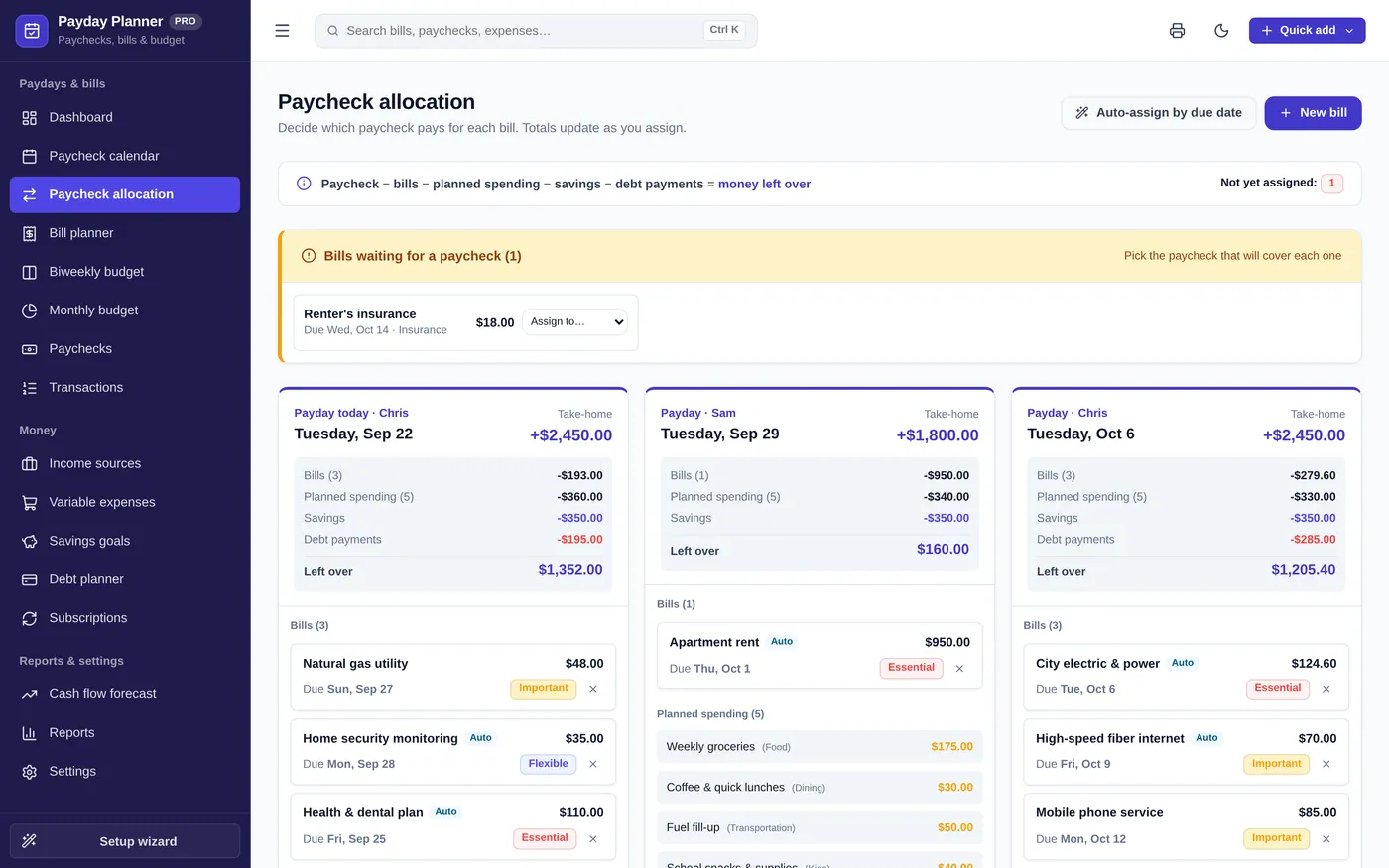
Bill planner
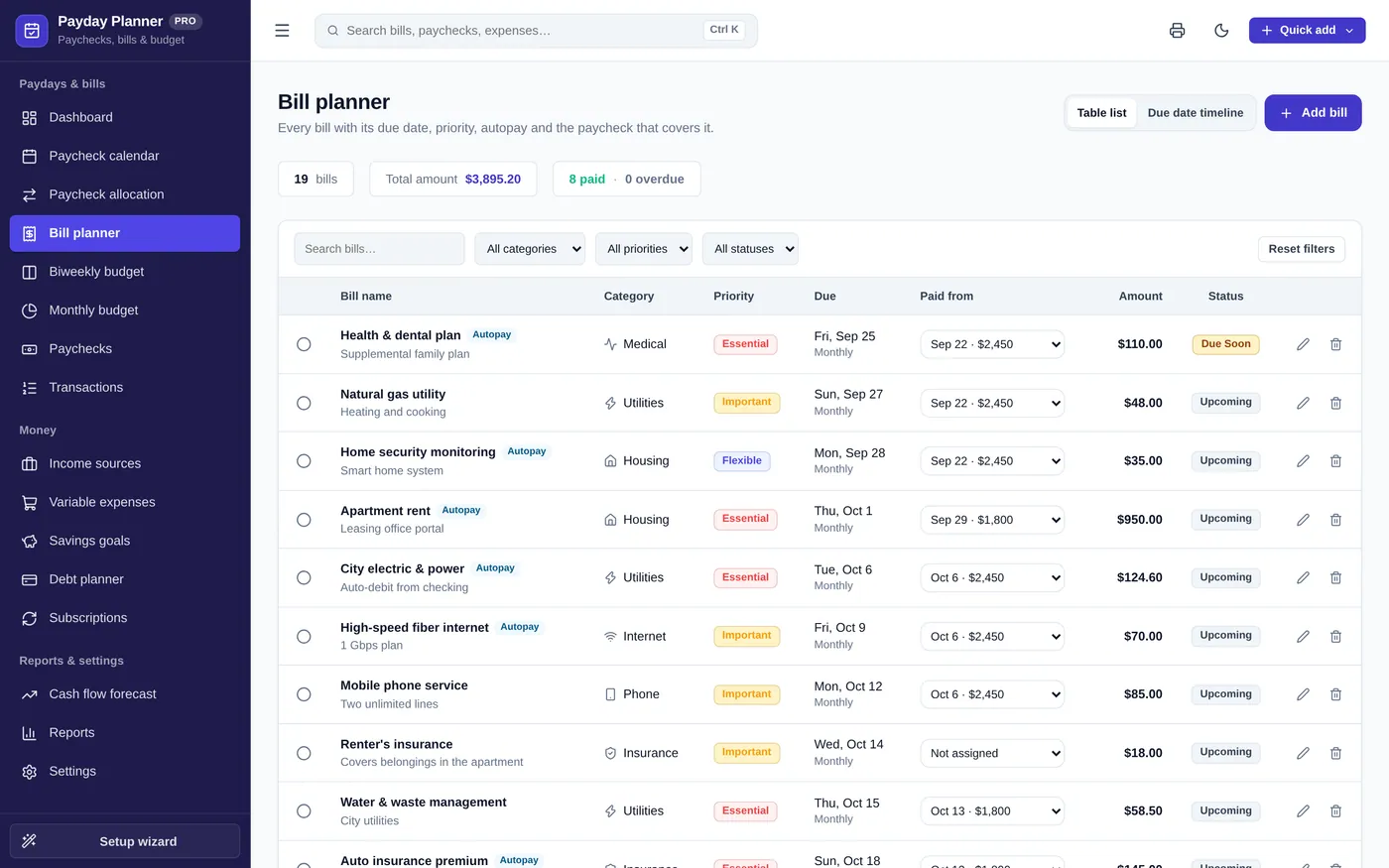
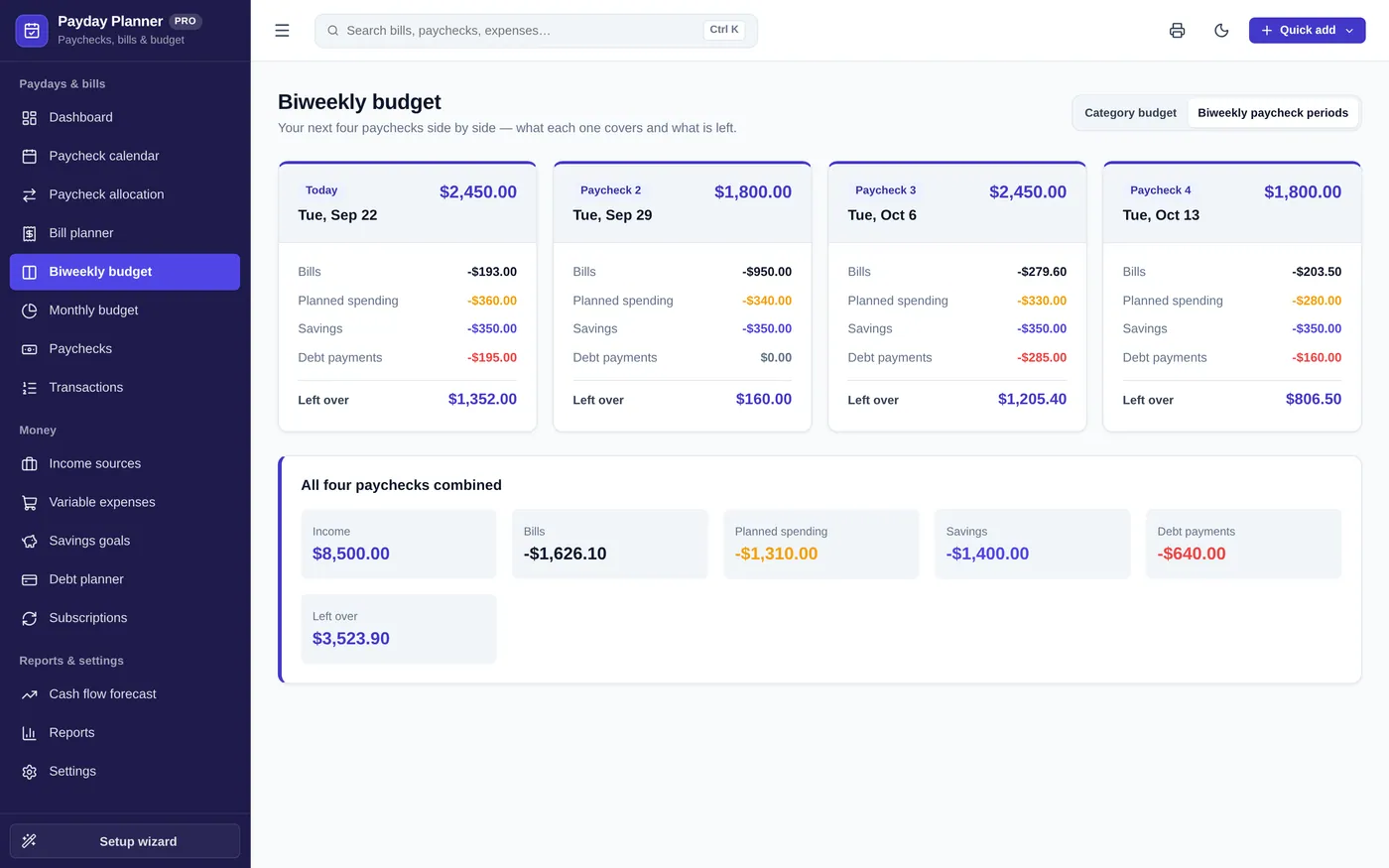
Biweekly budget
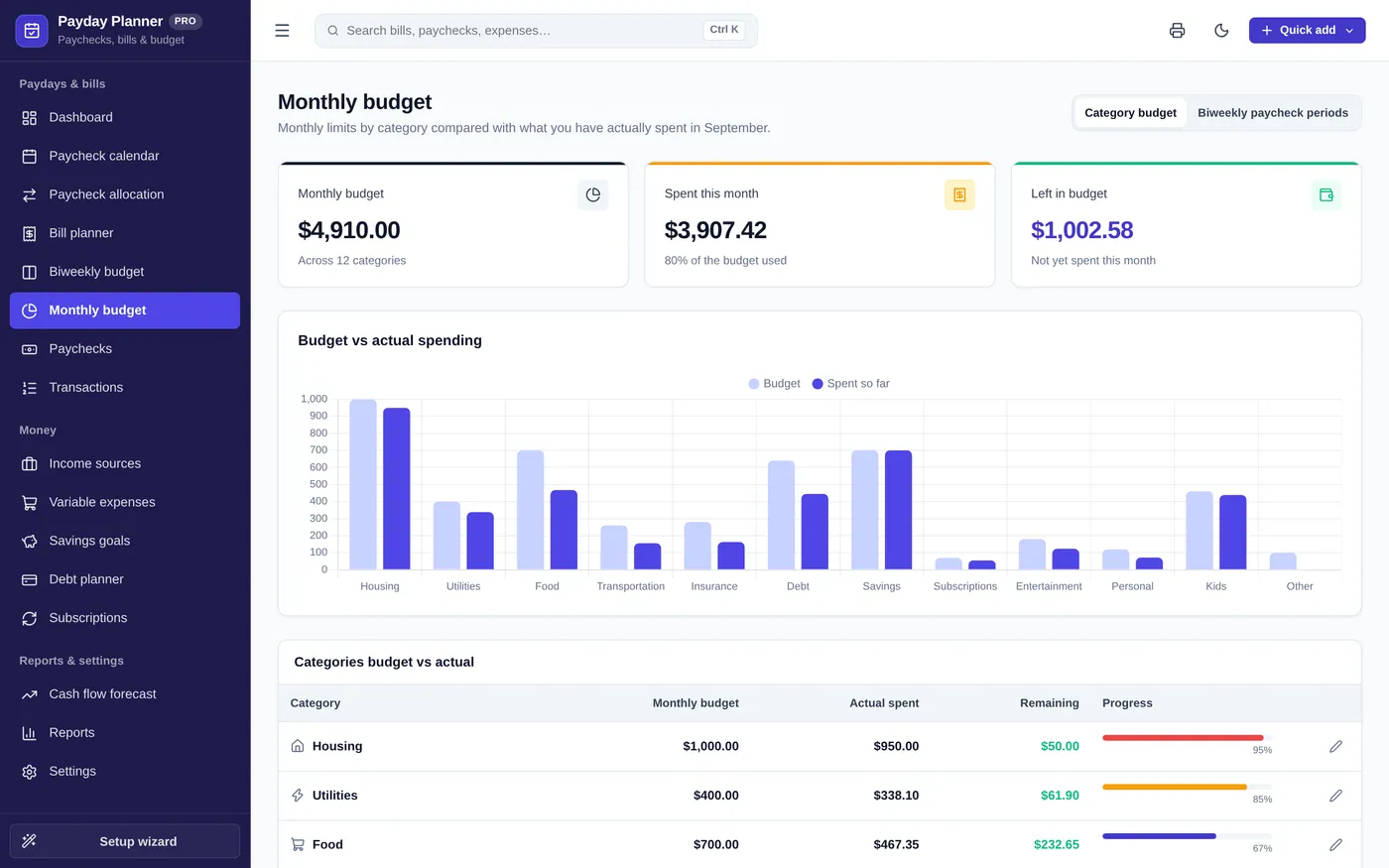
Monthly budget
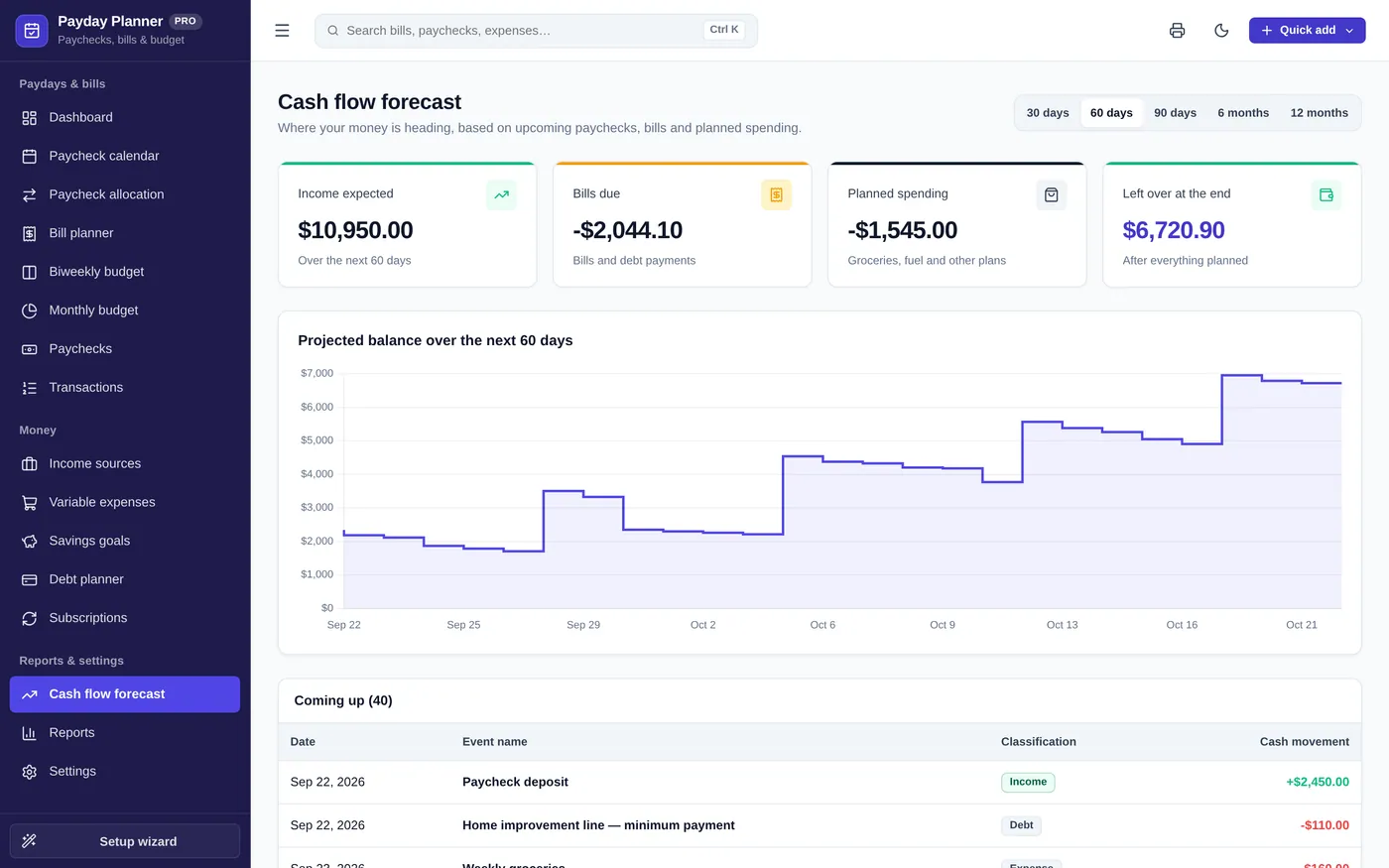
Cash flow forecast
For anyone paid weekly, every two weeks, twice a month or monthly.
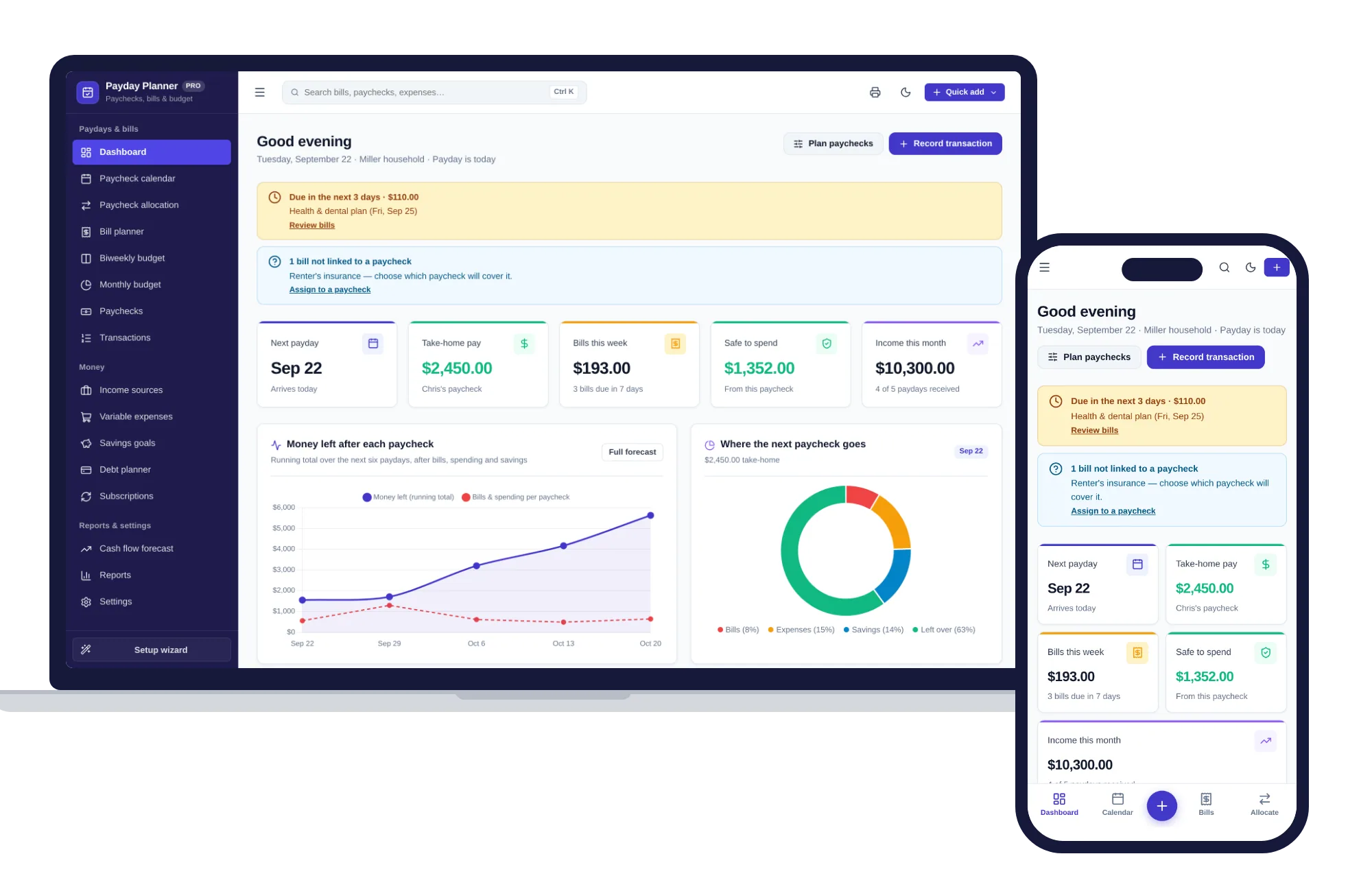
Works in any modern browser, even offline. Your financial data never leaves your device.
What it needs, and what it does not do.
Payday & Bill Planner is an offline app from ColadoSystems that runs in your web browser from a folder on your own device. It costs $24.99 once, with no subscription and no account, and includes 12 tools, sample data to explore and a PDF guide. Your records stay on your device and are never uploaded.
Something else? Email us and we'll answer before you buy.
A monthly budget tells you what you can spend in a month, but not whether this Friday's paycheck covers the bills due before the next one. Paycheck budgeting links each bill to a specific payday, so you can spot a short paycheck ahead of time.
Open "Paychecks" and edit any paycheck to enter the actual amount, or click "Add paycheck" for a one-time deposit. All totals update to match.
Private from us, yes: everything is saved by your browser on this device. The app never connects to your bank and uploads nothing. It is not encrypted, so anyone who can use this device can open it. Clearing your browsing data erases it, so export backups regularly.
It opens with a sample household so you can see how everything works. Run the "Setup wizard" to add your own pay schedule, then edit or delete the sample paychecks, bills and goals you do not need.
Nine pages sit at the top level — Dashboard, Paychecks, Bills, Budget, Transactions, Savings goals, Cash flow forecast, Reports and Settings — grouped under Paydays & bills, Money, and Reports & settings. The rest are folded under the page they belong to: Paycheck calendar, Paycheck allocation and Income sources under Paychecks; Subscriptions and Debt planner under Bills; Biweekly budget and Variable expenses under Budget. Click the chevron beside a page to reveal its list, or click the page itself to open it and reveal the list at the same time. Whichever group holds the page you are on opens automatically.
Yes. Open the page and use your browser's Print command (Ctrl+P or Cmd+P), or the printer icon in the top bar. The sidebar, top bar and buttons are left off, and printouts always come out black on white even if you are using dark mode.
No. It is made for one person on one device, and records do not sync between devices. To move to another device, save a backup and restore it there.
Sorting out your money? These systems are close cousins. Here is who each one is for.
The whole picture: accounts, budgets, bills, subscriptions and goals.
Paid every week or two? Plan each paycheck against the bills it has to cover.
Paying debt down: snowball or avalanche, with a month-by-month payoff date.
The home & money bundle has every system in this category for one price.
Budgets, meals, cleaning and home projects, organized.
$89.99for 7 systems, $174.93 if bought one by one
You save $84
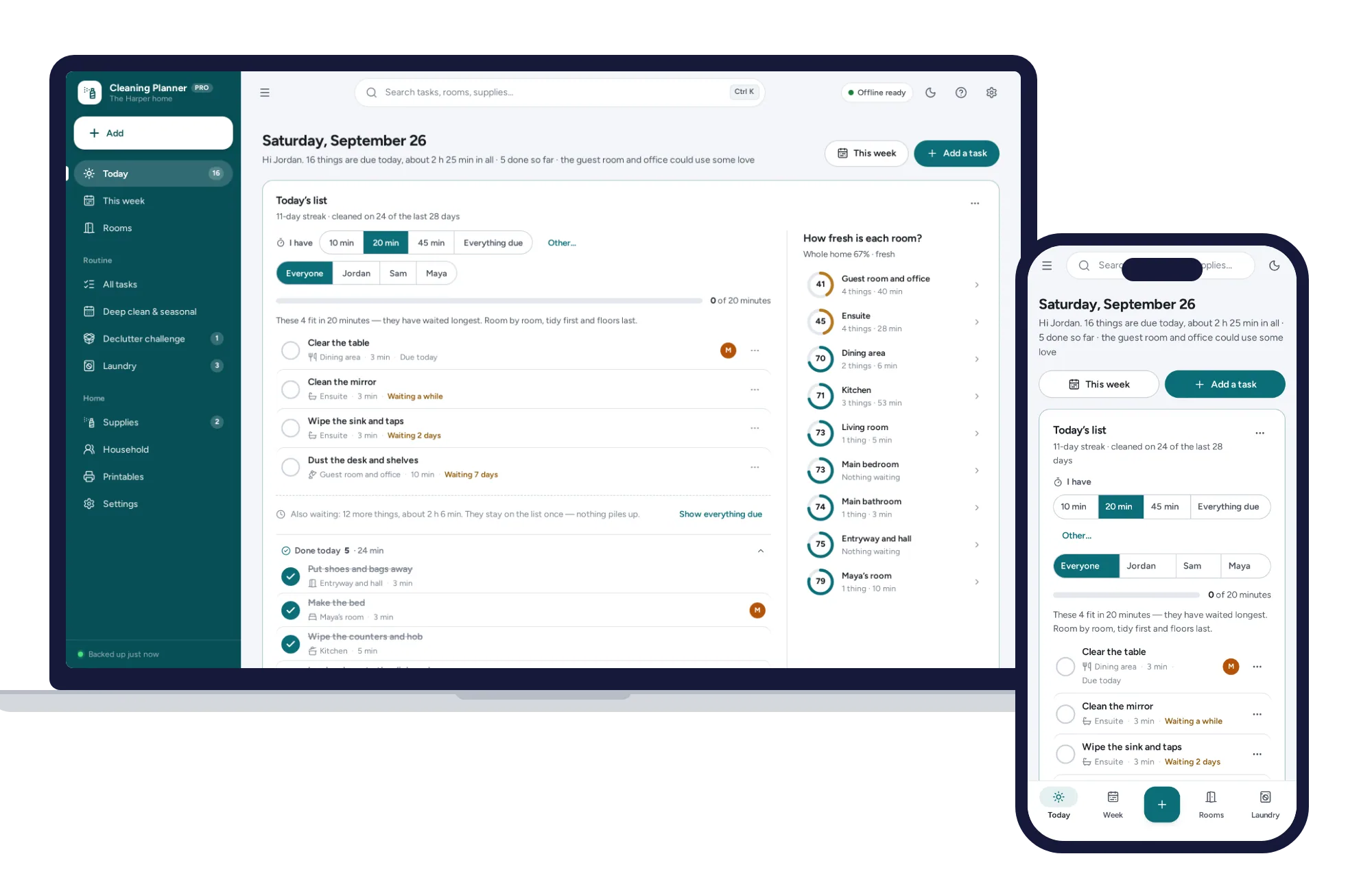
Home & money
Today’s list works itself out, missed tasks never pile up, and “I have 20 minutes” picks what fits. No subscription.
$24.99one-time
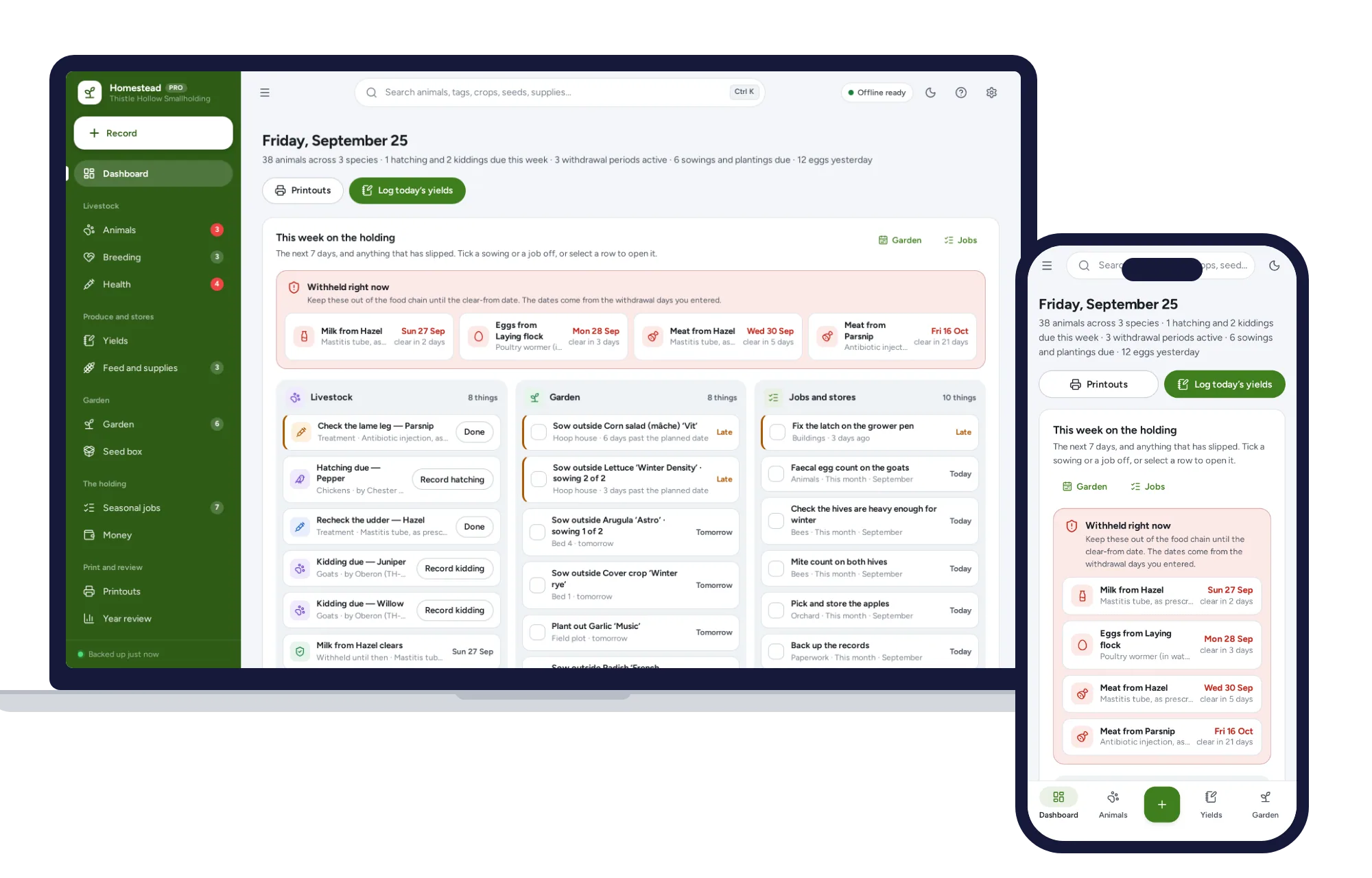
Home & money
Works in the barn with no signal: livestock records, withdrawal dates, egg and milk logs, and a garden plan from your own frost dates.
$24.99one-time
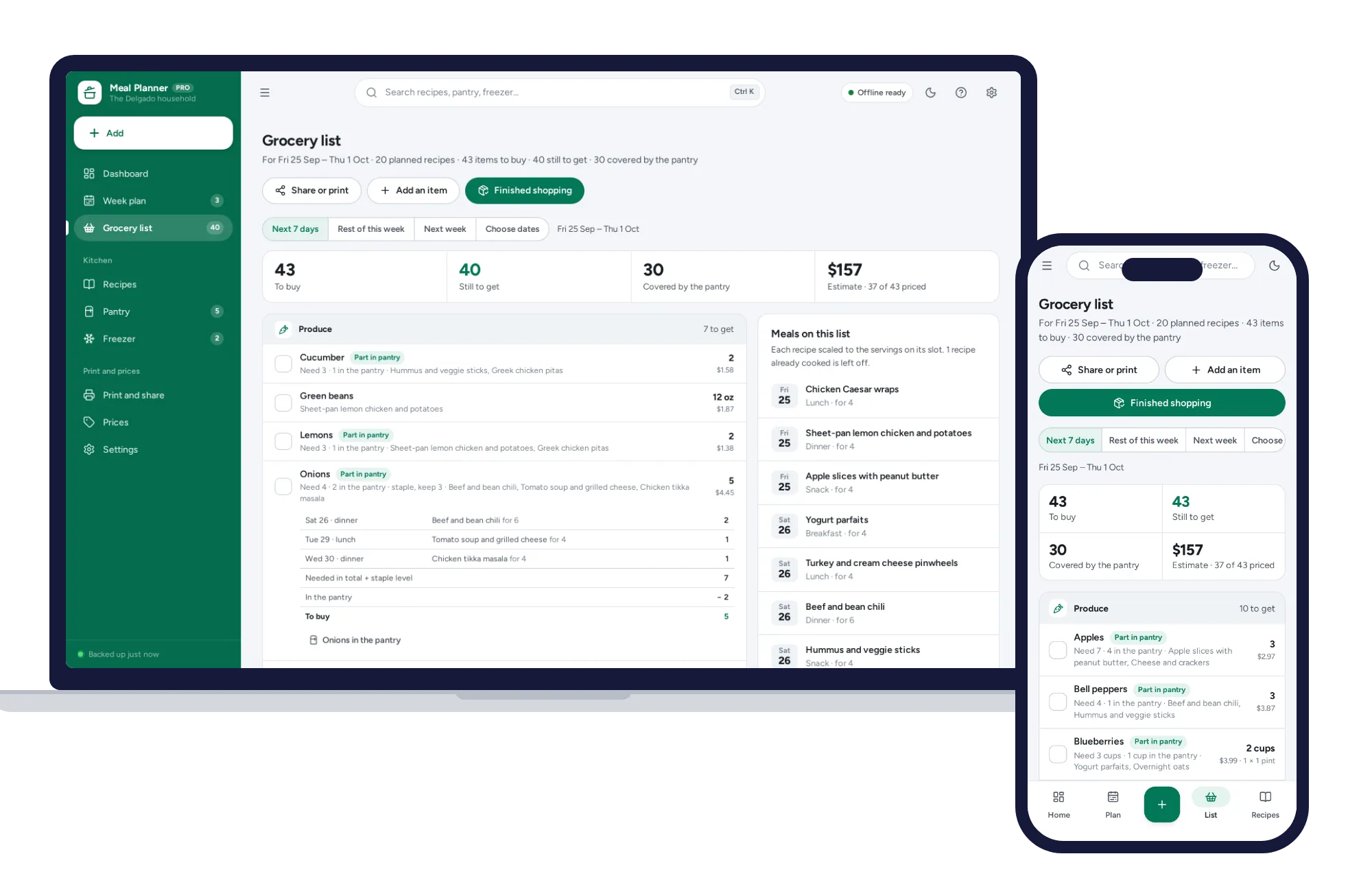
Home & money
Plan the week and the grocery list writes itself — merged, sorted by aisle, with what the pantry already holds taken off.
$24.99one-time
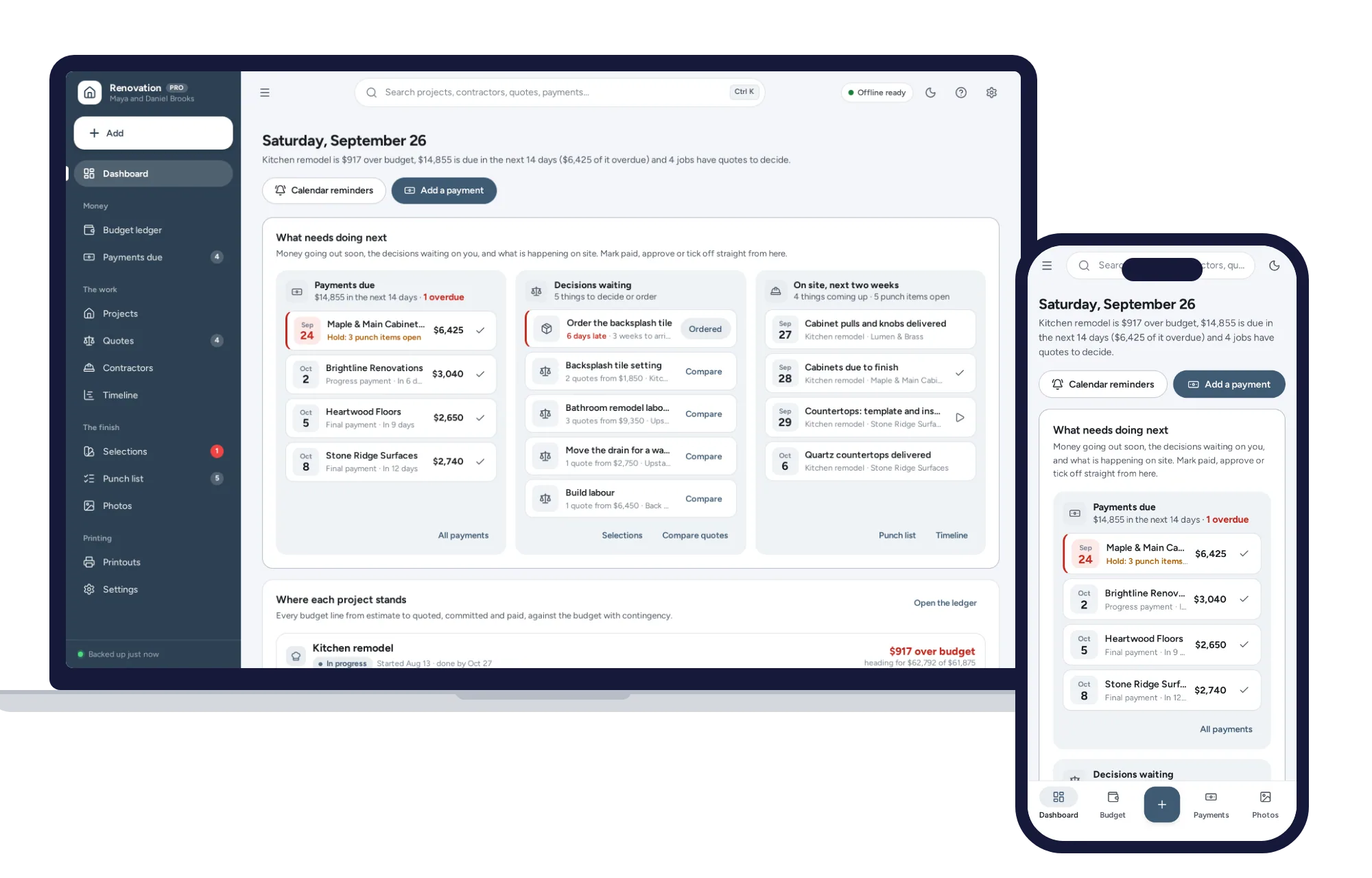
Home & money
Every line from estimate to quoted, committed and paid, with contingency and change orders on one dashboard. No formulas to break, no subscription.
$24.99one-time