
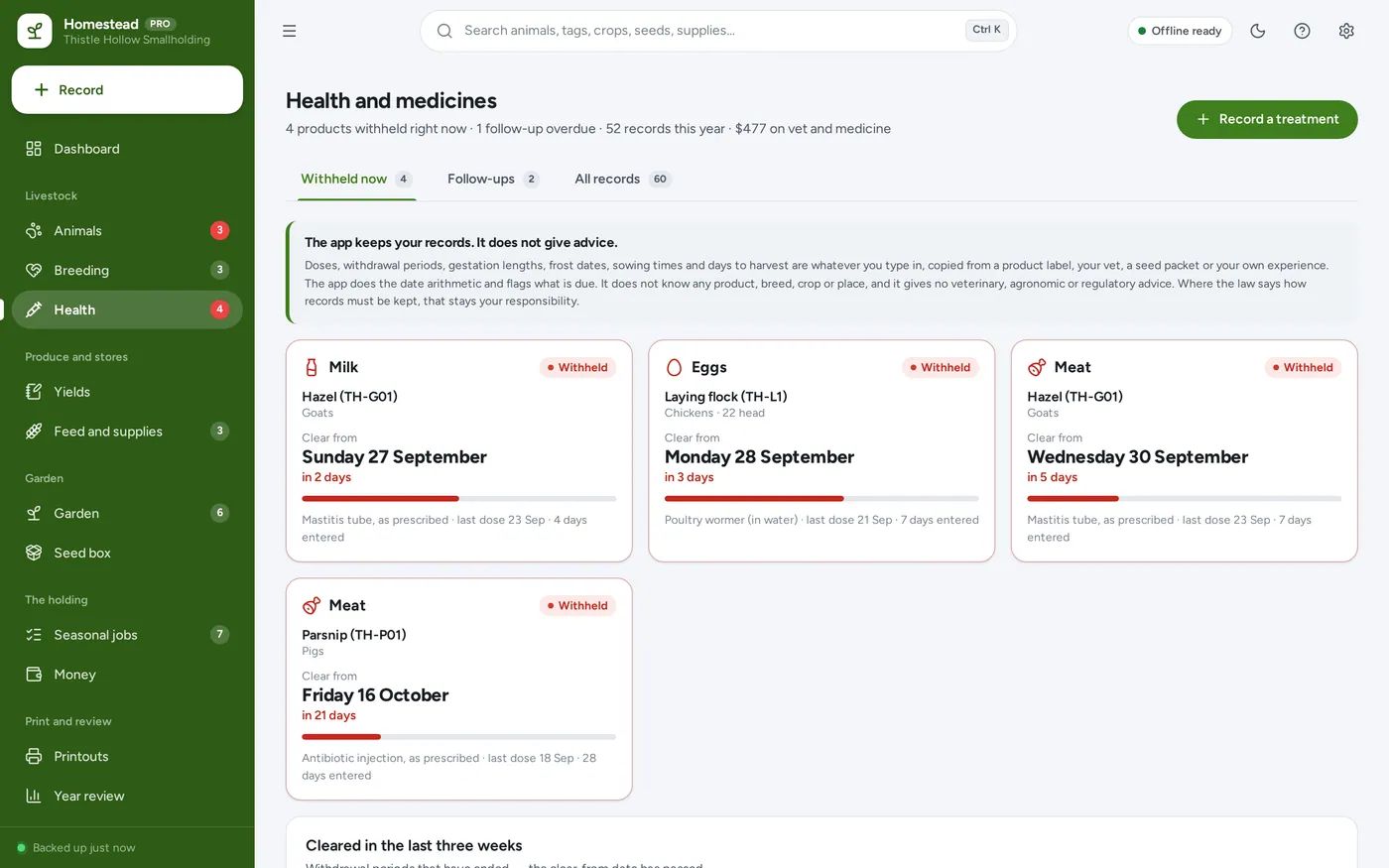
Health and withdrawals
Nothing goes in the pail too soon
- Meat, milk and egg withdrawal days from the label, per treatment
- Flagged in red everywhere until the clear-from date passes
- Eggs or milk logged during a withdrawal marked as withheld
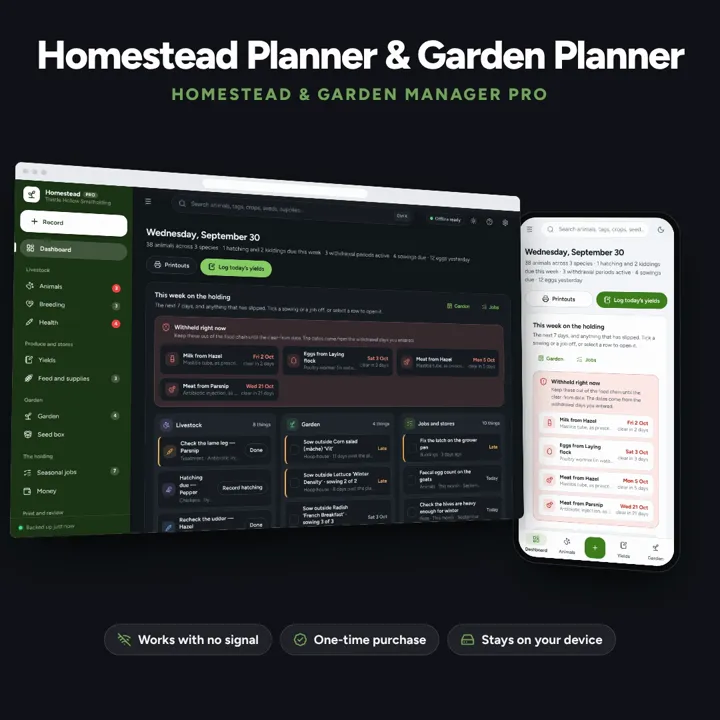
Works in the barn with no signal: livestock records, withdrawal dates, egg and milk logs, and a garden plan from your own frost dates.
No subscription. Pay once and keep it.
Checkout by Paddle. Tax is added where it applies, and you download straight after paying.
Made for Homesteaders, smallholders and serious gardeners — a laying flock, a few goats or pigs, bees, a sugarbush and a productive vegetable garden — who have outgrown one spreadsheet tab per animal
Works in the barn with no signal: an animal register with pedigree and breeding, withdrawal dates that stay flagged until they pass, yield logs you define, feed cost per group, a crop plan worked out from your own frost dates, and income and expenses by enterprise — offline, on your own device.
Health and withdrawals
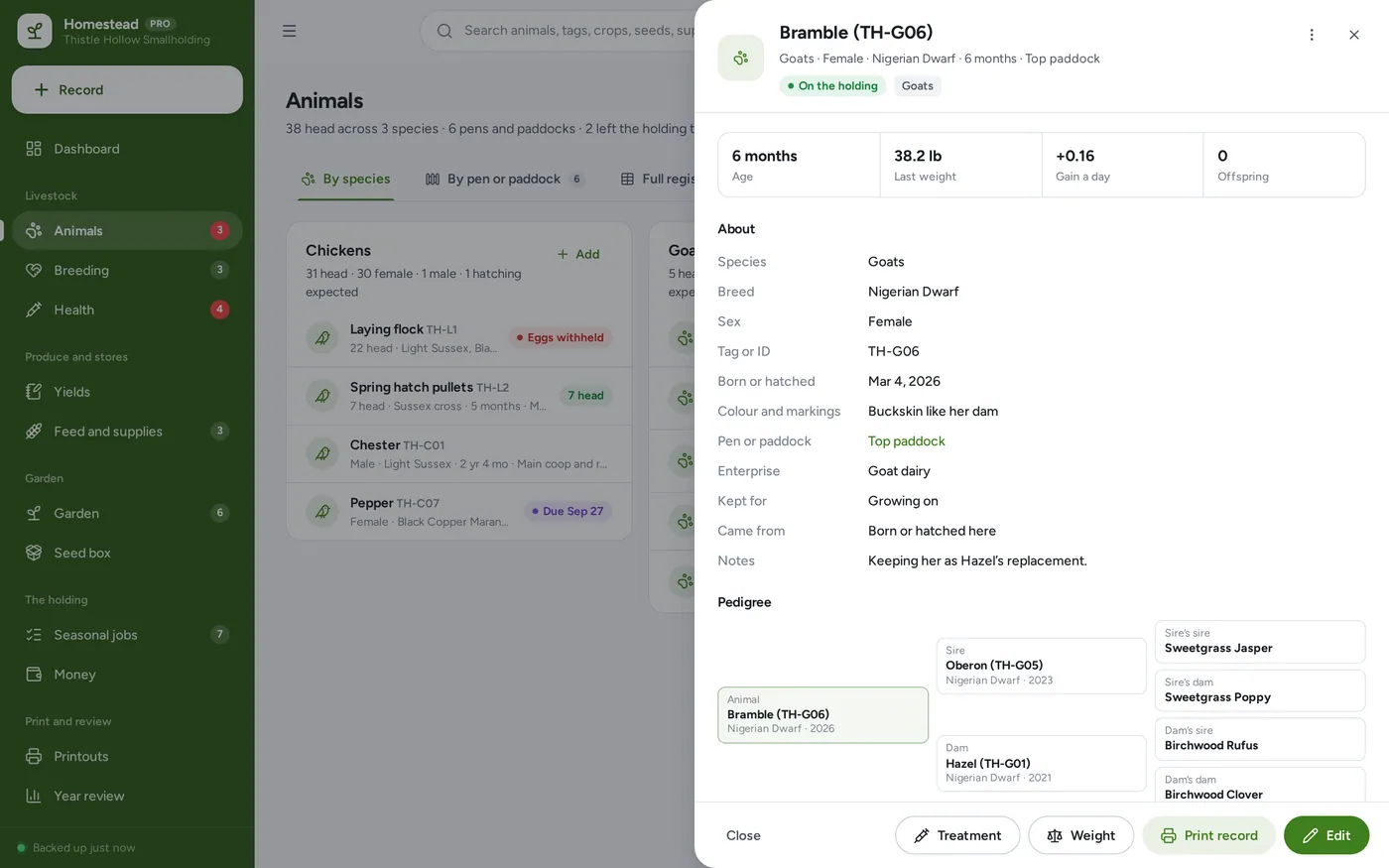
Animal register
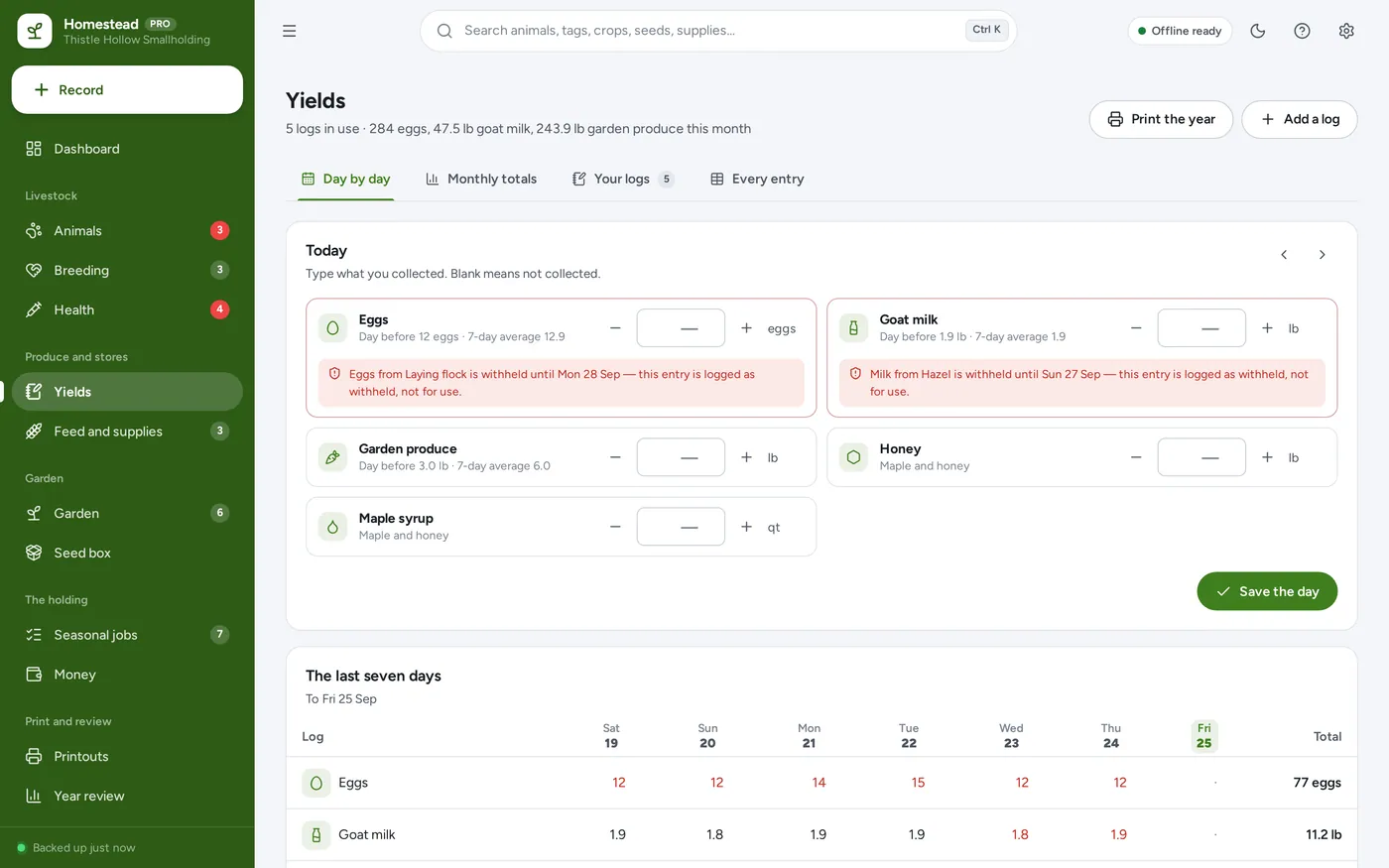
Yield logs you define
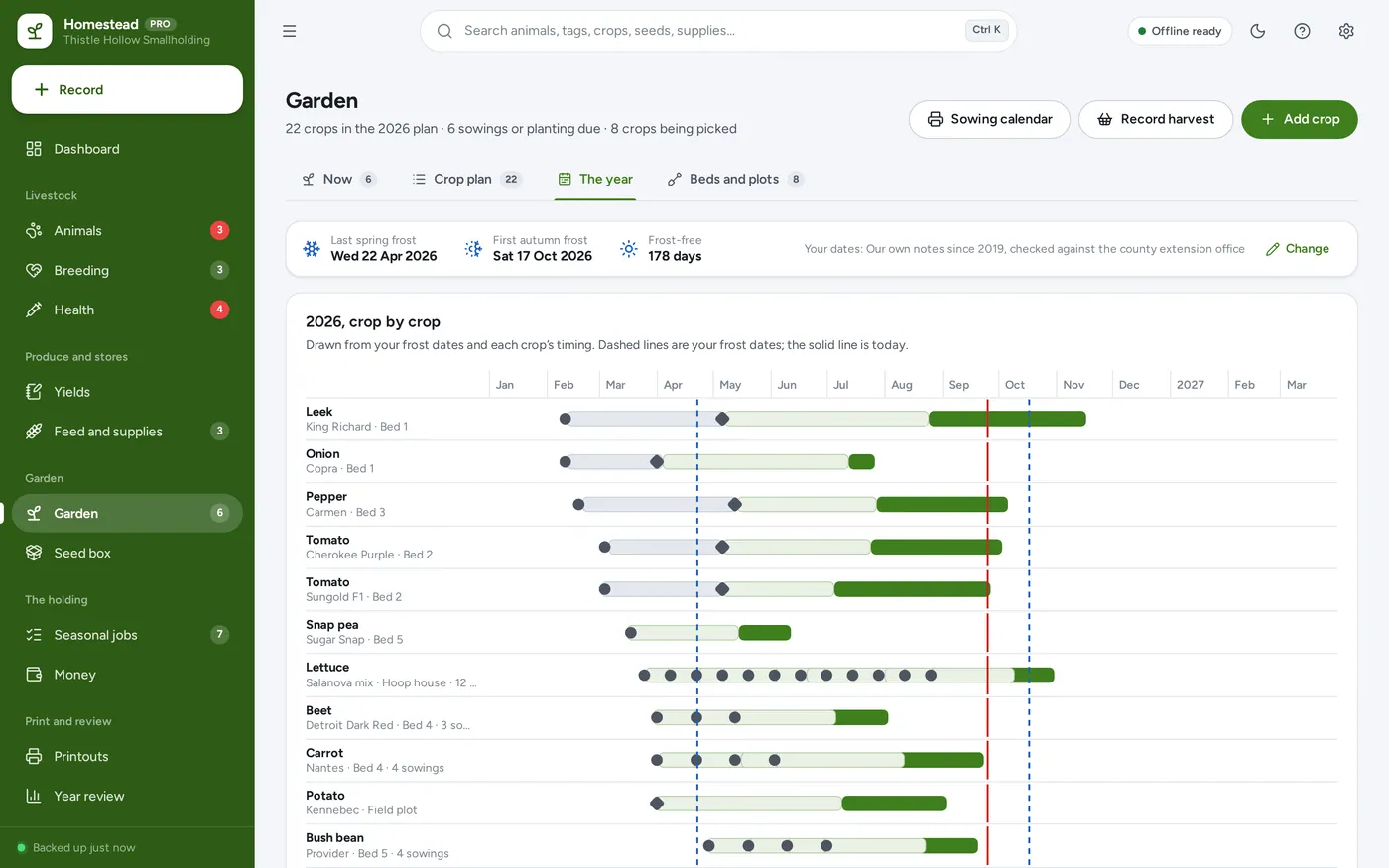
Garden planner
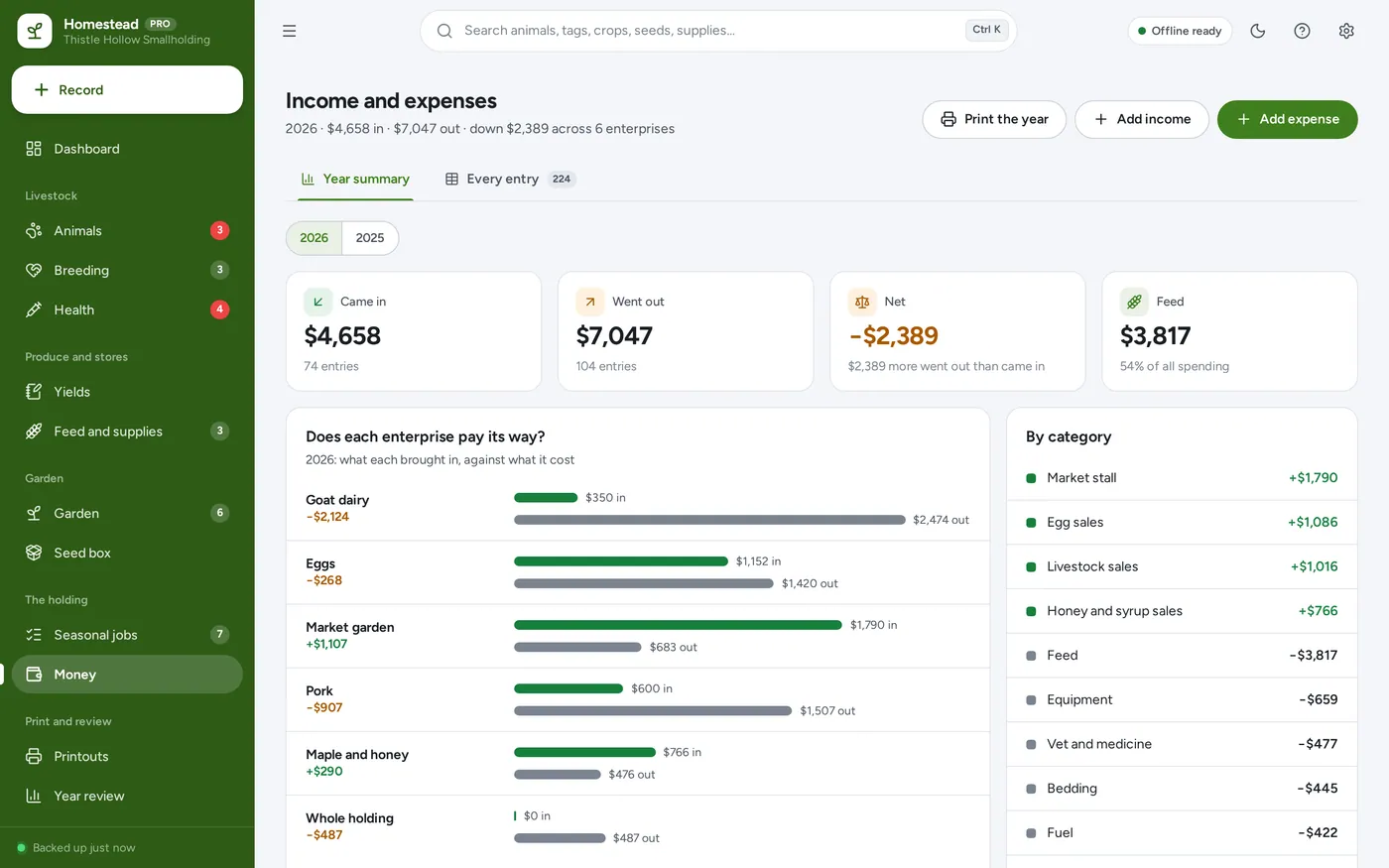
Farm money
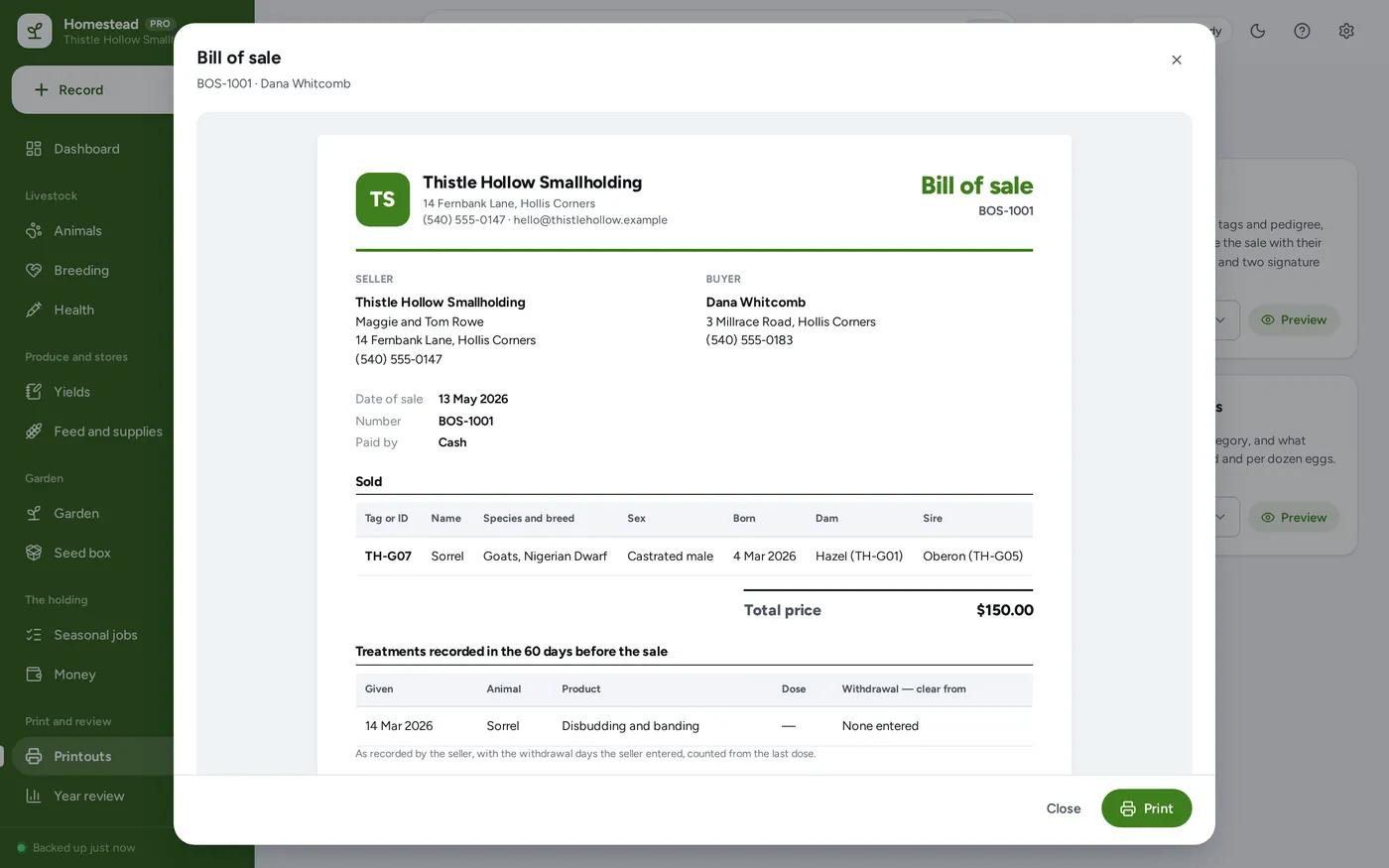
Printouts
For homesteaders, smallholders and serious gardeners who have outgrown one spreadsheet tab per animal.
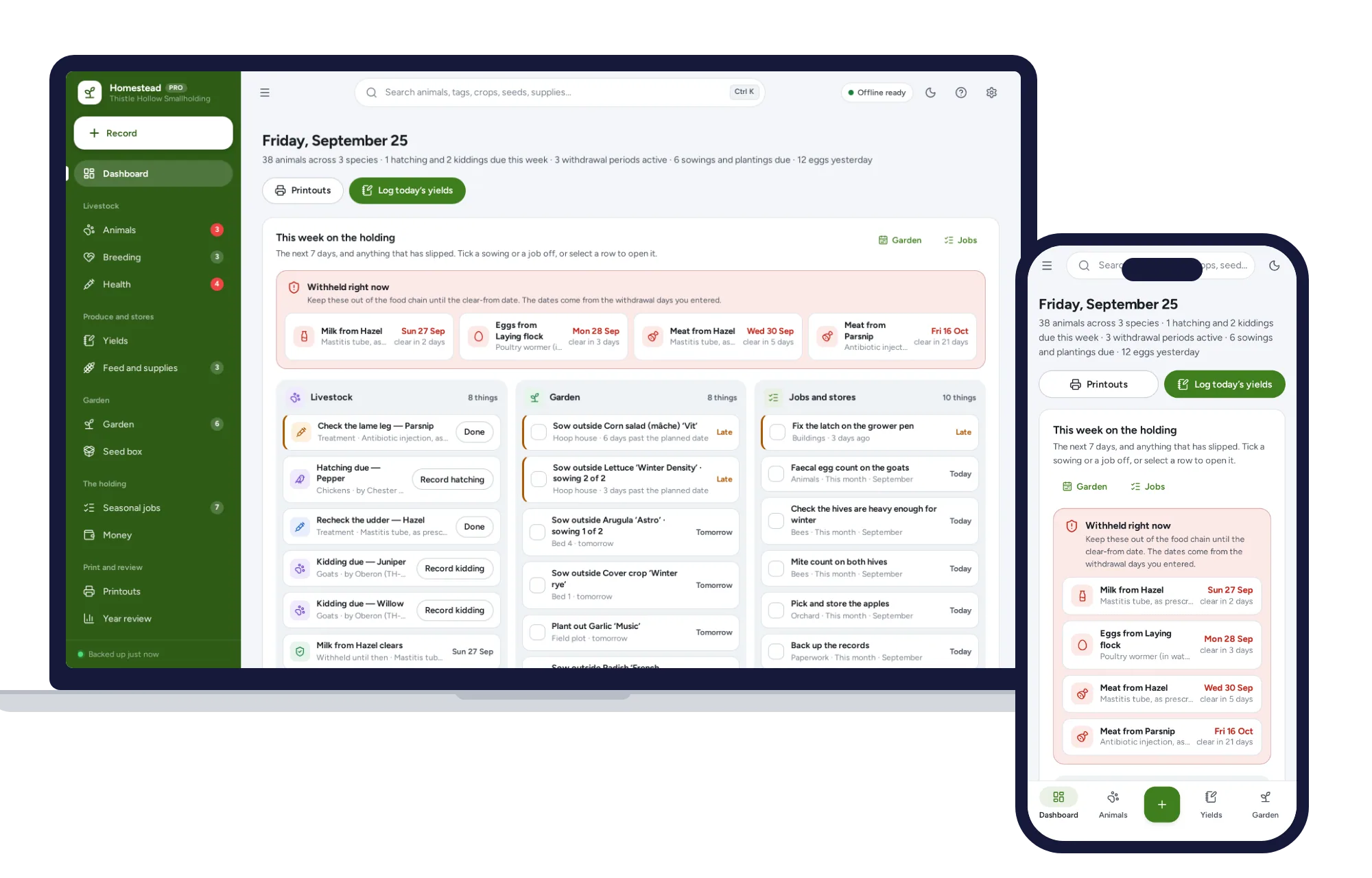
Works with no signal. Light and dark mode. Records stay in this browser on your own device and are not encrypted. No veterinary or growing advice — the figures are yours.
What it needs, and what it does not do.
Homestead & Garden Manager is an offline app from ColadoSystems that runs in your web browser from a folder on your own device. It costs $24.99 once, with no subscription and no account, and includes 12 tools, sample data to explore and a PDF guide. Your records stay on your device and are never uploaded.
Something else? Email us and we'll answer before you buy.
Everything is saved inside your browser on this device. Nothing is uploaded and there is no account, so no company holds a copy of your farm records. They are not encrypted, though: anyone who can use this device and browser can open them, so keep the device locked. Download a backup regularly (Settings → Data & backup → Back up now) and keep it somewhere as safe as the records themselves.
Yes. Open index.html and it runs fully offline. You can also host the folder on any website and choose “Install app” in Chrome or Edge to get a desktop or phone icon that works offline.
Yes. The layout adapts to phones and tablets with a bottom navigation bar. Each device keeps its own data, so use Back up / Restore to move records between devices.
Go to Settings → Data & backup → Erase records. Your business profile and settings are kept; all sample records are removed.
No. Doses and withdrawal periods are whatever you type in, copied from the product label or your vet’s instructions. The app counts the days and flags the product until the clear-from date; it does not know any product, breed or rule, and it gives no veterinary advice. Where the law says how medicine records must be kept, that remains your responsibility.
Day 0 is the last dose. The clear-from date is the last dose plus the number of days you entered. The product is withheld on every day before that date and is clear on it. For a course of treatment, enter the first and the last dose and the count starts from the last.
From two things you enter: your average last spring frost and first autumn frost under Settings, and each crop’s timing from its seed packet — for example “sow indoors 7 weeks before the last frost”. Nothing is assumed. If the frost dates are blank, the plan shows no dates. It also works in the southern hemisphere, where the first frost falls earlier in the calendar year than the last.
Yes. Make a log for anything you collect — maple syrup, honey, wool, firewood, rabbit litters, cut flowers — with its own unit and enterprise. It appears in the day’s entry, the monthly totals and the printed year.
No. A record can be a group with a head count, such as “Laying flock, 22 head”, and treatments, sales and yield logs can all point at the group. Individual birds, such as a rooster or a broody hen, can have their own records alongside it.
From expenses in the Feed category under each enterprise. It is divided by head-months — every animal in that enterprise counted only for the time it was on the holding — and by what its egg or milk logs recorded. It is only as complete as the costs you record, and the page says so.
It is a clear record of who sold what to whom, for how much and when, with signature lines. The terms on it are the words you write in Settings; the app adds no legal wording of its own. What a bill of sale needs to say where you live is for you to check.
Yes. Once opened from its folder it needs no internet at all. Records are saved in the browser on the device you use, so if you keep it on a phone in your pocket, that phone holds the records. Each device keeps its own copy — use Back up now and Restore to move them between the phone and the house computer.
No. It is made for one person on one device, and records do not sync between devices. To move to another device, save a backup and restore it there.
The home & money bundle has every system in this category for one price.
Budgets, meals, cleaning and home projects, organized.
$89.99for 7 systems, $174.93 if bought one by one
You save $84
Home & money
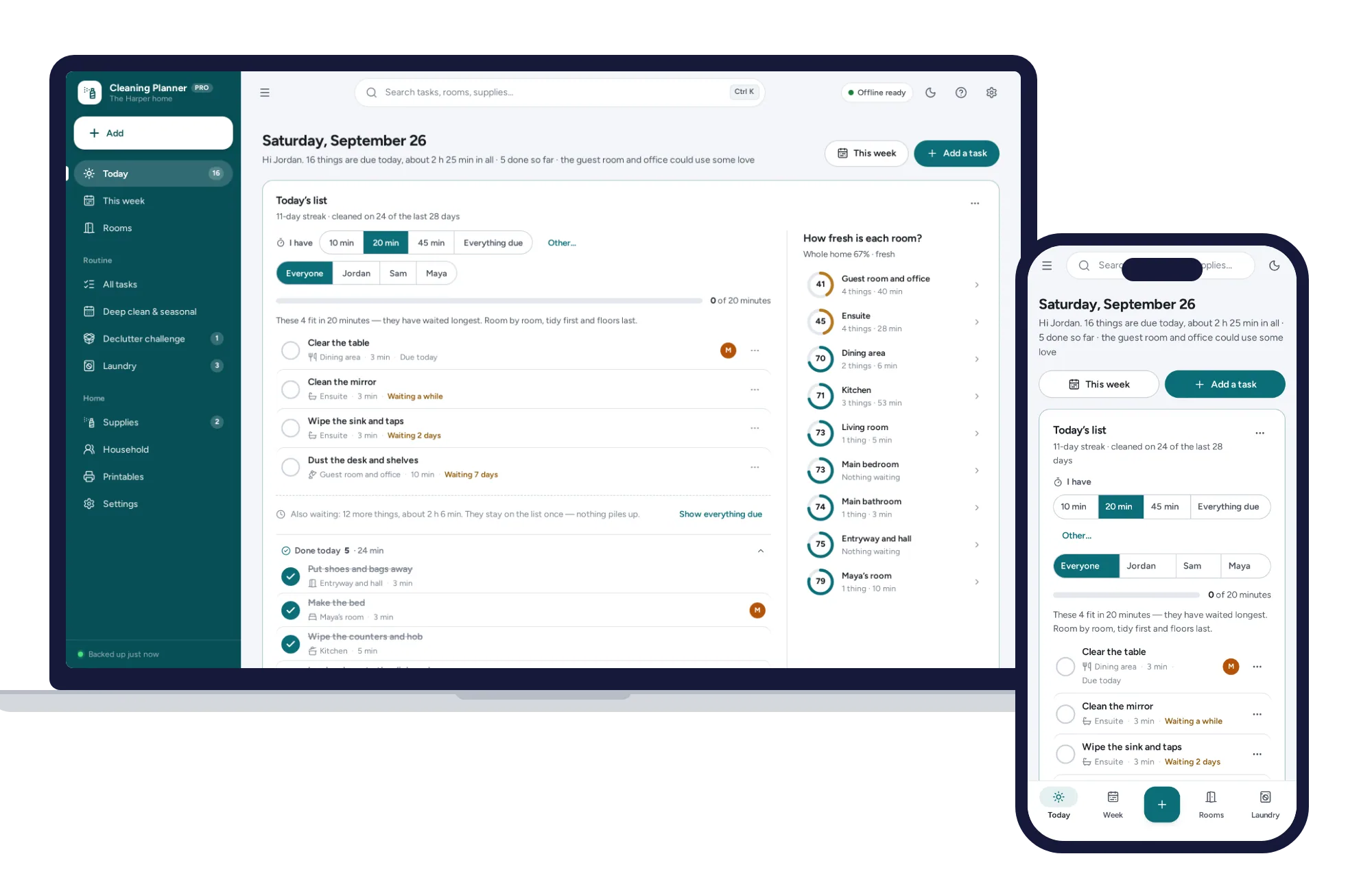
Today’s list works itself out, missed tasks never pile up, and “I have 20 minutes” picks what fits. No subscription.
$24.99one-time
Home & money
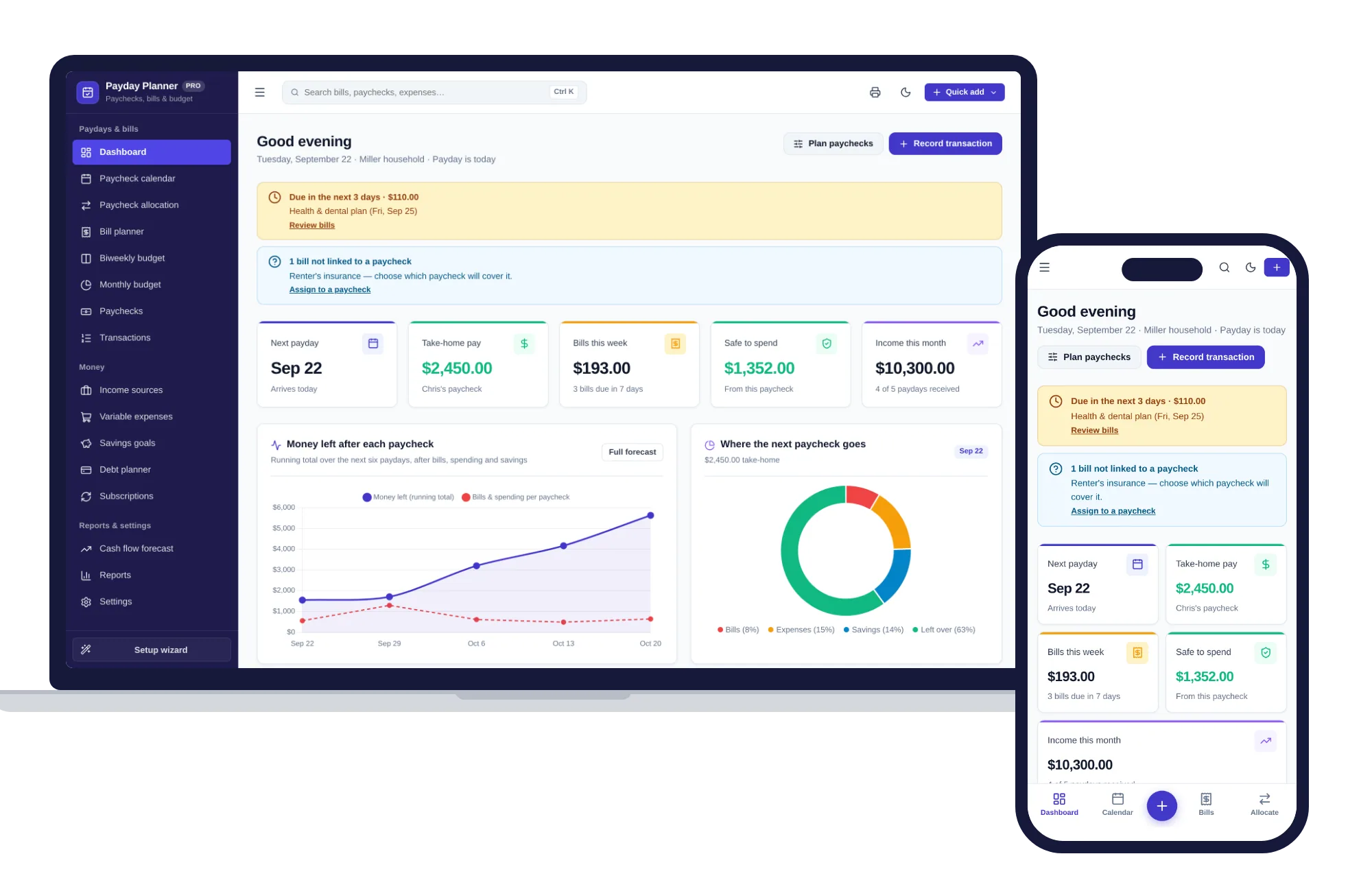
Plan every paycheck: bills, budgets, savings and cash flow — one offline app.
$24.99one-time
Home & money
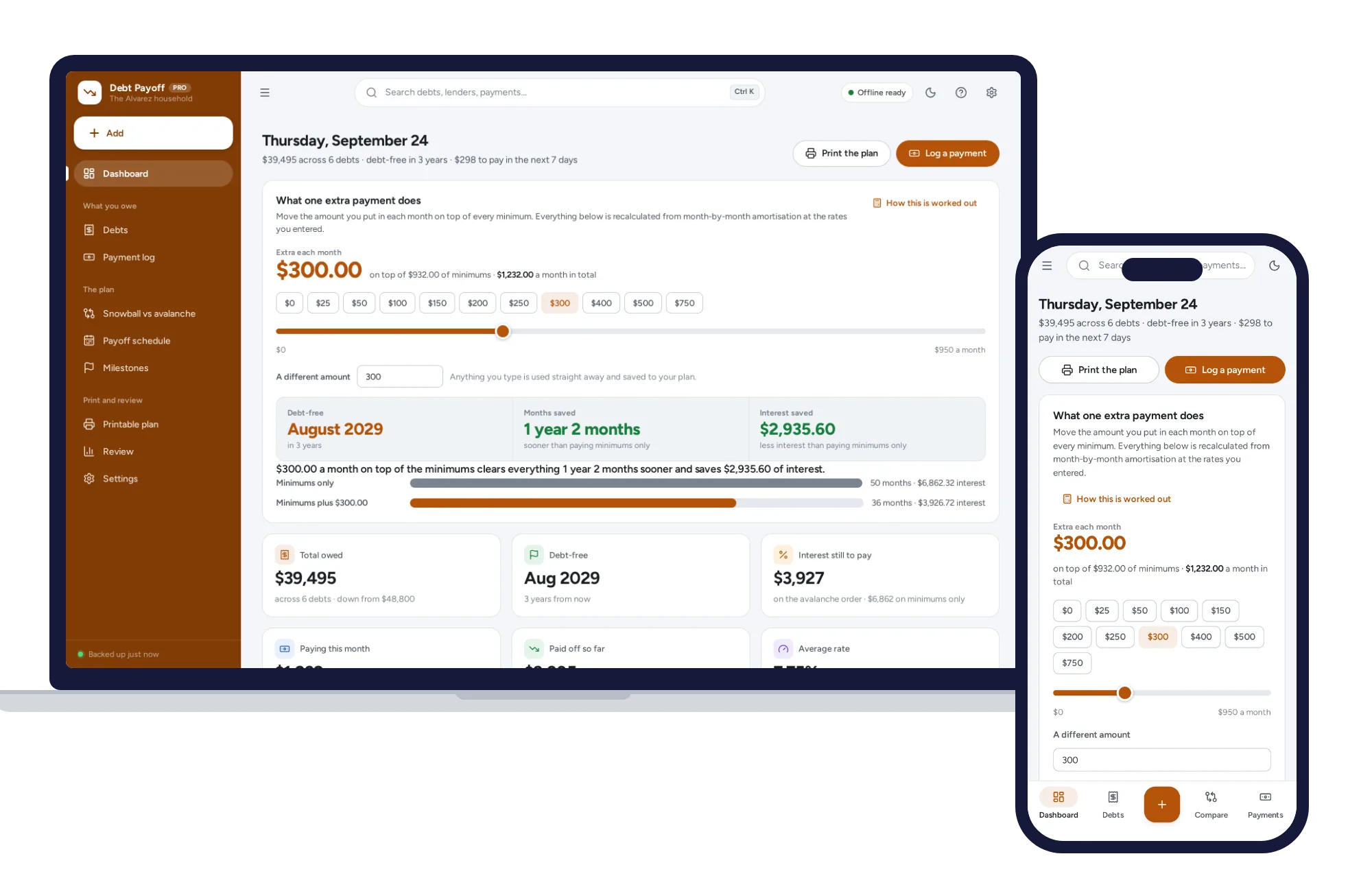
Every debt in one place, snowball and avalanche side by side, and what an extra payment really buys.
$24.99one-time
Home & money
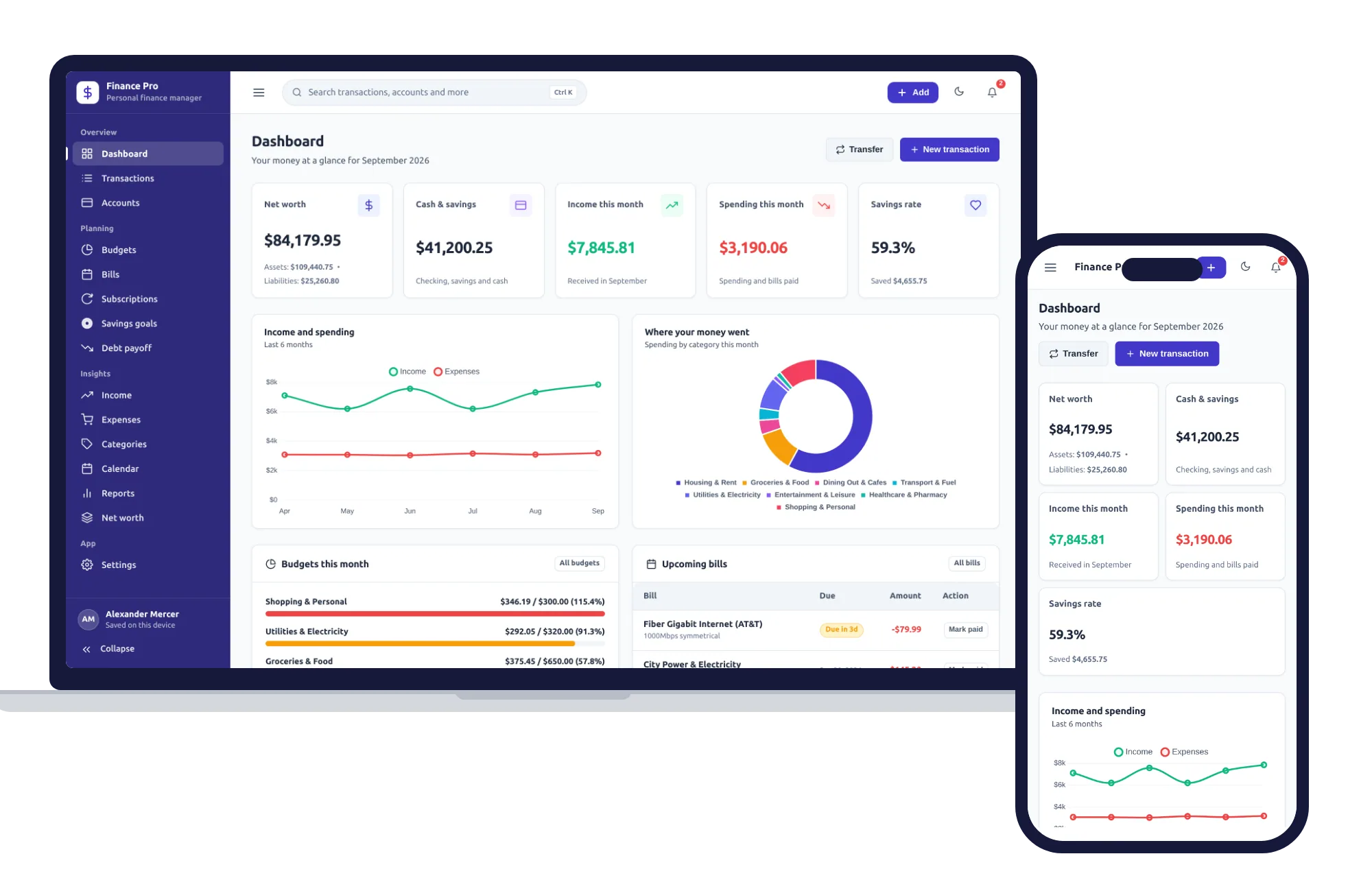
Budgets, bills, savings goals and net worth — one private app that works offline.
$24.99one-time