
The extra-payment lever
See what $50 more a month buys
- Move one control and the debt-free date moves with it
- Months saved and interest saved, against minimums only
- Real month-by-month amortisation, not a rule of thumb
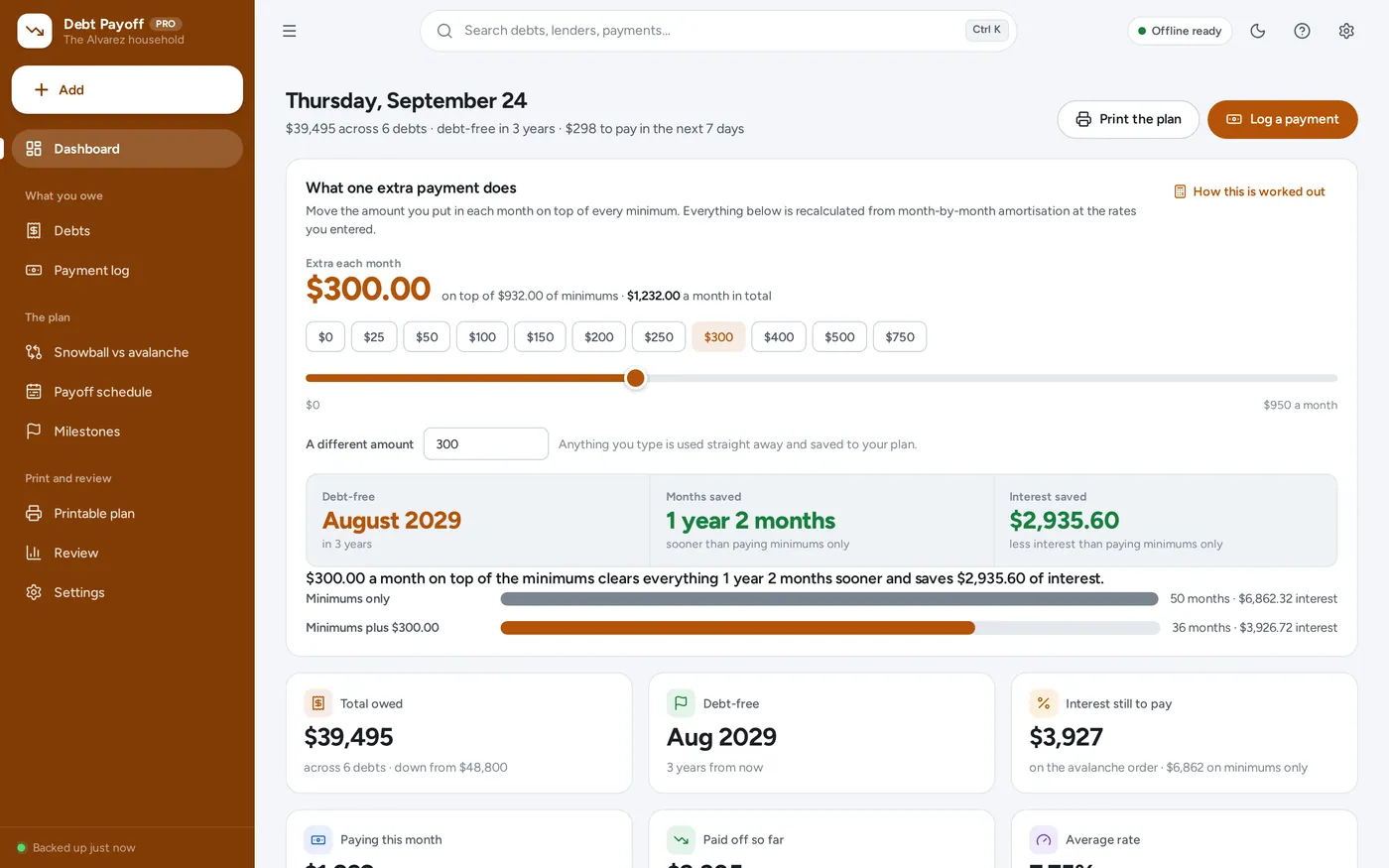
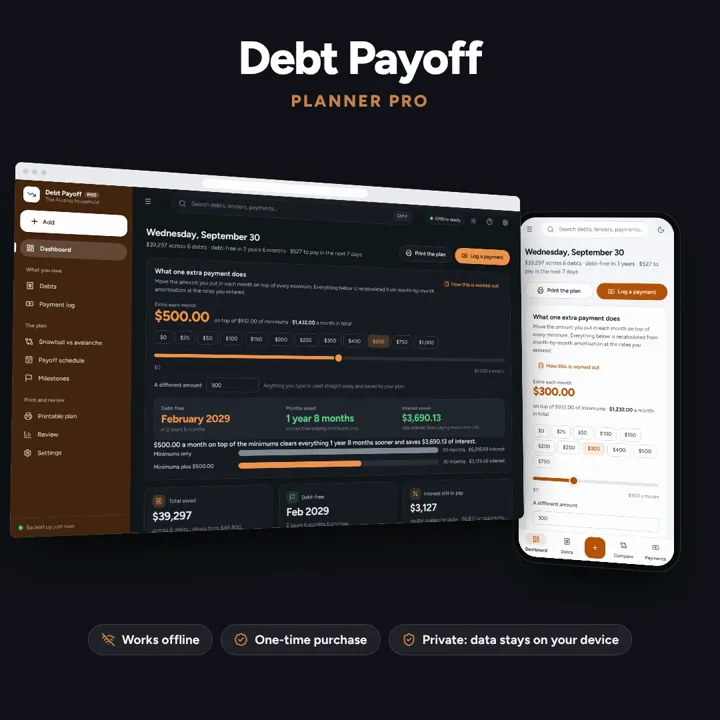
Every debt in one place, snowball and avalanche side by side, and one control that shows what an extra payment really buys — offline, on your own device.
No subscription. Pay once and keep it.
Checkout by Paddle. Tax is added where it applies, and you download straight after paying.
Made for Anyone paying down more than one debt at once — credit and store cards, car and personal loans, student loans, medical payment plans and money borrowed from family
The extra-payment lever
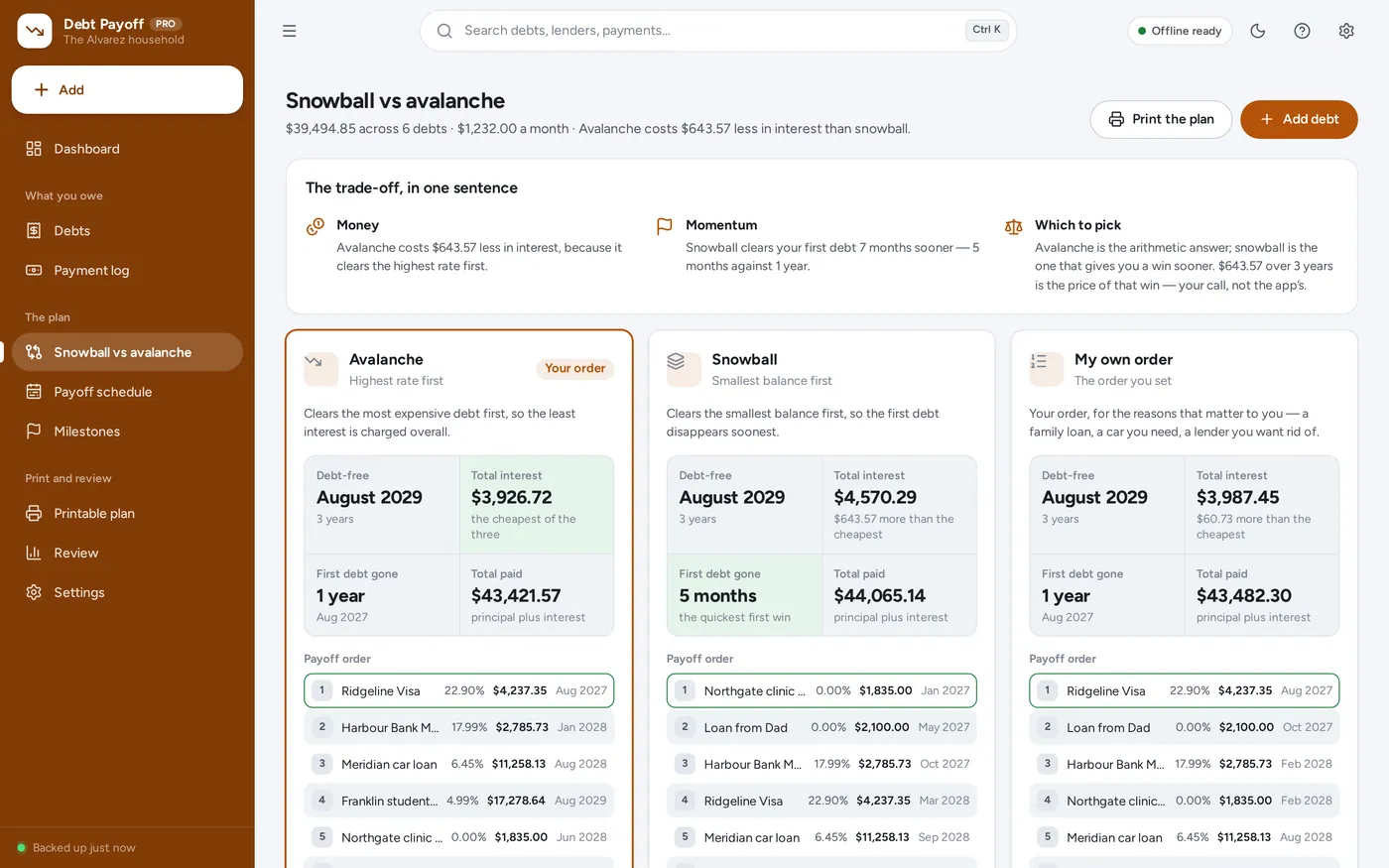
Snowball vs avalanche
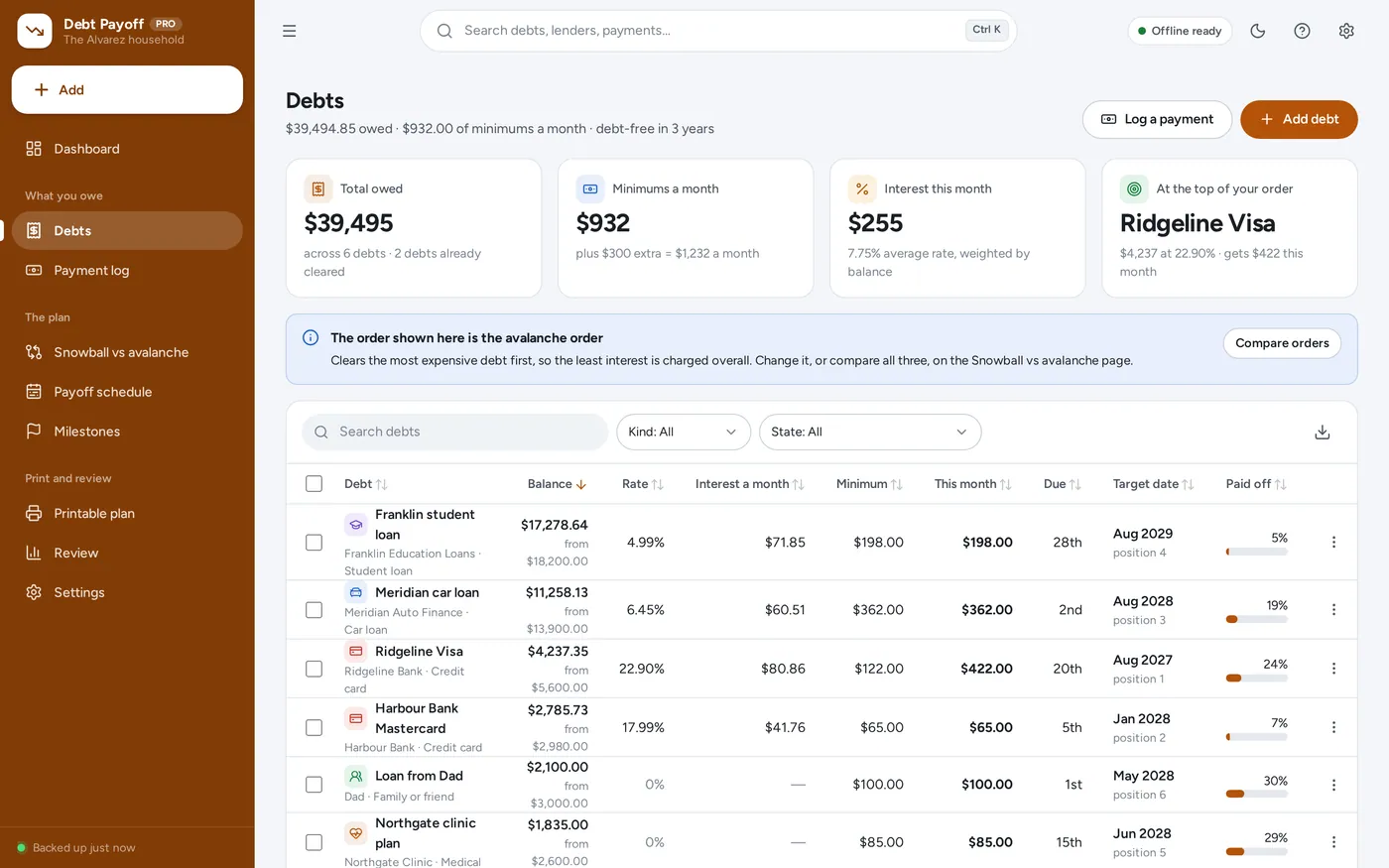
Every debt in one place
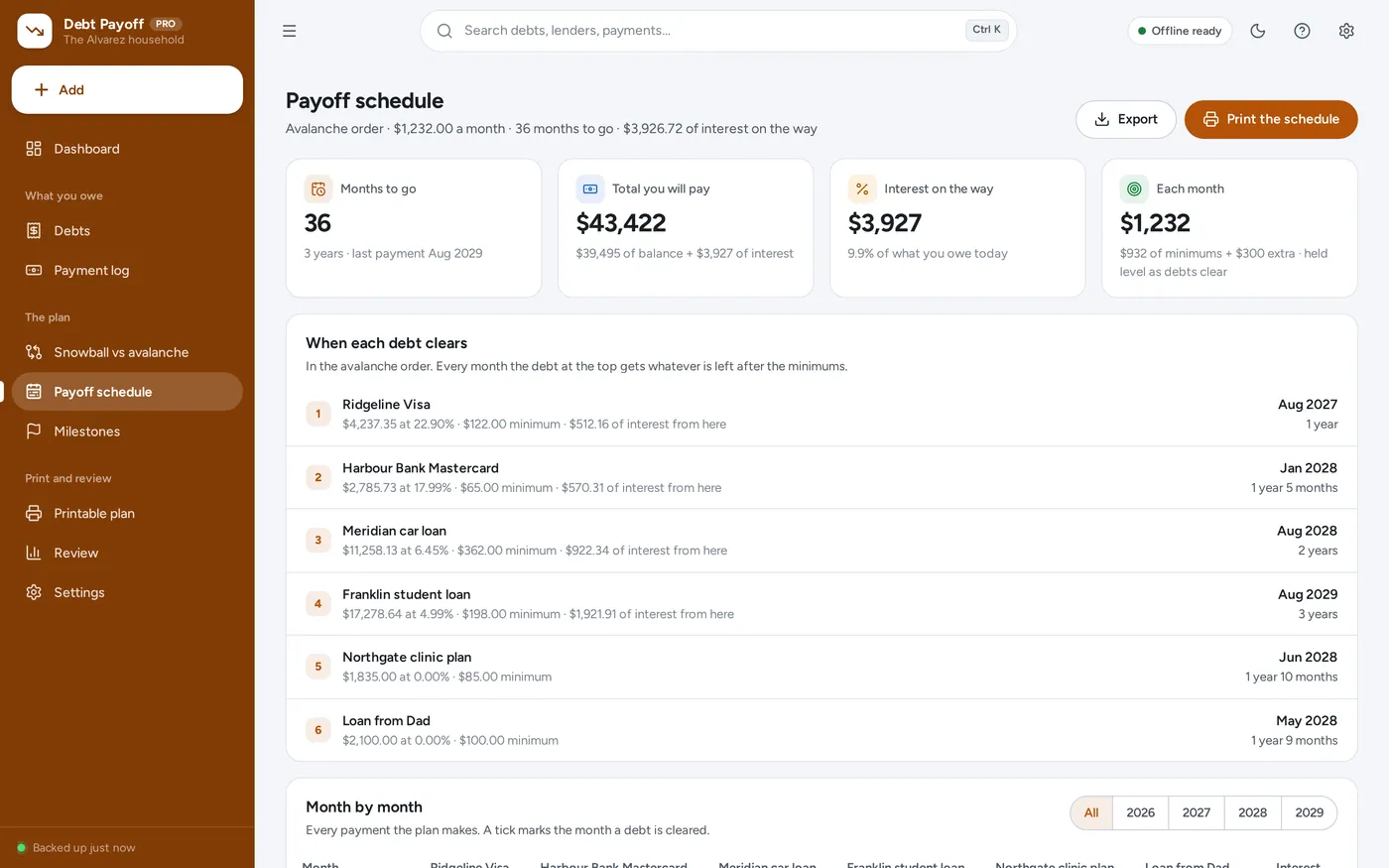
The payoff schedule
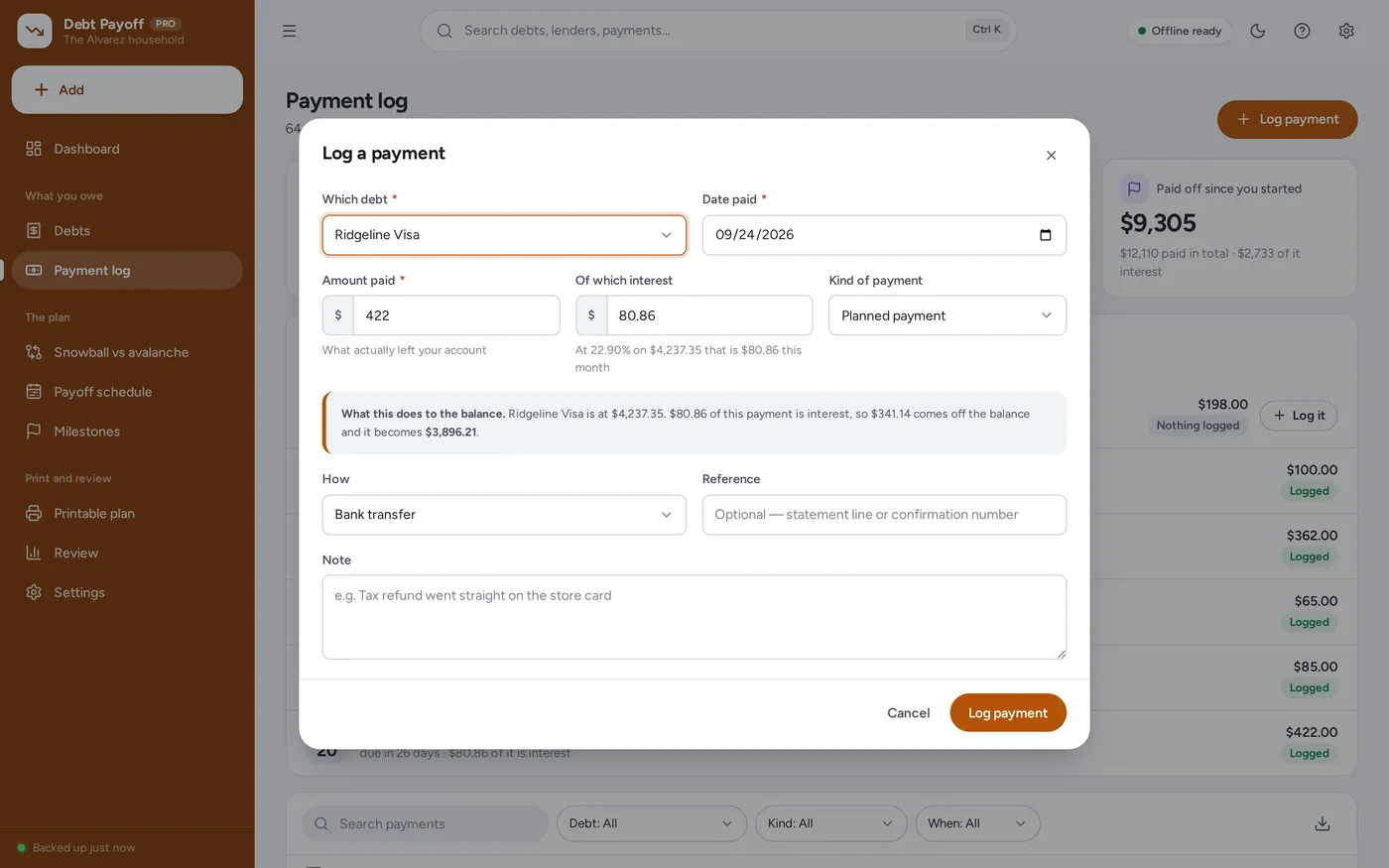
Payment logging
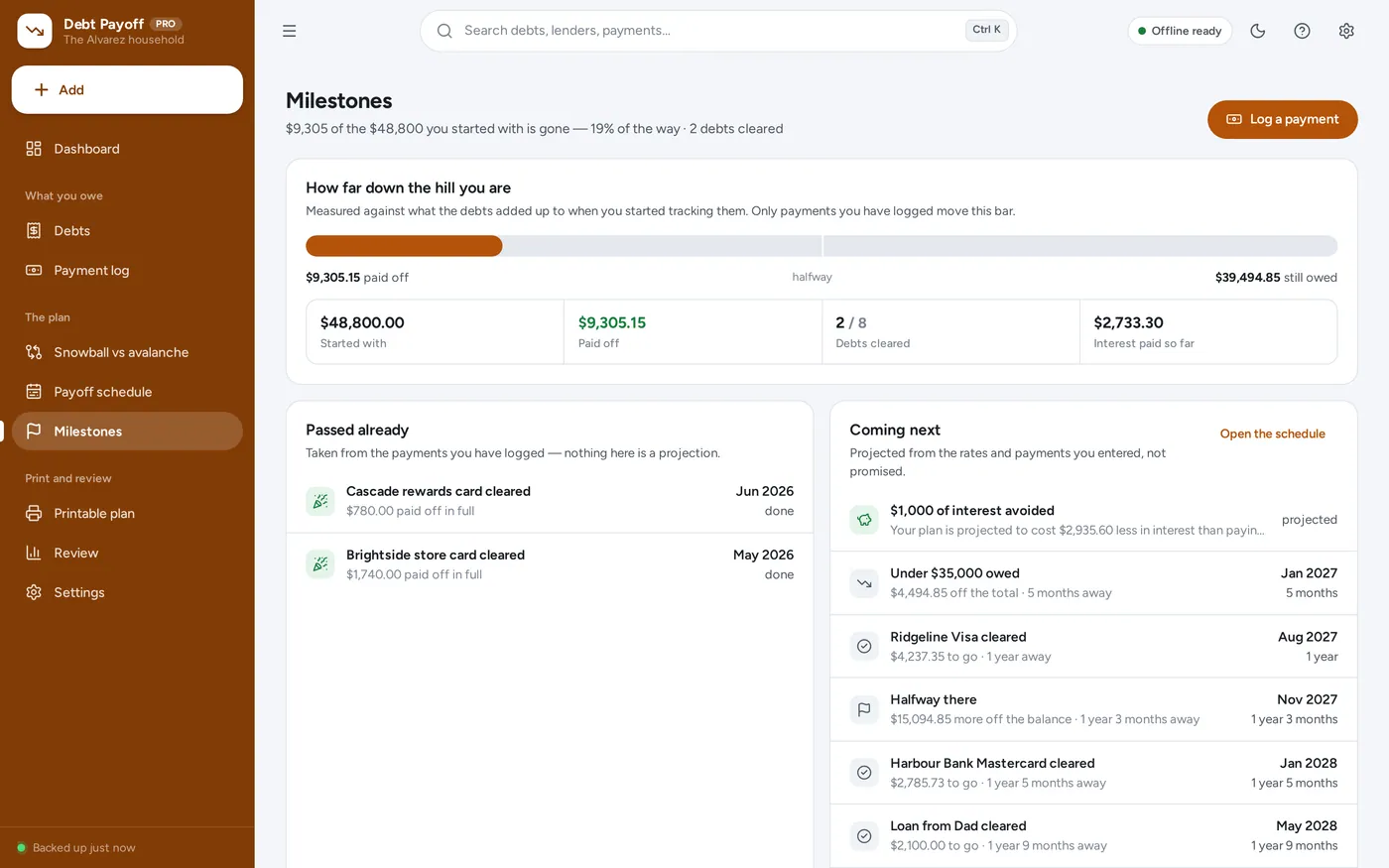
Milestones and the printout
For anyone paying down more than one debt at once: credit and store cards, car and personal loans, student loans, medical plans and money borrowed from family.
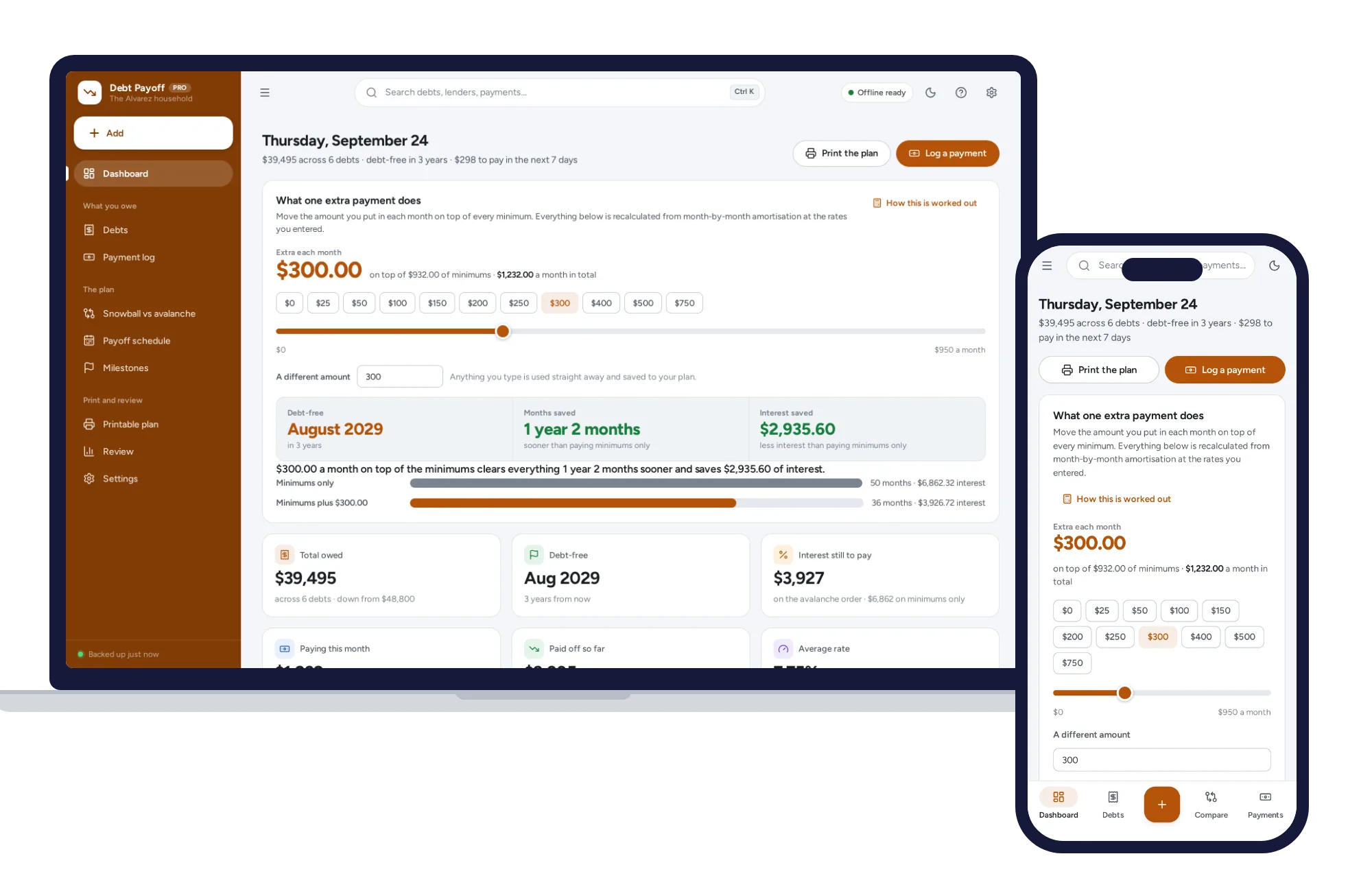
Light and dark mode. Install it like an app. Your balances and lenders stay in the browser on your own device — no account, no subscription, nothing uploaded.
What it needs, and what it does not do.
Debt Payoff Planner is an offline app from ColadoSystems that runs in your web browser from a folder on your own device. It costs $24.99 once, with no subscription and no account, and includes 12 tools, sample data to explore and a PDF guide. Your records stay on your device and are never uploaded.
Something else? Email us and we'll answer before you buy.
Everything is saved inside your browser on this device. Nothing is uploaded and there is no account, so no company holds a copy of your debt records. They are not encrypted, though: anyone who can use this device and browser can open them, so keep the device locked. Download a backup regularly (Settings → Data & backup → Back up now) and keep it somewhere as safe as the records themselves.
Yes. Open index.html and it runs fully offline. You can also host the folder on any website and choose “Install app” in Chrome or Edge to get a desktop or phone icon that works offline.
Yes. The layout adapts to phones and tablets with a bottom navigation bar. Each device keeps its own data, so use Back up / Restore to move records between devices.
Go to Settings → Data & backup → Erase records. Your business profile and settings are kept; all sample records are removed.
No. It is a calculator and a record book. Nothing in it is a recommendation about your money, your lenders or your contracts, and no outcome is promised. Every projection assumes the rates and payments you entered stay exactly as entered until the debt is gone. If a debt is causing you real trouble, a non-profit debt counsellor will be worth more to you than any app.
One month is one step. At the start of each step every debt is charged interest on the balance it is carrying: balance × (APR ÷ 100 ÷ 12), rounded to the cent the way a statement rounds it. That interest is added to the balance, then the month’s payments come off — every minimum first, and whatever is left of the monthly budget on the one debt at the top of your order. The monthly budget is held level, so each time a debt clears its minimum joins the extra payment. The whole method is written out on screen under Settings → How it is worked out.
Because lenders vary and the app says which parts it does not model. Some compound daily rather than monthly. Most recalculate a card minimum as the balance falls, where the app holds the minimum you entered. Fees, insurance, promotional rates that run out, interest-free periods, over-limit charges and interest on new spending are all left out. Treat the dates as a plan to work to, not a promise, and put your own numbers in when a statement disagrees.
Avalanche costs less — always, by the arithmetic — because it clears the highest rate first. Snowball clears your first debt sooner, which some people need in order to keep going. The comparison page puts both on your own figures and tells you exactly what the quicker first win costs you in interest. Sometimes it is hundreds of dollars and sometimes it is a rounding error; either way you get to decide, and the app does not decide for you.
The app flags that debt in red on the list and on the dashboard, because the balance would barely move on the minimum alone. If the whole plan is in that position — the total budget is less than the total interest — no payoff date is given at all and the app says why, instead of printing a date that cannot happen.
Yes, and that is the point. A logged payment moves the balance by whatever was not interest, and every projection is rebuilt from the balances as they stand. Skip a month and the dates move out; put a lump sum on and they come in. The Review page is drawn only from what you logged, so it shows what actually happened rather than what was planned.
You can, and the arithmetic will handle it — but a 25-year mortgage at a low rate next to a card at 27% will sit at the bottom of every order and stretch the debt-free date out by decades. Most people leave the mortgage out and use this for the debts they are actively trying to clear.
Enter 0 as the APR. It costs nothing to carry, so the avalanche order puts it last and only its minimum is paid until everything dearer is gone. If you would rather clear it sooner anyway — a payment plan you want off your mind, or money owed to a relative — that is exactly what “My own order” is for, and the comparison page will tell you what choosing it costs.
In this browser, on this device only. There is no account, no upload and no subscription, and nothing is sent anywhere. They are not encrypted, so anyone who can use this device and browser profile can read your balances and lenders. Keep the device access-controlled with a password and a screen lock, and keep backup files somewhere just as safe.
No. It is made for one person on one device, and records do not sync between devices. To move to another device, save a backup and restore it there.
Sorting out your money? These systems are close cousins. Here is who each one is for.
The whole picture: accounts, budgets, bills, subscriptions and goals.
Paid every week or two? Plan each paycheck against the bills it has to cover.
Paying debt down: snowball or avalanche, with a month-by-month payoff date.
The home & money bundle has every system in this category for one price.
Budgets, meals, cleaning and home projects, organized.
$89.99for 7 systems, $174.93 if bought one by one
You save $84
Home & money
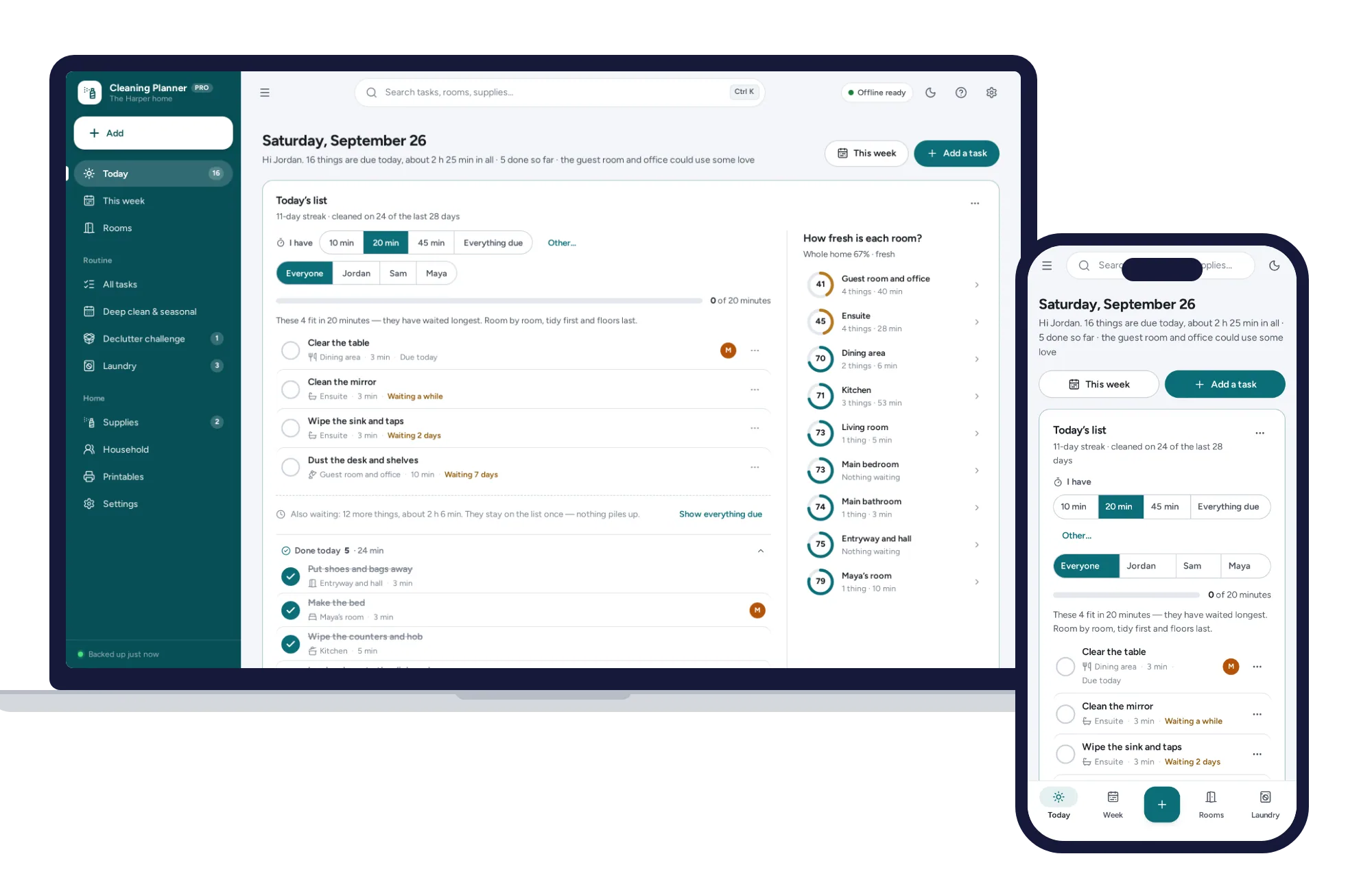
Today’s list works itself out, missed tasks never pile up, and “I have 20 minutes” picks what fits. No subscription.
$24.99one-time
Home & money
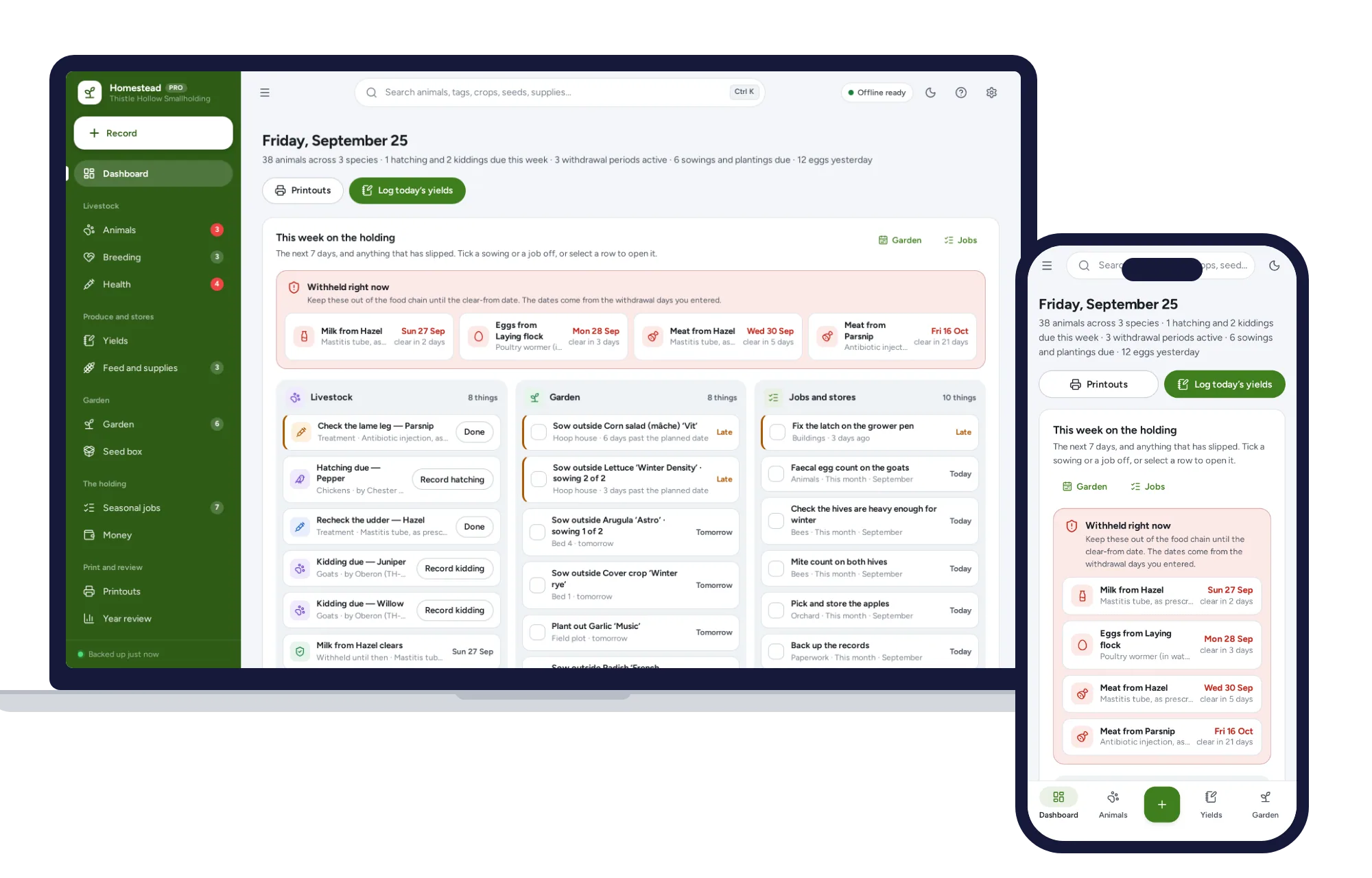
Works in the barn with no signal: livestock records, withdrawal dates, egg and milk logs, and a garden plan from your own frost dates.
$24.99one-time
Home & money
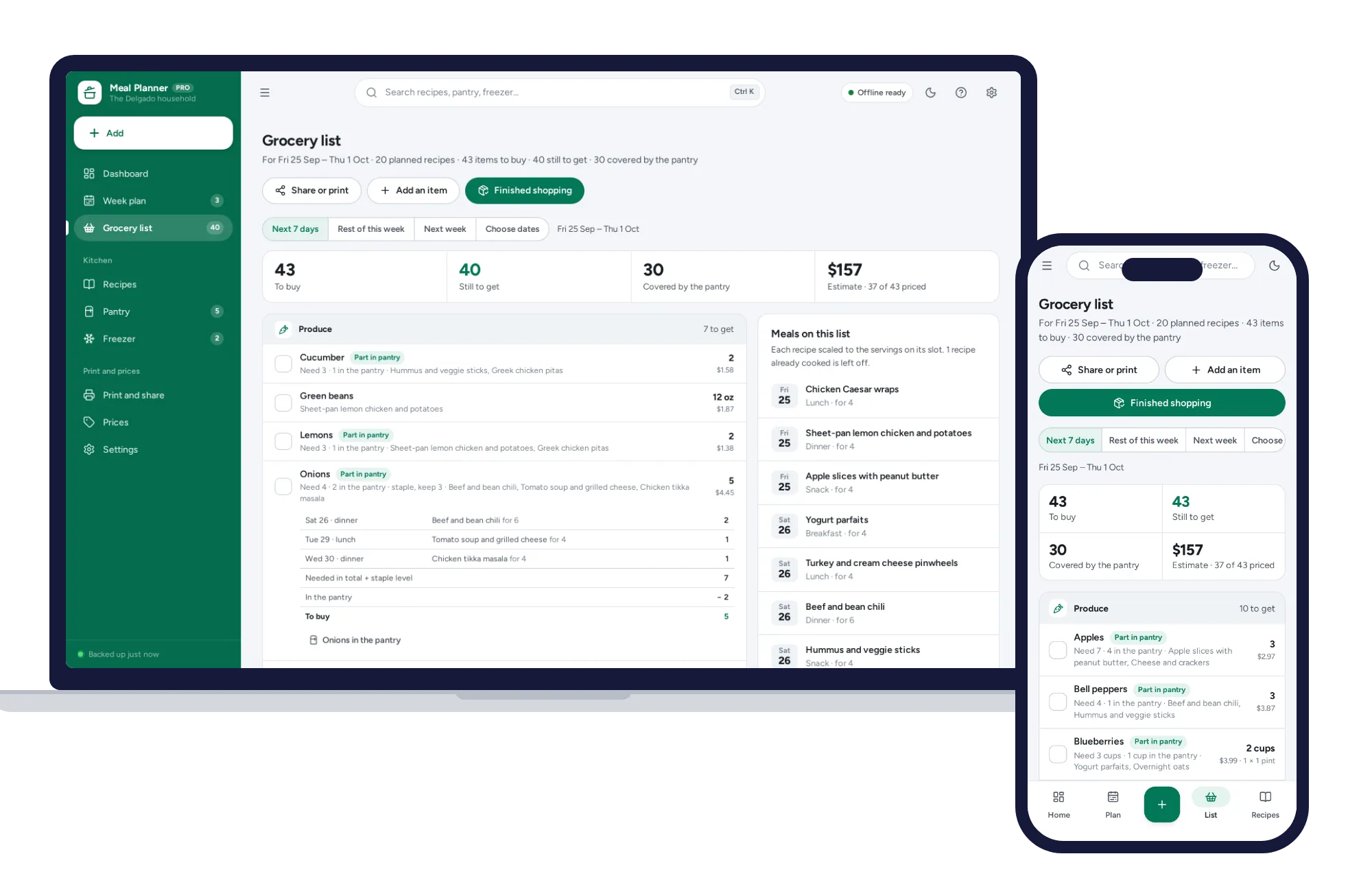
Plan the week and the grocery list writes itself — merged, sorted by aisle, with what the pantry already holds taken off.
$24.99one-time
Home & money
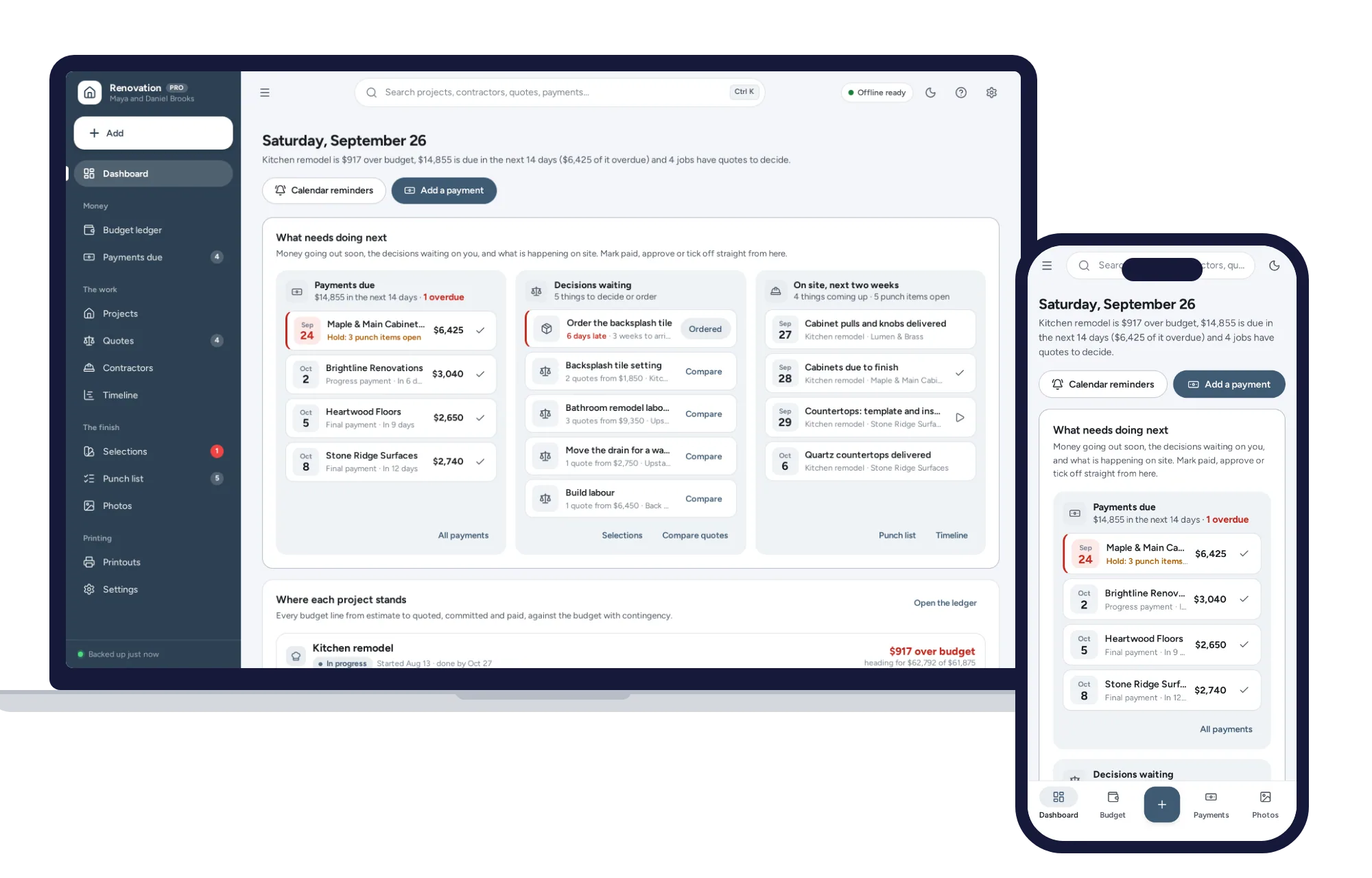
Every line from estimate to quoted, committed and paid, with contingency and change orders on one dashboard. No formulas to break, no subscription.
$24.99one-time