ColadoSystems
  • Works offlineNo account or sign-in
  • Records stay on your deviceNothing is uploaded
  • Any modern browserChrome, Edge, Safari or Firefox
  • Backup and restoreMove to a new device any time
Home & money

Home Renovation Planner

Every line from estimate to quoted, committed and paid, with contingency and change orders on one dashboard. No formulas to break, no subscription.

  • Dashboard
  • Budget ledger
  • Contingency
  • Change orders
  • Quote comparison
  • 7 more tools
$24.99One-time purchase

No subscription. Pay once and keep it.

Checkout by Paddle. Tax is added where it applies, and you download straight after paying.

  • 2.3 MB zip
  • PDF guide
  • Sample data

Made for Homeowners running their own renovation — a kitchen, a bathroom, a deck, or several at once — who want the budget, the quotes, the contractors and the payments in one place instead of a spreadsheet that stopped working when the invoices started coming in

All 7 home & money systems for $89.99Every system on this shelf in one bundleSave $84

What Home Renovation Planner does

A home renovation planner and remodel budget tracker for homeowners: a budget ledger that follows every line from your estimate to the quotes, the agreed price and what is paid, with contingency and change orders, contractor quotes side by side, payment schedules with due dates, selections with lead times, a punch list, a timeline with permits and inspections, and before-and-after photos — one offline app, no formulas to break.

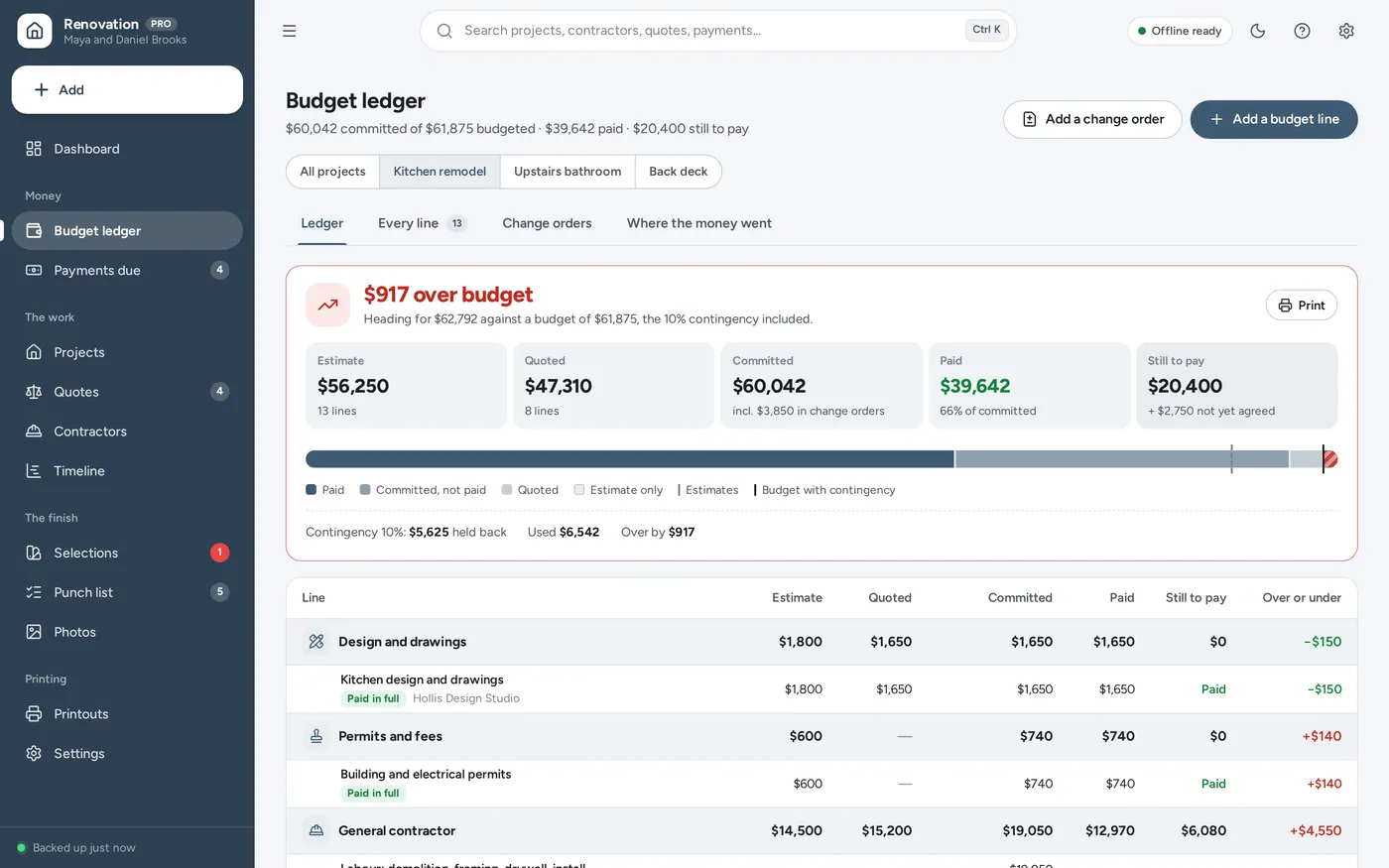
Renovation budget tracker

Estimate, quoted, committed, paid — every line

  • Still to pay and over or under, per line and per project
  • Contingency held back — and a plain “over budget” when it runs out
  • Change orders added to what is committed, never lost in a cell
Renovation budget tracker screen in Home Renovation Planner

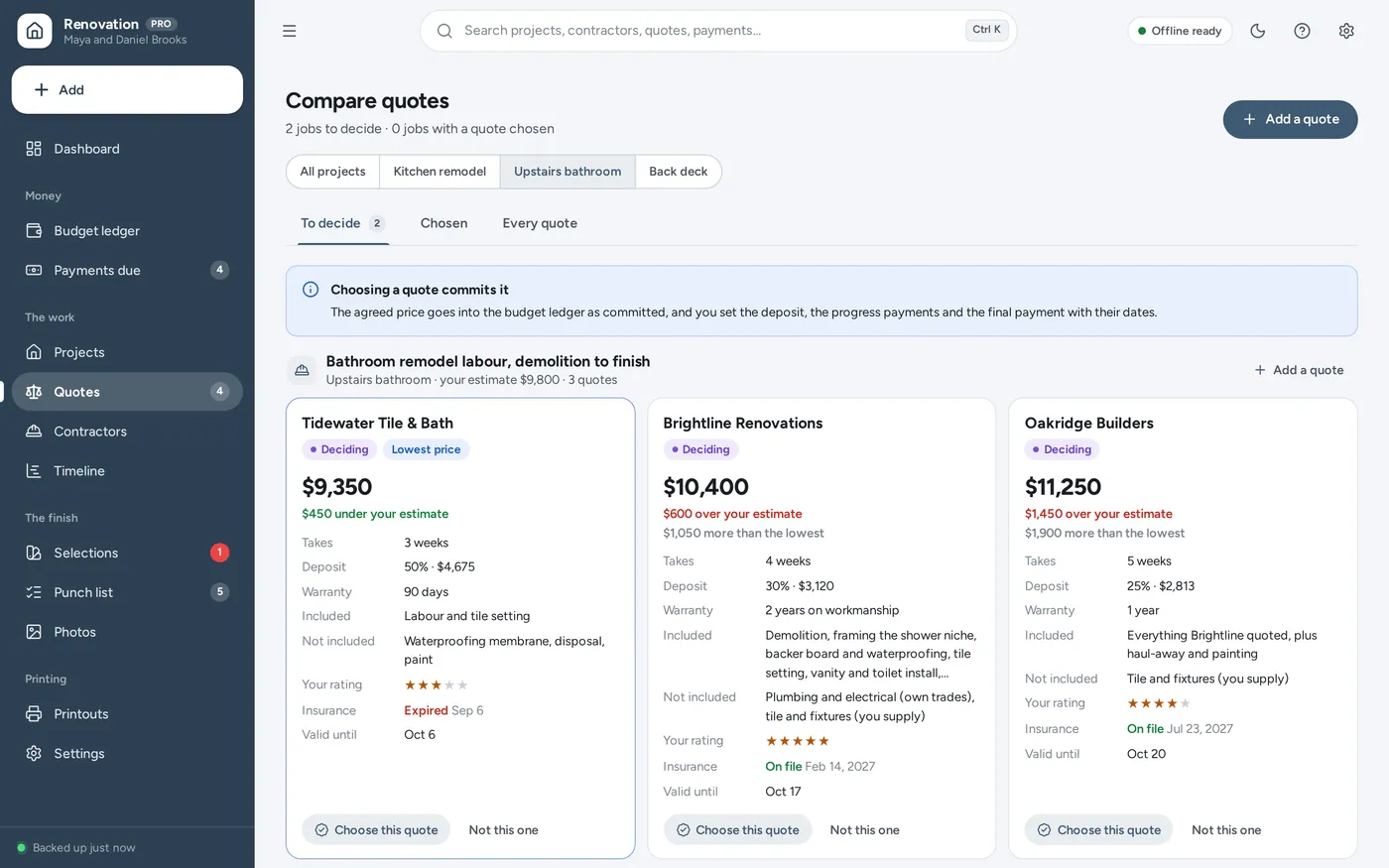
Contractor quote comparison

Compare quotes side by side, then commit one

  • Price against your estimate, time, deposit and warranty
  • What is not included, and whether insurance is on file
  • Choose one: the price is committed, the payments laid out
Contractor quote comparison screen in Home Renovation Planner

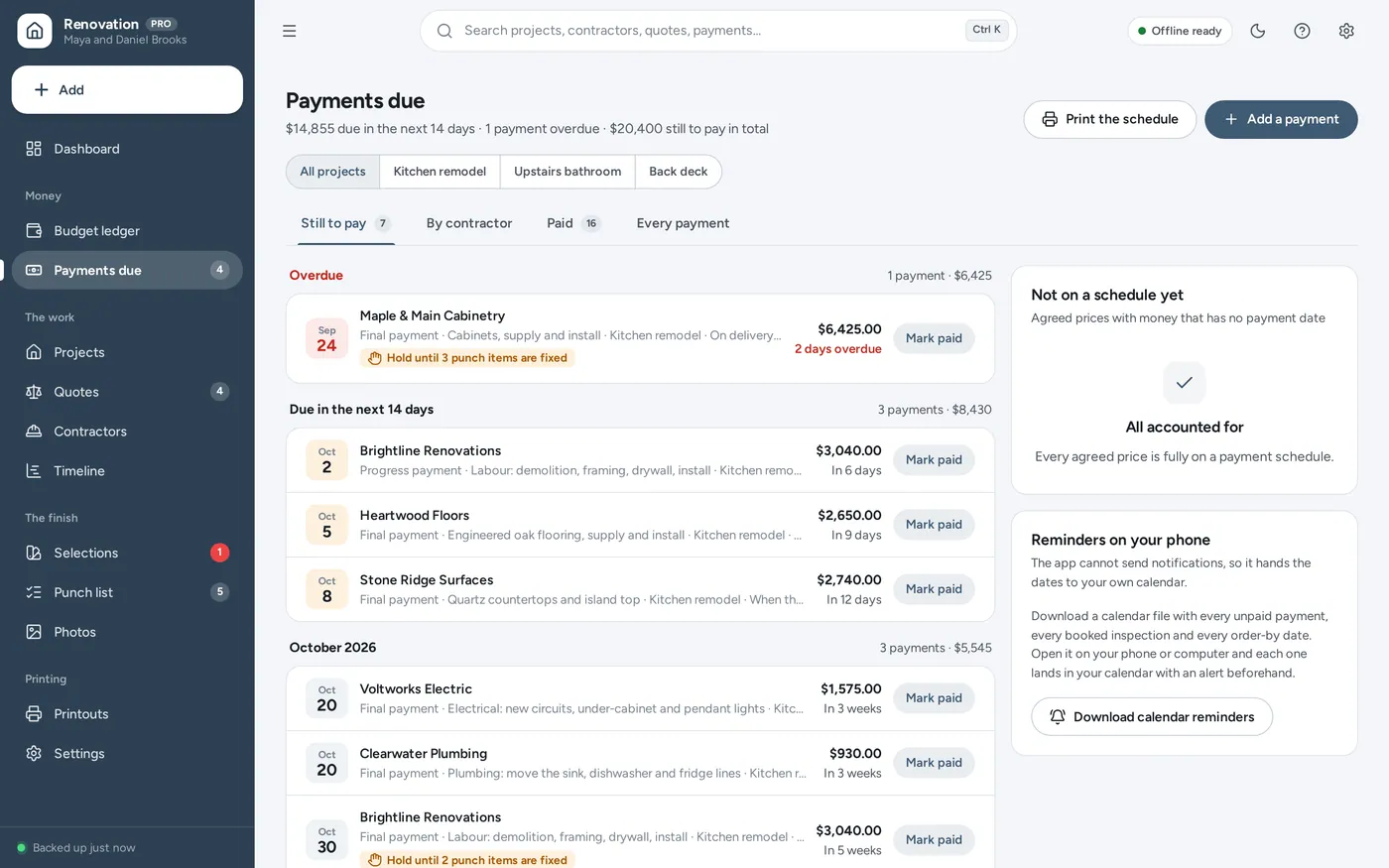
Payment schedule tracker

Deposit, progress, final — and when each is due

  • Overdue and due in the next 14 days, at the top
  • Each contractor’s schedule, paid and still to pay
  • The final payment held until the punch list is done
Payment schedule tracker screen in Home Renovation Planner

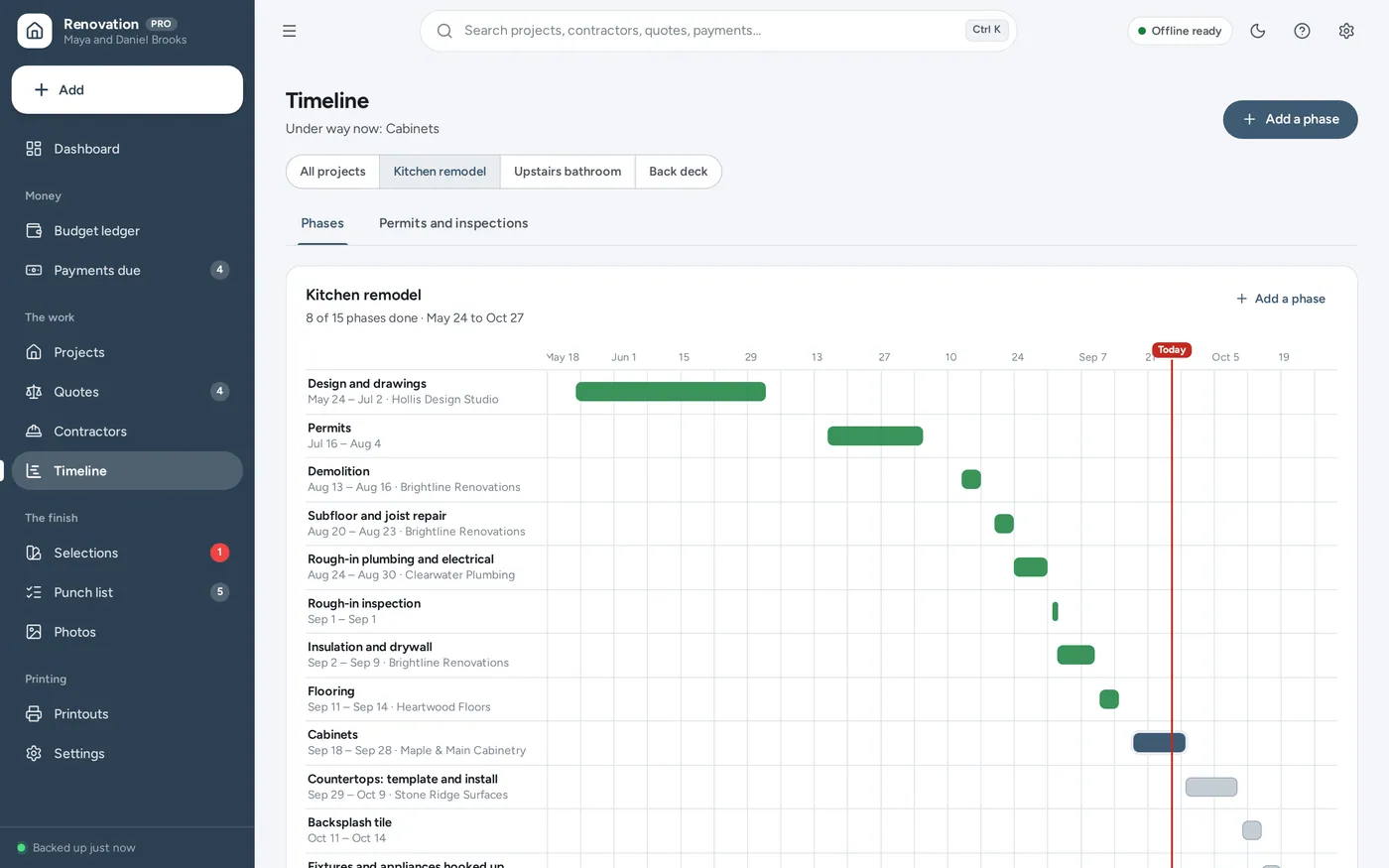
Remodel timeline

Every phase on one timeline, inspections marked

  • Done, under way, not started — and what is behind
  • Push one phase back and the rest move with it
  • Permit numbers, expiry dates and inspection results
Remodel timeline screen in Home Renovation Planner

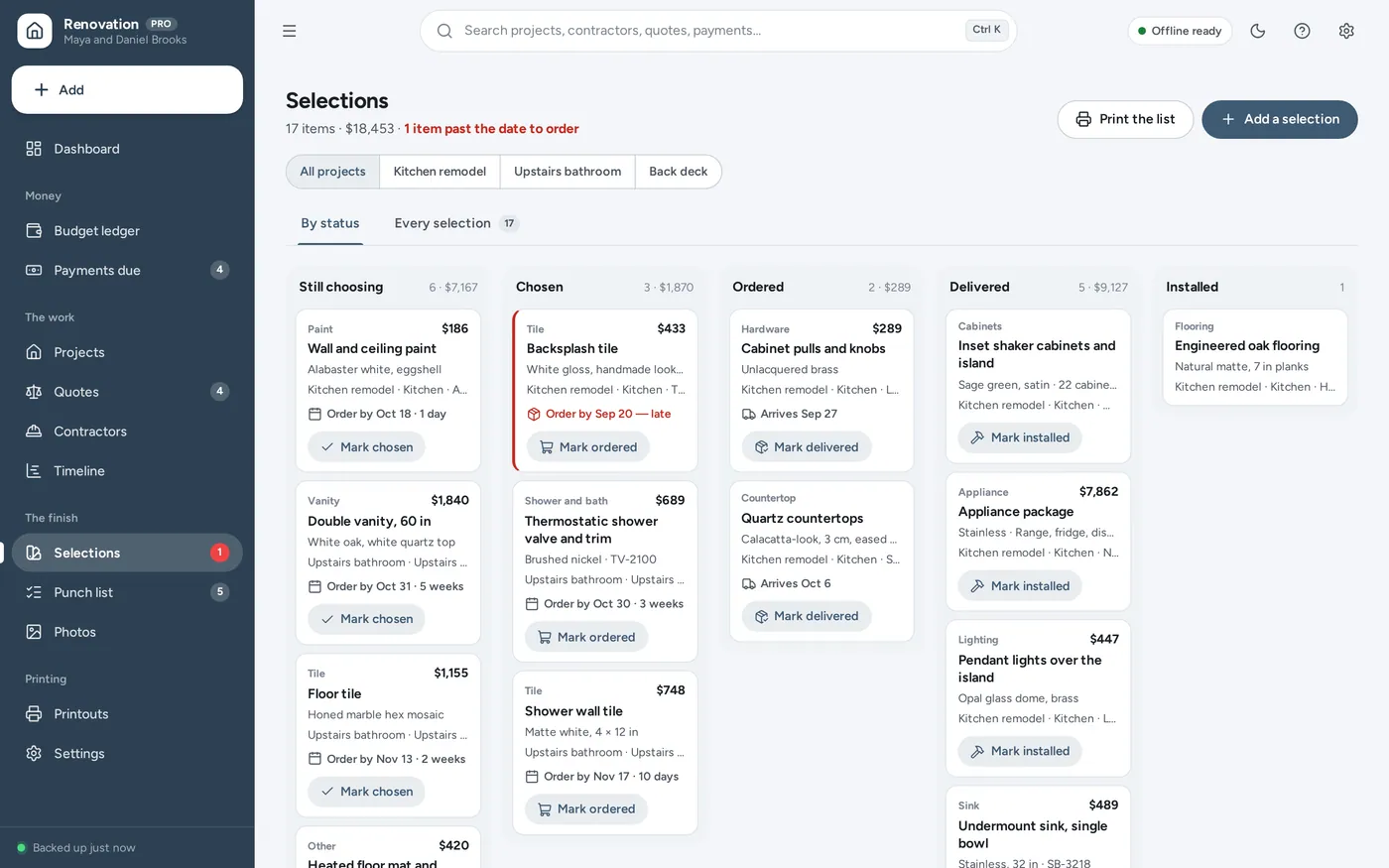
Selections tracker

Tile, faucets, lights — ordered in time

  • Finish, model, supplier, price and lead time
  • The date to order by, worked out for you
  • Late orders and late deliveries flagged
Selections tracker screen in Home Renovation Planner

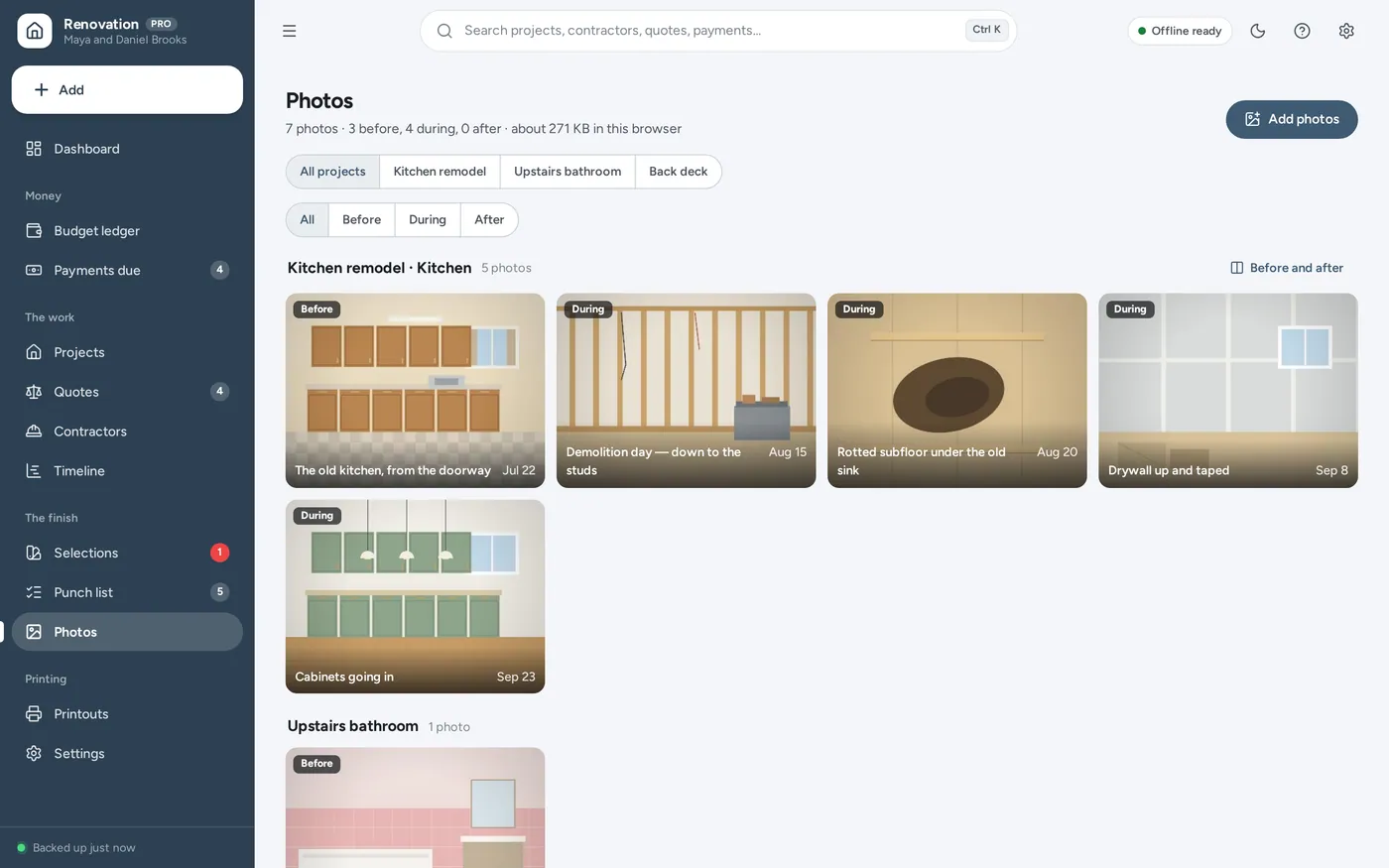
Punch list and photos

Before, during and after — and the last fixes

  • Before-and-after photos with a slider between them
  • A punch list, room by room, printed for the contractor
  • Photos kept on your own device, never uploaded
Punch list and photos screen in Home Renovation Planner

12 tools in one app

For homeowners, not contractors: the renovation budget, quote comparison, payment schedule and remodel tracker a spreadsheet promises — without the formulas.

  • DashboardWhat needs doing next
  • Budget ledgerEstimate to paid, per line
  • ContingencyHeld back, used, left
  • Change ordersApproved and waiting
  • Quote comparisonSide by side, then commit
  • Payment schedulesDeposit, progress, final
  • ContractorsLicence and insurance
  • TimelinePhases, permits, inspections
  • SelectionsLead times, order-by dates
  • Punch listRoom by room, printable
  • PhotosBefore, during and after
  • PrintoutsBudget, payments, punch list
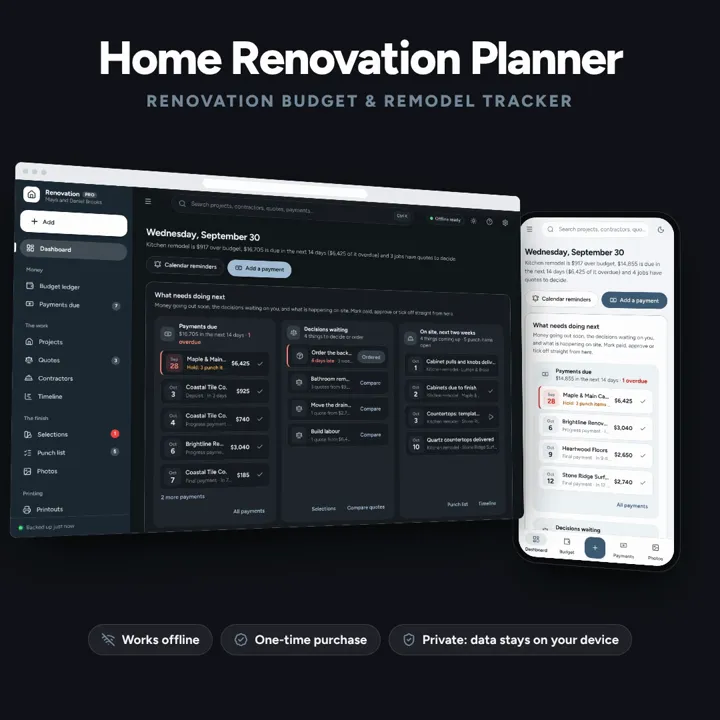
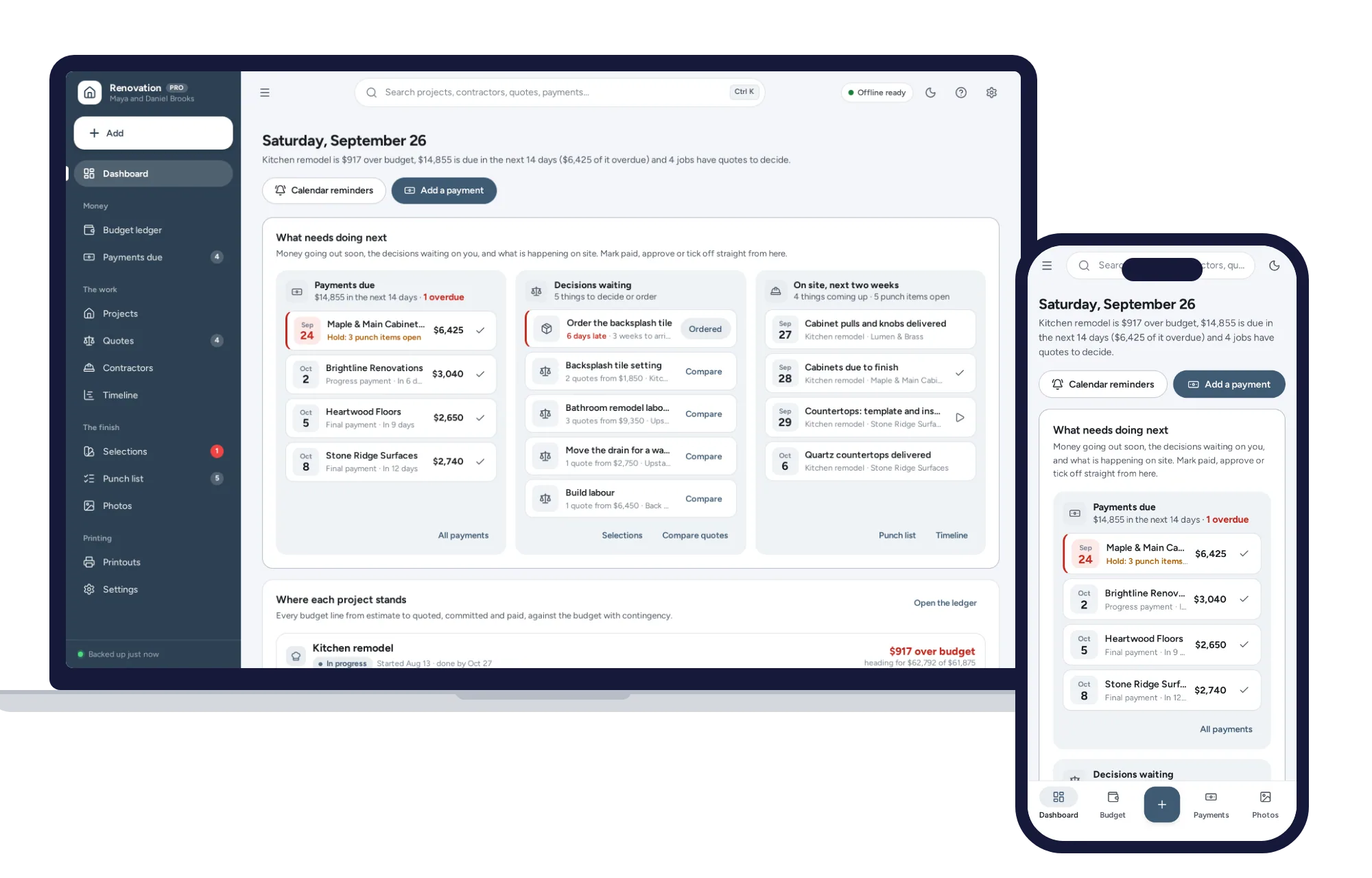
Home Renovation Planner on a laptop and on a phone

No formulas to break. No subscription.

Renovation spreadsheets work for the plan and stop working when the invoices start coming in. This dashboard keeps the estimate, the quotes, the agreed price and every payment in step — it opens from a double-click, works offline and keeps your records and photos on your own device.

  • Windows, Mac, iPad, Android
  • Dark mode
  1. Download & unzipGet the file instantly right after checkout and unzip it anywhere: desktop, USB drive or cloud folder.
  2. Open index.htmlDouble-click to open in Chrome, Edge, Safari or Firefox. It works without internet from then on.
  3. Make it yoursExplore the sample renovation, then add your project and your estimates. Back up with one click.

Before you buy

What it needs, and what it does not do.

Home Renovation Planner is an offline app from ColadoSystems that runs in your web browser from a folder on your own device. It costs $24.99 once, with no subscription and no account, and includes 12 tools, sample data to explore and a PDF guide. Your records stay on your device and are never uploaded.

Runs in
A current version of Chrome, Edge, Safari or Firefox, on a computer, tablet or phone.
Internet
Only to download it. After that it works with the Wi-Fi off.
Your records
Saved in the browser on this device. They are not encrypted and do not sync between devices, so anyone who can use the device can open them.
Backups
Save a backup file from the app whenever you like. Restore it to recover or to move to another device.
Users
Made for one person on one device. It is not a shared, multi-user system.
Download
A zip file under 3 MB with the app and its PDF guide.

License
For your own business or household. Not for resale. Read the license

Questions

Something else? Email us and we'll answer before you buy.

Where is my data stored? Is it private?

Everything is saved inside your browser on this device. Nothing is uploaded and there is no account, so no company holds a copy of your renovation records. They are not encrypted, though: anyone who can use this device and browser can open them, so keep the device locked. Download a backup regularly (Settings → Data & backup → Back up now) and keep it somewhere as safe as the records themselves.

Does it work without internet?

Yes. Open index.html and it runs fully offline. You can also host the folder on any website and choose “Install app” in Chrome or Edge to get a desktop or phone icon that works offline.

Can I use it on my phone or iPad?

Yes. The layout adapts to phones and tablets with a bottom navigation bar. Each device keeps its own data, so use Back up / Restore to move records between devices.

How do I start fresh after trying the sample data?

Go to Settings → Data & backup → Erase records. Every sample record is removed, and so are the sample household’s names and address, so nothing of theirs ends up on your printouts. Your other settings are kept.

Is this for contractors?

No. It is for the homeowner: your budget, the quotes you collect, the contractors you hire and the payments you make. There is no estimating for clients, no crews and no invoicing in it. If you run a building business, our construction and general contractor systems are built for that.

How is “over budget” worked out?

A project’s budget is its estimates plus the contingency you hold back. What it is heading for is, line by line, the agreed price plus any approved change orders — or, where nothing is agreed yet, the lowest quote you are still considering, or else your estimate — and never less than what you have already paid. Lines over their estimate and change orders use up the contingency; once what it is heading for passes the budget, the project is over budget by the difference.

What is the difference between quoted and committed?

Quoted is a price someone has offered. Committed is a price you have agreed — by choosing a quote, or by typing in the agreed price for something you bought directly, such as appliances. Approved change orders add to what is committed. Still to pay is what is committed minus what you have marked as paid.

Where are the photos kept, and how much room do they take?

In this browser on this device, with your other records. Each photo is shrunk to at most 1,600 pixels across before it is stored, which is usually a few hundred kilobytes. They are included in the backup file, so back up regularly and keep the file somewhere safe.

Does it tell me whether I need a permit?

No. It keeps the permits and inspections you tell it about, with their numbers, dates and results. Whether a job needs a permit, and what it must meet, is for your local building department to say.

Can both of us use it?

Each device keeps its own copy of the records, so there is no live sync between two phones. Most households keep it on one laptop and print what the other needs, or move the records between devices with Back up now and Restore.

Can several people use it at the same time?

No. It is made for one person on one device, and records do not sync between devices. To move to another device, save a backup and restore it there.

Not quite right?

Building or renovating? These systems are close cousins. Here is who each one is for.

  • Construction Contractor Manager

    Contractors running bids, milestones, crews and job costing across projects.

    $29.9912 tools

  • General Contractor Manager

    General contractors: job costing, change orders, daily logs and progress invoices.

    $29.9912 tools

  • Home Renovation Planner

    Homeowners: the renovation budget, contractor quotes and payment schedule.

    $24.99You are viewing this one

Need more than one?

The home & money bundle has every system in this category for one price.

Home & money bundle

Budgets, meals, cleaning and home projects, organized.

$89.99for 7 systems, $174.93 if bought one by one

You save $84

Your cart