
Automatic grocery list
Plan the week. The list writes itself.
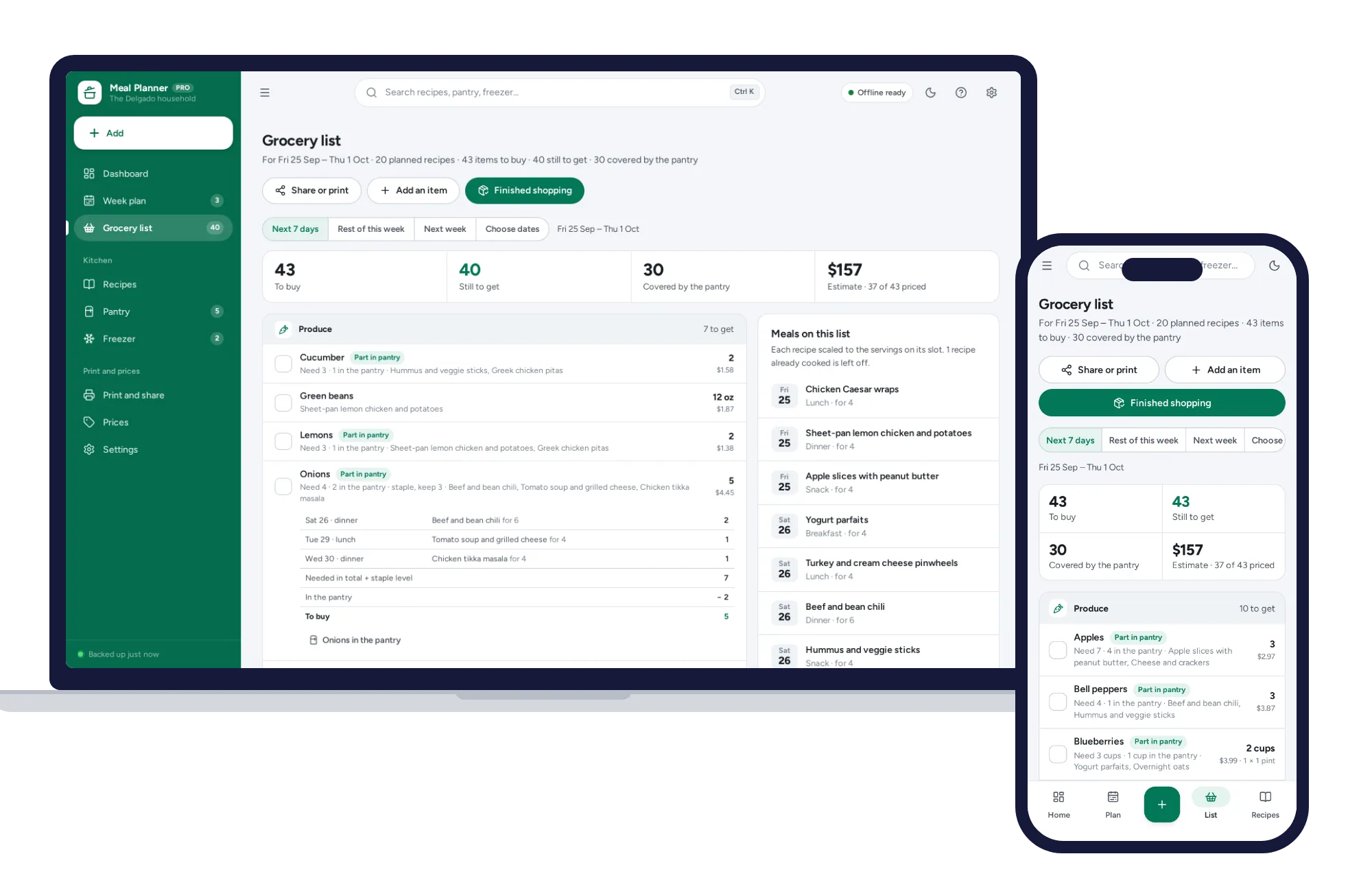
- Every planned recipe scaled to its servings and merged
- 2 onions + 1 onion = 3 onions; 1 lb + 8 oz = 1.5 lb
- Sorted by aisle, in the order you walk the shop
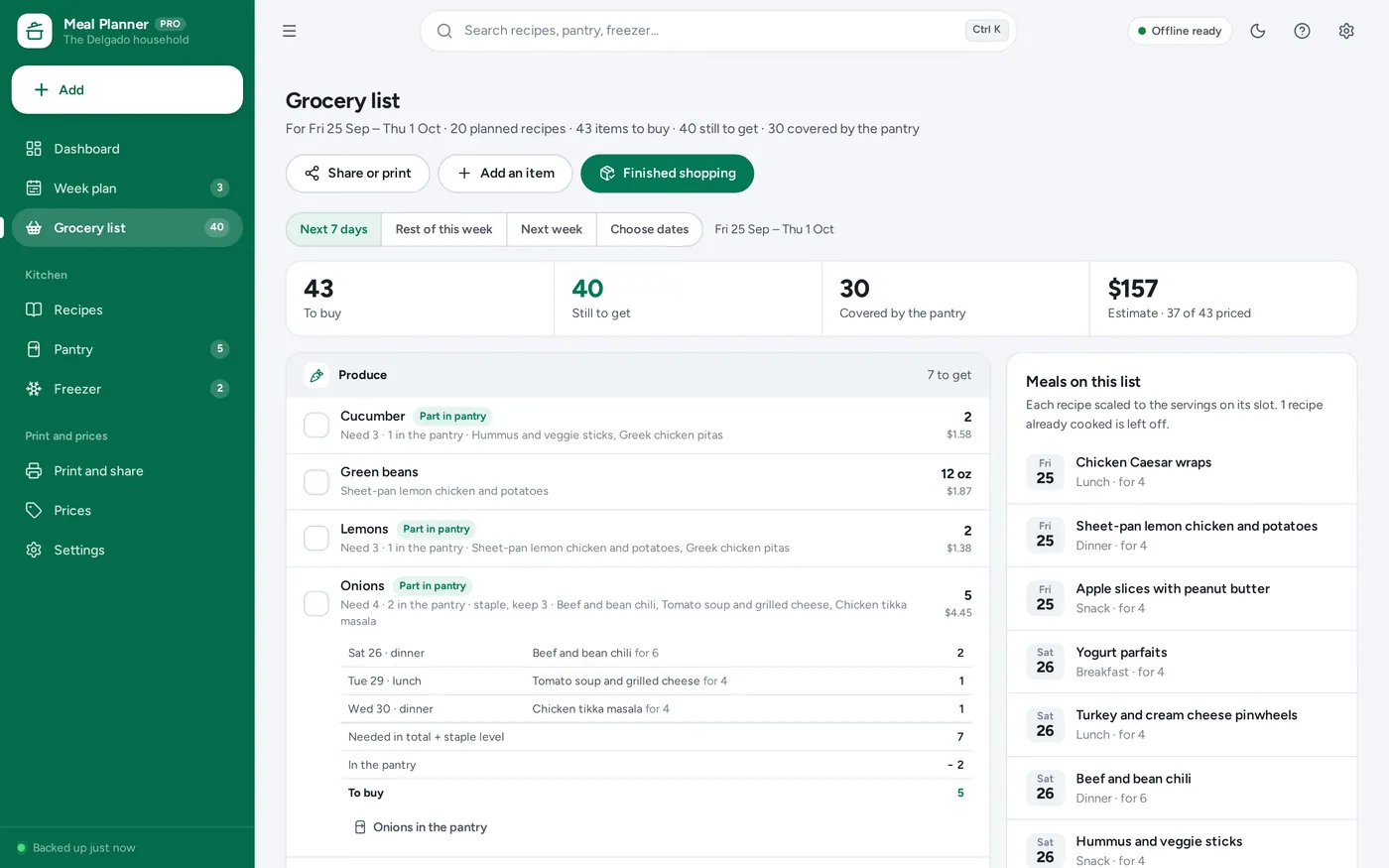
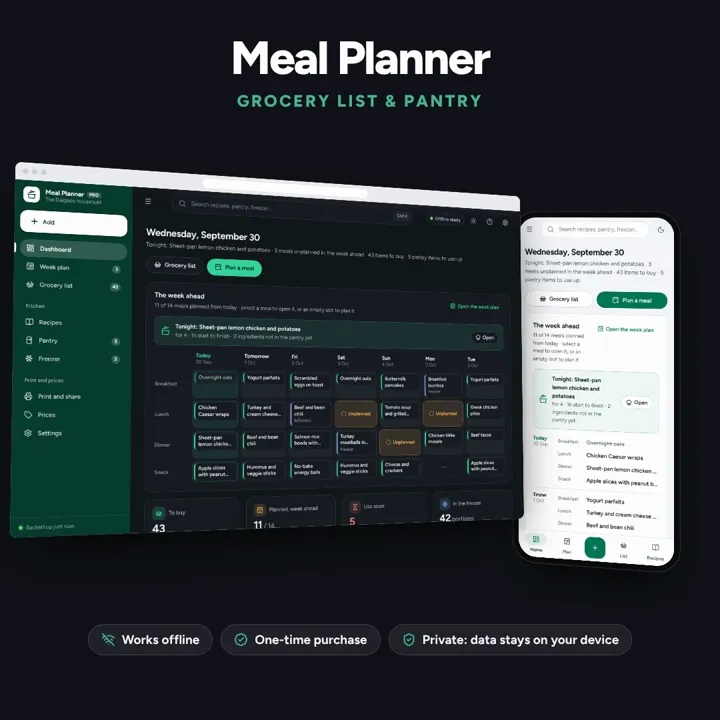
Plan the week and the grocery list writes itself — merged, sorted by aisle, with what the pantry already holds taken off.
No subscription. Pay once and keep it.
Checkout by Paddle. Tax is added where it applies, and you download straight after paying.
Made for Home cooks and meal preppers who plan the week, shop once, and want to stop buying what is already in the cupboard
A weekly meal planner that works out the grocery list for you: every planned recipe scaled and merged, what is already in the pantry taken off, the rest sorted by aisle — plus a recipe box that scales, pantry use-by dates and a freezer log, offline on your own device.
Automatic grocery list
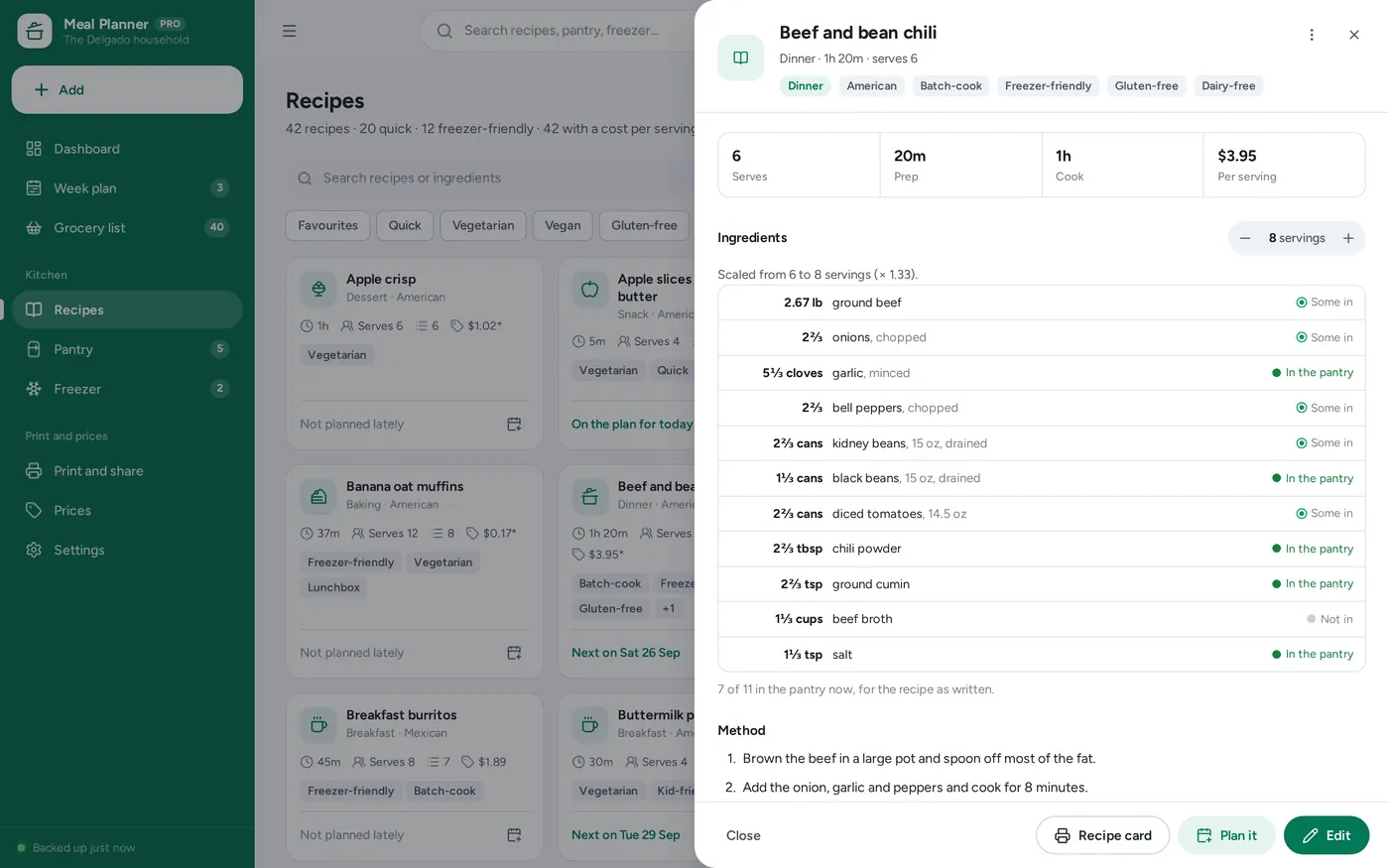
The pantry taken off
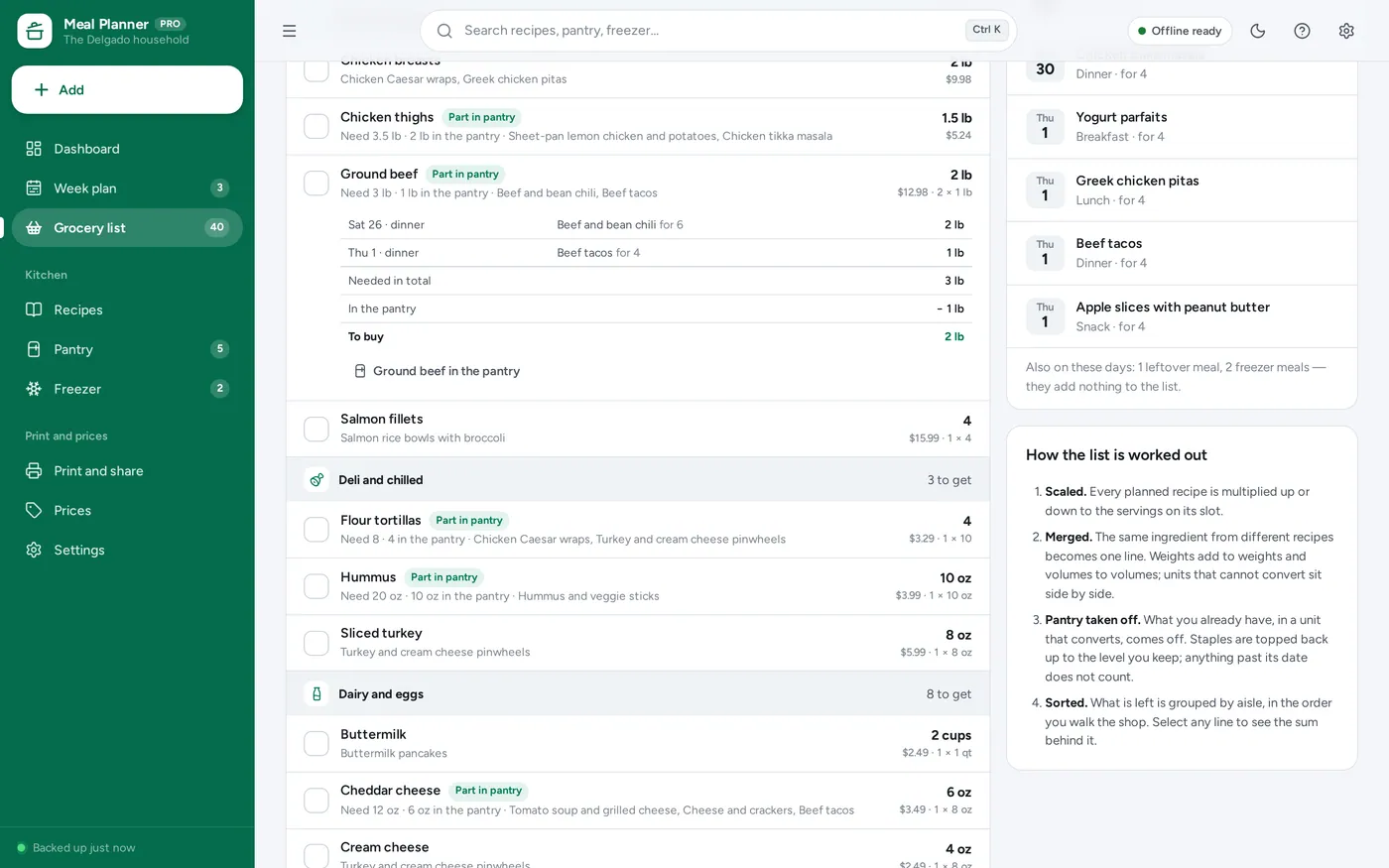
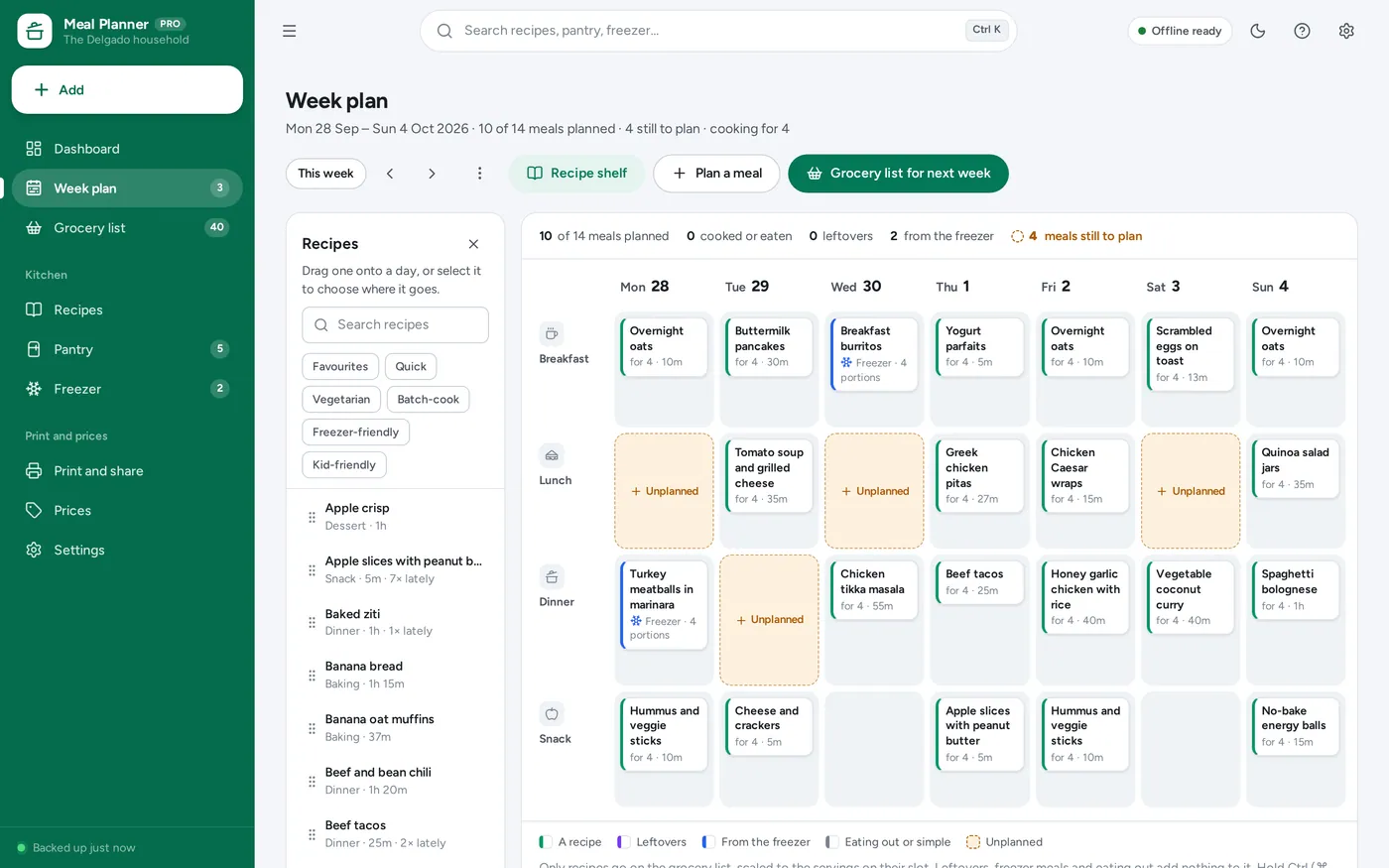
Weekly meal planner
Recipe organizer
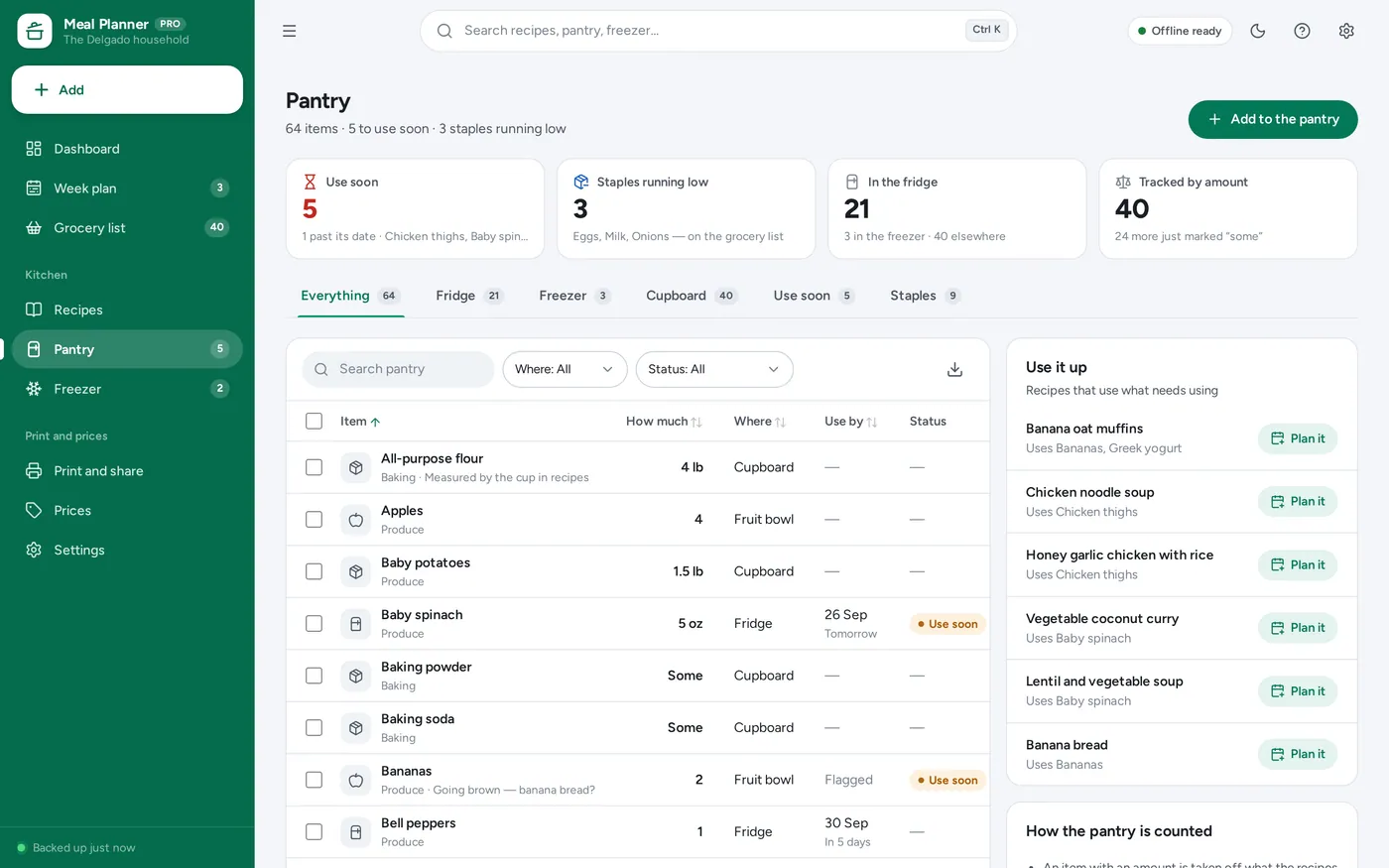
Pantry inventory
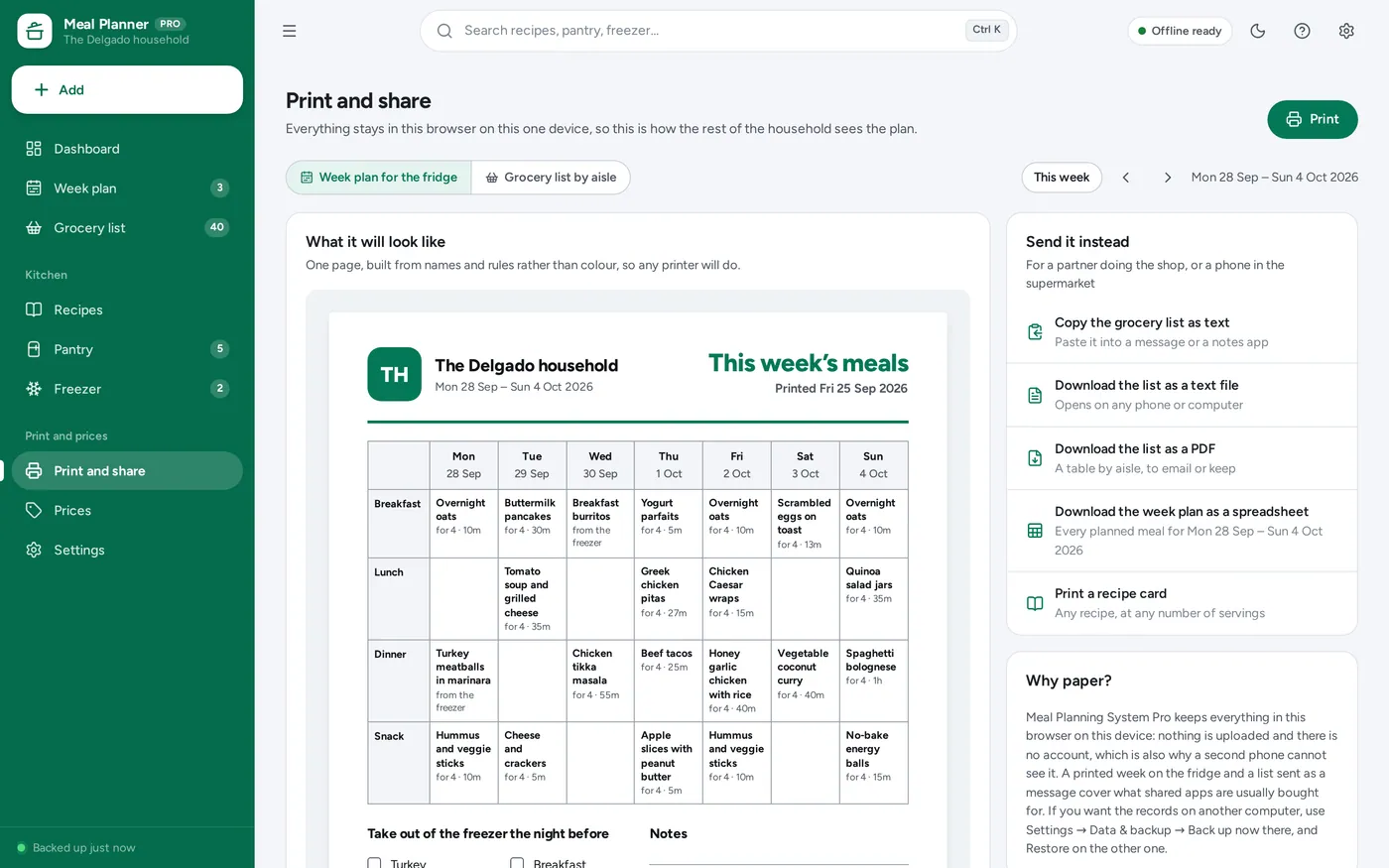
Print and share
For home cooks and meal preppers who plan the week, shop once and want to stop wasting food.
Light and dark mode. Install it like an app. Your recipes and plans stay in the browser on your own device — no account, no subscription.
What it needs, and what it does not do.
Meal Planner is an offline app from ColadoSystems that runs in your web browser from a folder on your own device. It costs $24.99 once, with no subscription and no account, and includes 12 tools, sample data to explore and a PDF guide. Your records stay on your device and are never uploaded.
Something else? Email us and we'll answer before you buy.
Everything is saved inside your browser on this device. Nothing is uploaded and there is no account, so no company holds a copy of your recipes and plans. They are not encrypted, though: anyone who can use this device and browser can open them, so keep the device locked. Download a backup regularly (Settings → Data & backup → Back up now) and keep it somewhere as safe as the records themselves.
Yes. Open index.html and it runs fully offline. You can also host the folder on any website and choose “Install app” in Chrome or Edge to get a desktop or phone icon that works offline.
Yes. The layout adapts to phones and tablets with a bottom navigation bar. Each device keeps its own data, so use Back up / Restore to move records between devices.
Go to Settings → Data & backup → Erase records. Your settings are kept; every sample recipe, plan, pantry item and freezer portion is removed.
For the days you choose, it takes every planned recipe that is not yet cooked and multiplies it up or down to the servings on its slot. It adds up the same ingredient across recipes — weights with weights, volumes with volumes, counts with counts — then takes off what the pantry holds in a unit that converts, tops staples back up to the level you keep, rounds things you buy whole up to whole ones, and sorts the rest by aisle. Select any line to see the sum.
Pounds and ounces, cups and millilitres, tablespoons and teaspoons all convert, so they merge into one amount. A stick of butter counts as half a cup. Things that cannot be converted without guessing — cups of flour against grams of flour, a head of garlic against cloves — are shown side by side on the same line, and if the pantry holds something in a unit that does not convert, the line is marked “Check the units”.
Usually one of four things: the names differ (“scallions” in the recipe, “green onions” in the pantry), the units do not convert, the pantry item is past its date, or it is a staple and this week’s cooking takes it below the level you keep. Open the line on the grocery list and it shows exactly which.
Not directly. Everything is saved in this browser on this one device — nothing is uploaded and there is no sync. Share the plan by printing the week for the fridge, and share the list by printing it by aisle or sending it as text from Share or print. To use the same records on another computer, back up on this one and restore on the other.
No. Calories and macros are optional figures you type onto your own recipes. The app shows them, and if you switch it on it adds them up per day, but it never looks anything up, never sets a target and never scores or judges a meal. Nothing in it is nutrition or dietary advice.
Only from you. Prices are optional; you type in what you pay for the things you buy most. Nothing is looked up online or estimated. A recipe cost or a list estimate says how many ingredients it could count, and anything without a price is simply left out.
No. Family Organizer and Mom Life Organizer keep a meal slot on a family calendar. Meal Planning System is the whole kitchen engine: recipes with quantities and scaling, a week plan, a grocery list worked out from the plan with the pantry taken off, pantry use-by dates, and a freezer log.
No. It is made for one person on one device, and records do not sync between devices. To move to another device, save a backup and restore it there.
The home & money bundle has every system in this category for one price.
Budgets, meals, cleaning and home projects, organized.
$89.99for 7 systems, $174.93 if bought one by one
You save $84
Home & money
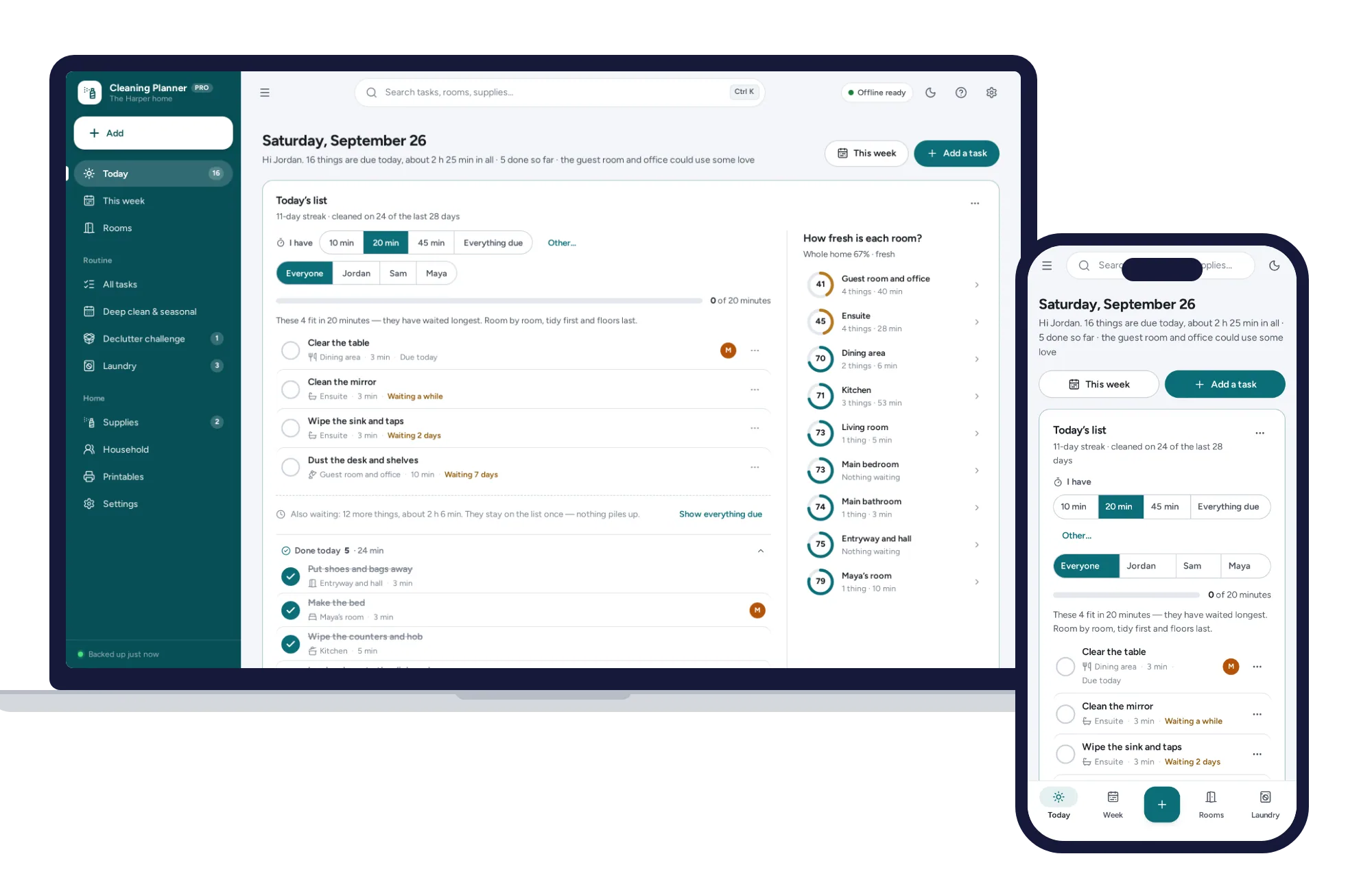
Today’s list works itself out, missed tasks never pile up, and “I have 20 minutes” picks what fits. No subscription.
$24.99one-time
Home & money
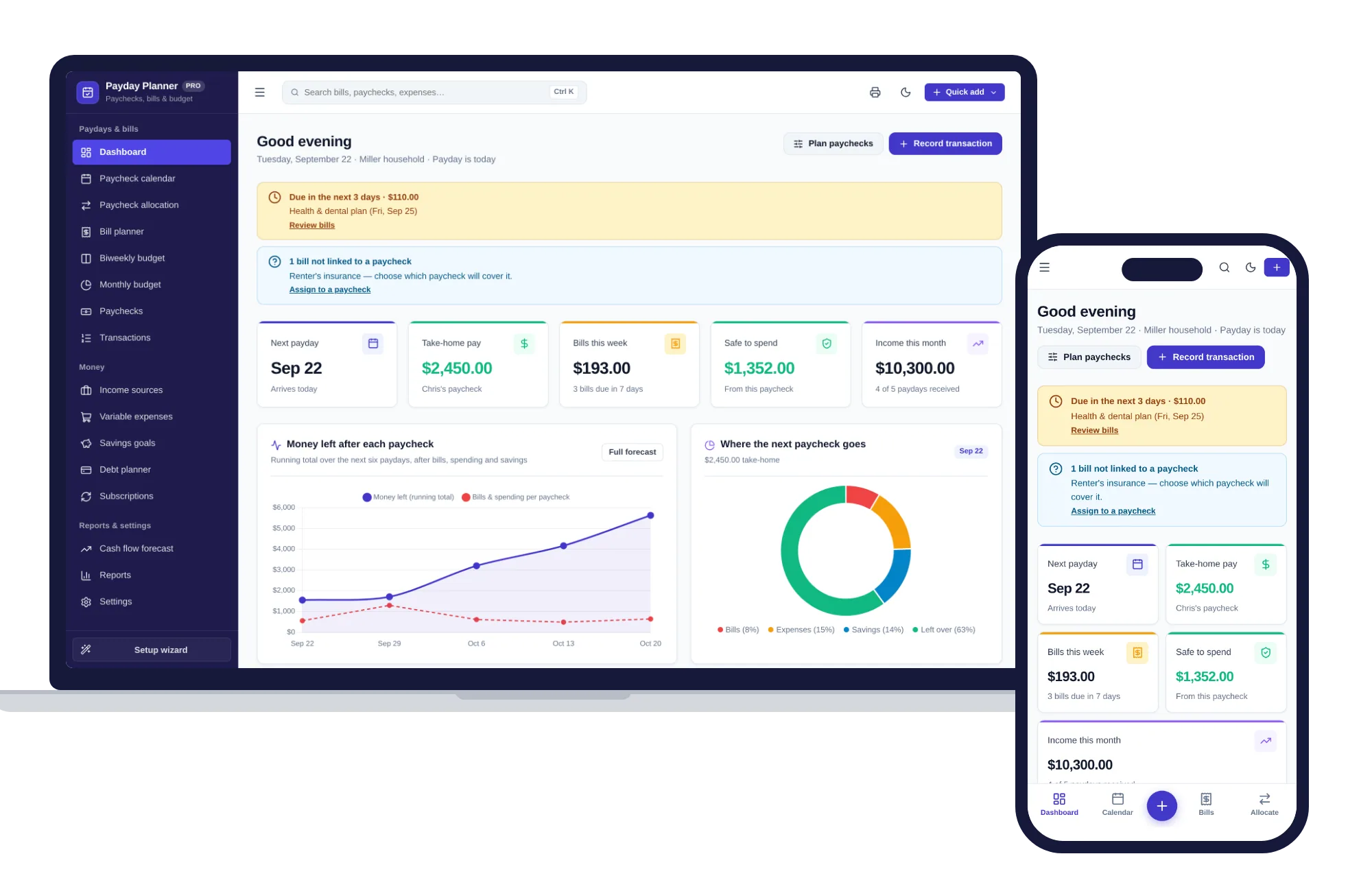
Plan every paycheck: bills, budgets, savings and cash flow — one offline app.
$24.99one-time
Home & money
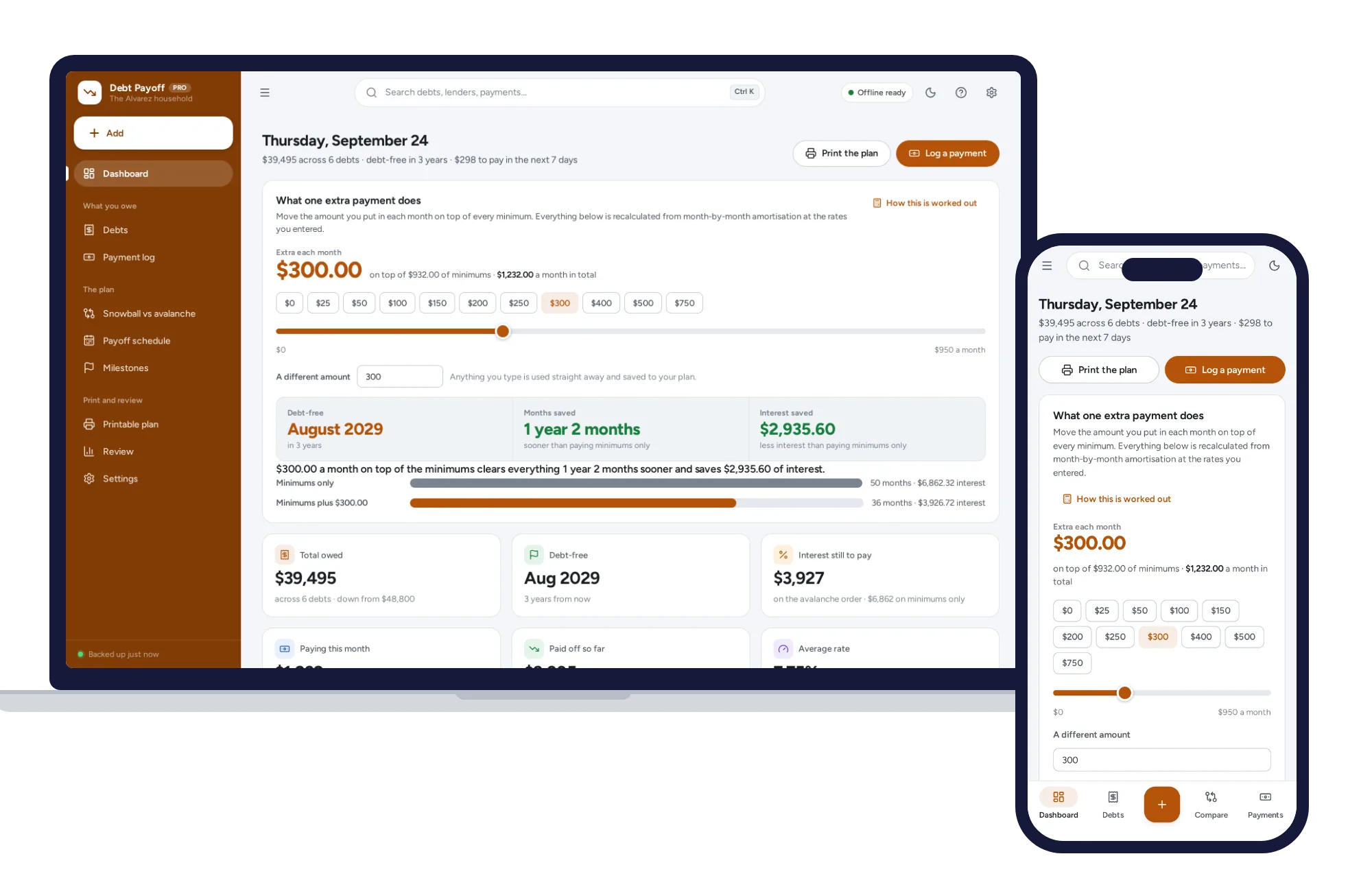
Every debt in one place, snowball and avalanche side by side, and what an extra payment really buys.
$24.99one-time
Home & money
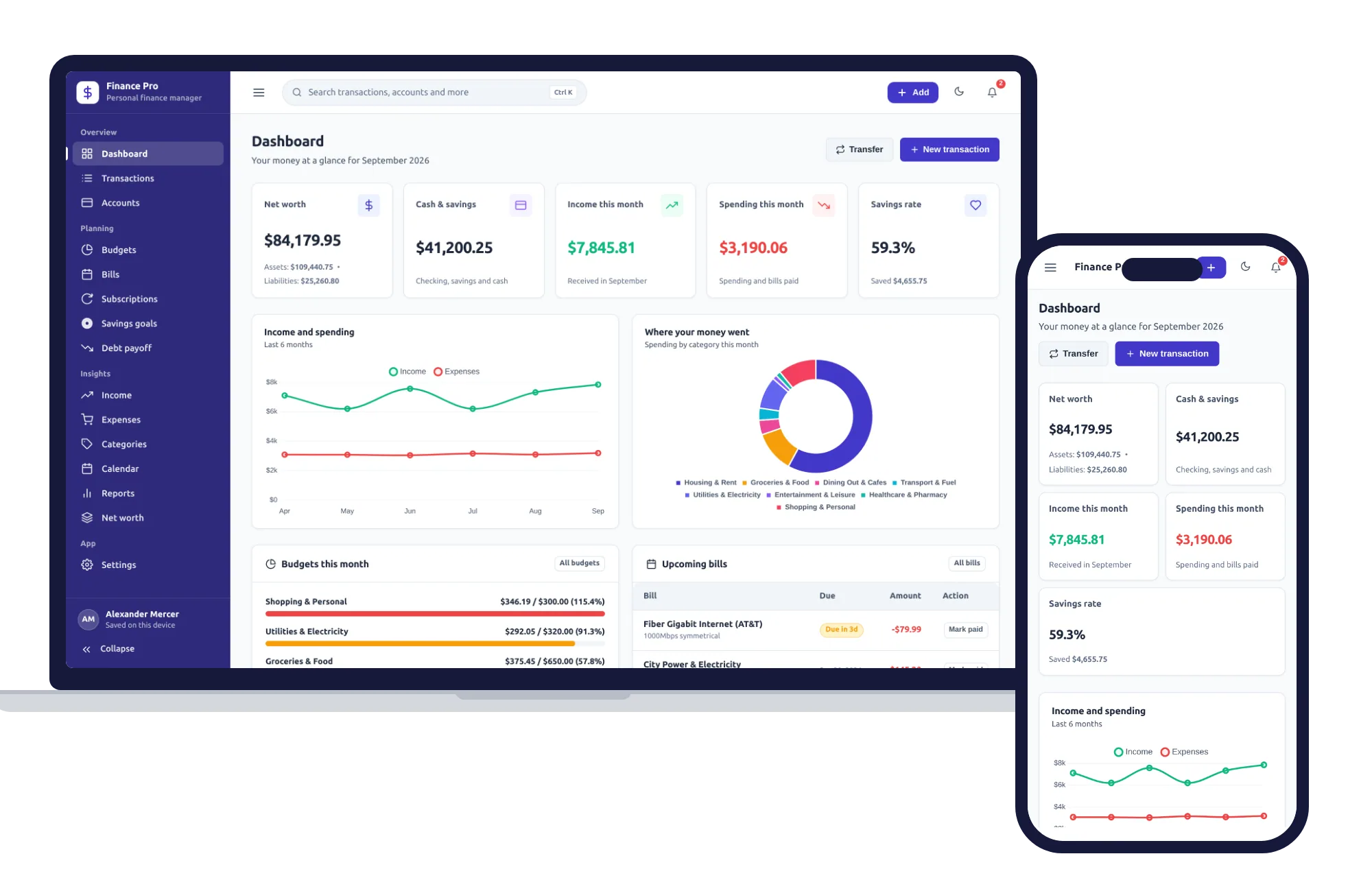
Budgets, bills, savings goals and net worth — one private app that works offline.
$24.99one-time