
Attendance tracker
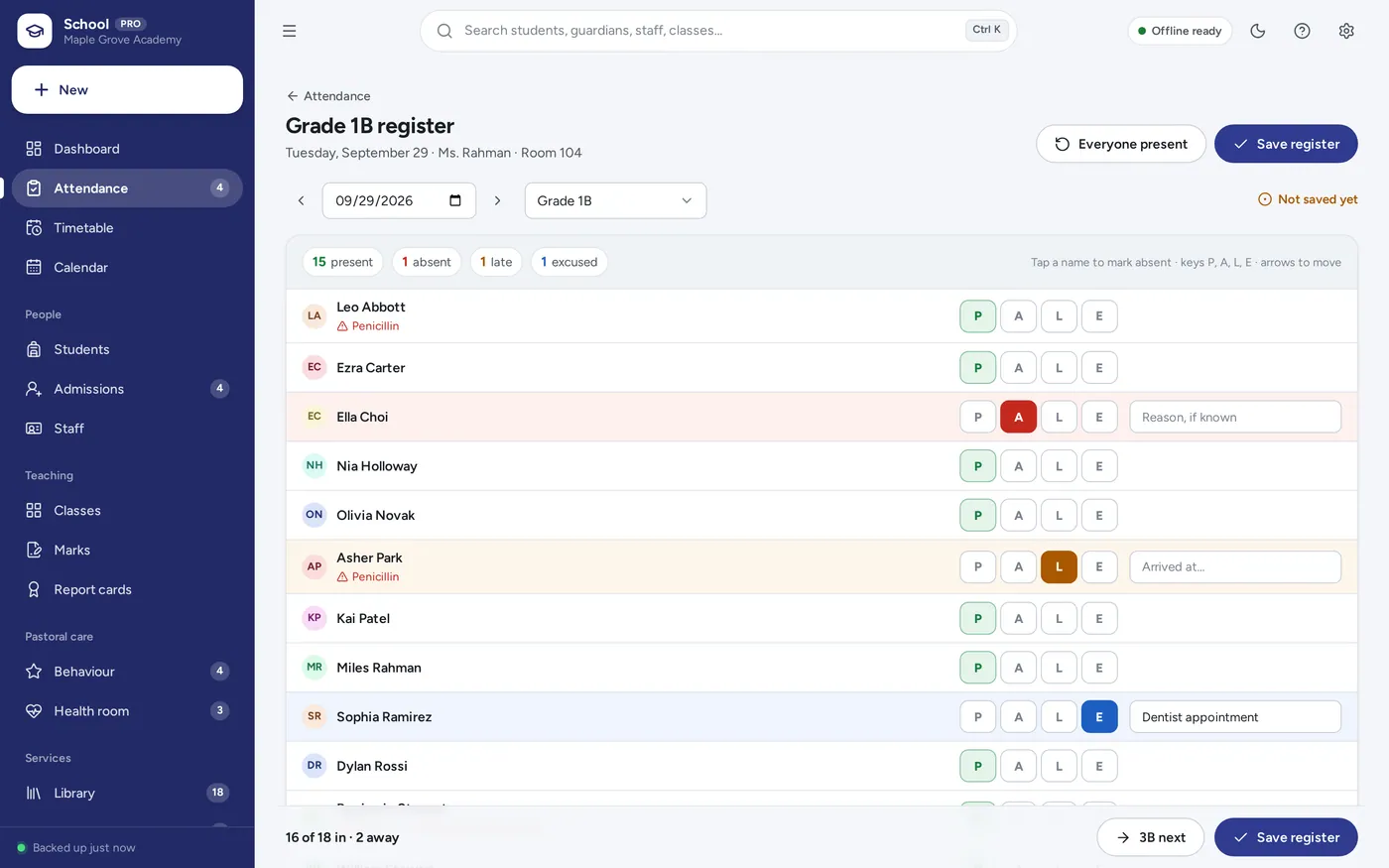
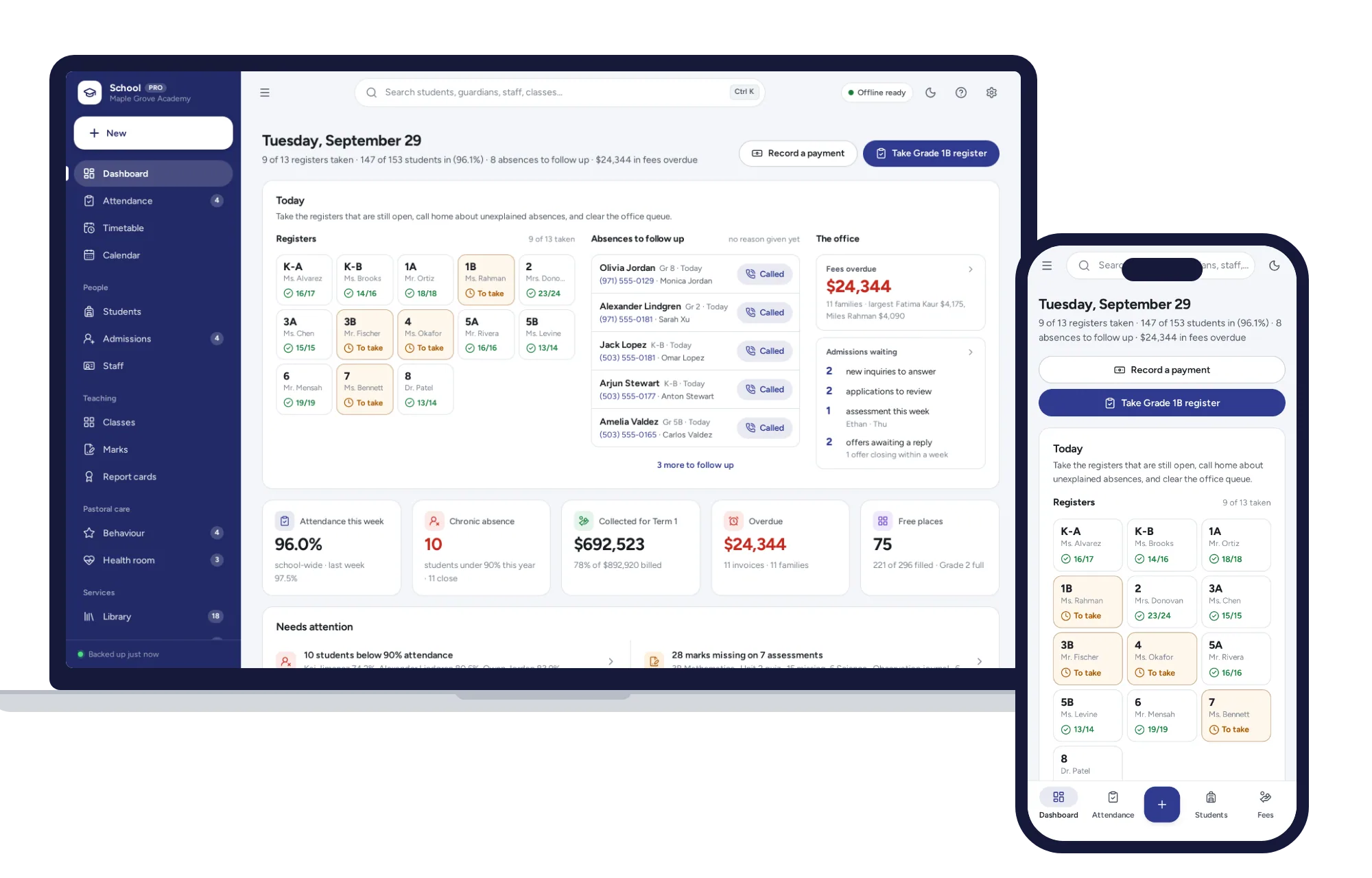
Take the register in a few taps
- Everyone starts present — tap only the exceptions
- Chronic-absence alert under the line you set
- Unexplained absences listed with the number to call
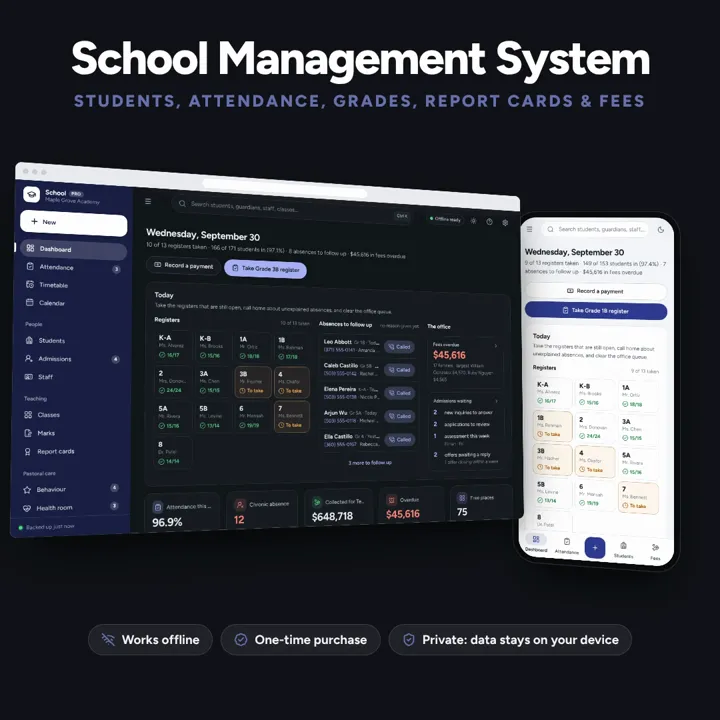
A school administration dashboard with daily registers in a few taps, a clash-checked timetable, marks that turn into report cards, and term fees billed a whole grade at once. No subscription.
No subscription. Pay once and keep it.
Checkout by Paddle. Tax is added where it applies, and you download straight after paying.
Made for The office of a small private school, academy, learning centre or weekend school — roughly 50 to 600 students — that keeps students, attendance, marks and fees in spreadsheets and paper registers today
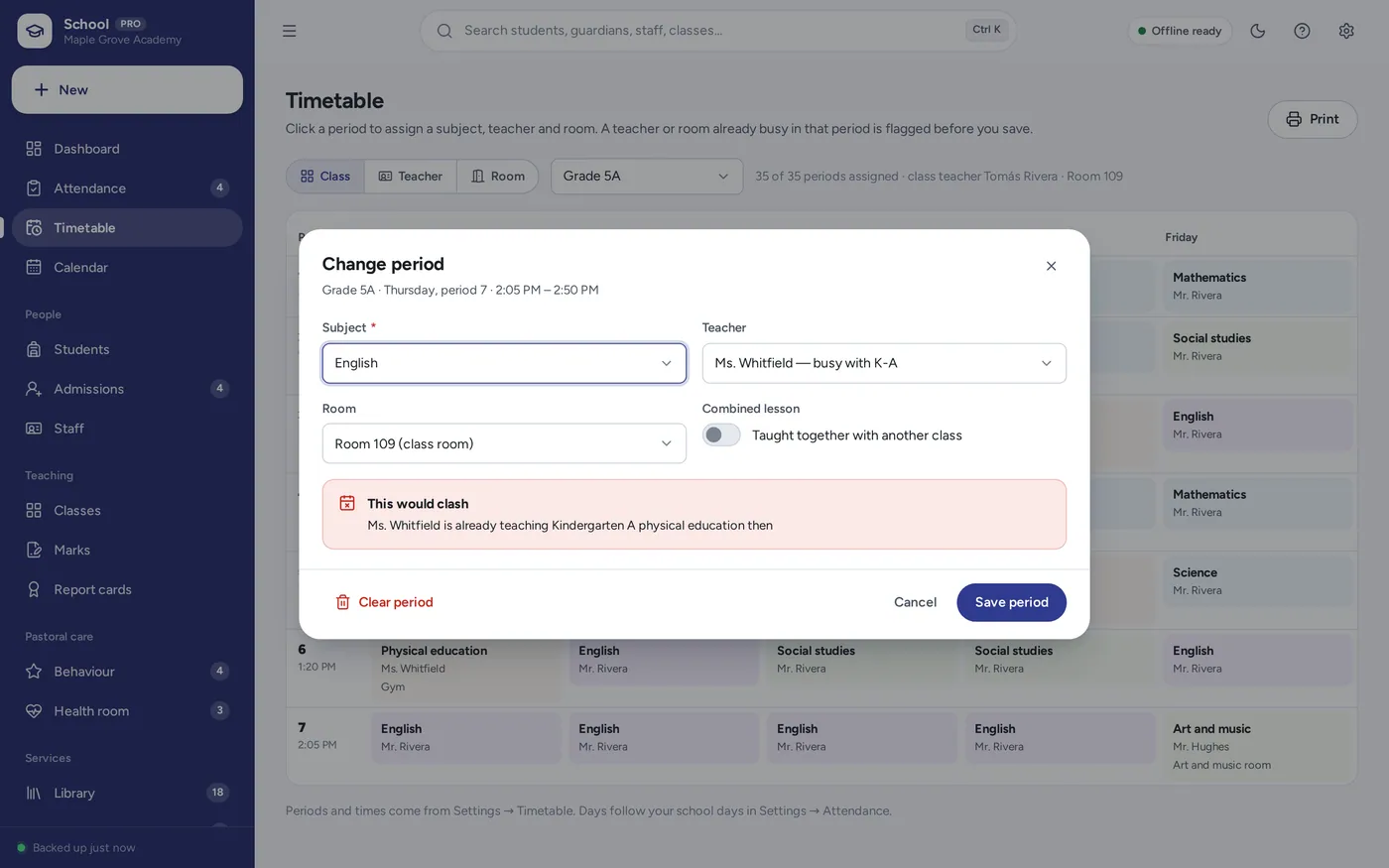
A school management system for the office of a small private school, academy or learning centre: student records with guardians and medical notes, admissions, classes and staff, a clash-checked timetable, a daily attendance register with chronic-absence alerts, a marks-entry grid with averages and grades, printable report cards, term fees invoiced a whole grade at once, a school library, bus routes, behaviour and a health room log — offline, no formulas to break.
Attendance tracker
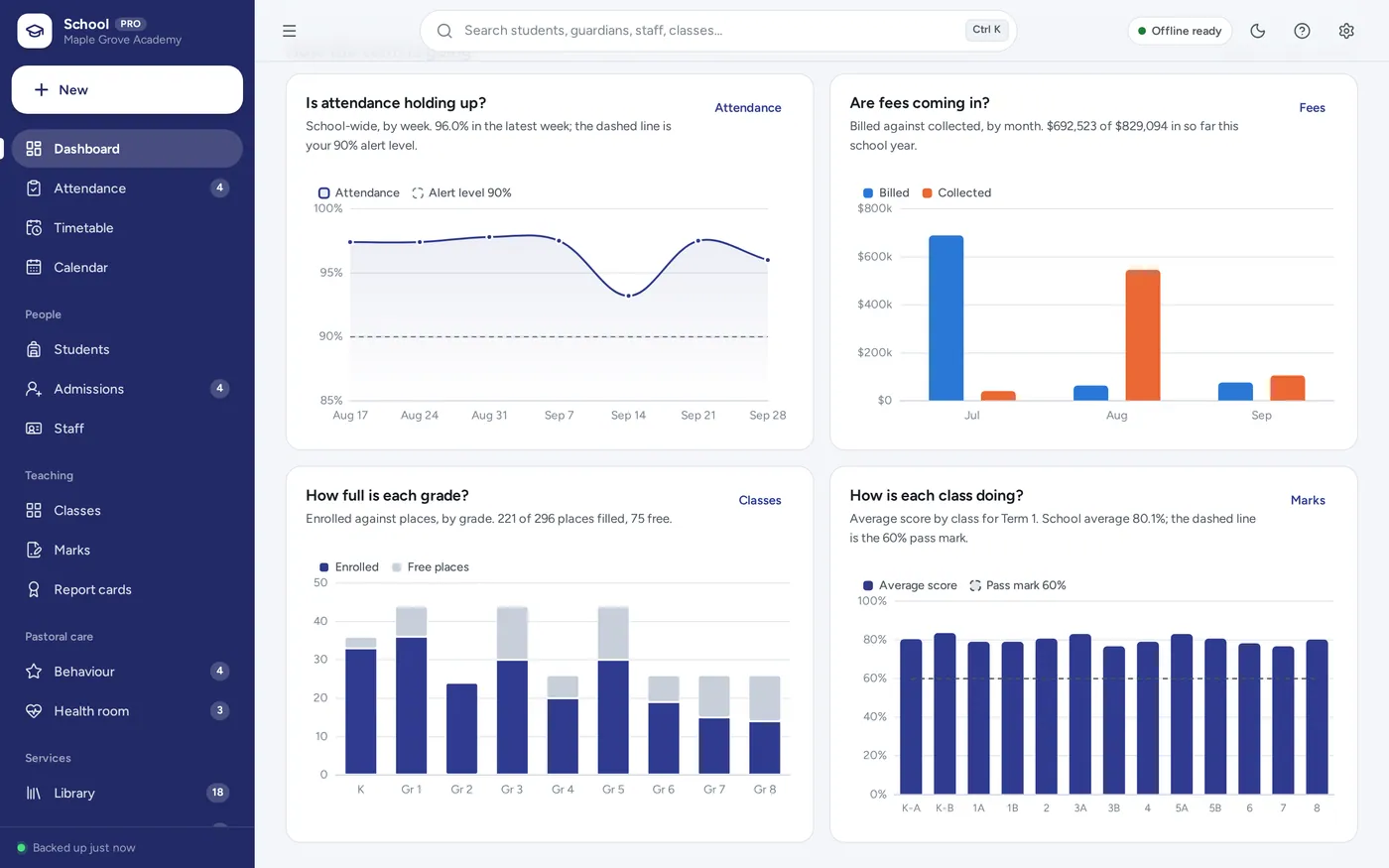
School dashboard
Timetable
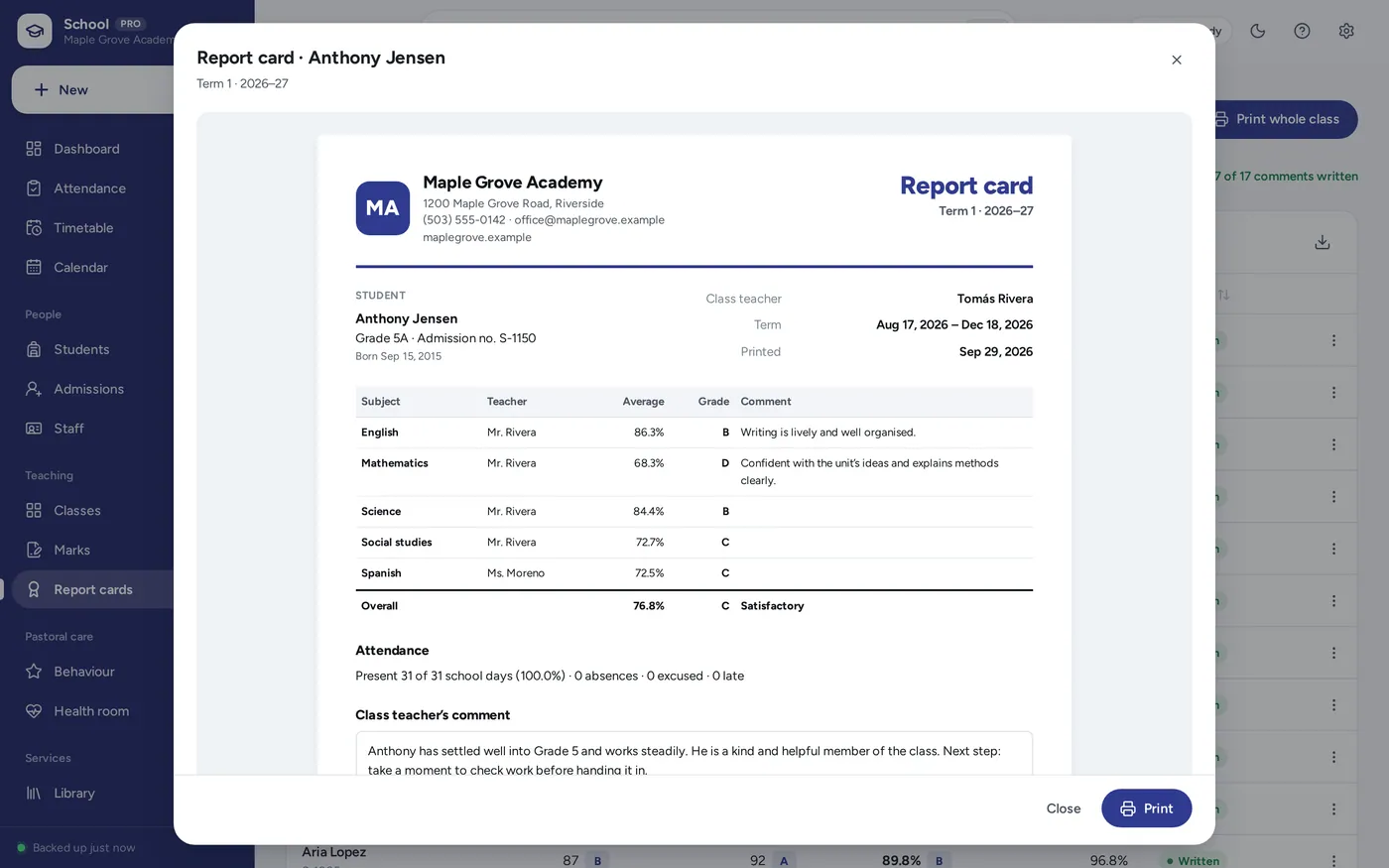
Gradebook & report cards
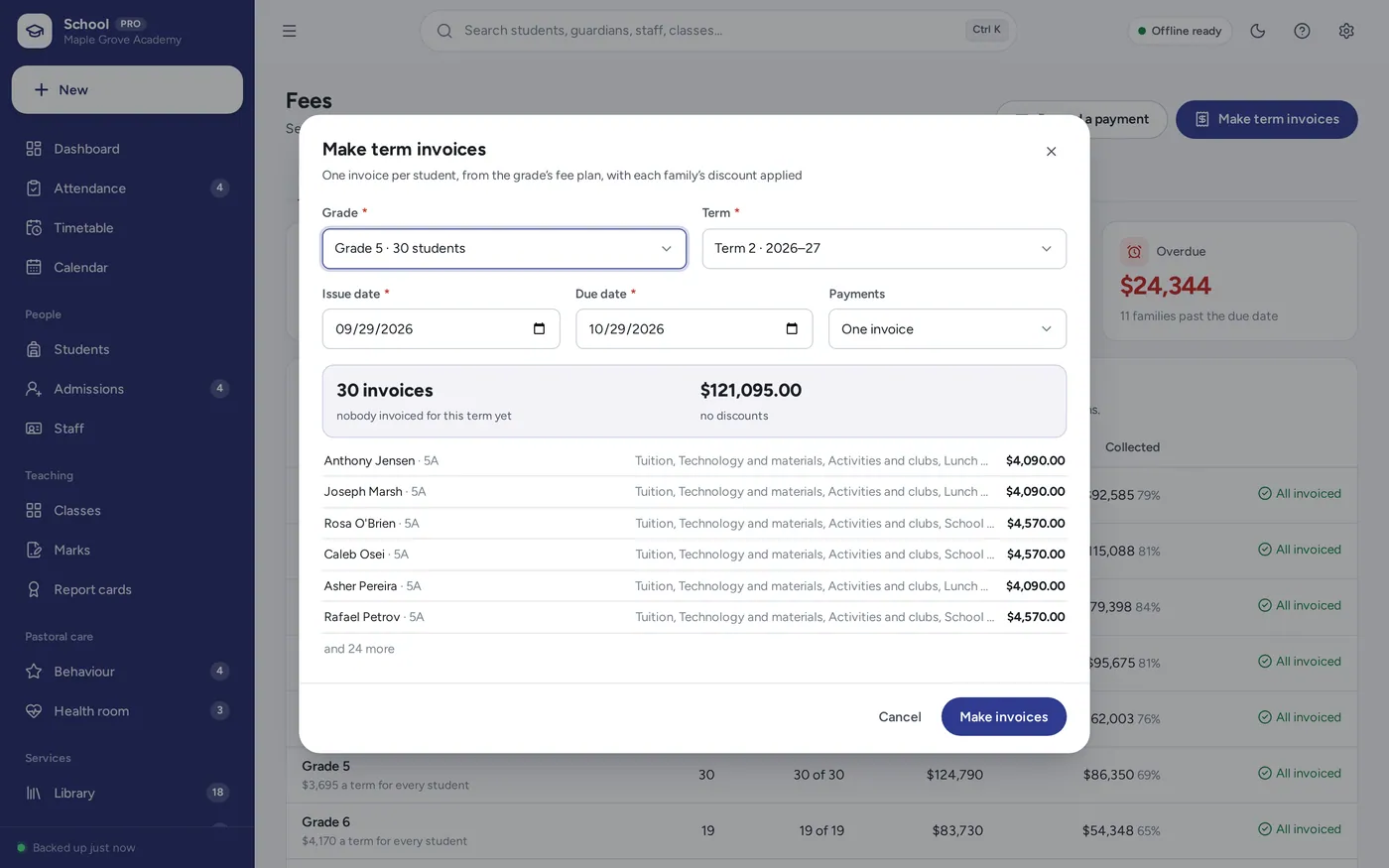
Fee tracker
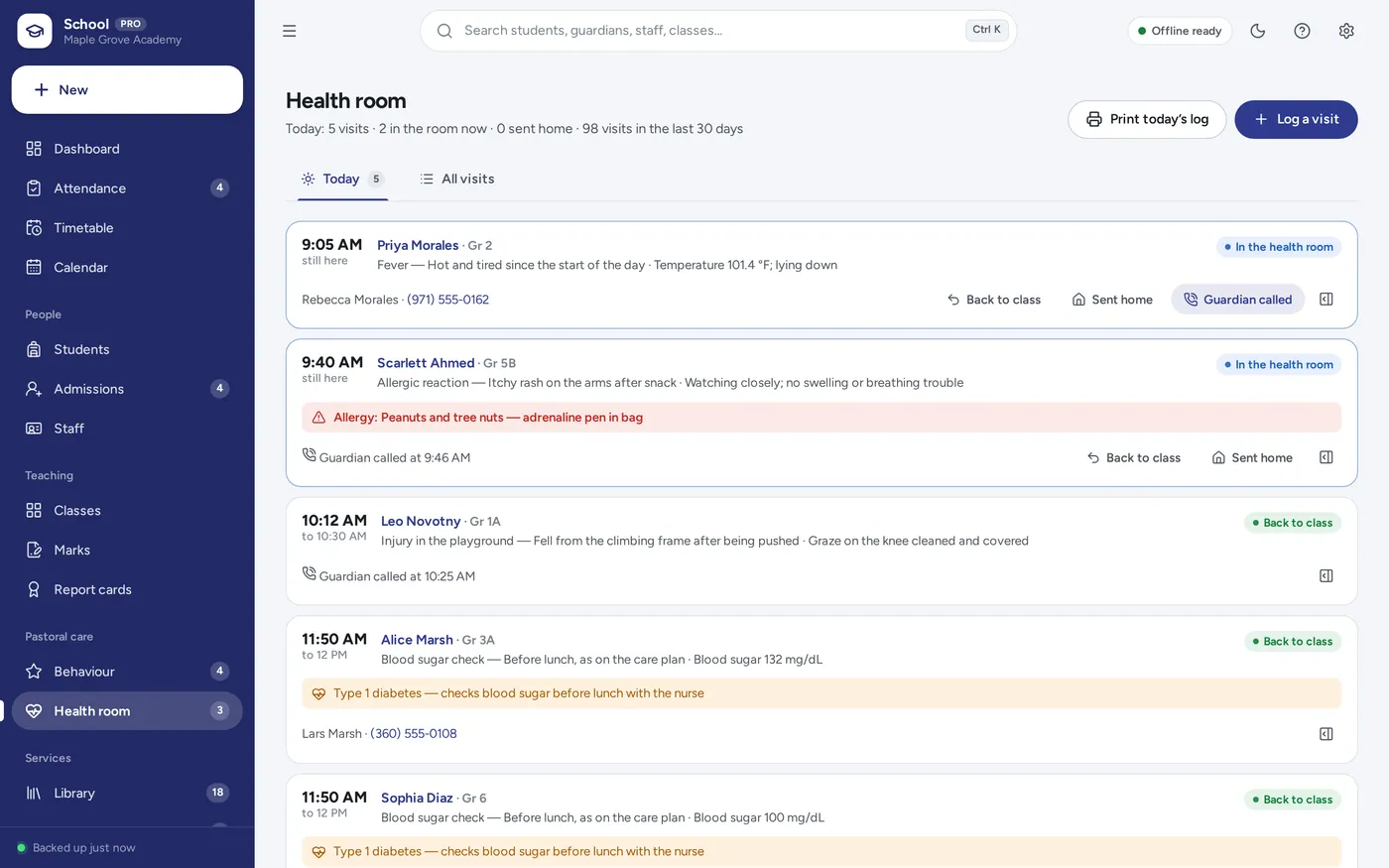
Health room & pastoral care
For the office of a small private school, academy or learning centre — the student records, attendance tracker, gradebook and fee tracker a school spreadsheet promises, plus the library, bus routes, behaviour and health room, without the formulas.
School spreadsheets break when a formula is typed over, paper registers go missing, and school software charges per student every month. This opens from a double-click, works offline and keeps students’ records on the office computer.
What it needs, and what it does not do.
School Management System is an offline app from ColadoSystems that runs in your web browser from a folder on your own device. It costs $29.99 once, with no subscription and no account, and includes 16 tools, sample data to explore and a PDF guide. Your records stay on your device and are never uploaded.
Something else? Email us and we'll answer before you buy.
Everything is saved inside your browser on this device. Nothing is uploaded and there is no account, so no company holds a copy of your students’ records. They are not encrypted, though: anyone who can use this device and browser can open them, so keep the device locked. Download a backup regularly (Settings → Data & backup → Back up now) and keep it somewhere as safe as the records themselves.
Yes. Open index.html and it runs fully offline. You can also host the folder on any website and choose “Install app” in Chrome or Edge to get a desktop or phone icon that works offline.
Yes. The layout adapts to phones and tablets with a bottom navigation bar. Each device keeps its own data, so use Back up / Restore to move records between devices.
Go to Settings → Data & backup → Erase records. Every sample record is removed, and so are the sample school’s name and contact details, so nothing of theirs ends up on your report cards or receipts. Your other settings are kept.
The school office, running the whole school: every class, register, timetable, report card and fee, plus the library, bus routes, behaviour and the health room. A single teacher planning lessons is better served by our Teacher Lesson Planner, a parent teaching at home by the Homeschool Planner, a student by the Homework & Assignment Tracker, and a childcare centre’s drop-off and pick-up by Daycare & Childcare Management.
Each register starts with every student present. A student’s attendance is the share of registered days they were present this school year. Late arrivals count as present and excused absences as absent unless you change either in Settings → Attendance. A student is flagged for chronic absence once they have the number of school days you set and fall under your threshold (90% to start with).
Each mark is turned into a percentage of what it was marked out of and multiplied by the assessment’s weight; the weighted percentages are added and divided by the weights. Blank marks are left out. A student’s overall average is the average of their subjects, and the grade comes from the scale in Settings → Grades and report cards.
Each device keeps its own records, and there is no live sync between computers. Most schools keep it on the office computer; teachers hand in registers and marks, or the office moves records with Back up now and Restore.
It was tested with 600 students on the roll and stays quick: the dashboard, the register and the marks grid open in a fraction of a second.
No. It bills families for fees and records their payments, with receipts and statements. Staff pay and the school’s bookkeeping belong in your accounting software.
No. It runs offline on your own device, so there is no booking page for customers and it does not take card payments. You record bookings and payments in it yourself, including ones taken by phone, card reader or another website.
Teaching or running a school? These systems are close cousins. Here is who each one is for.
The school office: students, attendance, grades, report cards and fees.
One teacher: lesson plans, cover sheets, marks and contact with home.
Homeschooling parents: weekly plans per child, attendance hours and transcripts.
The schools & learning bundle has every system in this category for one price.
From running a school office to planning a homeschool week.
$119.99for 8 systems, $219.92 if bought one by one
You save $99
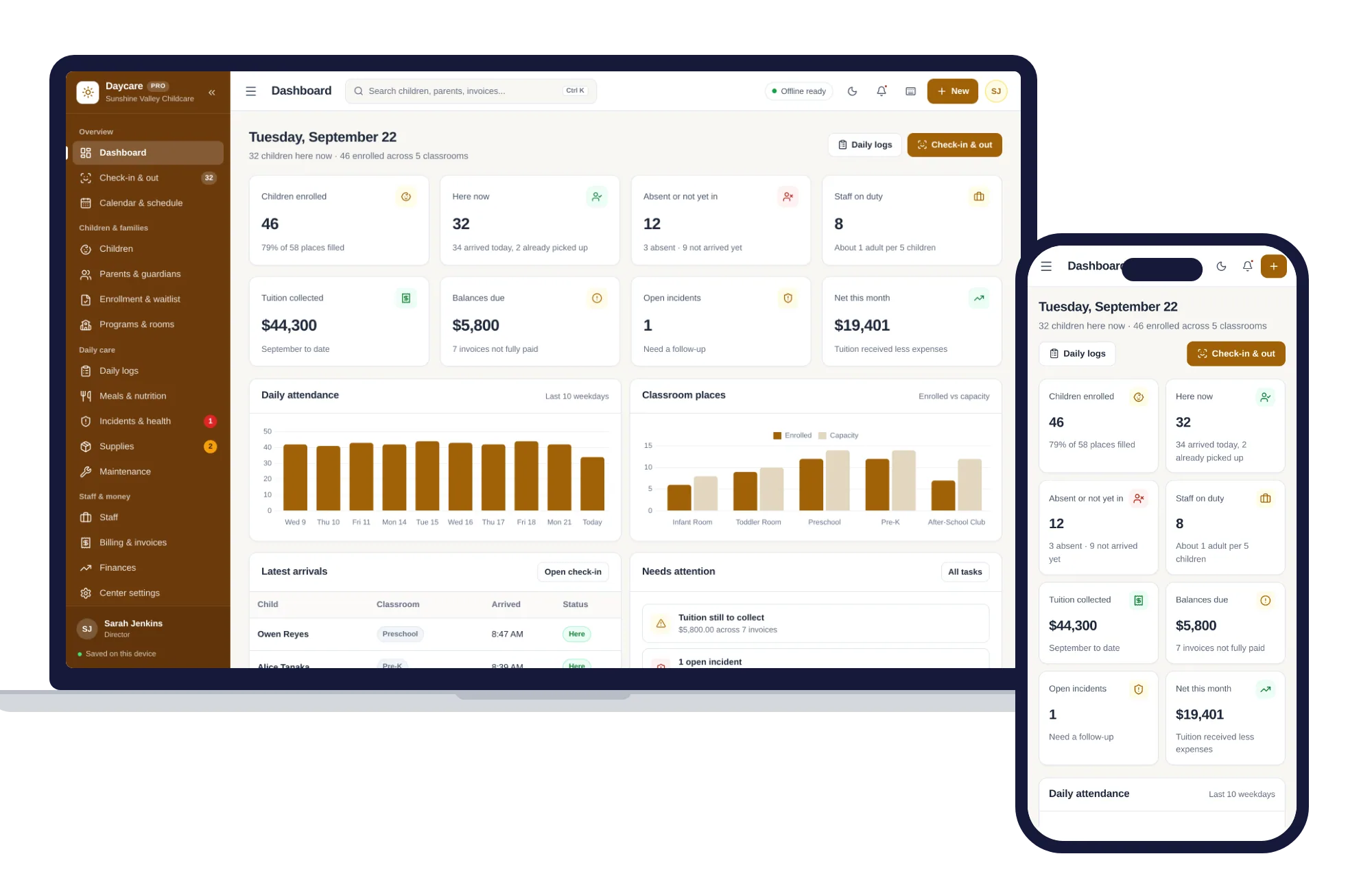
Schools & learning
Check-in and out, children and families, daily logs, meals, staff and tuition billing — one offline app.
$29.99one-time
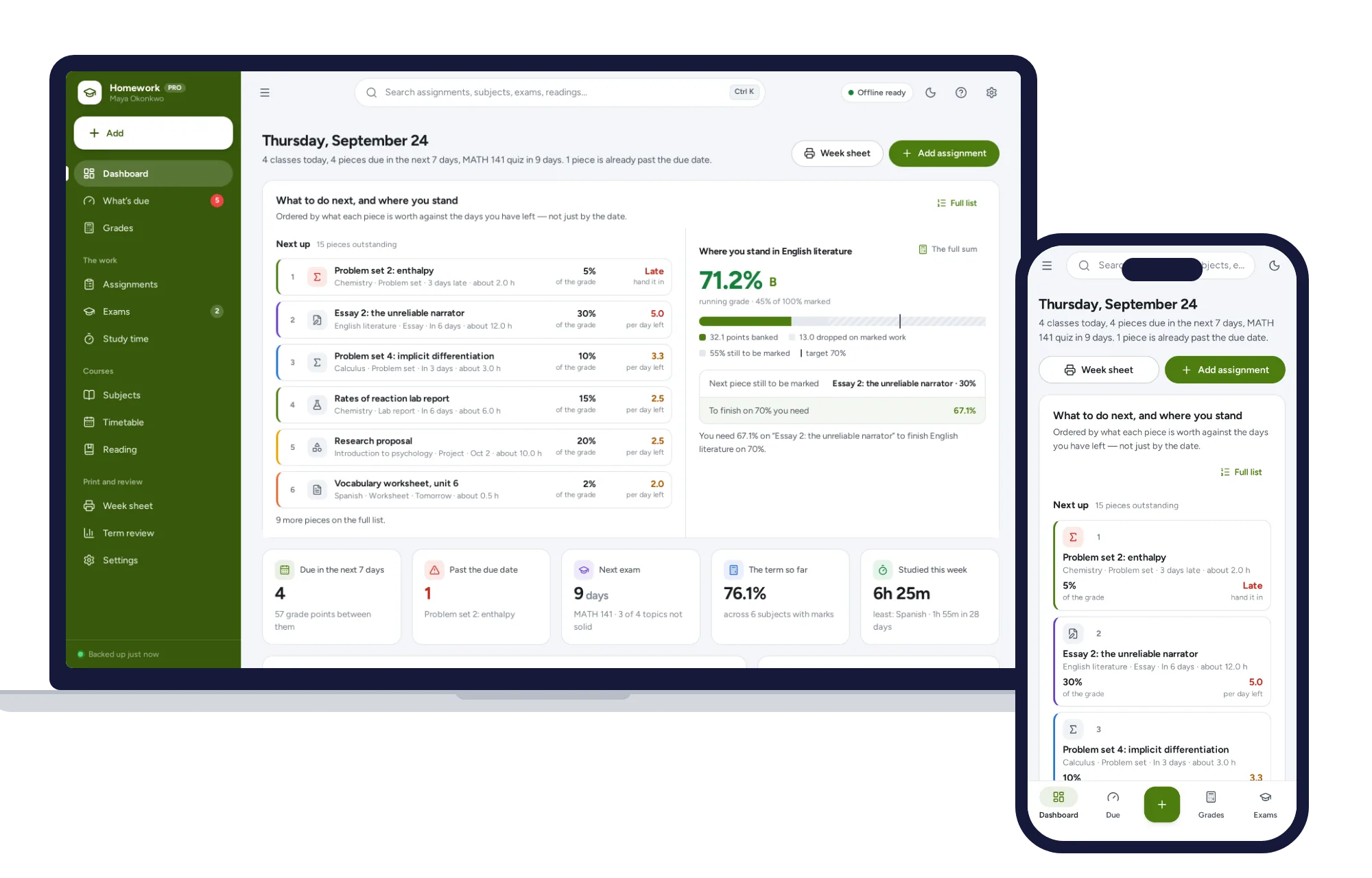
Schools & learning
What’s due by what it is worth, the running grade in every subject, and the mark you need on the final — offline.
$24.99one-time
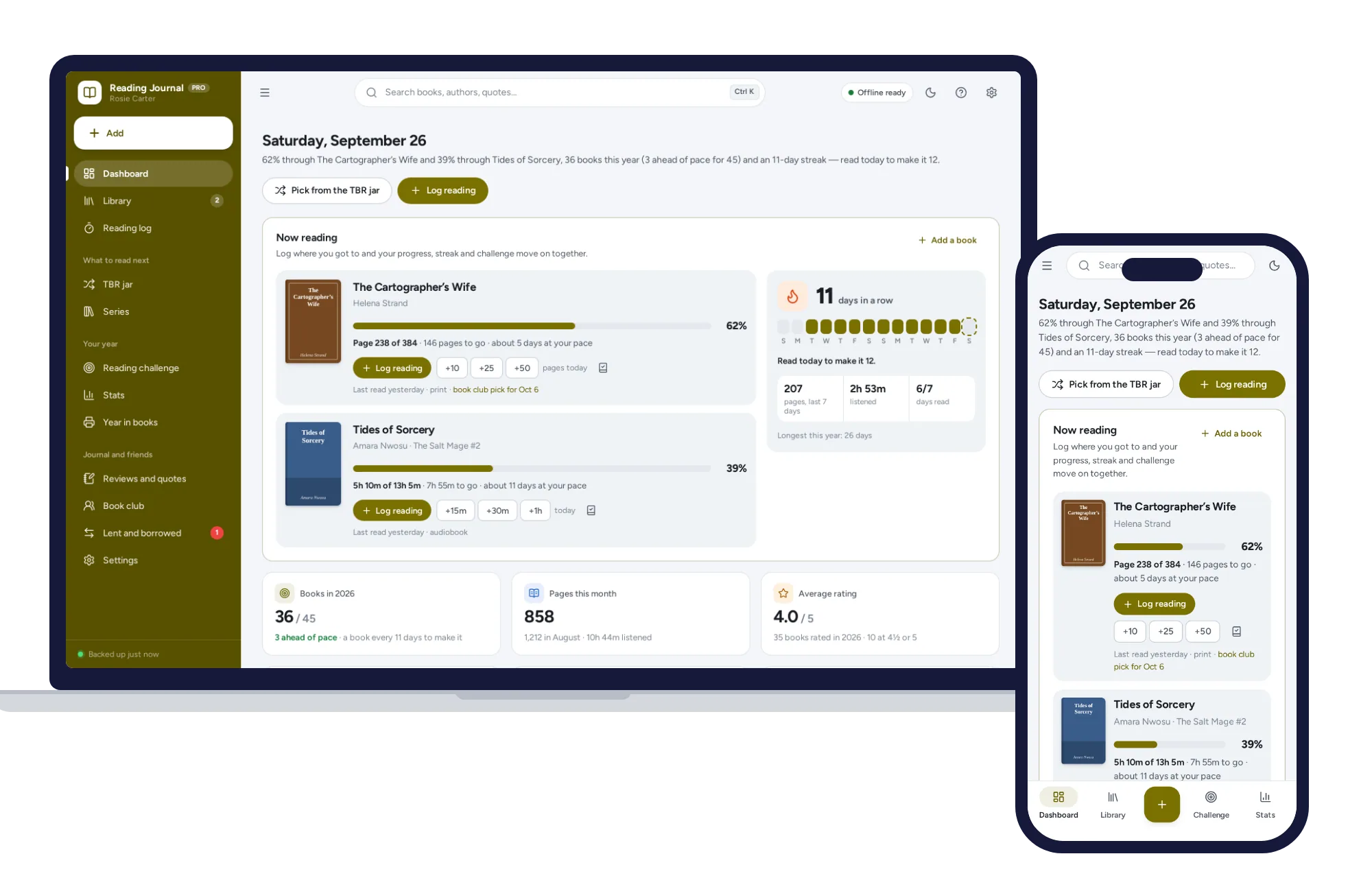
Schools & learning
Log the page you reached and your progress, streak and reading challenge update. No formulas to break, no subscription.
$24.99one-time
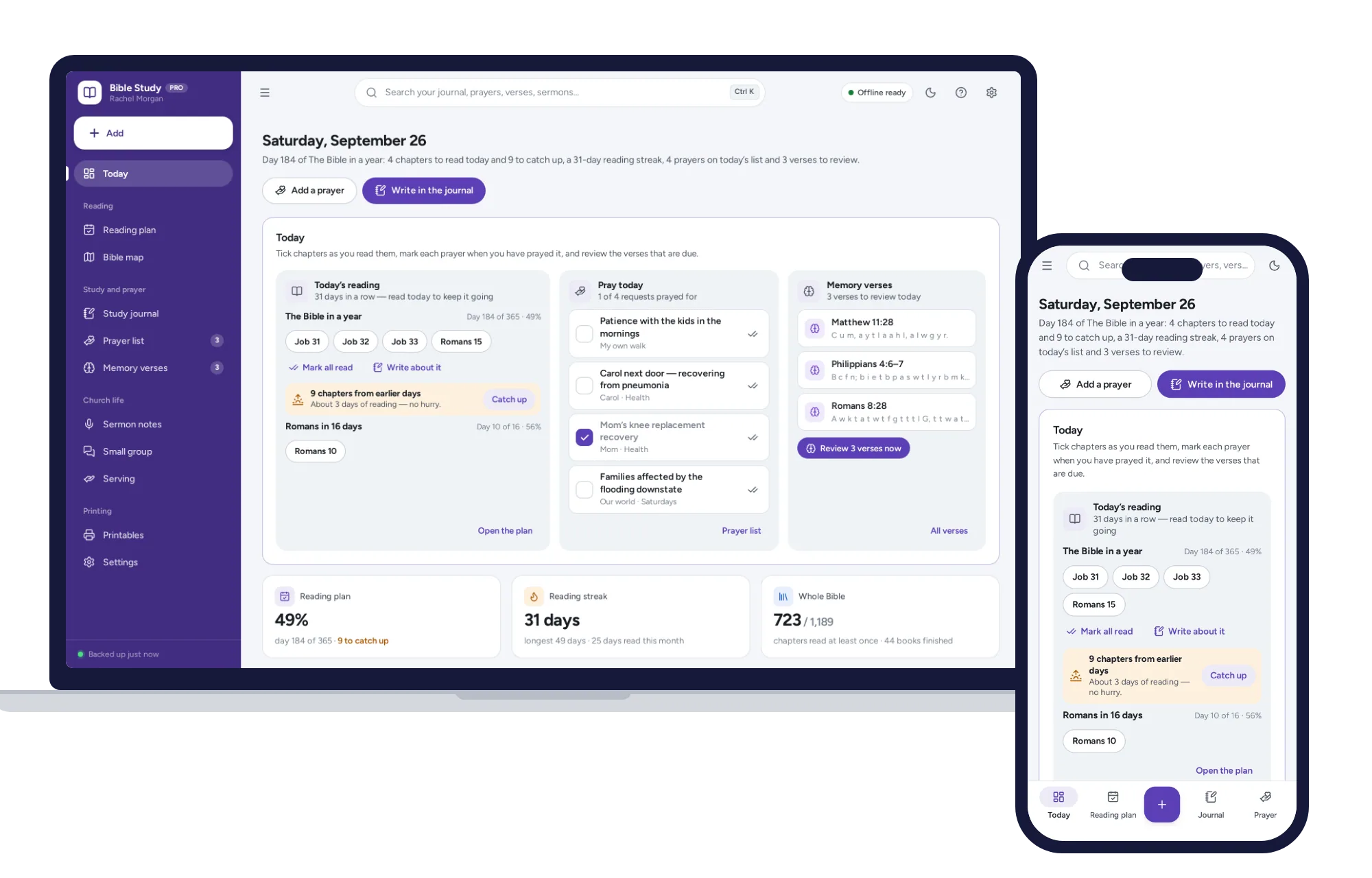
Schools & learning
A Bible reading plan that catches you up when you miss a day, a SOAP journal and a prayer list on one dashboard. No subscription.
$24.99one-time