
Host net per stay
Know what every stay really leaves you
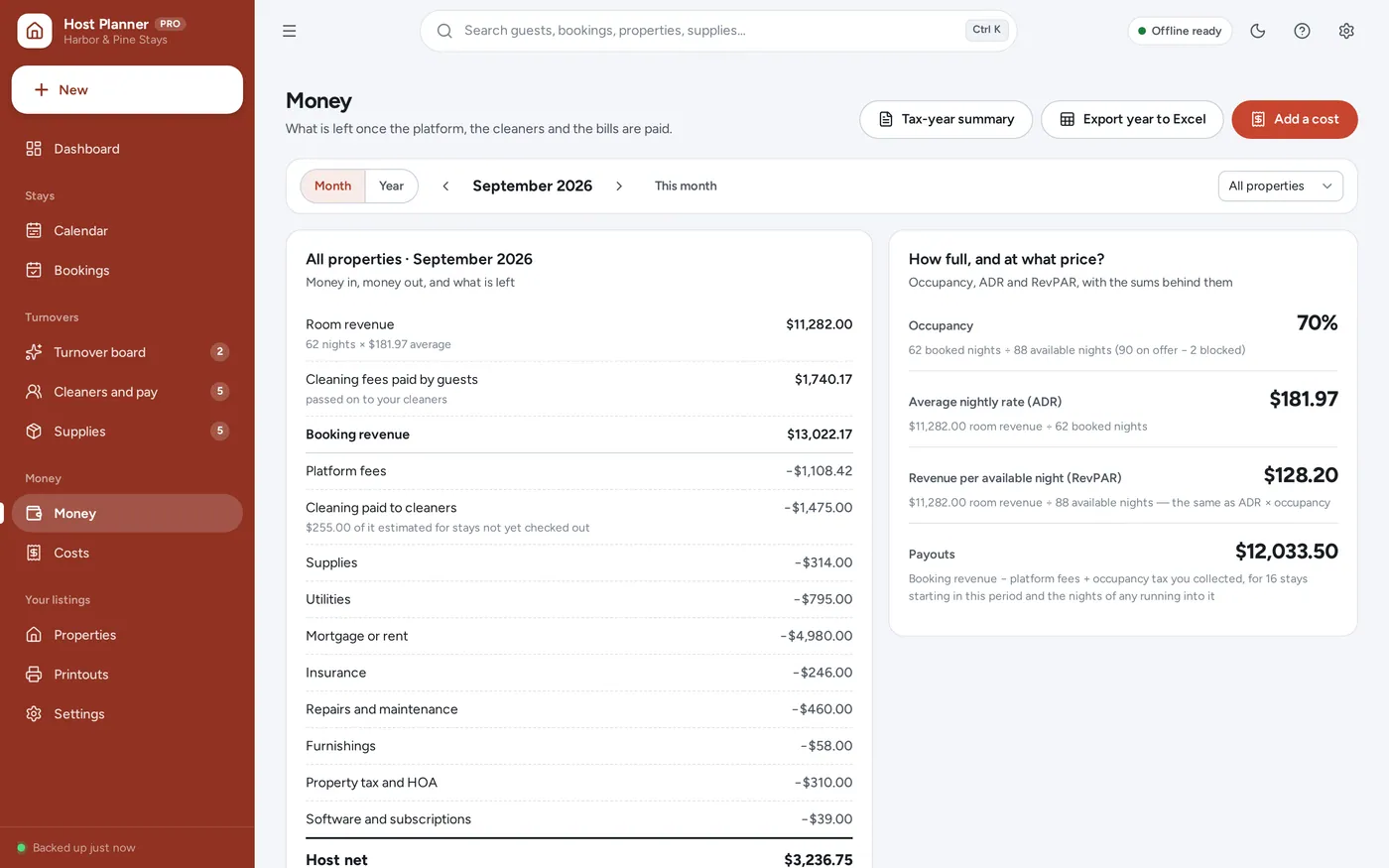
- Nightly rate × nights + cleaning fee − platform fee = payout
- The cleaner’s pay taken off, so the cleaning fee is never counted as profit
- Occupancy tax kept apart — it was never your income
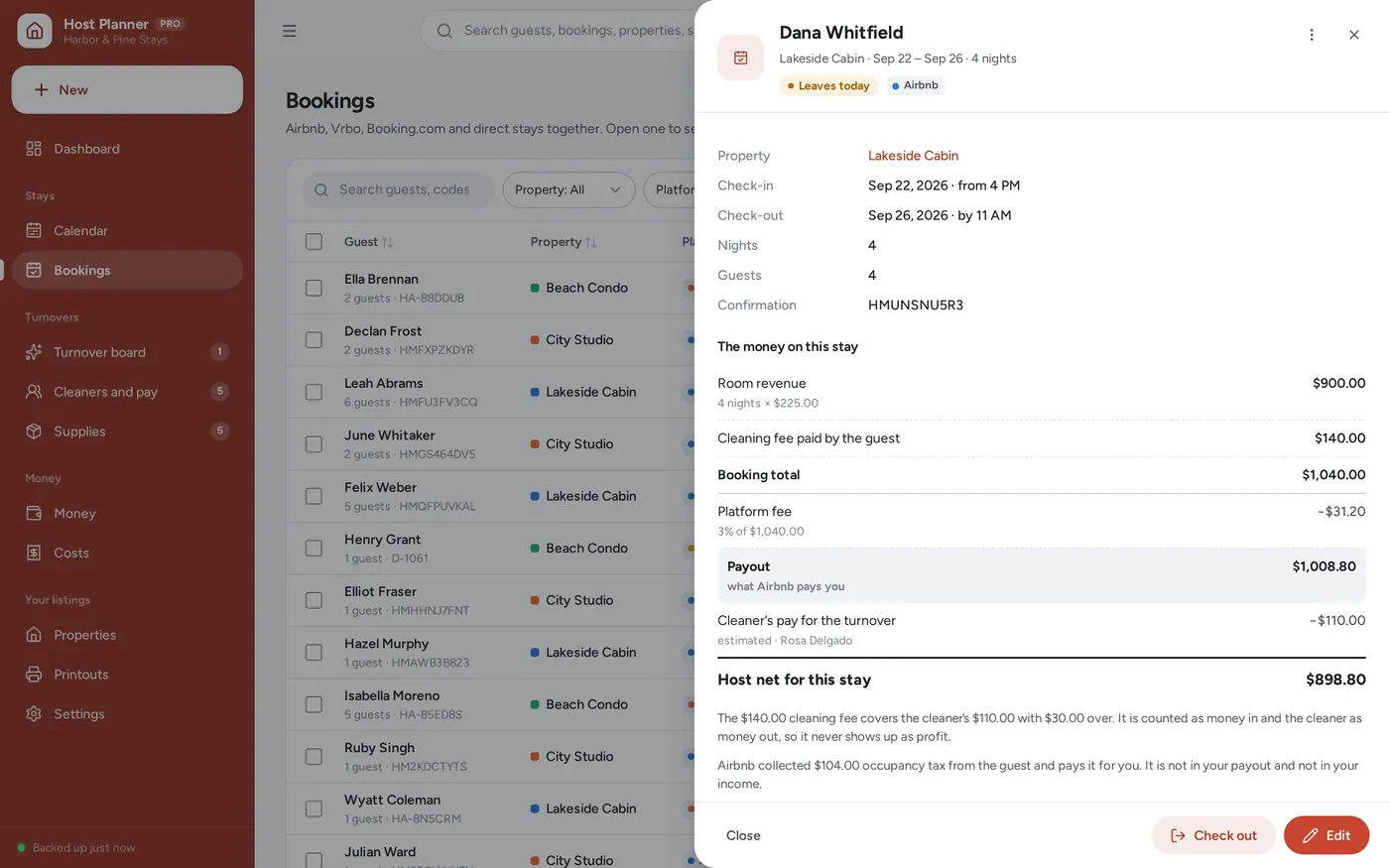
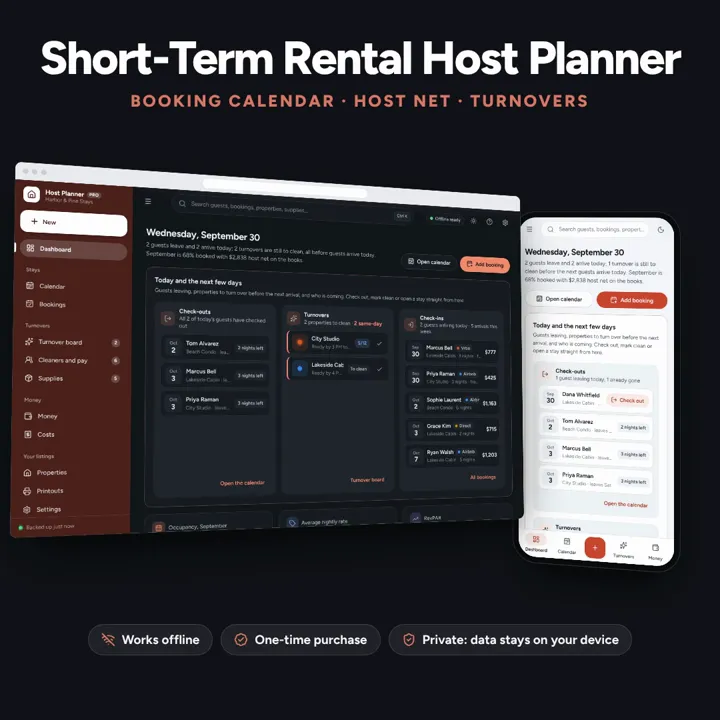
See what every stay really leaves you after fees and cleaning. No formulas to break, no subscription.
No subscription. Pay once and keep it.
Checkout by Paddle. Tax is added where it applies, and you download straight after paying.
Made for Short-term rental hosts with one to five listings — on Airbnb, Vrbo, Booking.com or booked direct — who want to know what each stay really leaves them after fees and cleaning, without a monthly subscription or a spreadsheet that breaks
A short-term rental host planner that works out your real host net per stay and per month — platform fees off, the cleaning fee passed through to the cleaner — with a booking calendar that refuses double bookings, a turnover board, cleaner pay, a restock list and a printable house manual. Offline, no subscription.
Host net per stay
Booking calendar
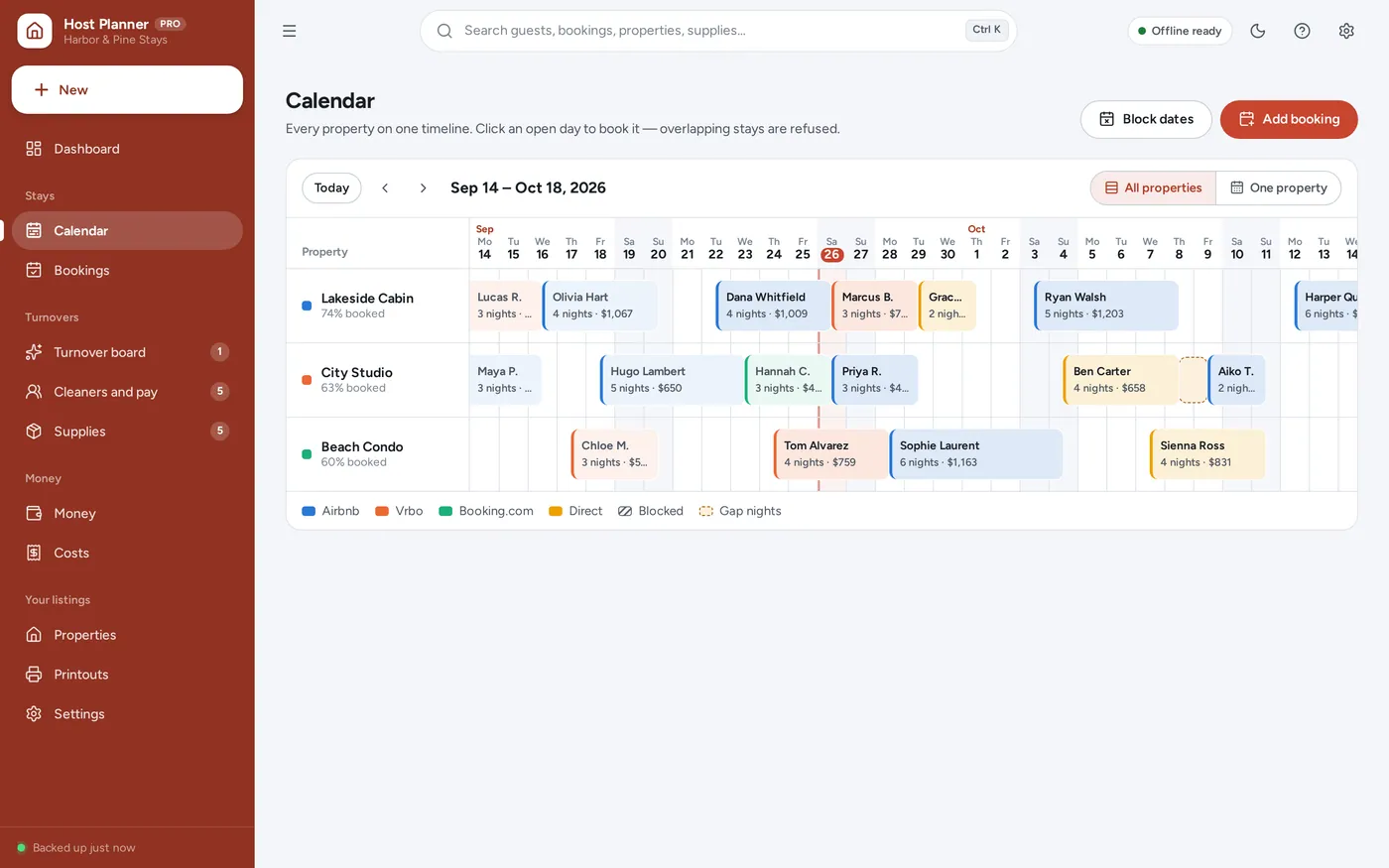
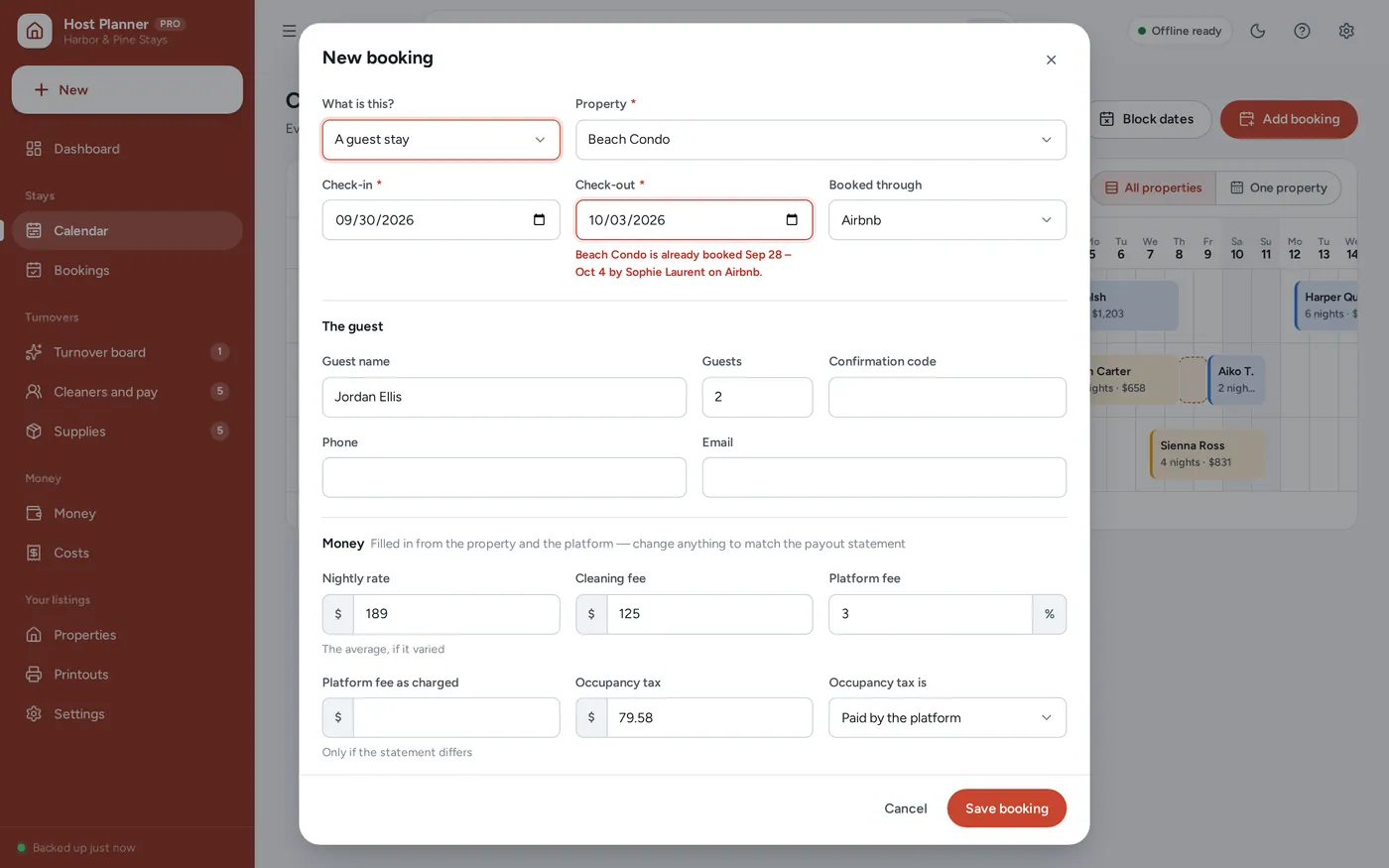
No double bookings
Turnover tracker
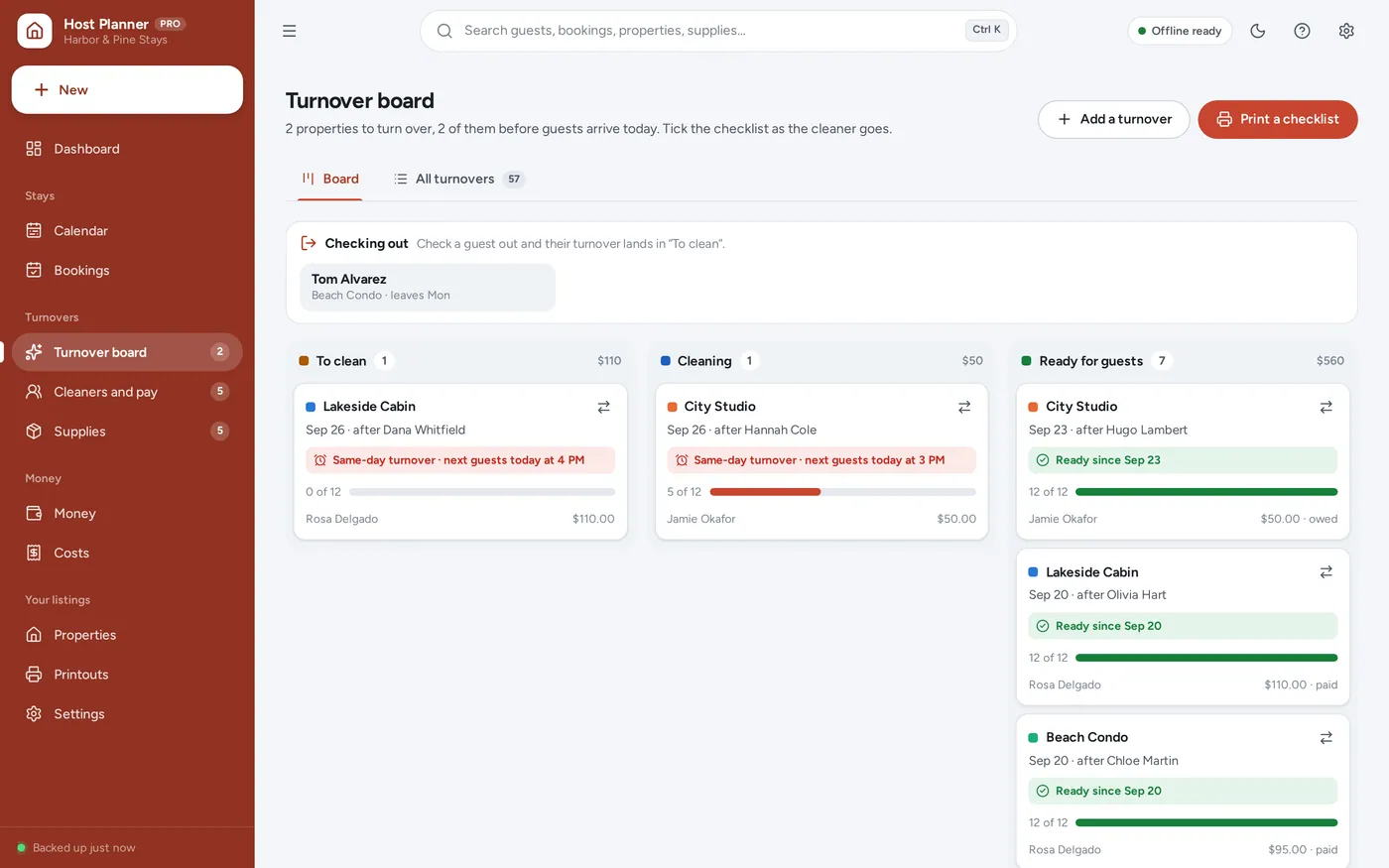
Rental income tracker
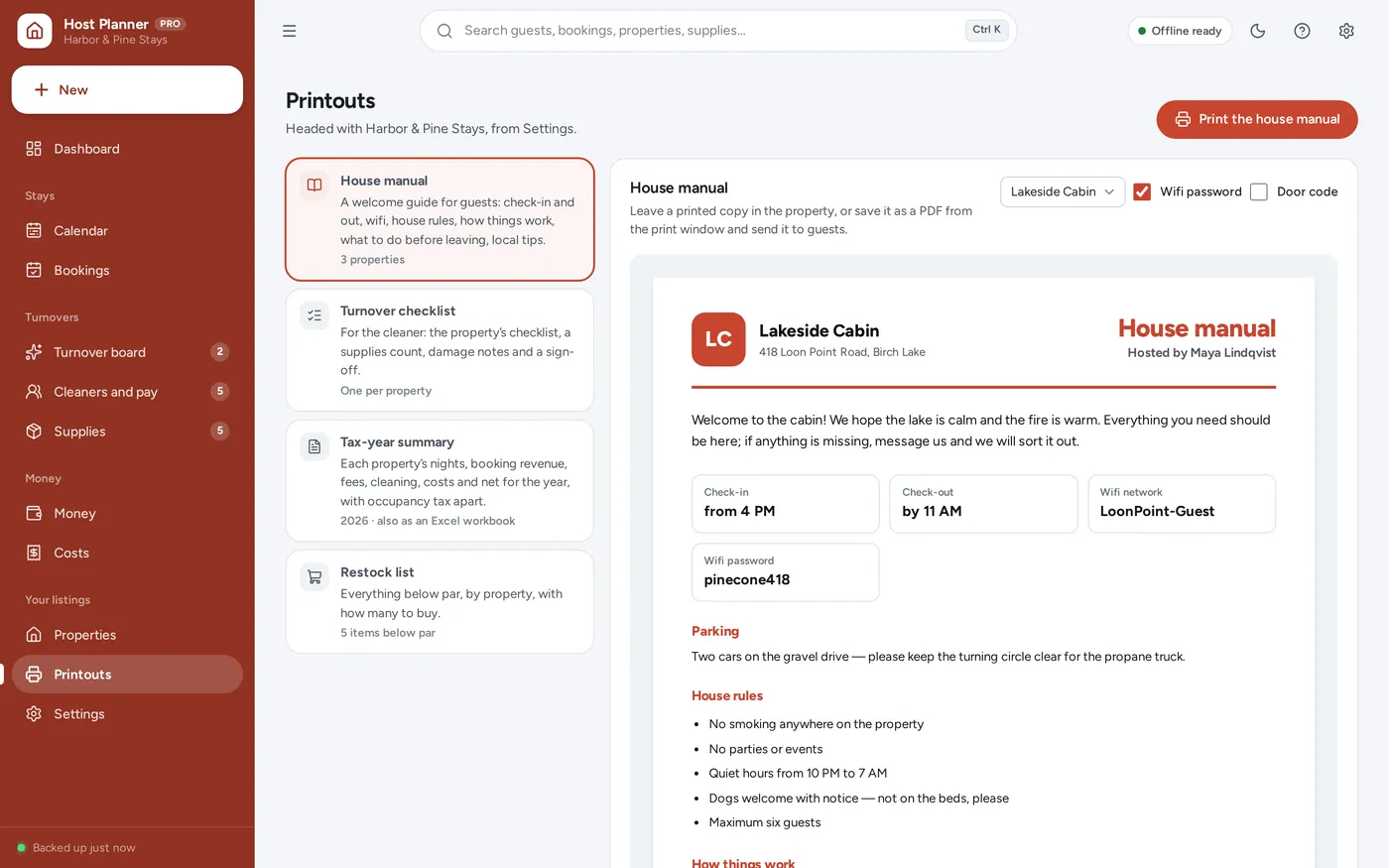
Printable house manual
For hosts with one to five listings on Airbnb, Vrbo, Booking.com or booked direct: the dashboard, tracker and calendar a host spreadsheet promises — without the formulas.
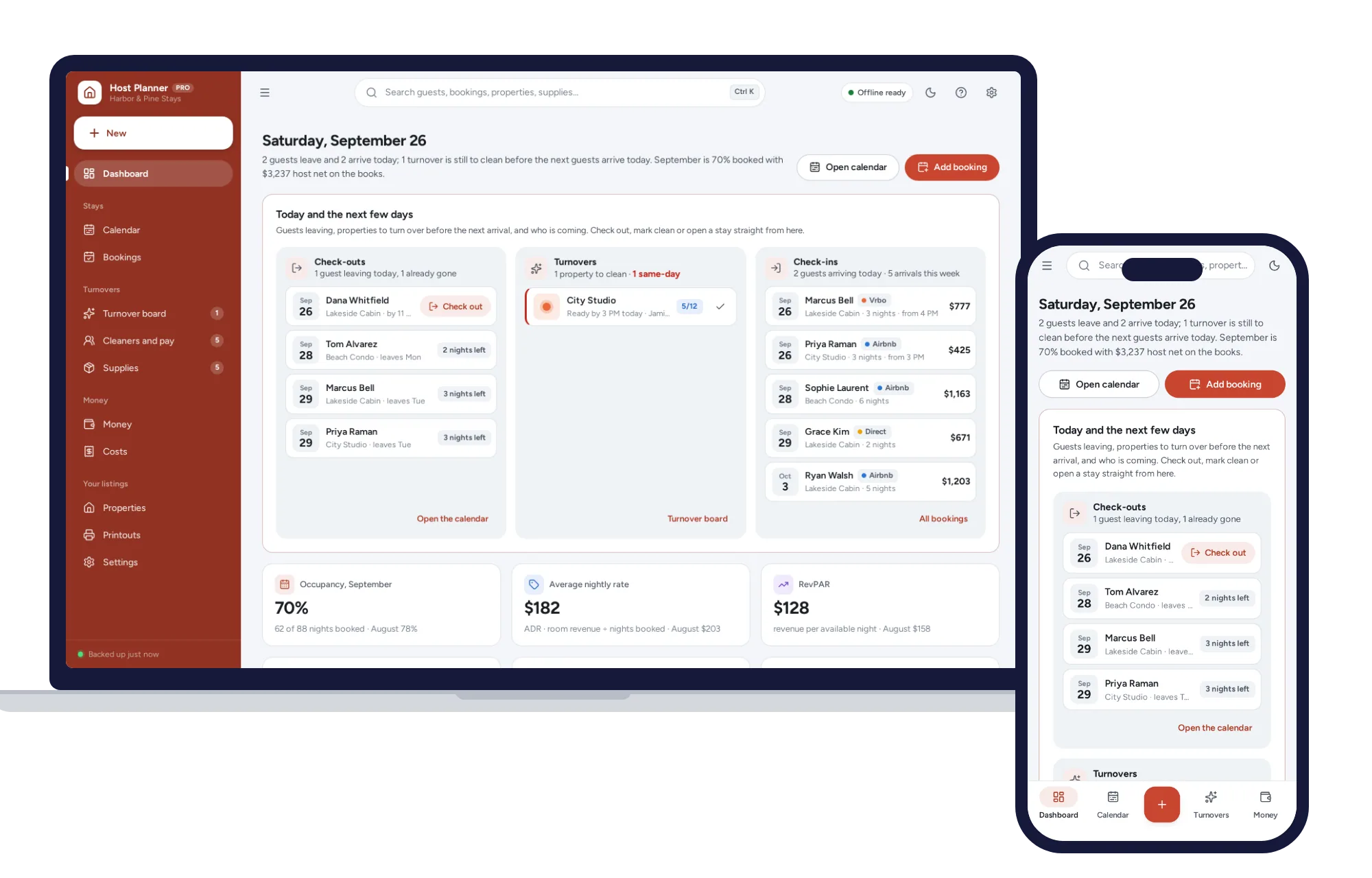
Host spreadsheets break the day a formula is typed over, and host software wants a monthly fee. This opens from a double-click, works offline and keeps your bookings and door codes on your own device.
What it needs, and what it does not do.
Short-Term Rental Host Planner is an offline app from ColadoSystems that runs in your web browser from a folder on your own device. It costs $29.99 once, with no subscription and no account, and includes 12 tools, sample data to explore and a PDF guide. Your records stay on your device and are never uploaded.
Something else? Email us and we'll answer before you buy.
Everything is saved inside your browser on this device. Nothing is uploaded and there is no account, so no company holds a copy of your bookings and guests’ details. They are not encrypted, though: anyone who can use this device and browser can open them, so keep the device locked. Download a backup regularly (Settings → Data & backup → Back up now) and keep it somewhere as safe as the records themselves.
Yes. Open index.html and it runs fully offline. You can also host the folder on any website and choose “Install app” in Chrome or Edge to get a desktop or phone icon that works offline.
Yes. The layout adapts to phones and tablets with a bottom navigation bar. Each device keeps its own data, so use Back up / Restore to move records between devices.
Go to Settings → Data & backup → Erase records. Every sample record is removed, and so are the sample host’s name, phone and email, so nothing of theirs ends up on your house manual. A business name you typed yourself, and your other settings, are kept.
No. It works offline and connects to nothing, so there is no account to link and nothing to break when a platform changes. You add each booking yourself, and the calendar, the working and the turnovers follow from it. The platform names are only labels on your bookings; the app is not made by or affiliated with any booking platform.
For a stay: the nightly rate times the nights, plus the cleaning fee the guest paid, minus the platform fee, minus what you pay the cleaner for the turnover. For a month: the money from the nights that fall in that month, minus the cleaning paid in that month and every cost dated in it — supplies, utilities, mortgage or rent, insurance, repairs and the rest. Occupancy tax is never counted as income.
Because it is passed straight on to your cleaner. Many spreadsheets count the cleaning fee as profit; here it is counted in and the cleaner’s pay is counted out, so your net only shows what is really left. Every booking and every month says whether the fees covered the cleaning, and by how much.
Occupancy is the share of the nights you had on offer that were booked. ADR, the average daily rate, is room revenue divided by nights booked — the average nightly price you actually got. RevPAR is room revenue divided by nights on offer, which is the same as ADR times occupancy. Nights you blocked for yourself or for maintenance, and nights before a property was listed, are not counted as on offer.
It is split by night. A four-night stay that starts on the 29th of a 30-day month puts two nights, and half of its money, in each month. The booking tells you which months it is counted in.
It records the tax on each booking — worked out from the rate you set on the property, or typed from your statement — and whether the platform paid it or you collected it. The Money page and the tax-year summary add it up apart from your income. It does not know the rules where you host, so check them with your local tax office. None of this is tax advice.
Each device keeps its own copy of the records, so your cleaner cannot see your planner on their phone. Print the turnover checklist for them — it has the steps, a supplies count, a box for damage and a sign-off — and mark the turnover ready on your device when they are done.
It is built for hosts with one to five listings: each one gets a row on the calendar, a card on Properties and a column on the tax-year summary. More will work, but the pages are laid out for a handful.
No. There are no tenants, leases, rent rolls or owner statements here — it is for stays of nights and weeks. For long-term rentals, our rental property system is built for that.
No. It is made for one person on one device, and records do not sync between devices. To move to another device, save a backup and restore it there.
No. It runs offline on your own device, so there is no booking page for customers and it does not take card payments. You record bookings and payments in it yourself, including ones taken by phone, card reader or another website.
Renting out property? These systems are close cousins. Here is who each one is for.
Landlords with a handful of units: rent roll, leases, repairs and cash flow.
Portfolios and managers: buildings, units, tenants, leases, payments and service requests.
Airbnb and Vrbo style stays: bookings, cleaning turnovers and host net per stay.
The property & rentals bundle has every system in this category for one price.
Tenants, bookings, deals and fleets for landlords, hosts and agents.
$99.99for 6 systems, $179.94 if bought one by one
You save $79
Property & rentals
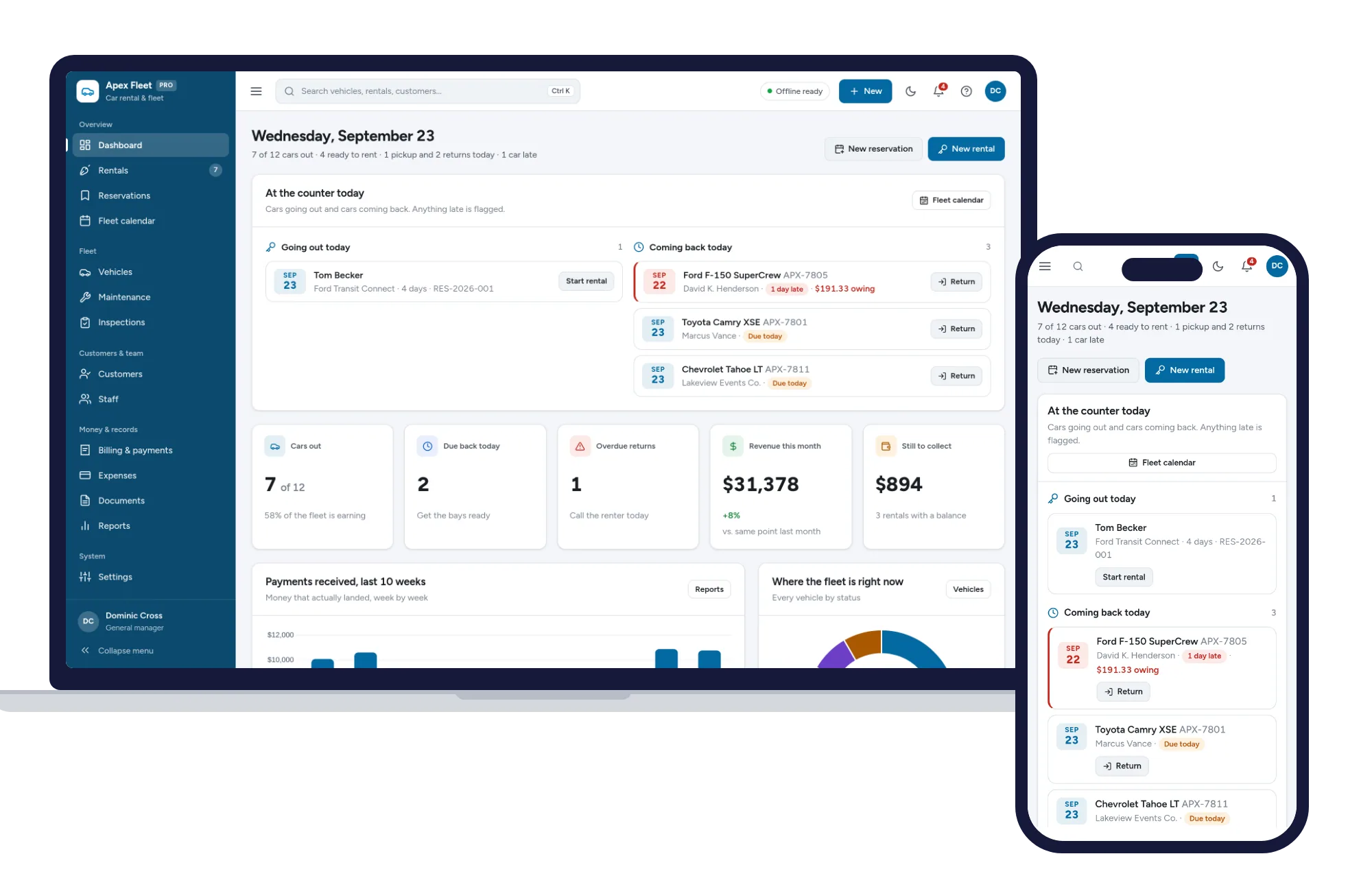
Rentals, reservations, fleet calendar, maintenance, inspections and billing — one offline app.
$29.99one-time
Property & rentals
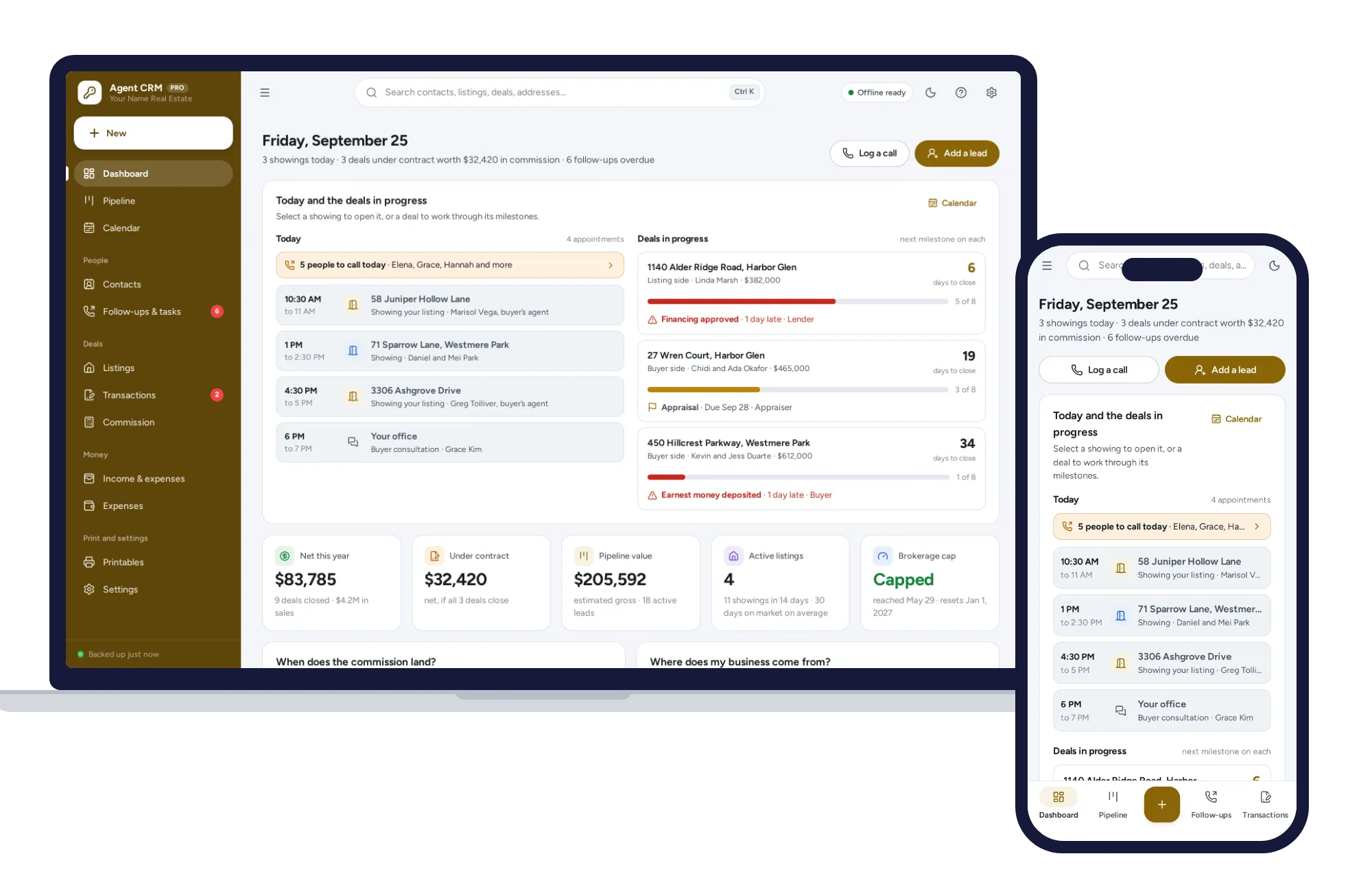
Your database is yours, not your brokerage’s — leads, listings, deals and commission, offline on your own device.
$29.99one-time
Property & rentals
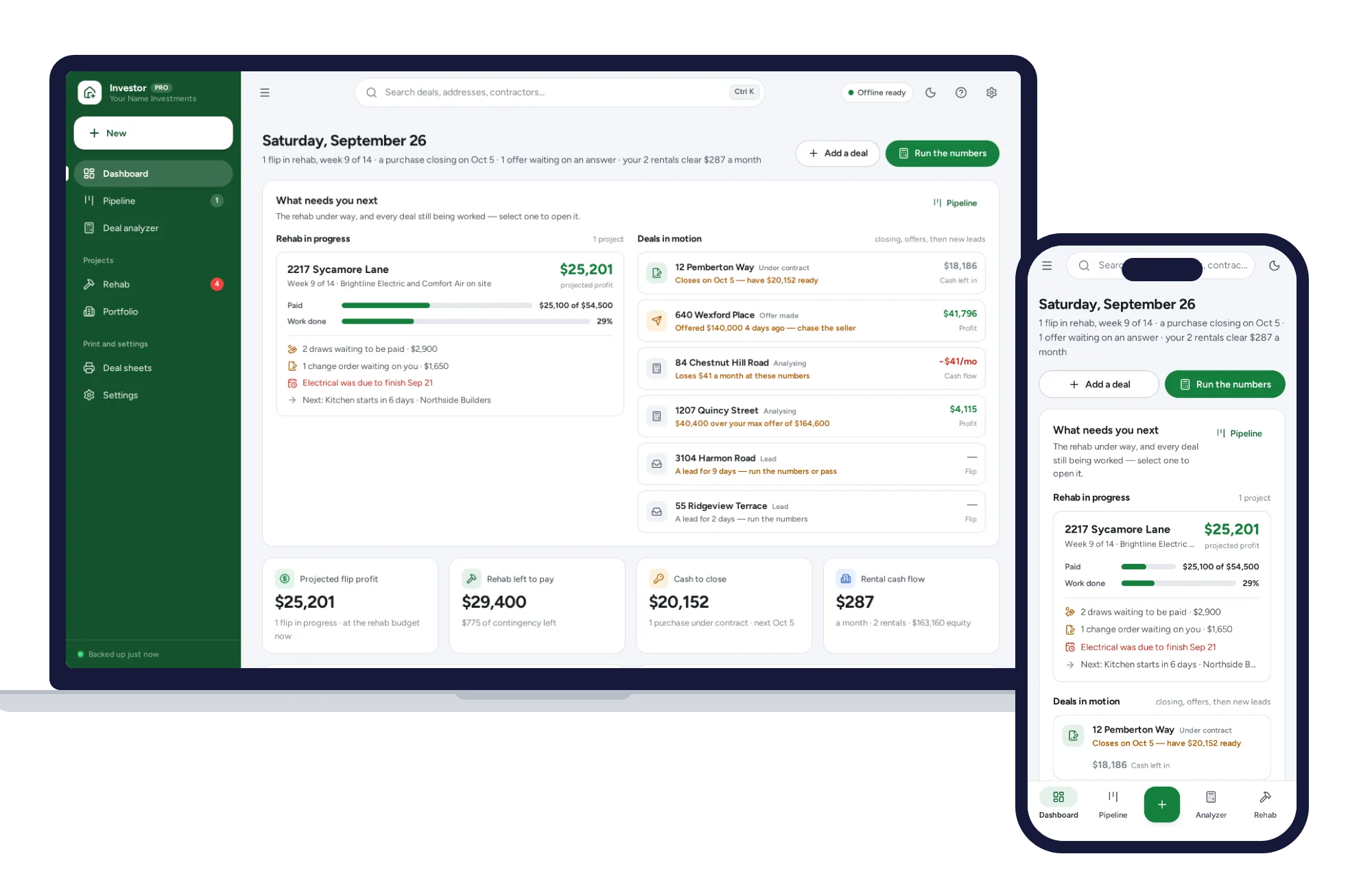
Know your max offer before you make one. No formulas, no subscription.
$29.99one-time