
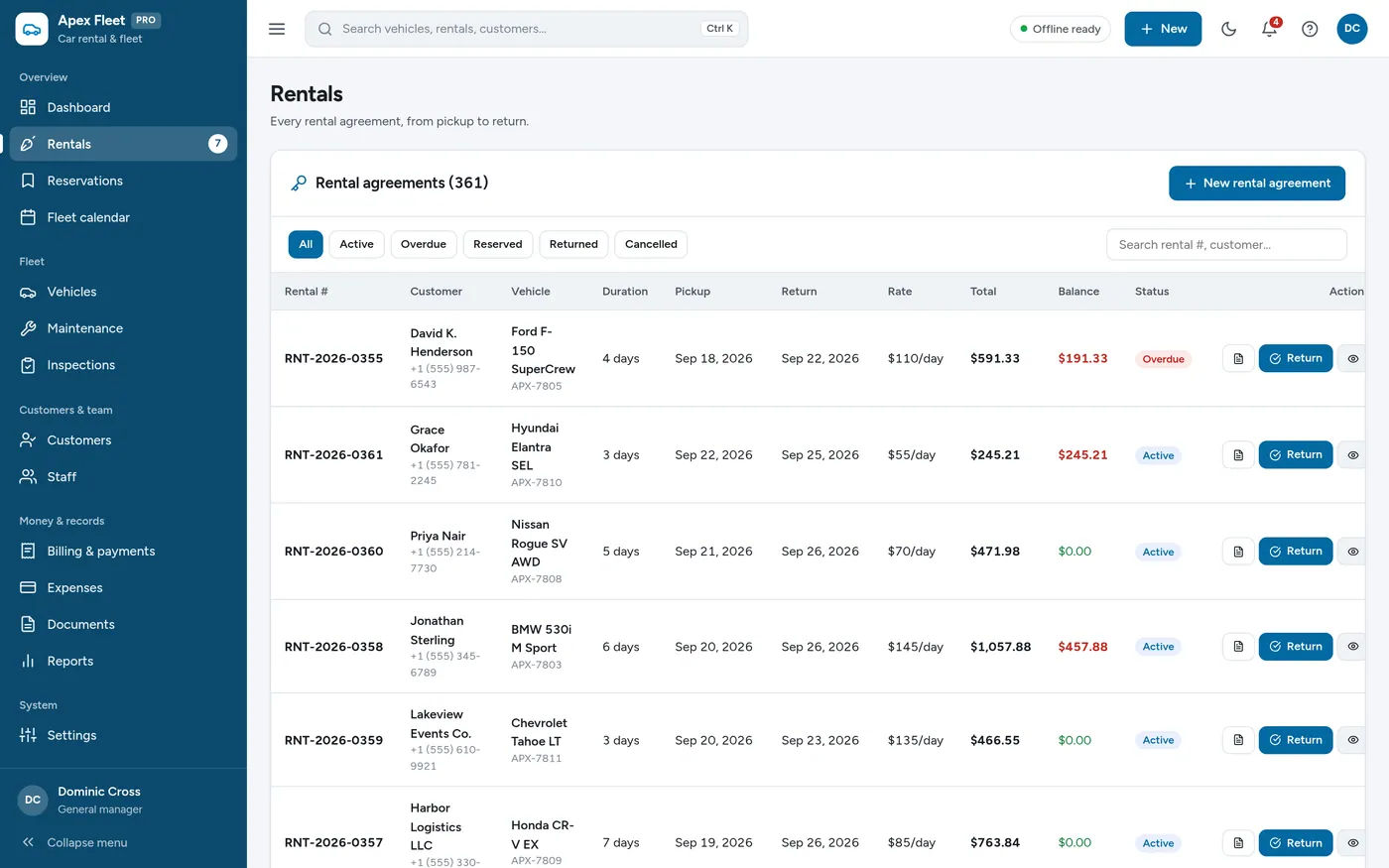
Rentals
Every rental from pickup to return
- Rates, extras, tax and deposits
- Overdue returns flagged automatically
- Printable rental agreements
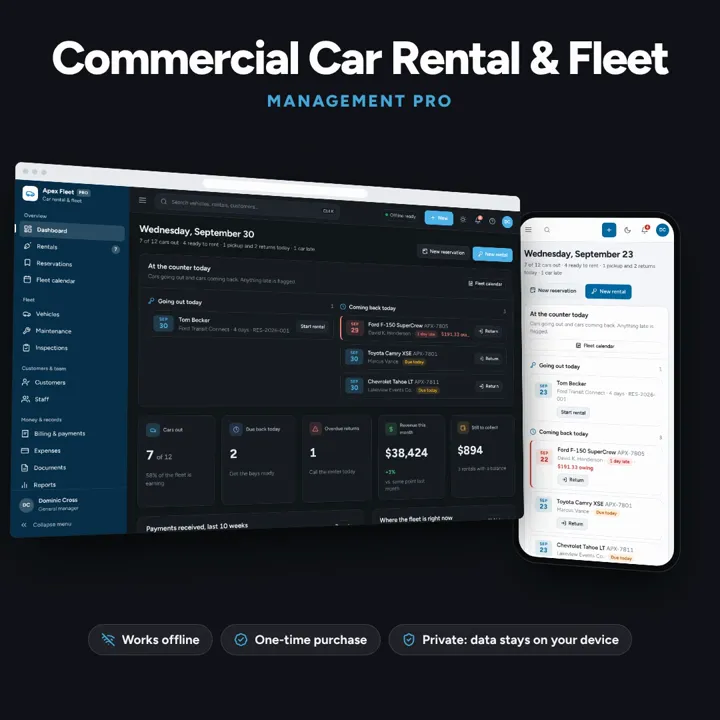
Rentals, reservations, fleet calendar, maintenance, inspections and billing — one offline app.
No subscription. Pay once and keep it.
Checkout by Paddle. Tax is added where it applies, and you download straight after paying.
Made for Car rental agencies, luxury vehicle hire, van/truck rentals, and fleet operators
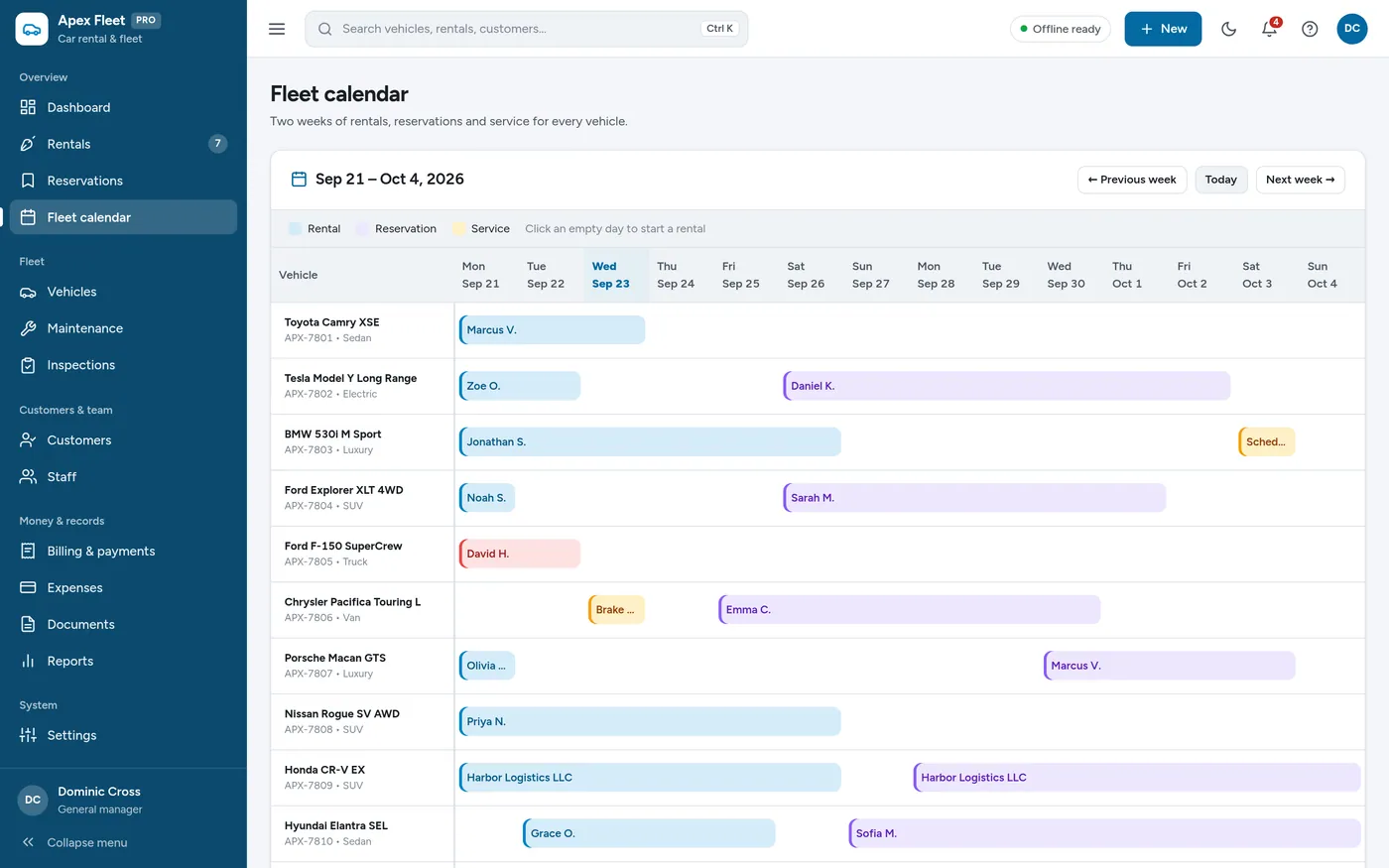
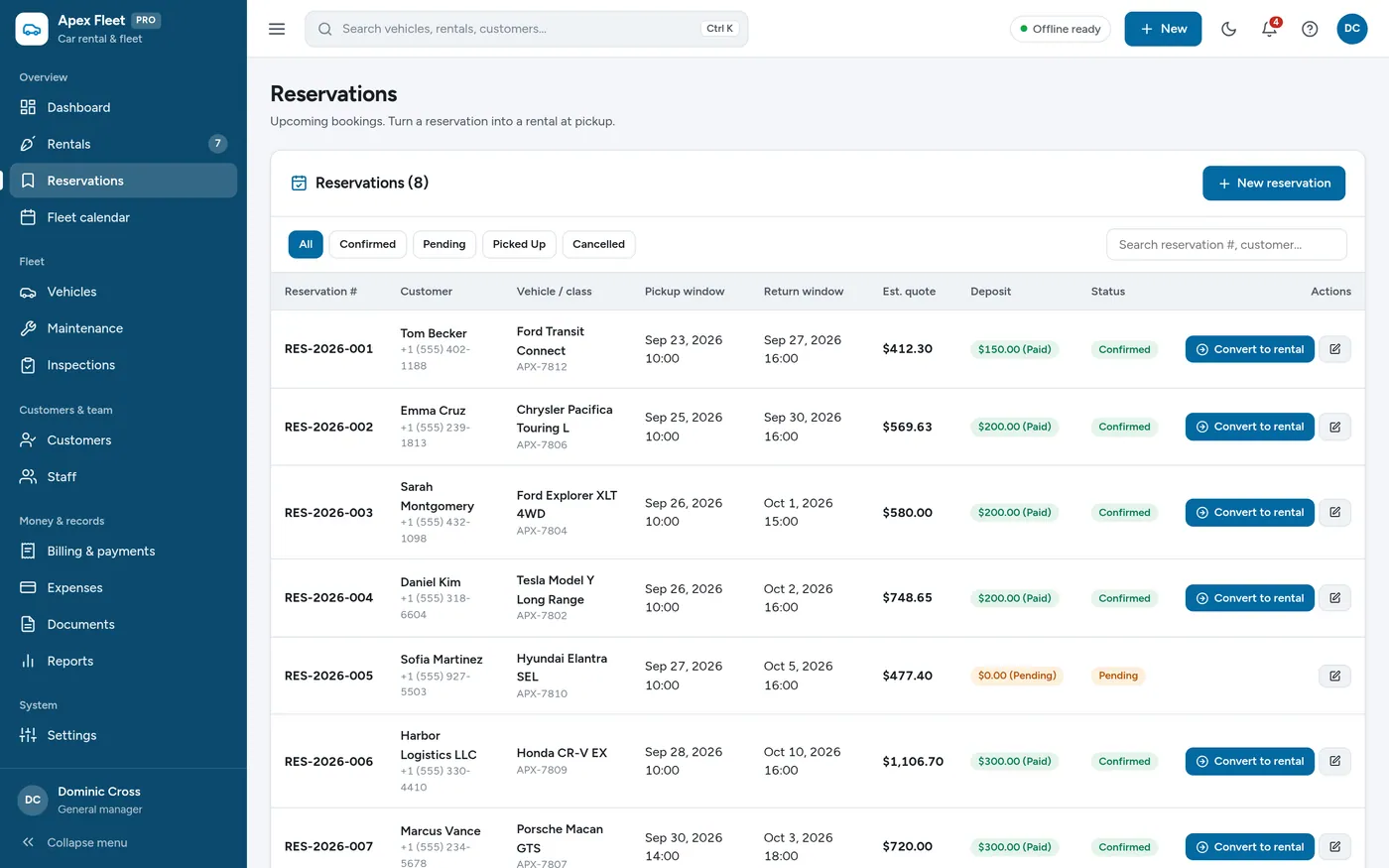
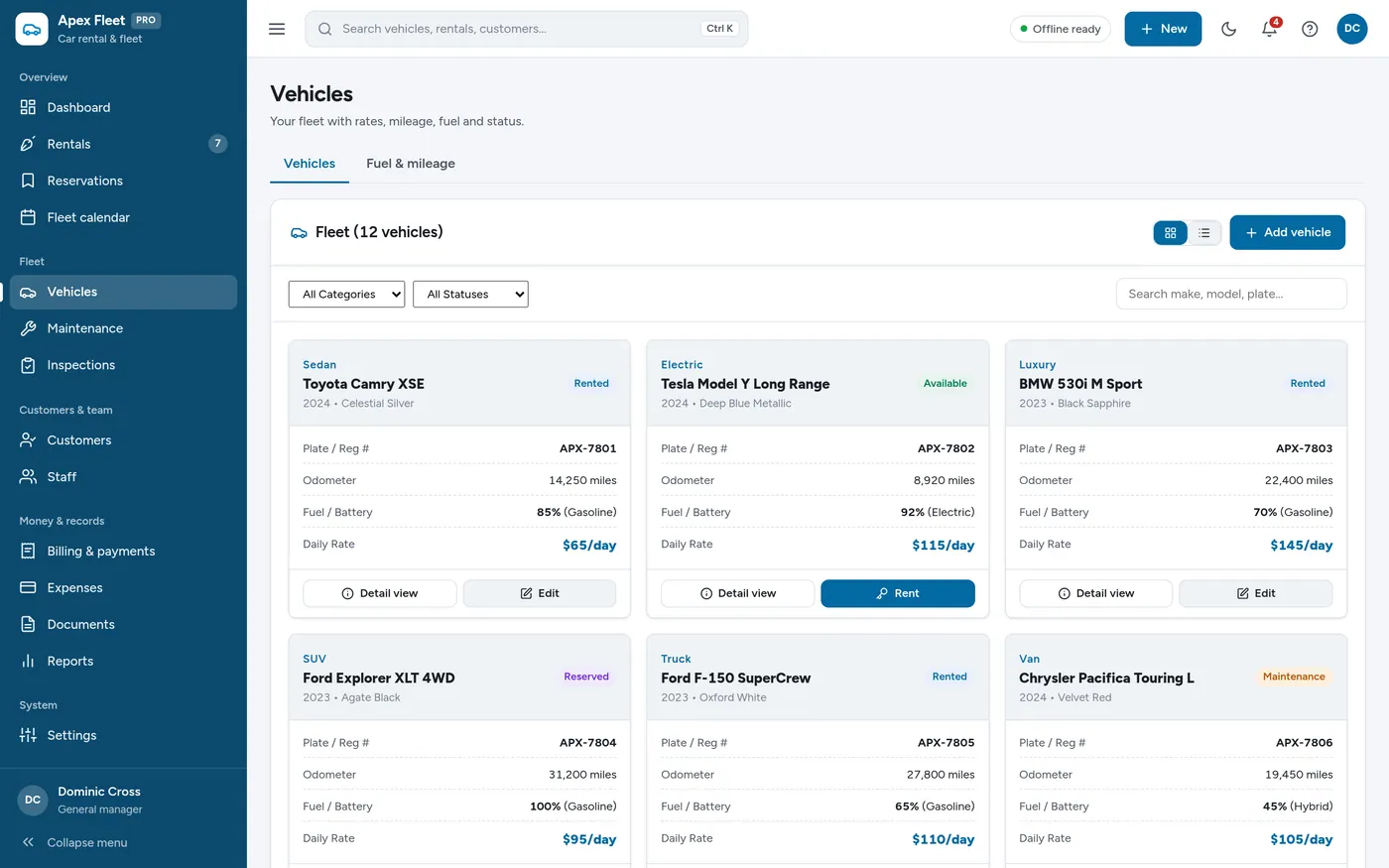
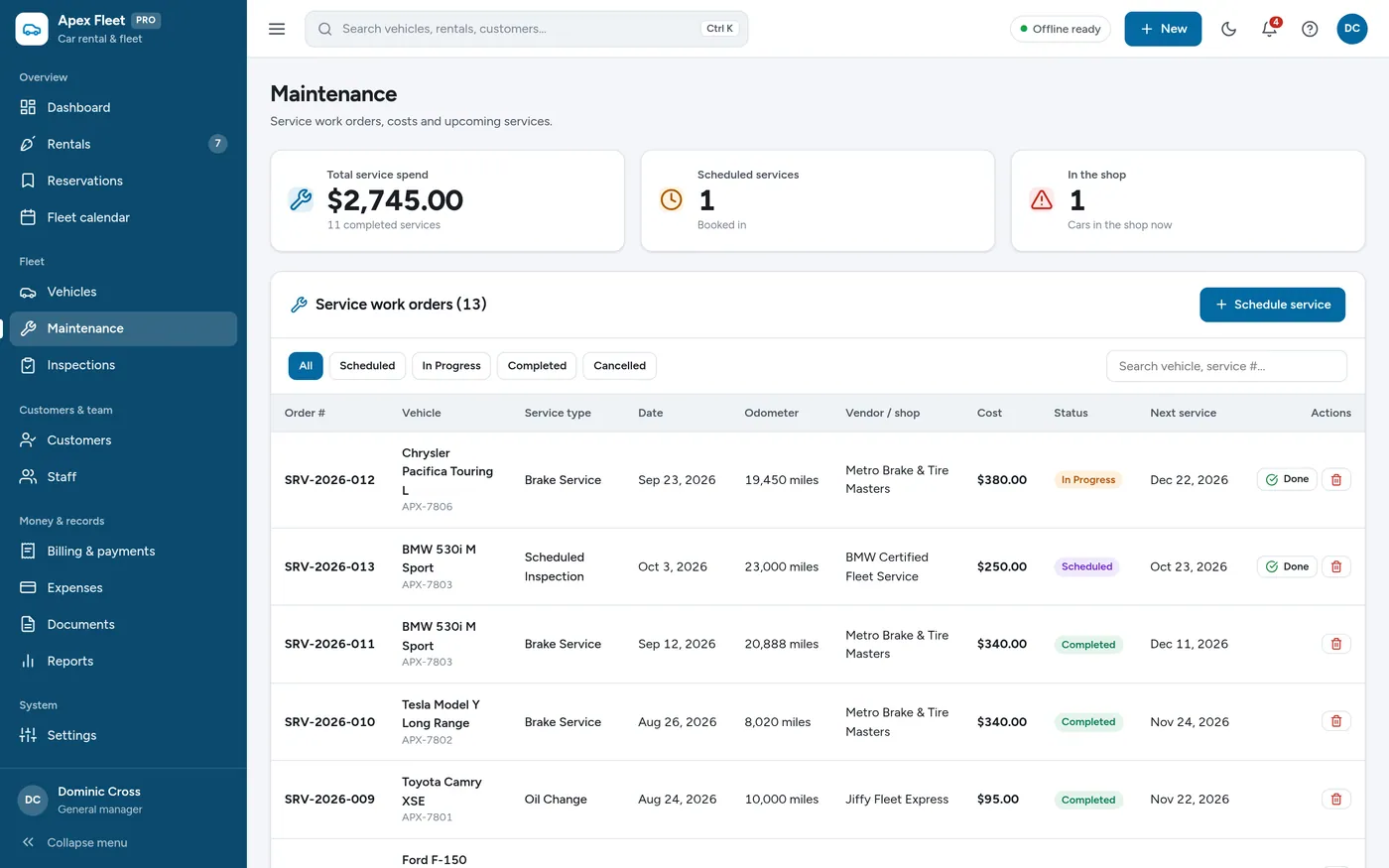
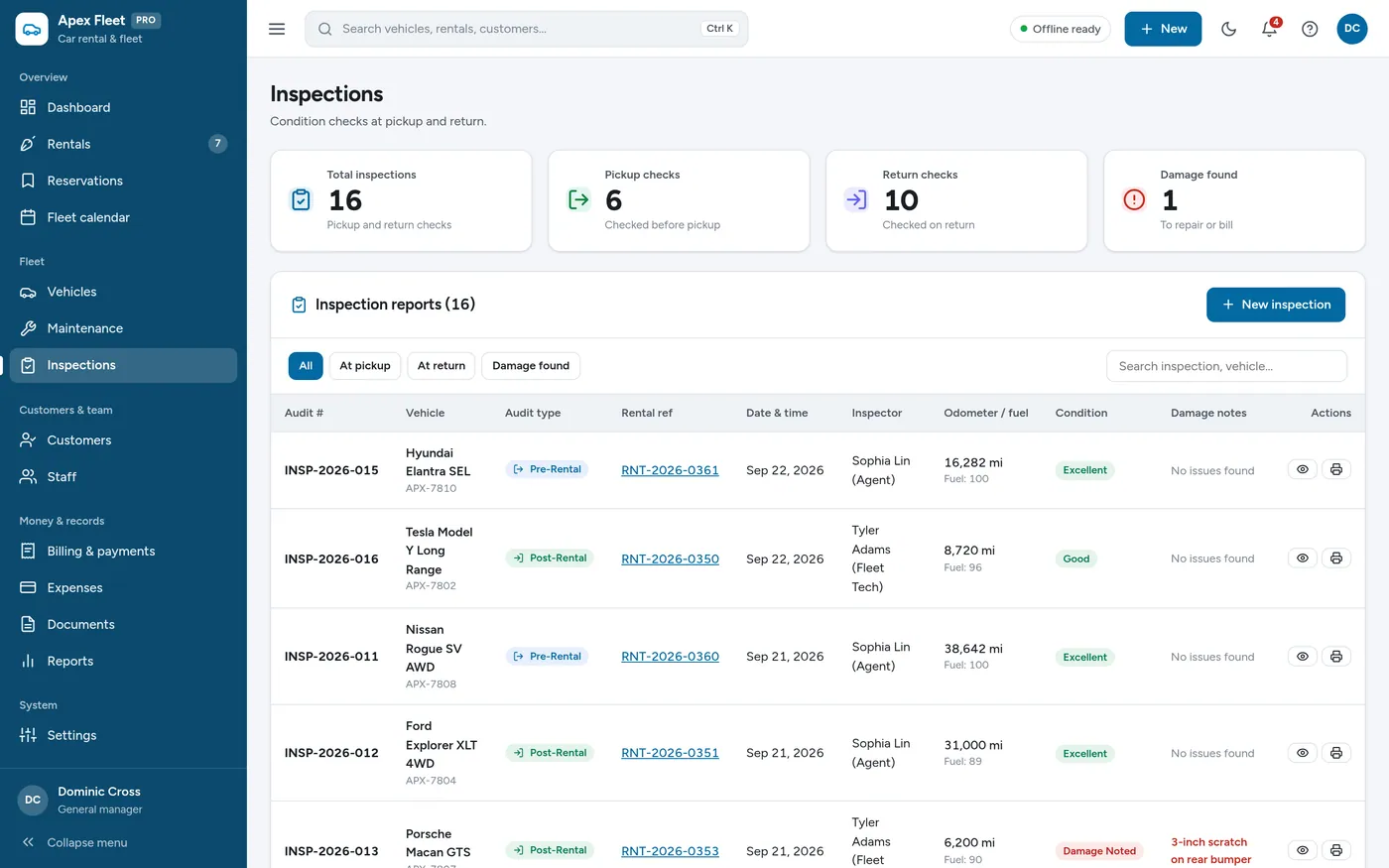
Car Rental & Fleet Manager is an offline app for car rental agencies, van and truck rentals and fleet operators. It prints rental agreements, turns reservations into rentals, shows two weeks of bookings for every car, tracks maintenance, records fuel, odometer and damage at pickup and return, flags expiring documents, and bills each rental. It runs offline on one computer, tablet or phone, with records kept on that device.
Rentals
Fleet calendar
Reservations
Vehicles
Maintenance
Inspections
For car, van and truck rental businesses and small fleet operators.
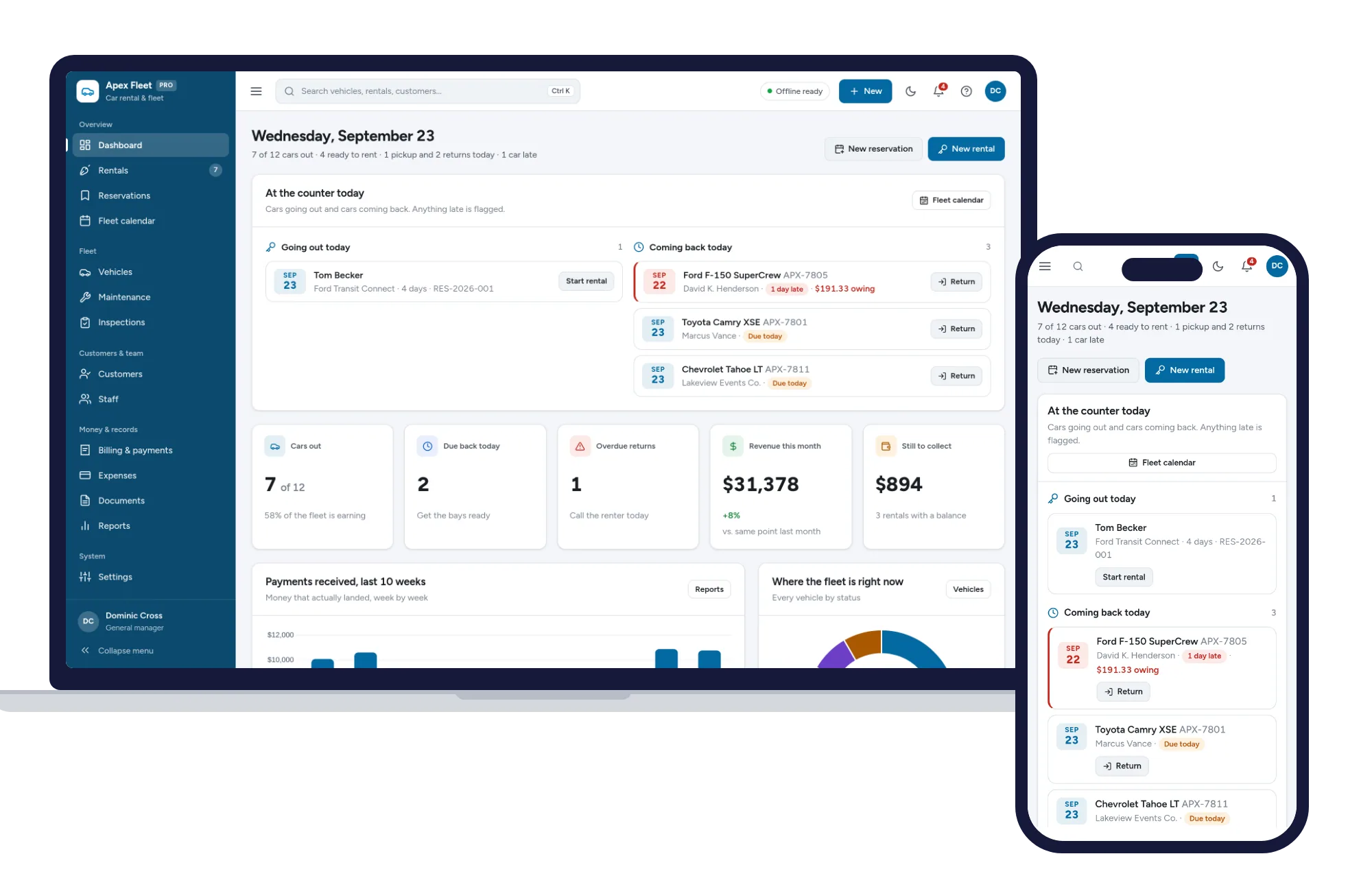
Install it like an app. Your fleet records never leave your device.
What it needs, and what it does not do.
Car Rental & Fleet Manager is an offline app from ColadoSystems that runs in your web browser from a folder on your own device. It costs $29.99 once, with no subscription and no account, and includes 12 tools, sample data to explore and a PDF guide. Your records stay on your device and are never uploaded.
Something else? Email us and we'll answer before you buy.
Yes. Open a rental and click "Print contract", or open an invoice and click "Print invoice". They carry the business name, address and phone you entered in Settings, plus the vehicle, dates, charges and signature lines.
Yes. Nothing is priced per vehicle, so it works the same for three cars as for fifty — rentals, reservations, the calendar, maintenance and billing all behave identically.
On the Documents page. Add the document, the vehicle or customer it belongs to and its expiry date, and the page flags anything expiring soon or already expired.
On the old computer open Settings → Your data & backups and click "Download backup". On the new one, open the app and click "Choose backup file" to load it.
Open Settings → Sample data and click "Clear all data". That empties the app so you can enter your own fleet — take a backup first if you have already added real records.
No. It is made for one person on one device, and records do not sync between devices. To move to another device, save a backup and restore it there.
No. It runs offline on your own device, so there is no booking page for customers and it does not take card payments. You record bookings and payments in it yourself, including ones taken by phone, card reader or another website.
The property & rentals bundle has every system in this category for one price.
Tenants, bookings, deals and fleets for landlords, hosts and agents.
$99.99for 6 systems, $179.94 if bought one by one
You save $79
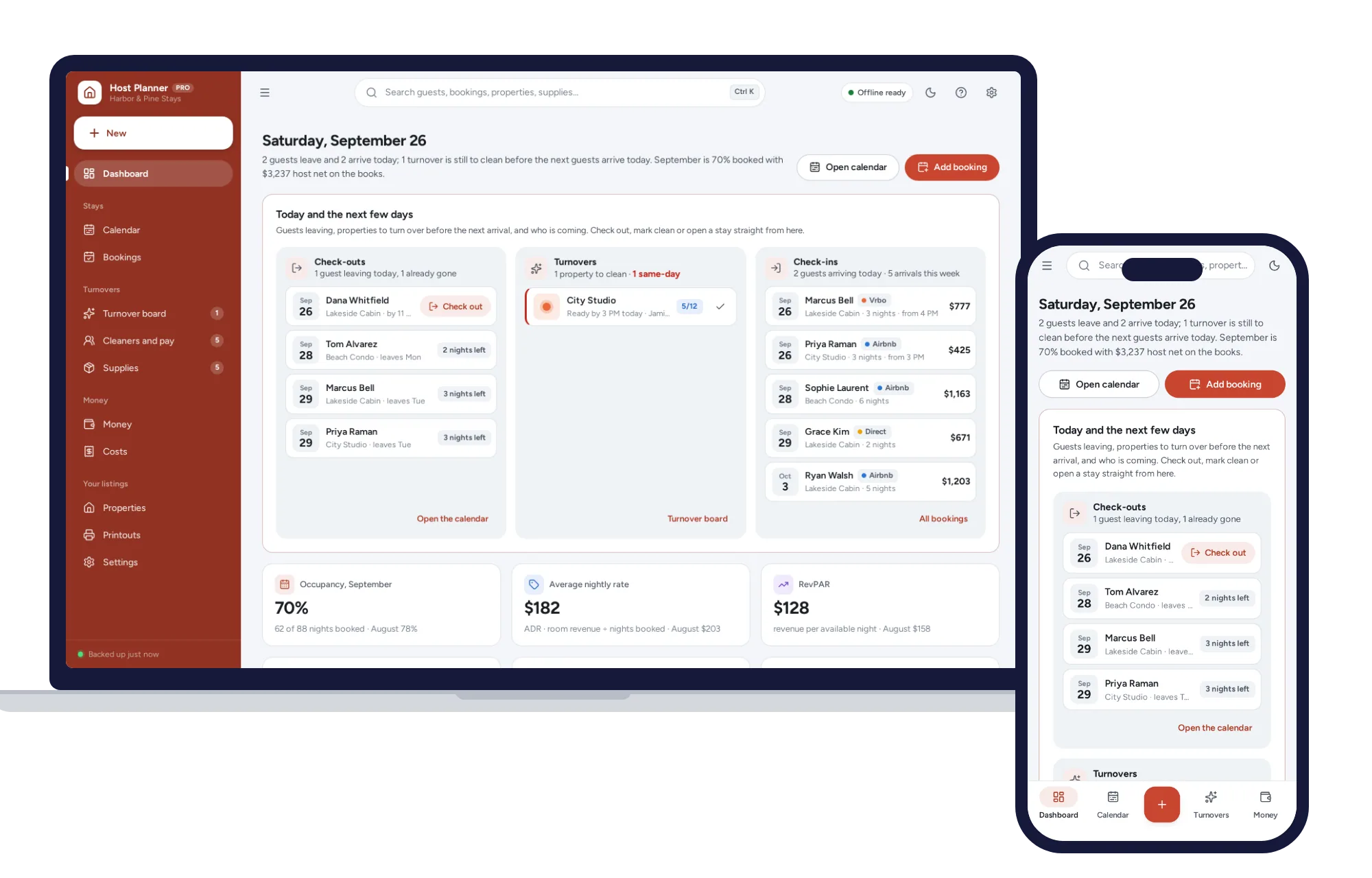
Property & rentals
See what every stay really leaves you after fees and cleaning. No formulas to break, no subscription.
$29.99one-time
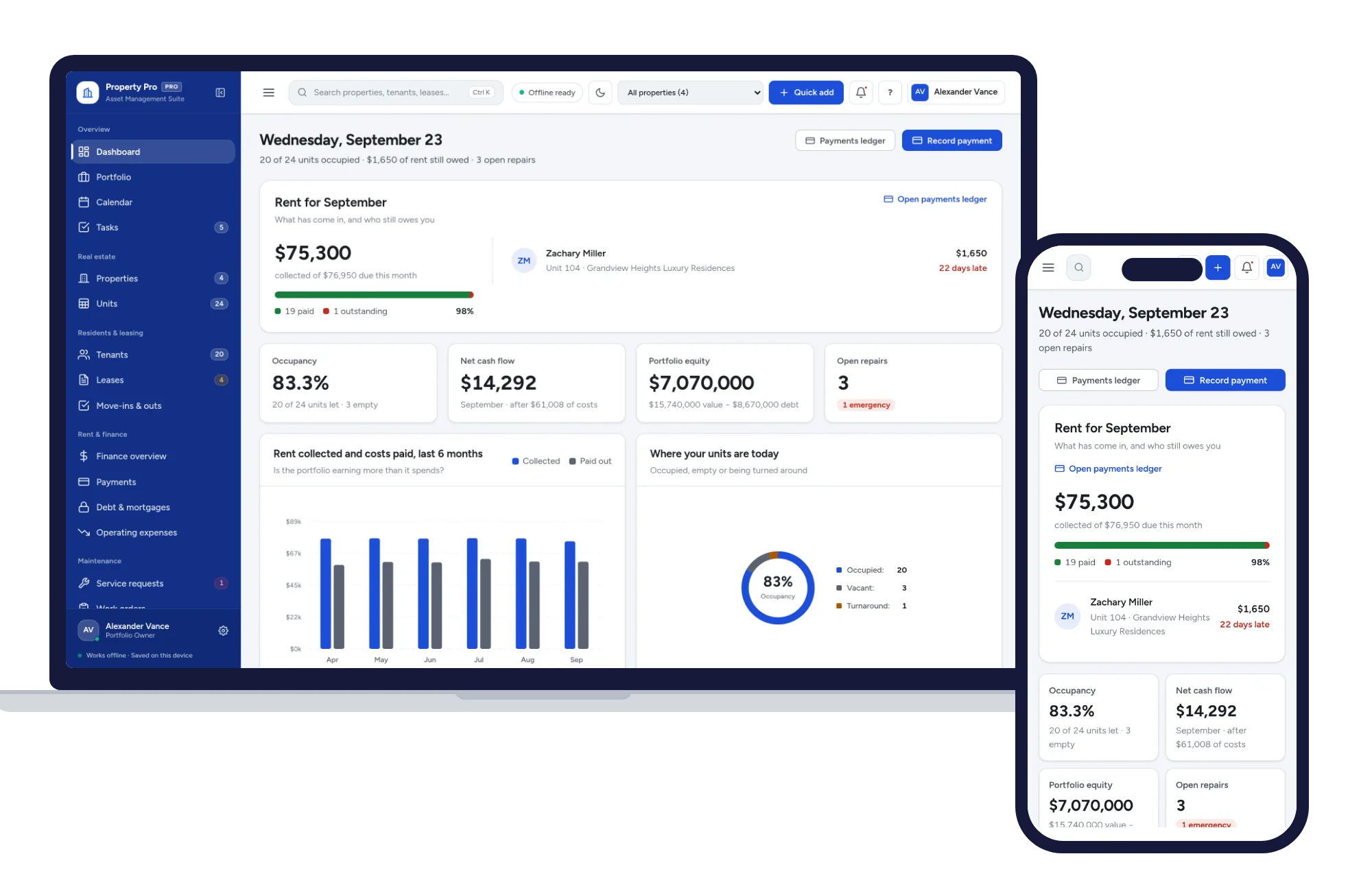
Property & rentals
Properties, units, tenants, leases, rent and repairs in one offline app.
$29.99one-time
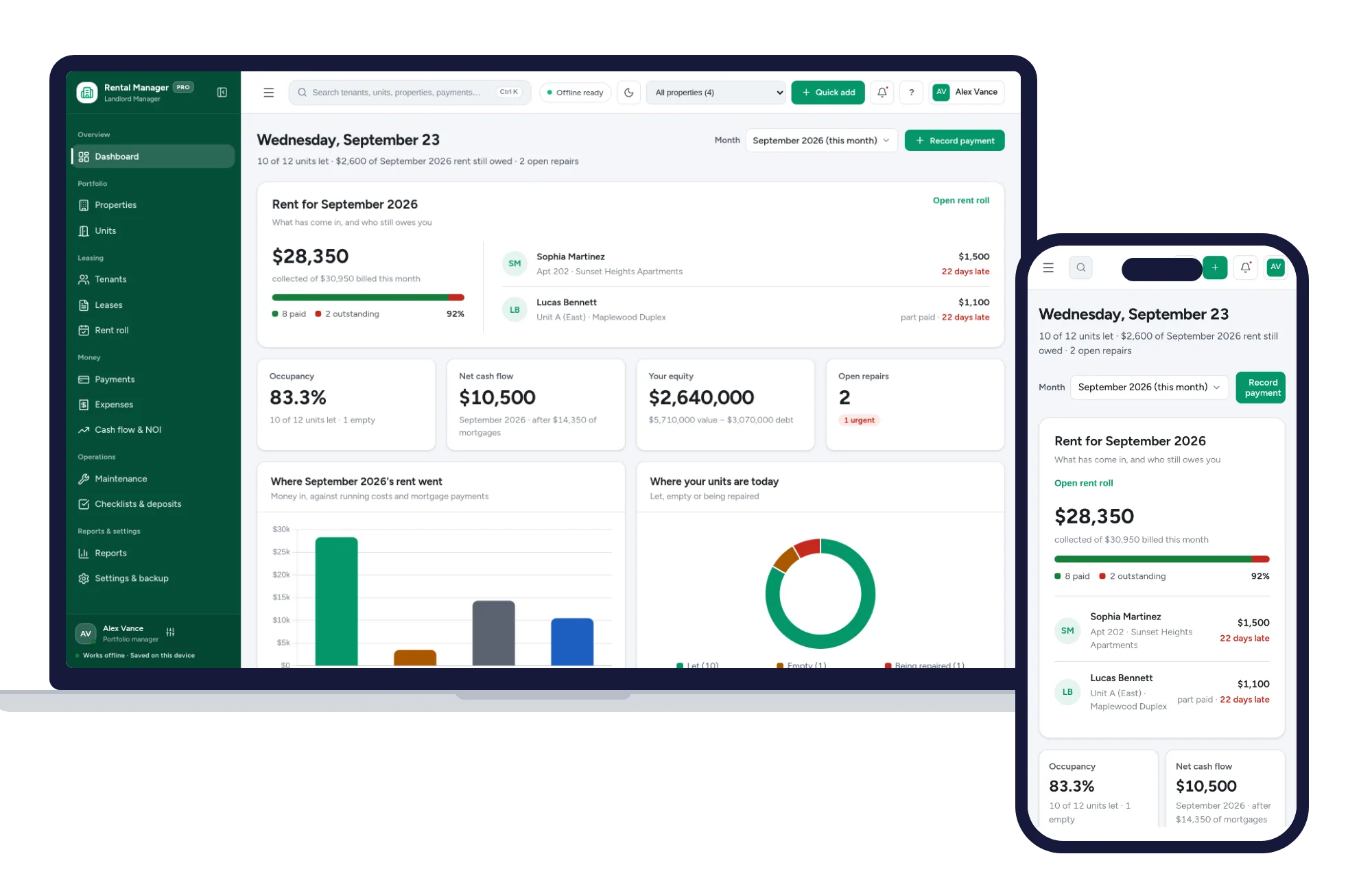
Property & rentals
Rent roll, tenants, leases, expenses and cash flow for landlords, in one offline app.
$29.99one-time
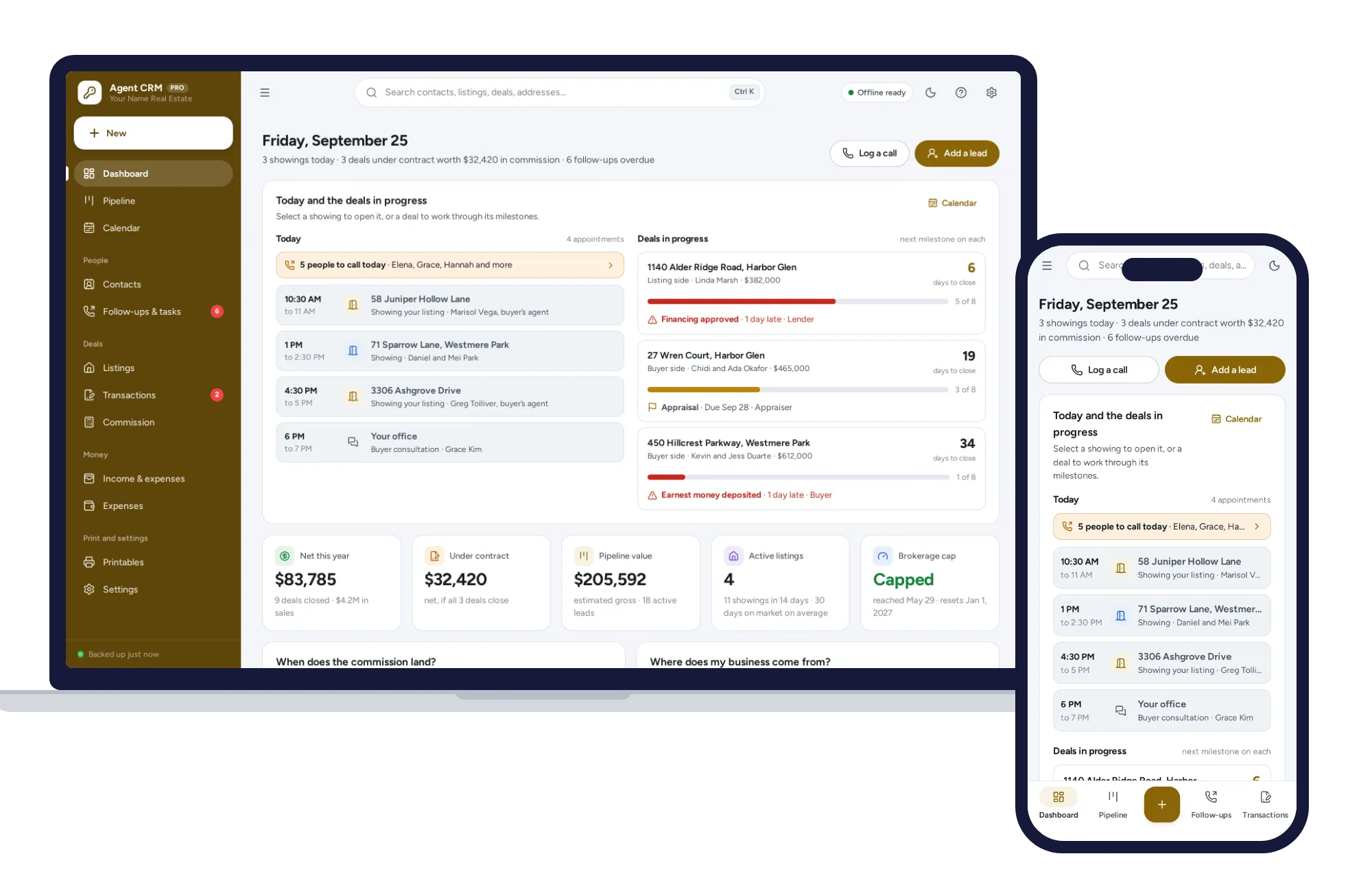
Property & rentals
Your database is yours, not your brokerage’s — leads, listings, deals and commission, offline on your own device.
$29.99one-time