
Stock levels
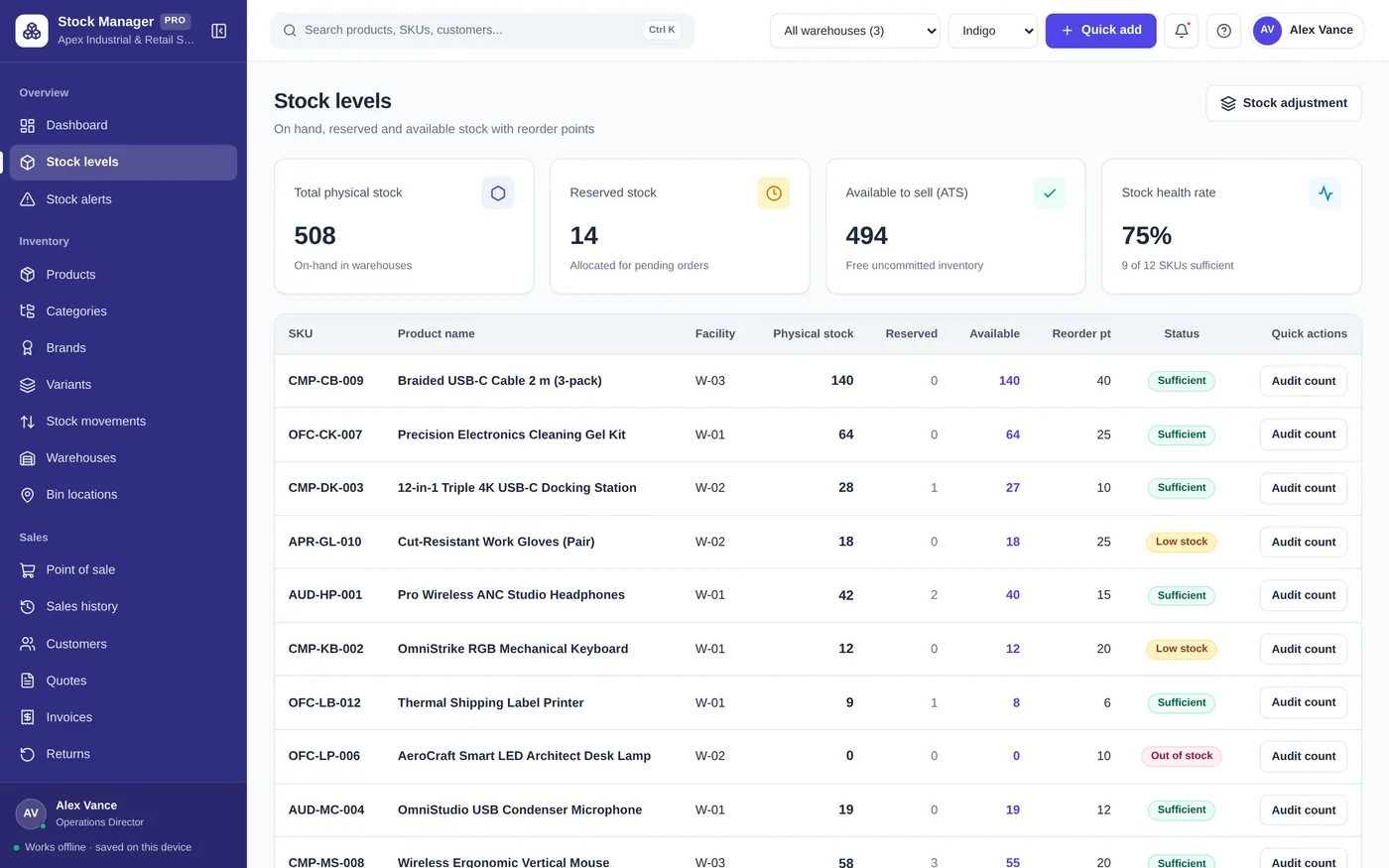
Know exactly what you have on hand
- On hand, reserved and available stock
- Reorder points flag low items
- Count and adjust stock in seconds
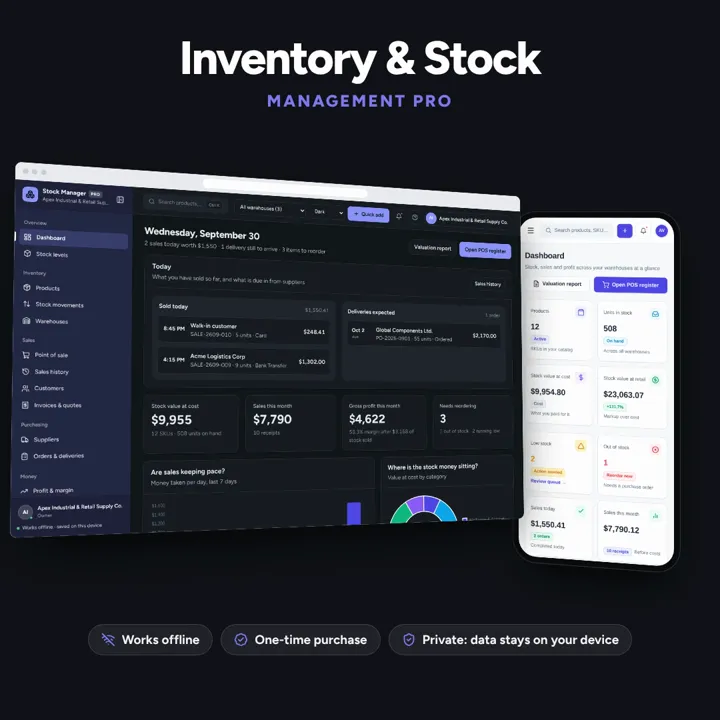
Products, stock levels, warehouses, point of sale, purchase orders and profit reports in one offline app.
No subscription. Pay once and keep it.
Checkout by Paddle. Tax is added where it applies, and you download straight after paying.
Made for Retail stores, boutiques, wholesalers, e-commerce sellers, and warehouse operators
Stock levels
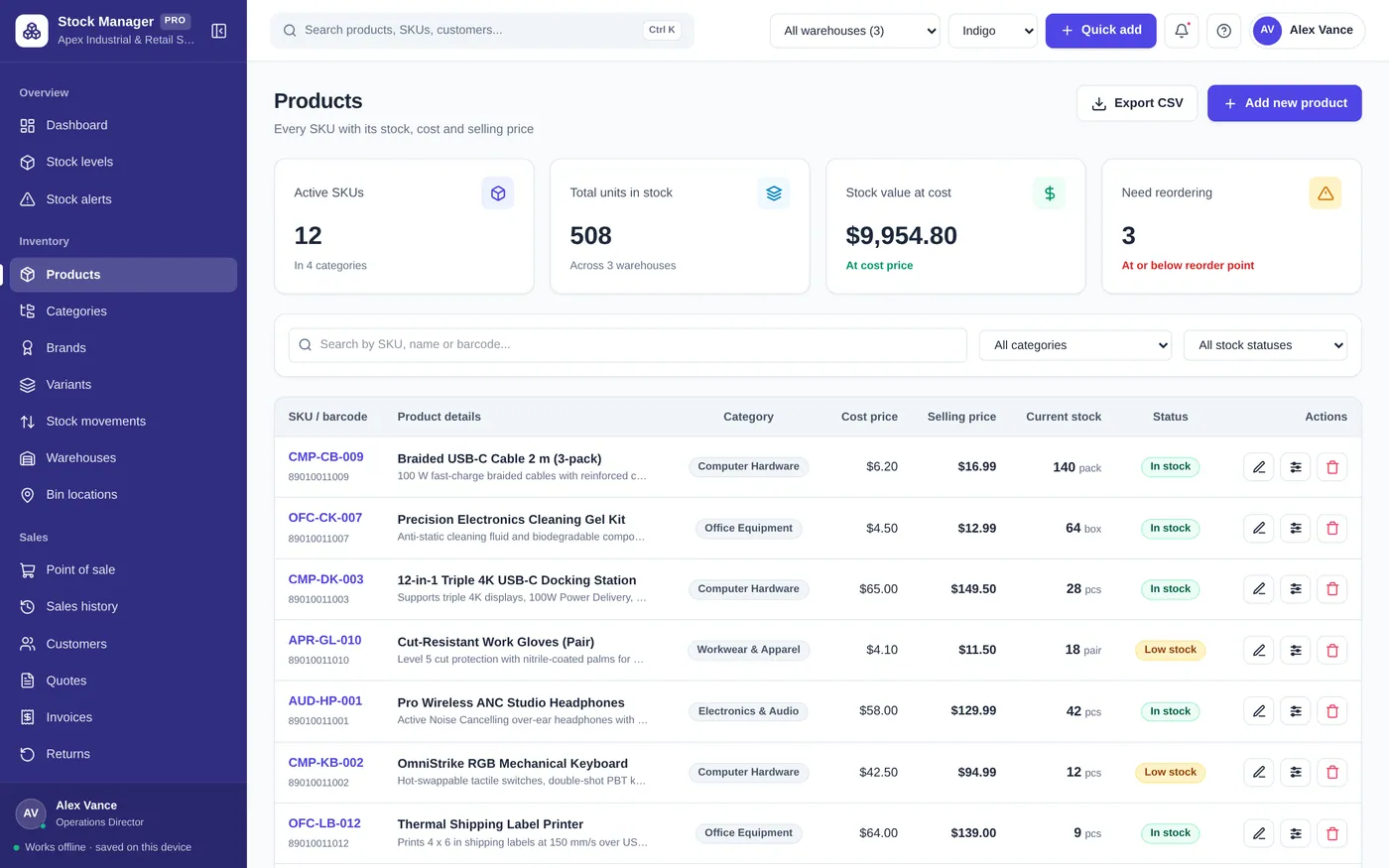
Product catalog
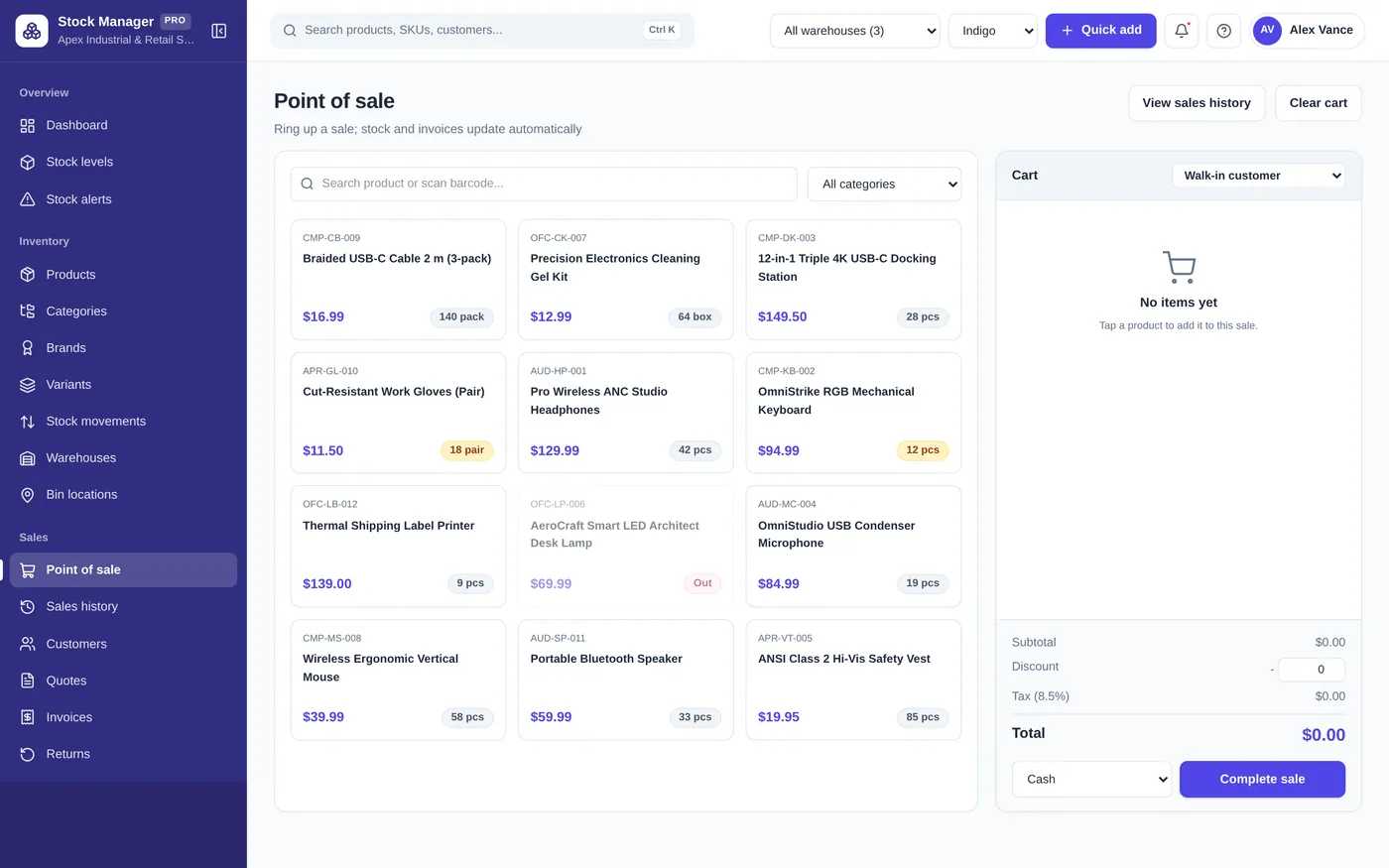
Point of sale
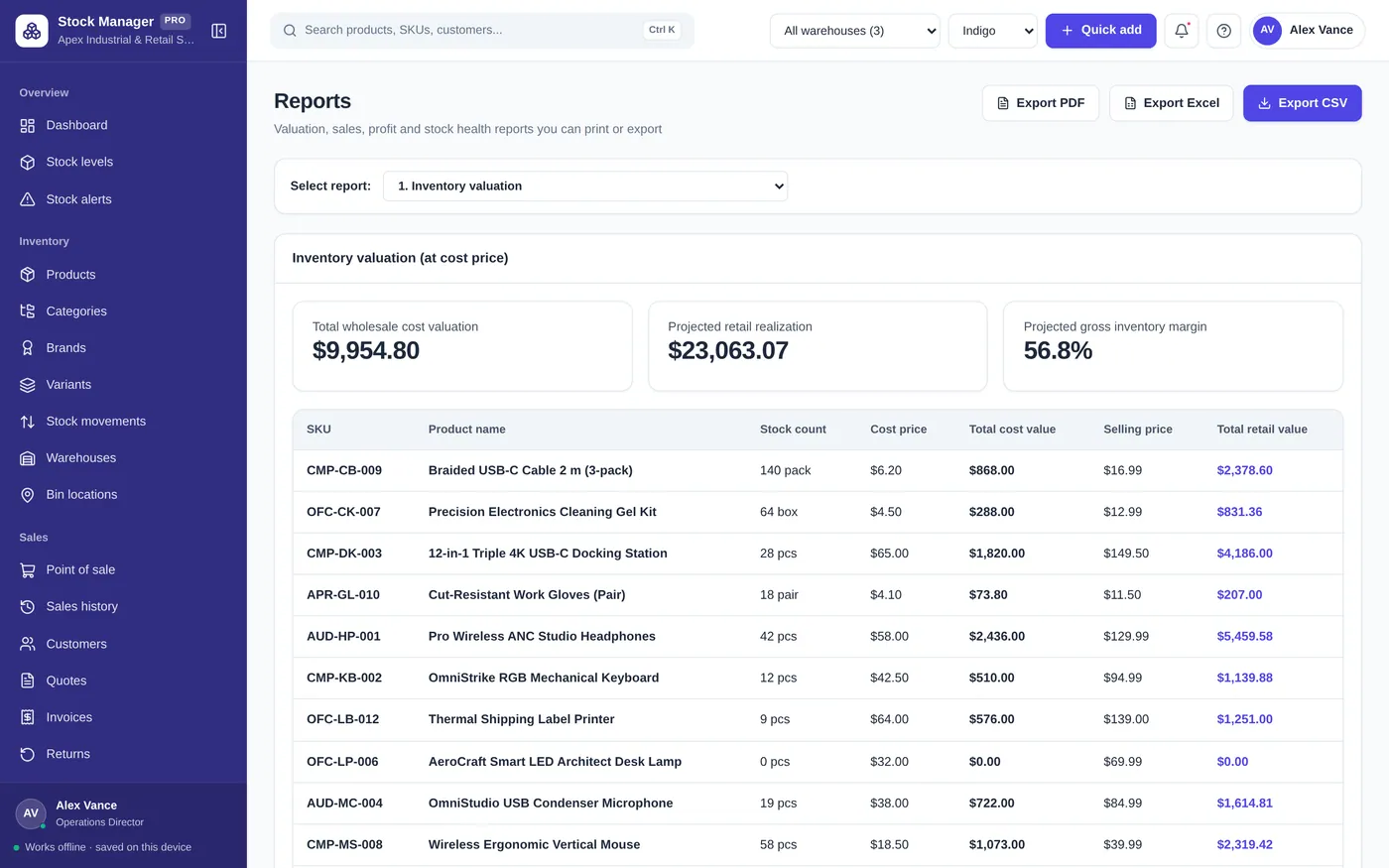
Purchase orders
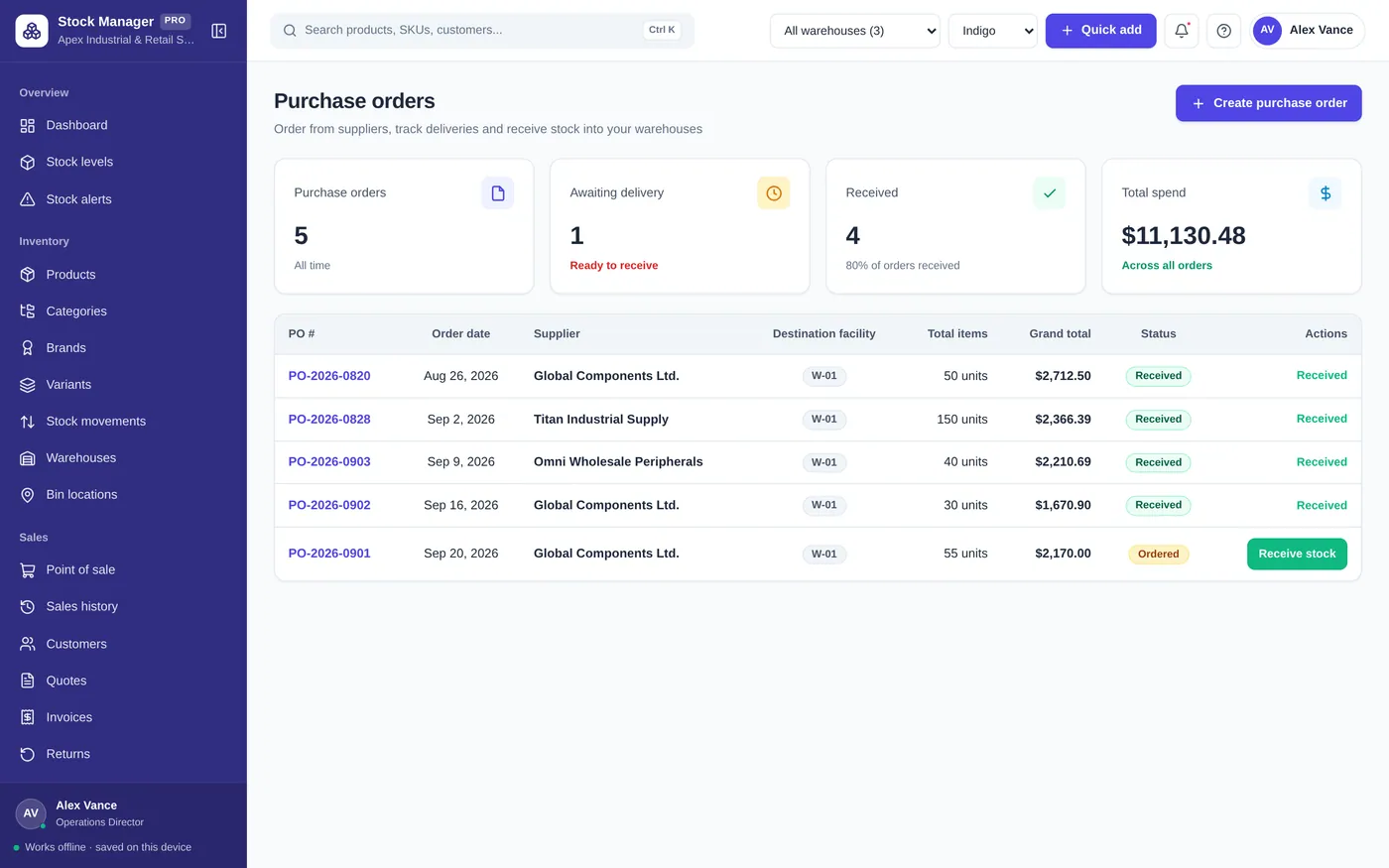
Warehouses
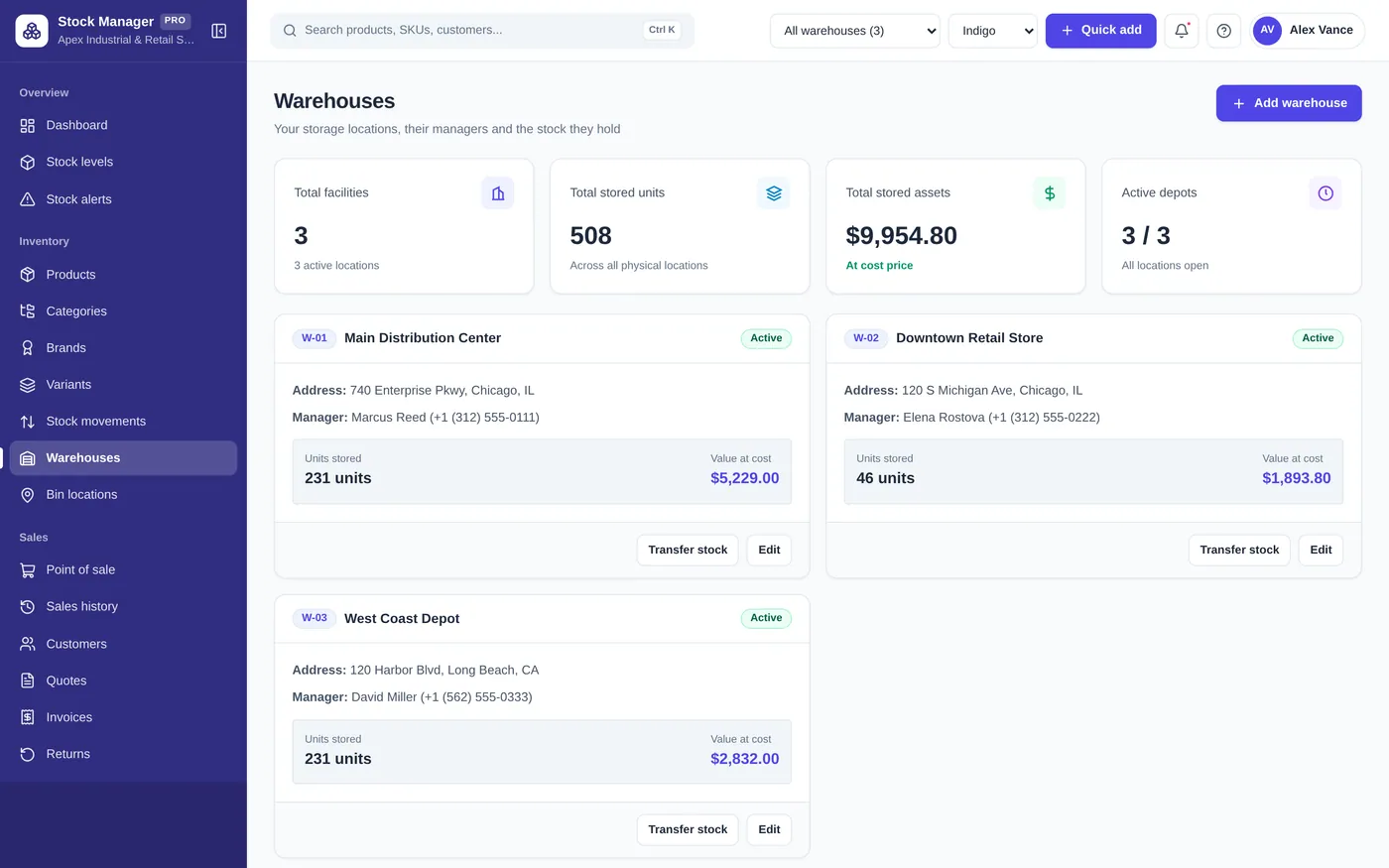
Reports
For retailers, wholesalers, online sellers and small warehouses.
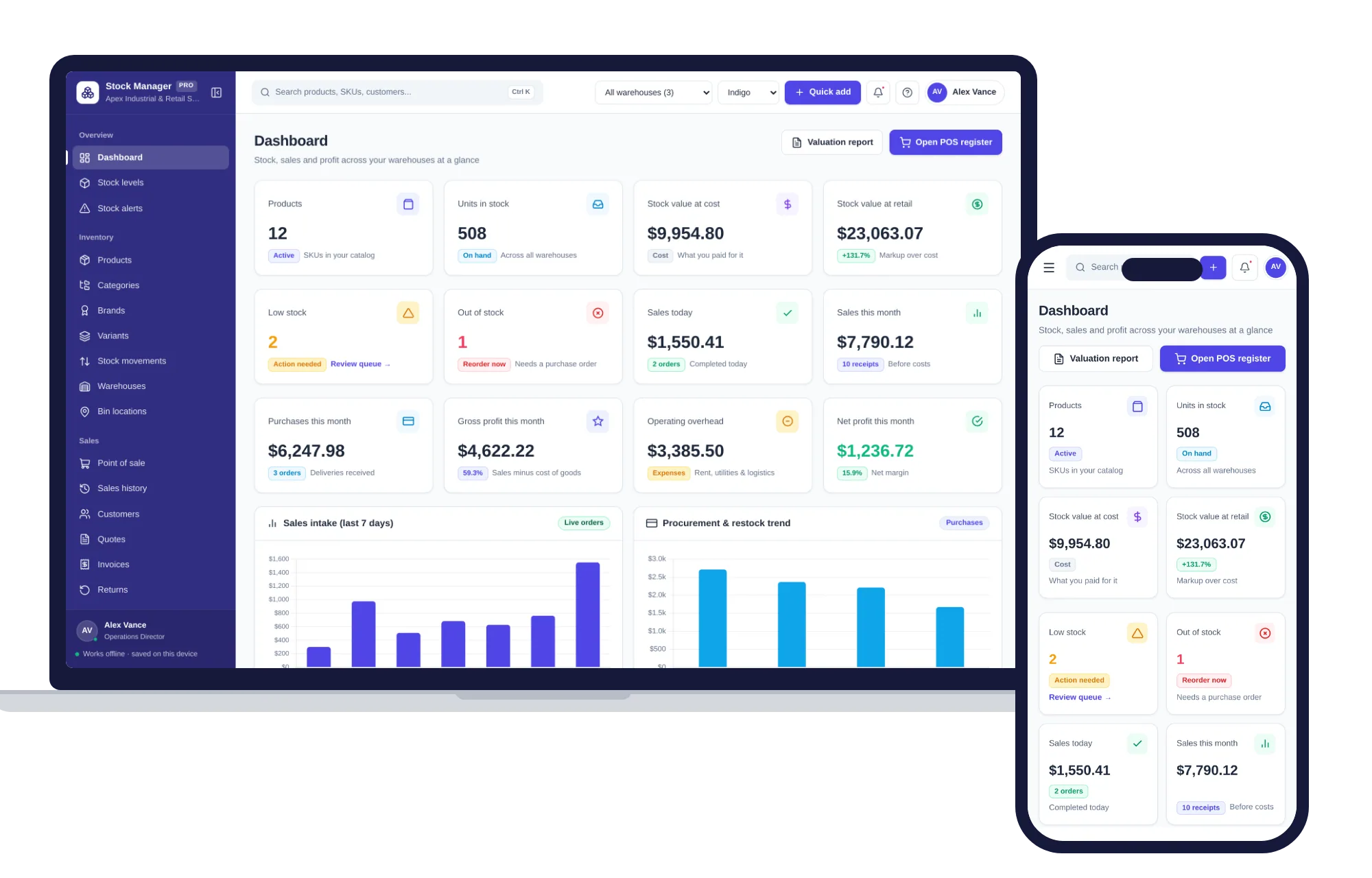
Install it like an app. Your stock records never leave your device.
What it needs, and what it does not do.
Inventory & Stock Manager is an offline app from ColadoSystems that runs in your web browser from a folder on your own device. It costs $29.99 once, with no subscription and no account, and includes 12 tools, sample data to explore and a PDF guide. Your records stay on your device and are never uploaded.
Something else? Email us and we'll answer before you buy.
No! The system runs completely offline. You can use it in a basement warehouse, off-grid market stall, or during internet outages with zero interruptions.
Your records are saved by your browser, on this computer. When you open it tomorrow, everything is exactly as you left it. Keep backups, because clearing your browsing data erases them.
Yes! Save the unzipped folder into your device’s Files app (or iCloud/Google Drive), tap index.html in Safari or Chrome, and bookmark it for instant mobile access.
No. Click "Forgot PIN?" on the lock screen, type RESET in the box and click "Reset PIN and unlock". The lock is a privacy screen that hides your records from anyone walking past the device; it does not encrypt them, and resetting it deletes nothing. You land on the Settings PIN field so you can set a new one, or leave it empty to keep the lock off.
On the old computer open Settings, choose the "Backup & restore" tab and click "Export & download backup JSON". Copy that .json file to the new computer, open the system there, go to the same page, choose the file and click "Restore database".
No. It is made for one person on one device, and records do not sync between devices. To move to another device, save a backup and restore it there.
No. It runs offline on your own device, so there is no booking page for customers and it does not take card payments. You record bookings and payments in it yourself, including ones taken by phone, card reader or another website.
Keeping track of stock? These systems are close cousins. Here is who each one is for.
Shops that sell what they stock: stock levels, point of sale, purchase orders.
Warehouses and fulfilment: bin locations, receiving, pick lists and cycle counts.
Printing barcodes and product labels, with a product catalog.
The shops, food & stock bundle has every system in this category for one price.
Stock, orders, pricing and labels for shops, kitchens and warehouses.
$114.99for 7 systems, $209.93 if bought one by one
You save $94
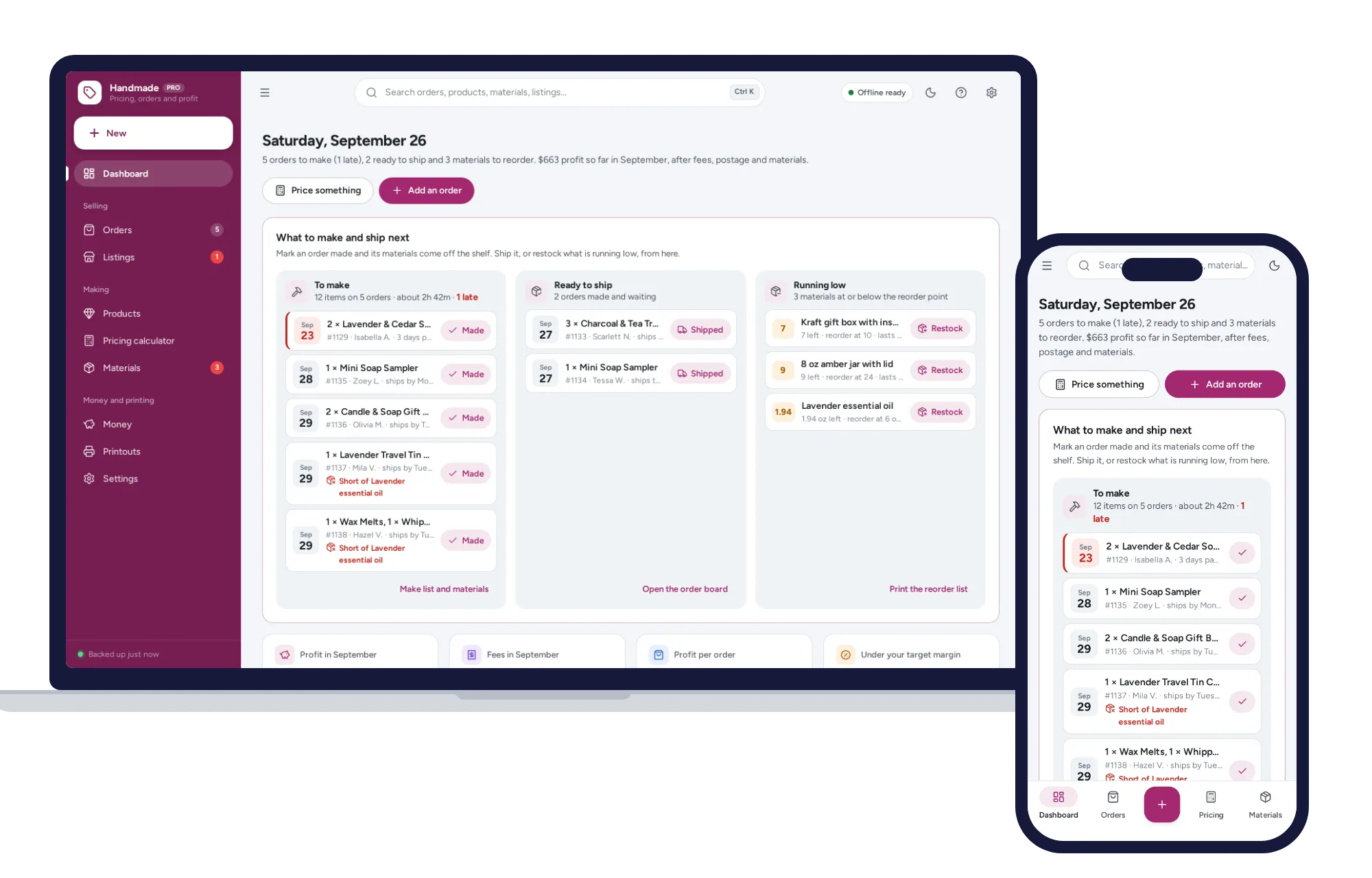
Shops, food & stock
The price that leaves your margin after every listing, transaction and payment fee — and the true profit on every sale. No formulas to break, no subscription.
$29.99one-time
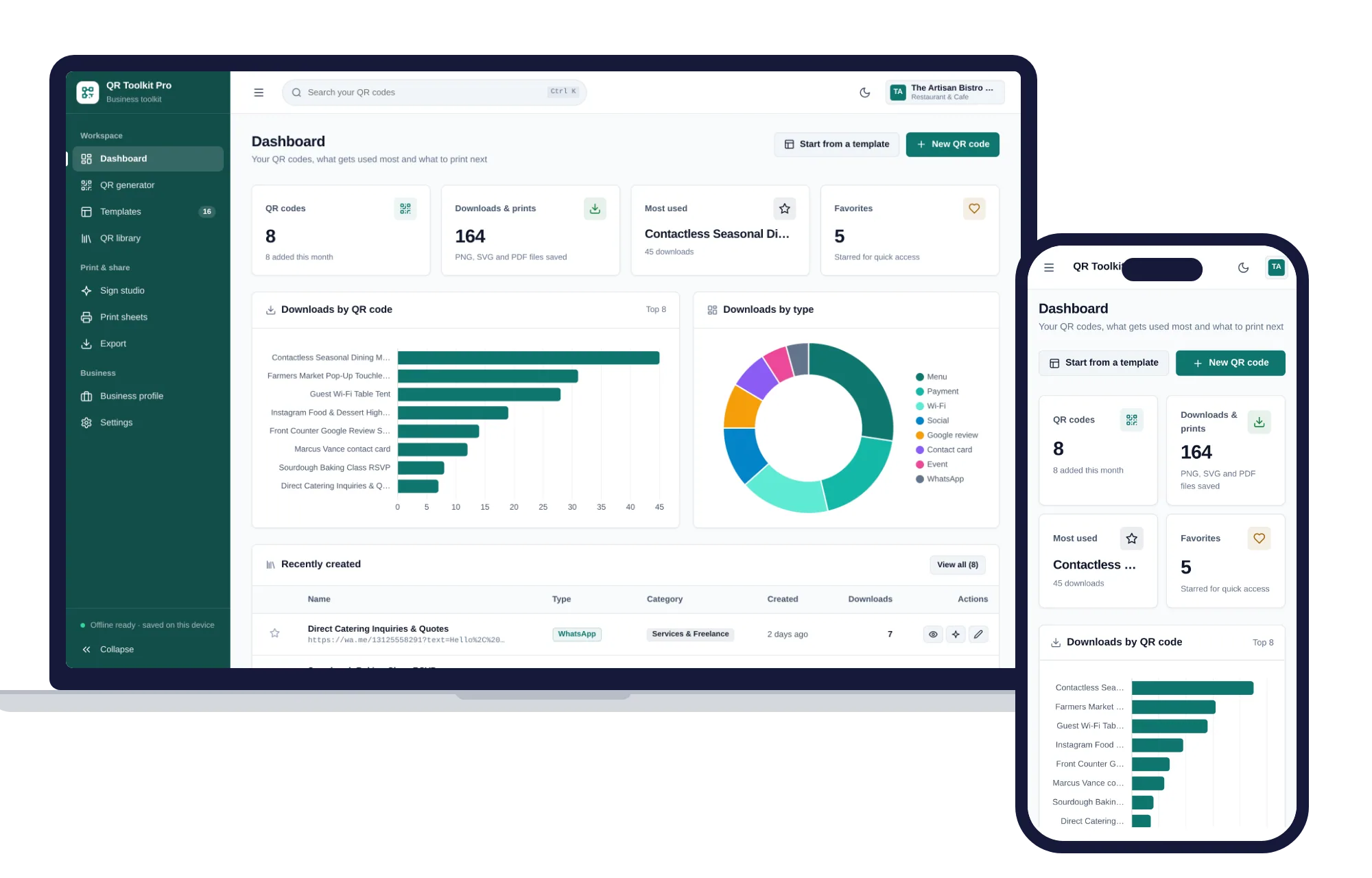
Shops, food & stock
Create, design, print and export QR codes for your business — one offline app.
$29.99one-time
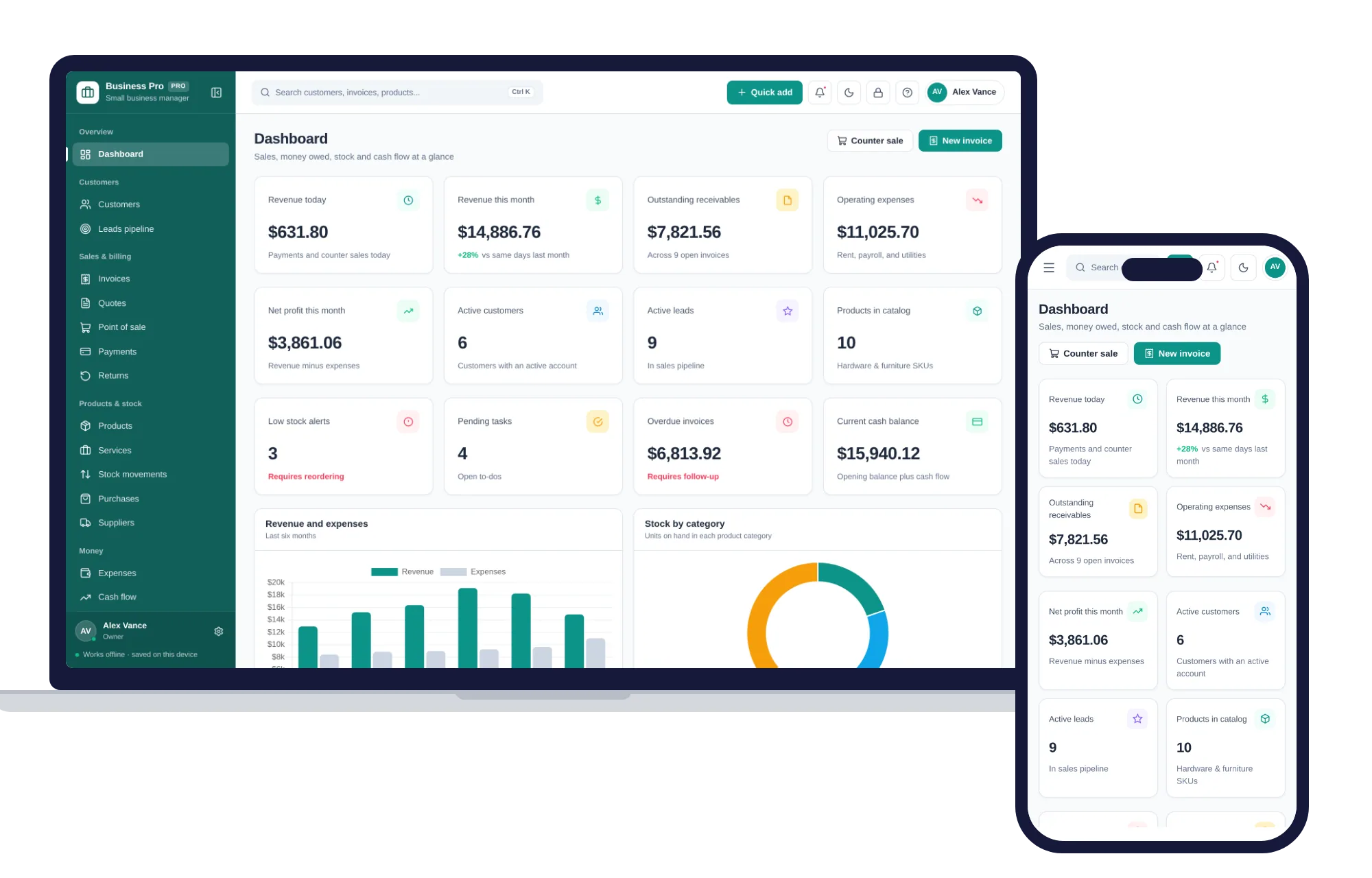
Shops, food & stock
Customers, leads, invoices, point of sale, stock, expenses and profit & loss in one offline app.
$29.99one-time
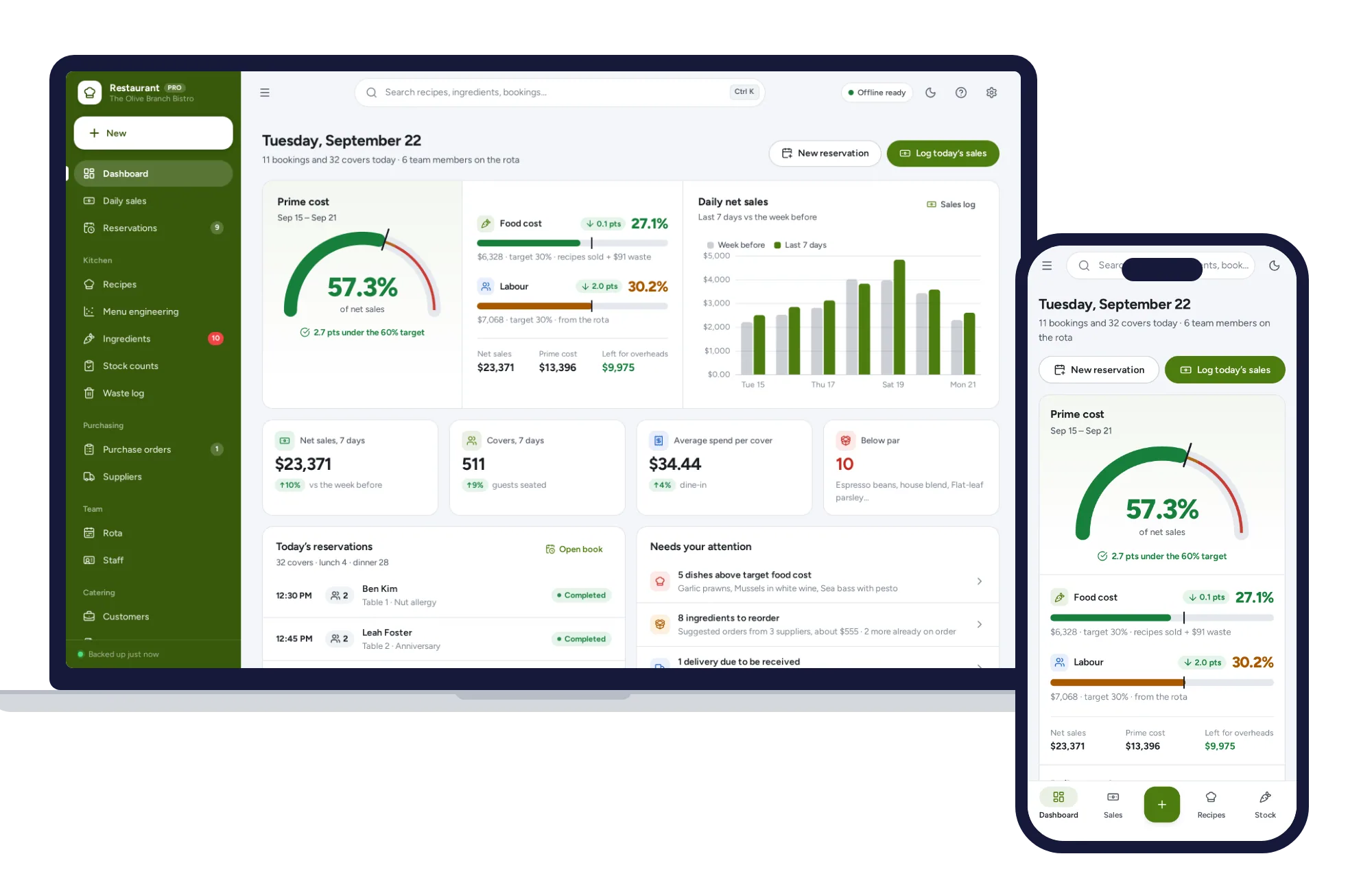
Shops, food & stock
Recipe costing, menu engineering, inventory, ordering, rota and prime cost — one offline app.
$29.99one-time