
One-click printed binder
The whole binder, on paper, in one click
- A cover with your household name and the date it was printed
- Every section you choose, in plain black and white
- Wallet cards with the first numbers to call and allergies
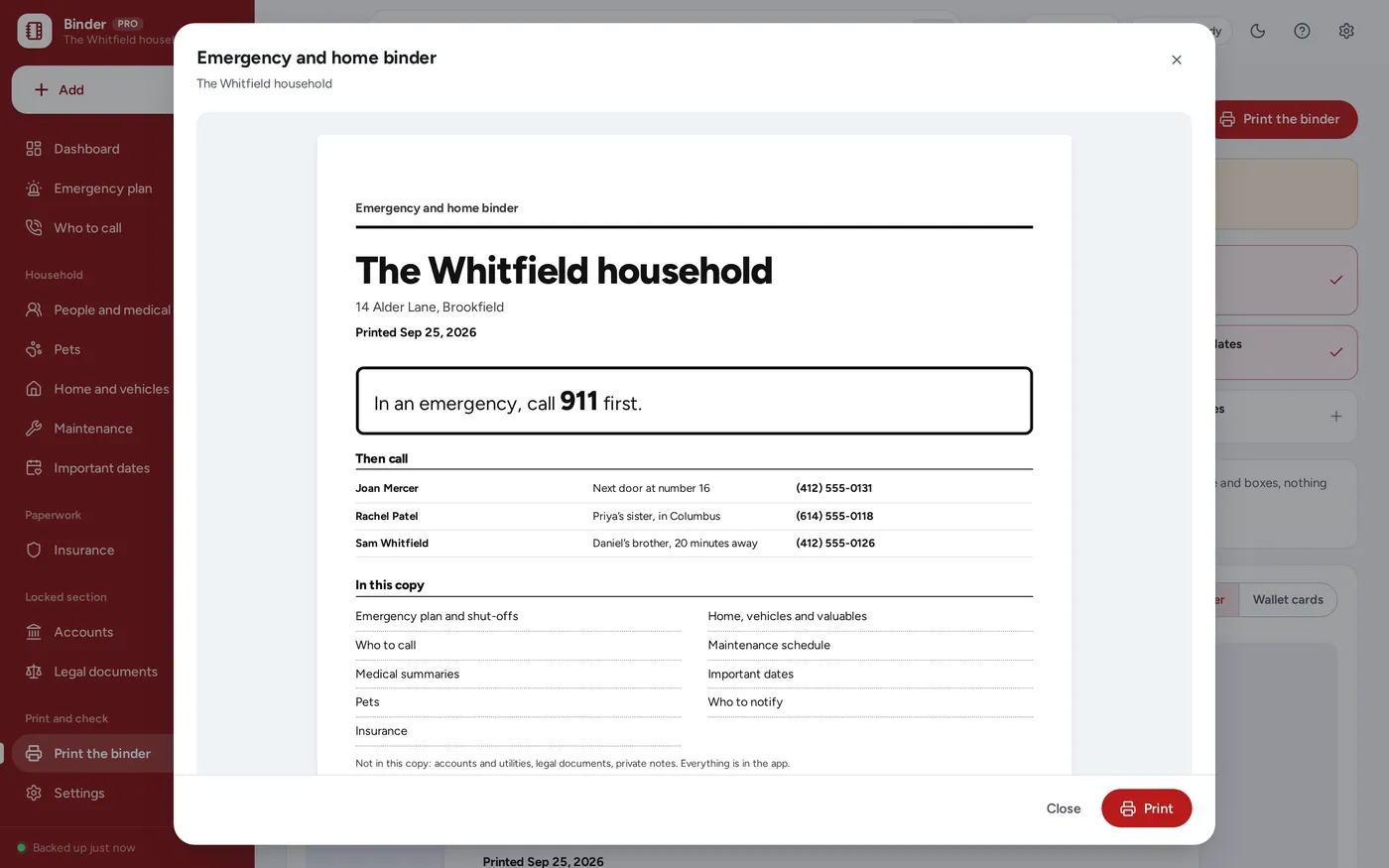
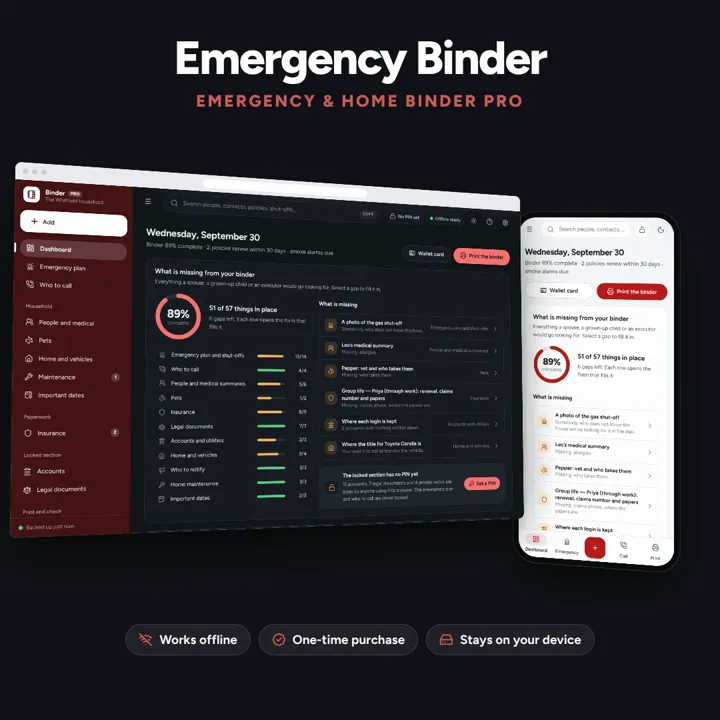
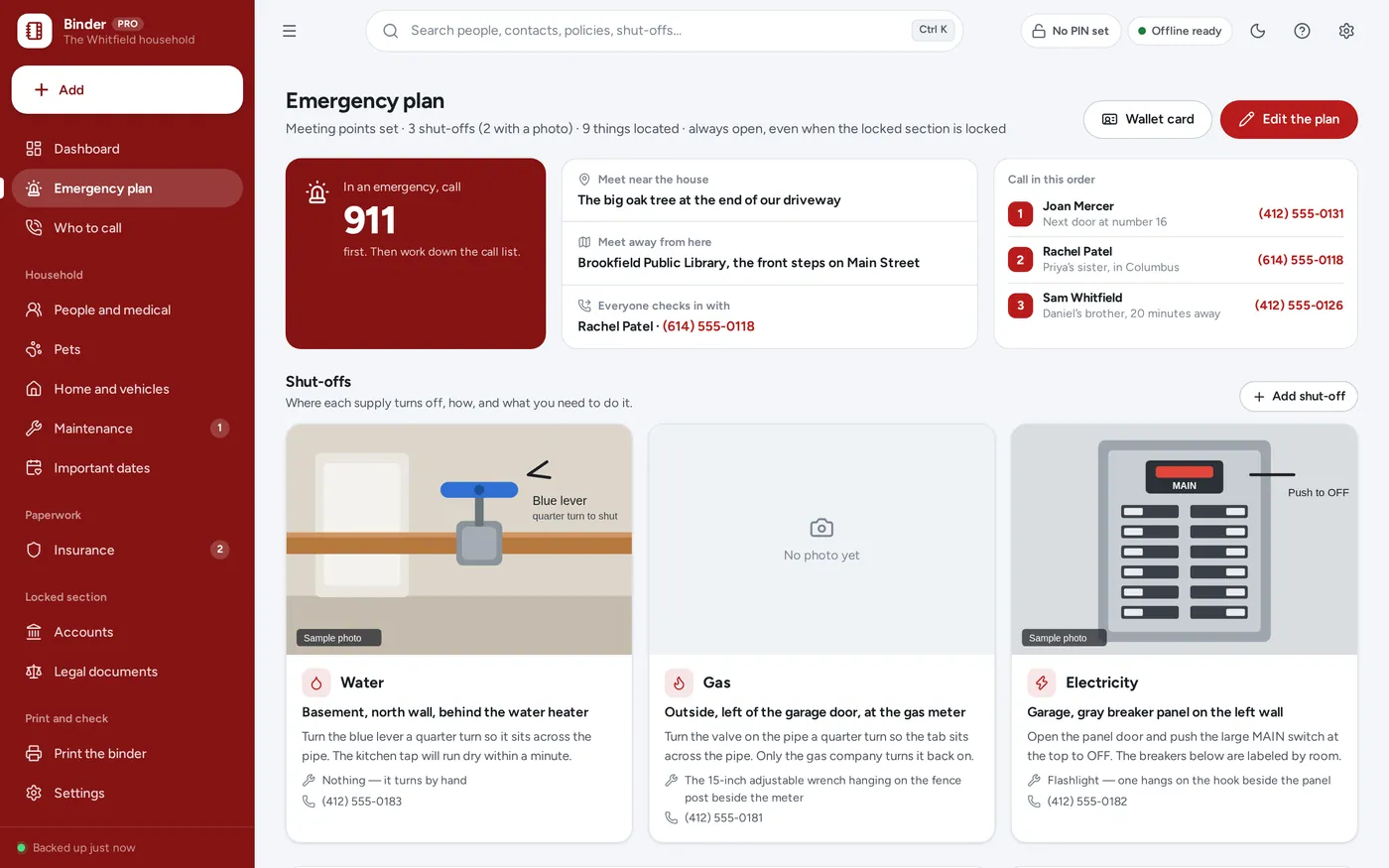
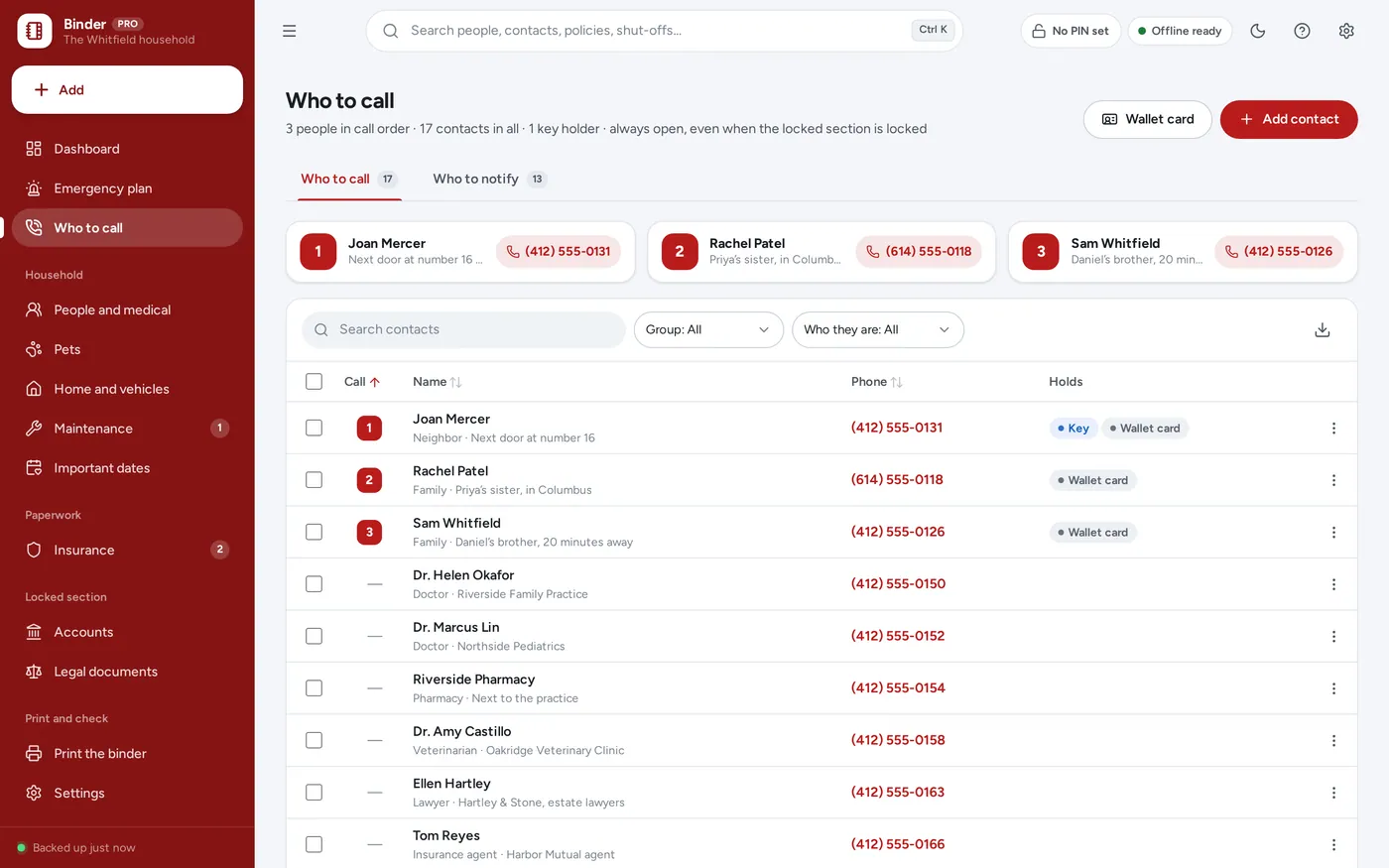
Who to call, where the shut-offs are, a medical page per person and a PIN-locked section. Prints the whole binder in one click.
No subscription. Pay once and keep it.
Checkout by Paddle. Tax is added where it applies, and you download straight after paying.
Made for Households putting their “in case of emergency” folder together — and the grown-up children doing it for their parents — so a spouse, a family member or an executor can find everything on the worst day
The in-case-of-emergency folder, computed: who to call, where the shut-offs are, a medical summary per person, insurance and renewals, a PIN-locked section for account numbers and legal notes, and the whole binder printed in one click — offline, on your own device.
One-click printed binder
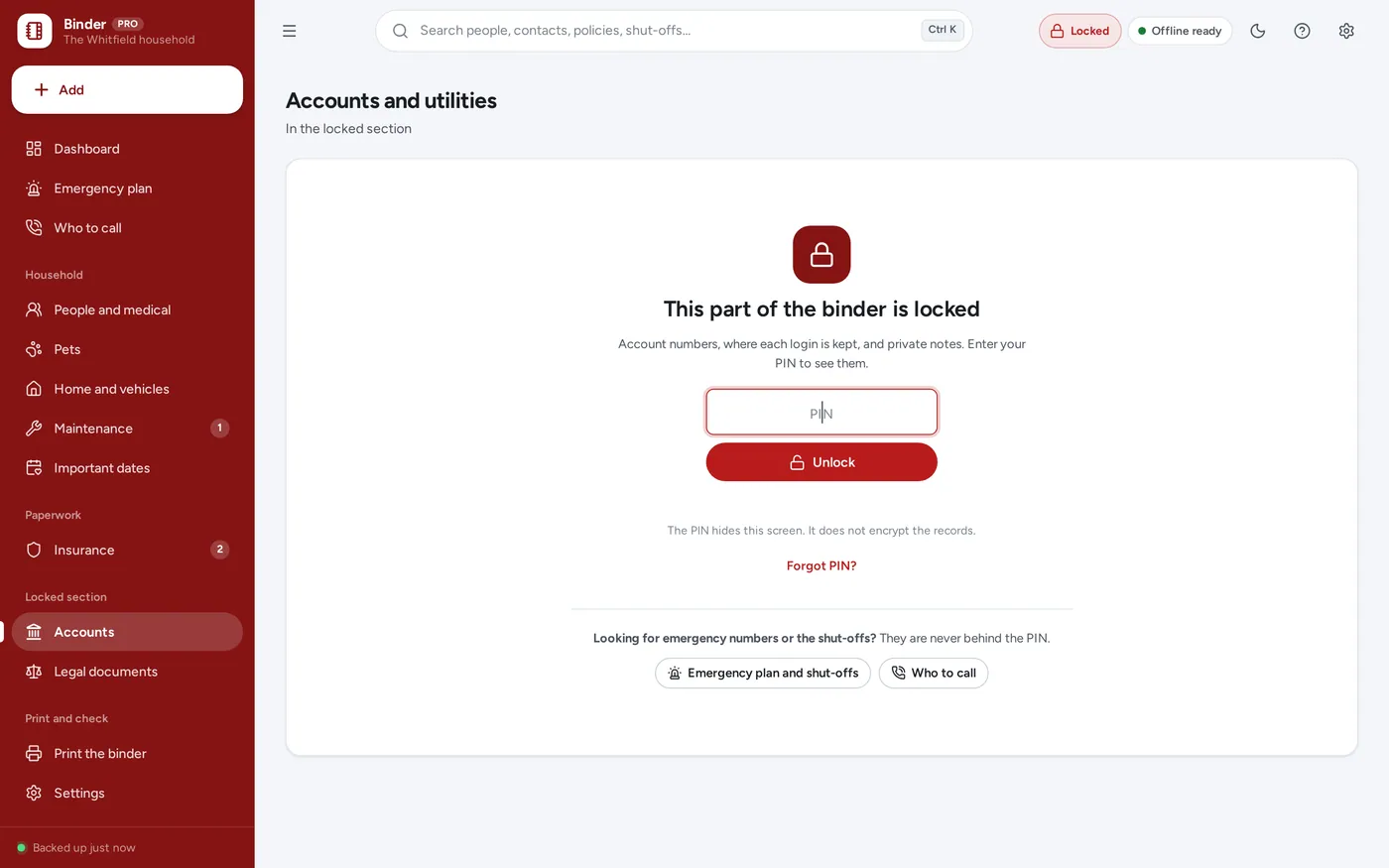
PIN-locked section
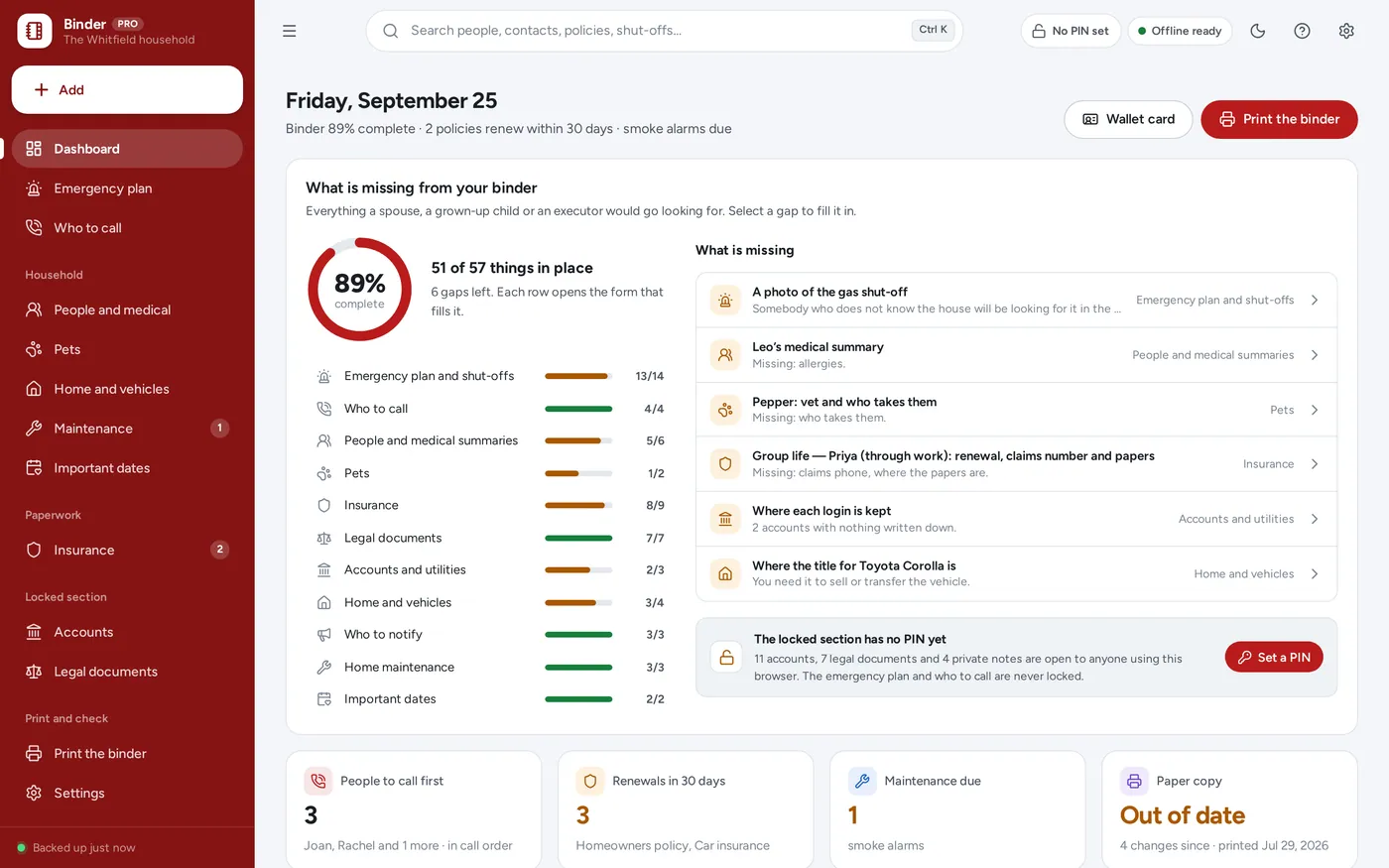
Completeness check
Emergency plan
Who to call
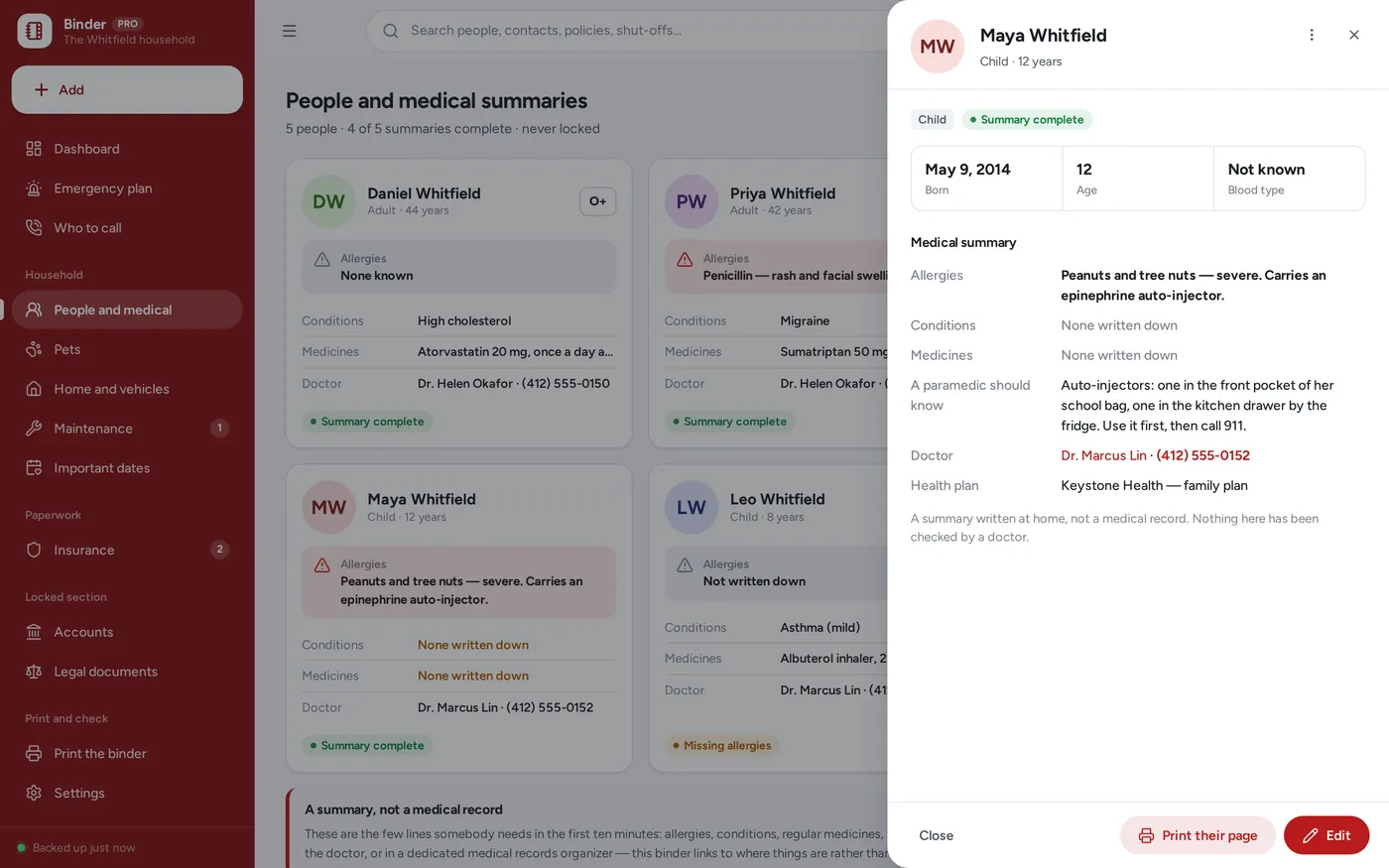
Medical summaries
Where things are and who to call — for the spouse, the grown-up child or the executor who opens it on the worst day.
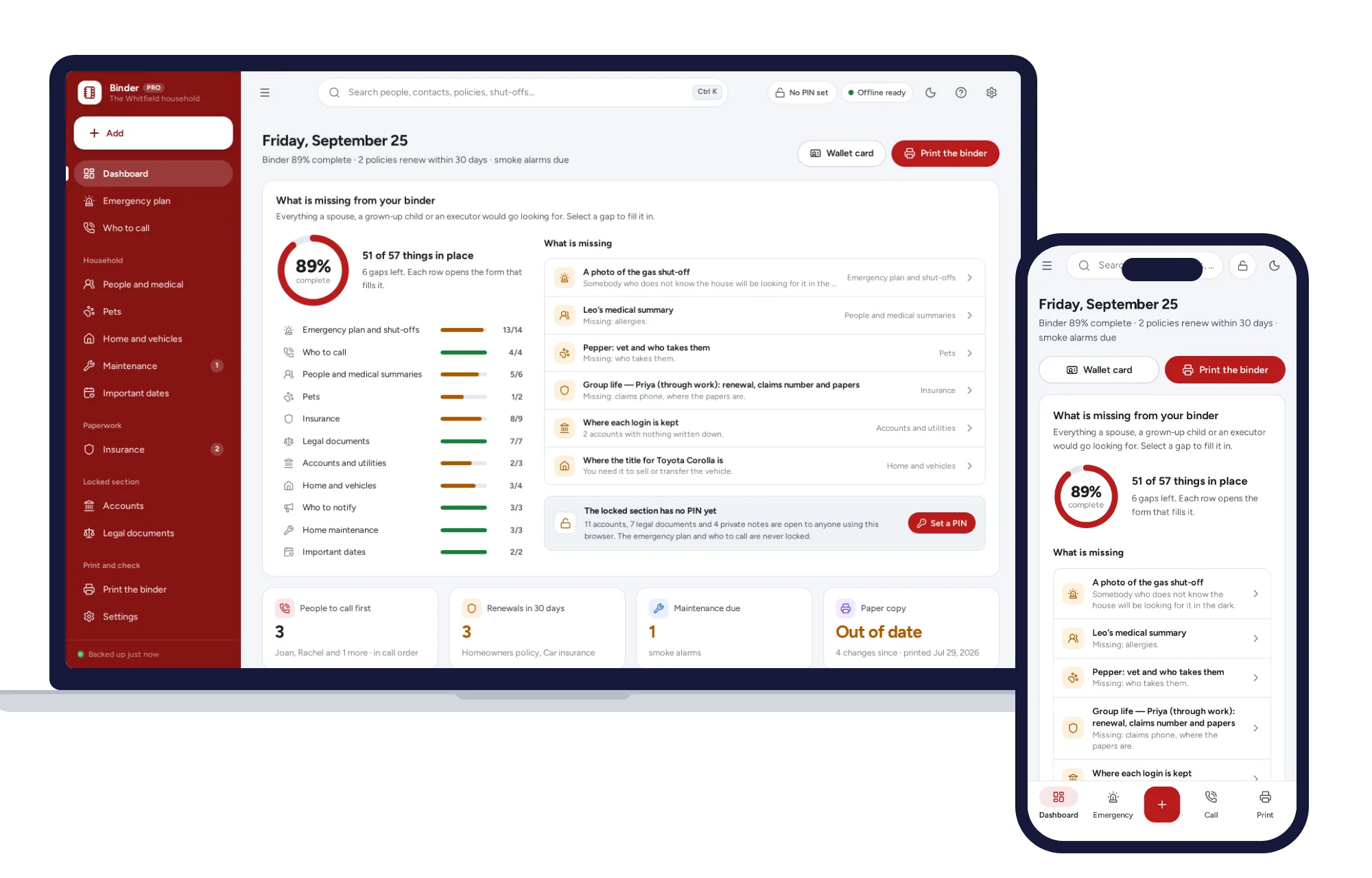
Light and dark mode. Records stay in this browser on your own device and are not encrypted; the PIN hides the screen. Not legal, financial or medical advice.
What it needs, and what it does not do.
Emergency & Home Binder is an offline app from ColadoSystems that runs in your web browser from a folder on your own device. It costs $24.99 once, with no subscription and no account, and includes 12 tools, sample data to explore and a PDF guide. Your records stay on your device and are never uploaded.
Something else? Email us and we'll answer before you buy.
Everything is saved inside your browser on this device. Nothing is uploaded, there is no account, and the records are not encrypted, so anyone who can use this device and browser profile can get at them. Download a backup regularly (Settings → Data & backup → Back up now) and keep it somewhere as safe as the binder itself.
Yes. Open index.html and it runs fully offline. You can also host the folder on any website and choose “Install app” in Chrome or Edge to get a desktop or phone icon that works offline.
Yes. The layout adapts to phones and tablets with a bottom navigation bar. Each device keeps its own data, so use Back up / Restore to move records between devices.
Go to Settings → Data & backup → Erase records. Your business profile and settings are kept; all sample records are removed.
No, and the app never says it does. The PIN hides the locked section on the screen: while it is locked those records are not shown, searched, printed or backed up without the PIN. It does not encrypt anything. Anyone who can use the device and browser profile, or who has a backup file, can still get at the data. Keep the device itself locked with its own password.
Behind it: accounts and utilities (account numbers and where each login is kept), legal documents (wills, powers of attorney, directives, the executor) and private notes. Policy numbers, health-plan member numbers and reference numbers on the notify list are masked elsewhere until you unlock. Never behind it: the emergency plan, the shut-offs, who to call and the medical summaries — a panicking family member needs those without a PIN.
On any locked page choose “Forgot PIN?” and type RESET. The PIN is cleared and nothing is deleted — every record stays exactly as it was — and the app takes you to Settings to choose a new one. Settings also shows when the PIN was last cleared this way. Anyone using the device could do the same, which is why the PIN is a screen cover rather than protection.
No. The PIN is kept in this browser only and is never written into a backup. A backup does contain every record, including the locked section, so keep it safe. If you restore it on another computer the locked section is open there until you set a PIN on that computer too.
Because anything typed into this app sits unencrypted on the device, in every backup file and on every printed copy. The binder asks where a login can be found instead — “in the password manager under Bank”, “grey notebook in the desk” — and the form refuses a note that looks like a password.
It is the number of checks passed out of the checks that apply to you: a meeting point, the out-of-area contact, where each supply shuts off and a photo of it, allergies and a doctor for each person, a vet and a carer for each pet, the claims number and renewal date for each policy, where each adult’s will is, and so on. Nothing is estimated. Tell the app you have no pets or no gas under Settings → Household and binder and those checks drop out.
No. It records where things are and who to call. It does not make a will valid, check what an insurance policy covers, or replace anyone’s medical records, and the printed pages say so.
Family Organizer runs the household week: chores, the calendar, bills and meals. Family Medical Records keeps full health histories. This binder holds where things are and who to call — the emergency plan, shut-offs, contacts, a one-page medical summary, insurance, accounts and legal-document locations — and prints it all as the folder somebody opens on the worst day. It holds no budgets and no medical detail beyond the summary.
No. It is made for one person on one device, and records do not sync between devices. To move to another device, save a backup and restore it there.
Planning for the end of life? These systems are close cousins. Here is who each one is for.
Planning ahead for yourself: wishes, who to tell, where things are, letters and an executor checklist.
A family preparing a service now: the printed program, obituary, memorial cards and thank-yous.
The household emergency binder: who to call, medical summaries, insurance, home and pets.
The life events bundle has every system in this category for one price.
Weddings, final wishes, funerals and the emergency binder, planned with care.
$69.99for 4 systems, $89.96 if bought one by one
You save $19
Life events
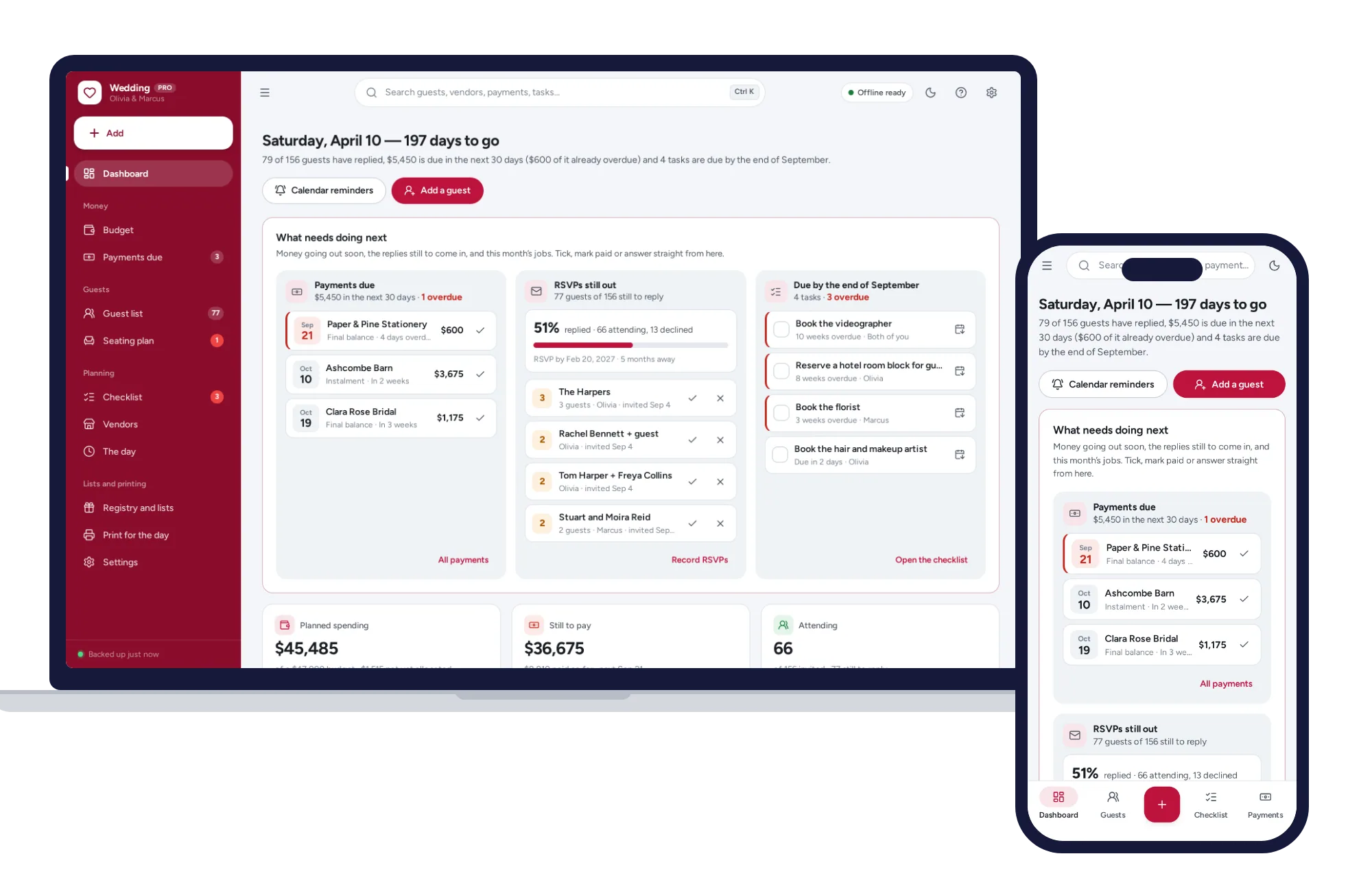
Budget tracker with payment due dates, guest list, seating chart and checklist on one dashboard. No formulas to break, no subscription.
$24.99one-time