
Brain dump
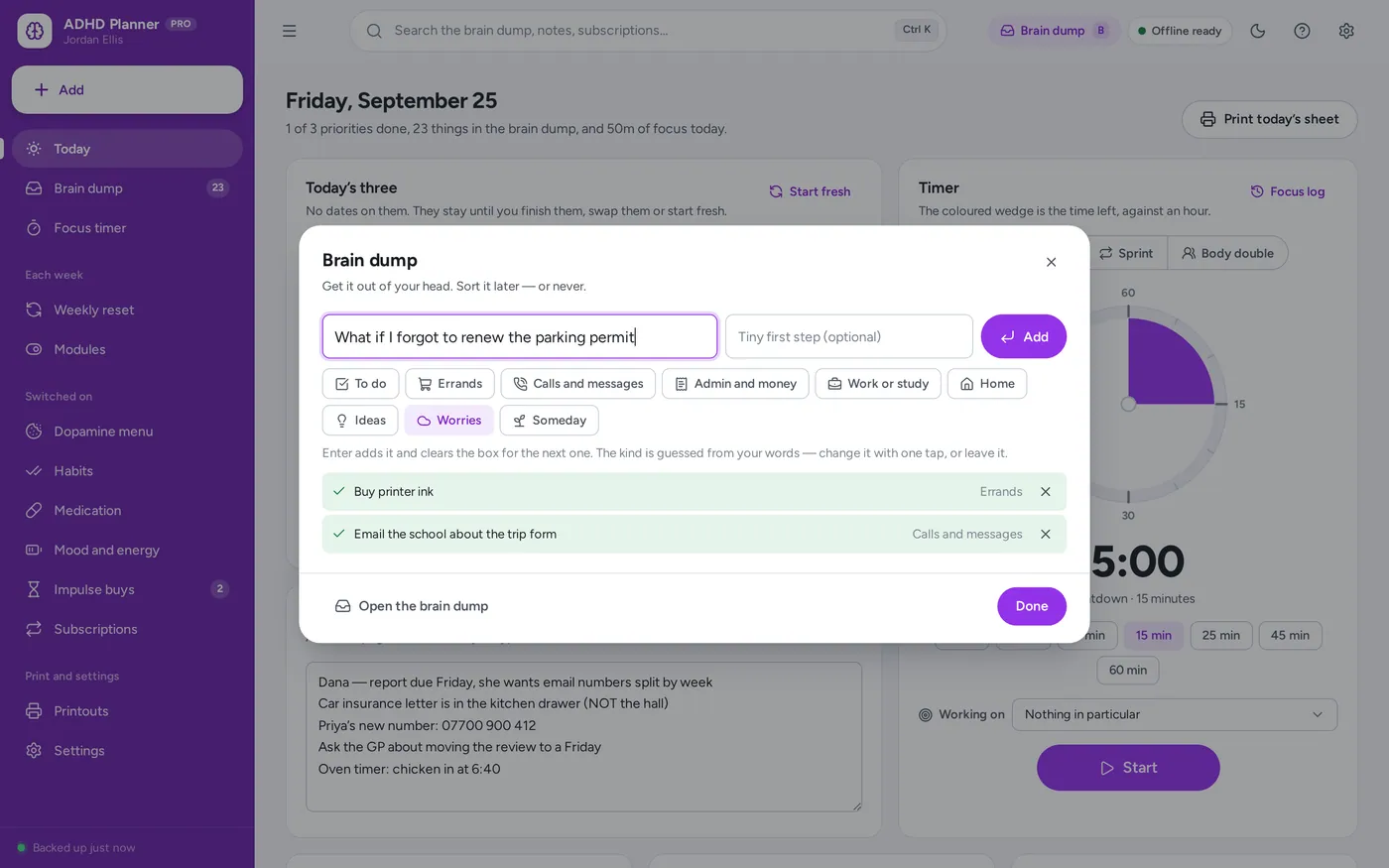
Empty your head in one keystroke
- Press B on any page, type it, press Enter — then the next one
- Sorted for you: errands, calls, admin, worries, ideas
- A tiny first step on every task, so starting is not the hard part
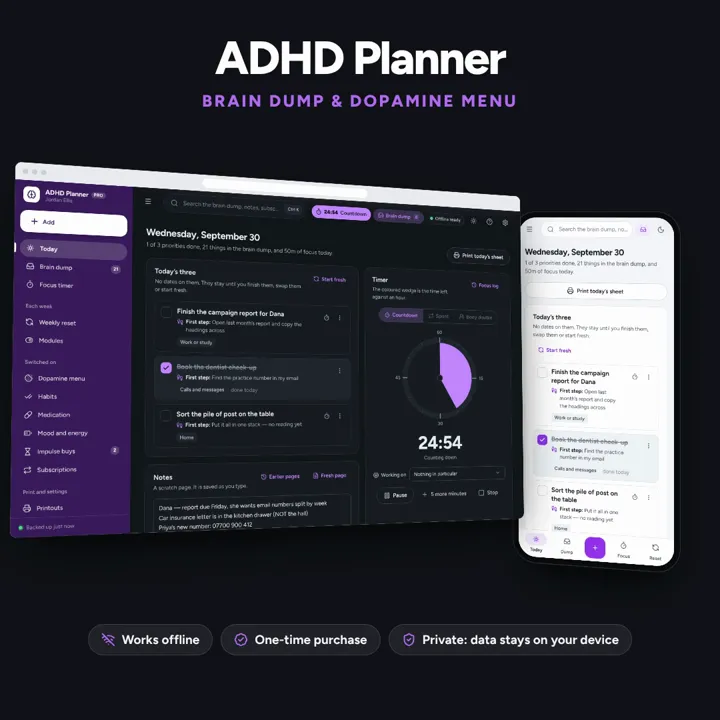
Three priorities, not a list. A brain dump one key away, a timer you can see, and no dates to fall behind on.
No subscription. Pay once and keep it.
Checkout by Paddle. Tax is added where it applies, and you download straight after paying.
Made for Adults with ADHD — diagnosed or wondering — who have bounced off planners that were too busy, too dated or too pink, and want something that still works after a missed week
An undated ADHD planner for adults: three priorities, a brain dump one keystroke away with a tiny first step on every task, a visual timer with sprints and body doubling, a dopamine menu, and trackers that never count a blank day against you — offline, on your own device.
Brain dump
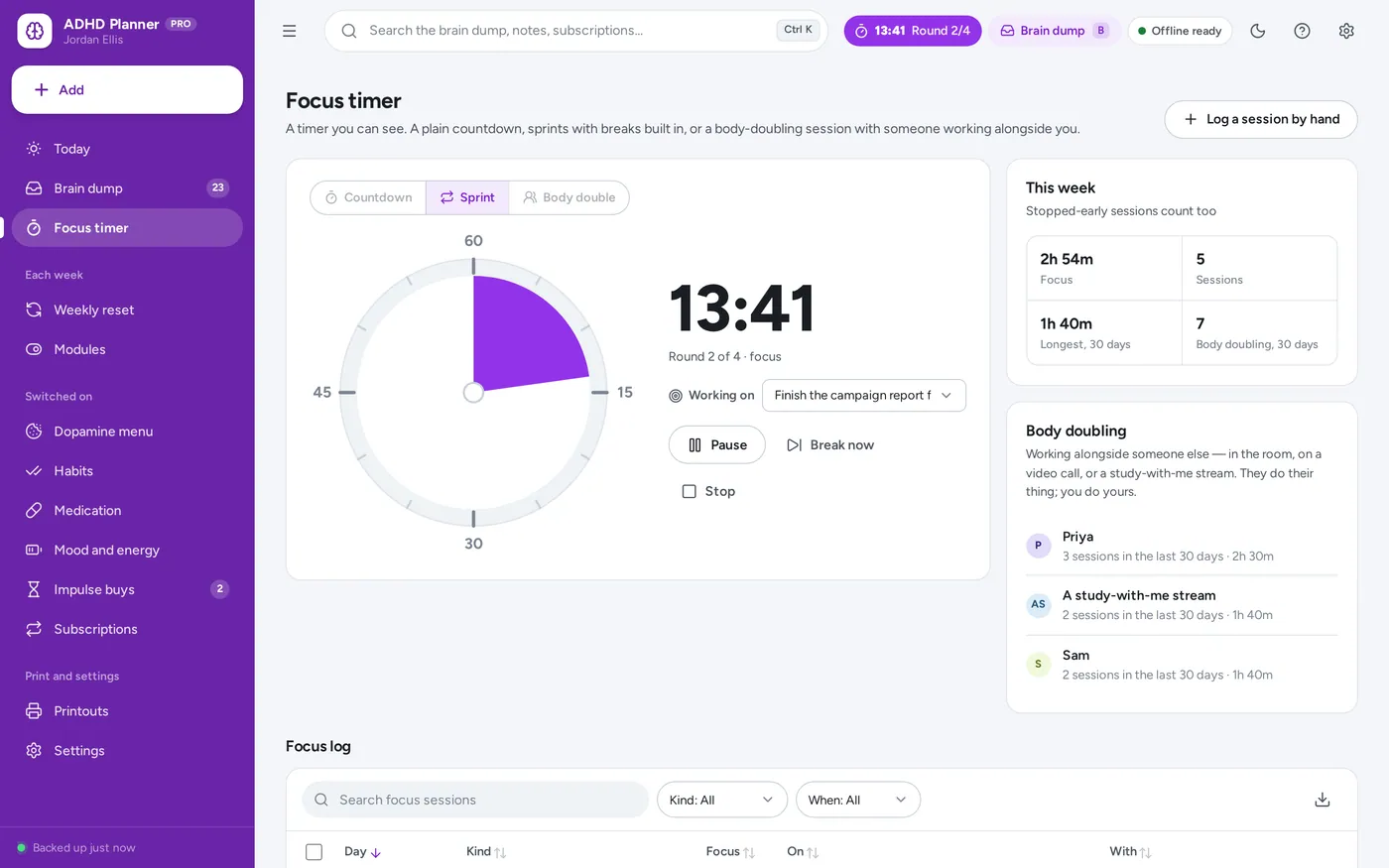
Visual timer and sprint mode
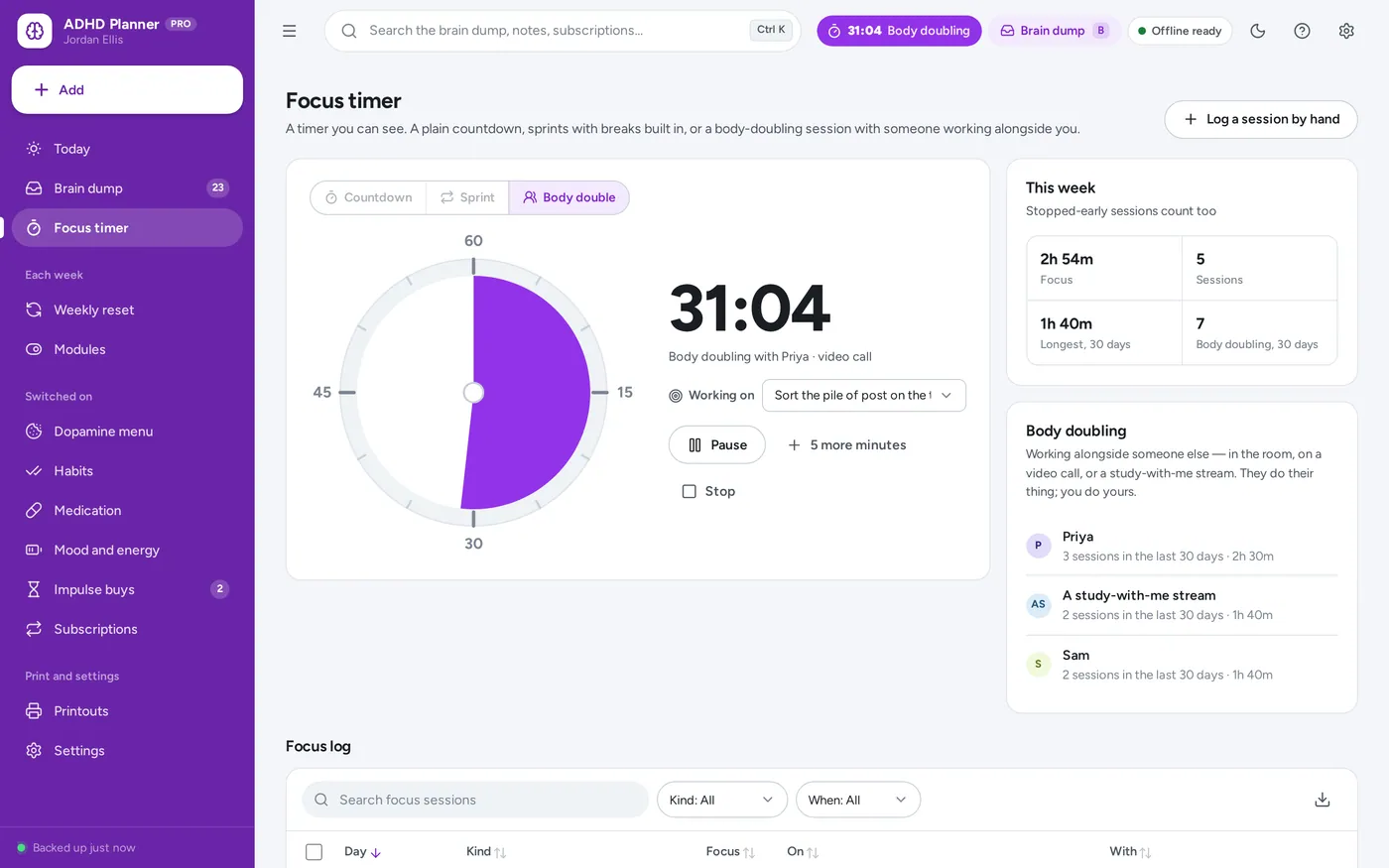
Body doubling
Dopamine menu
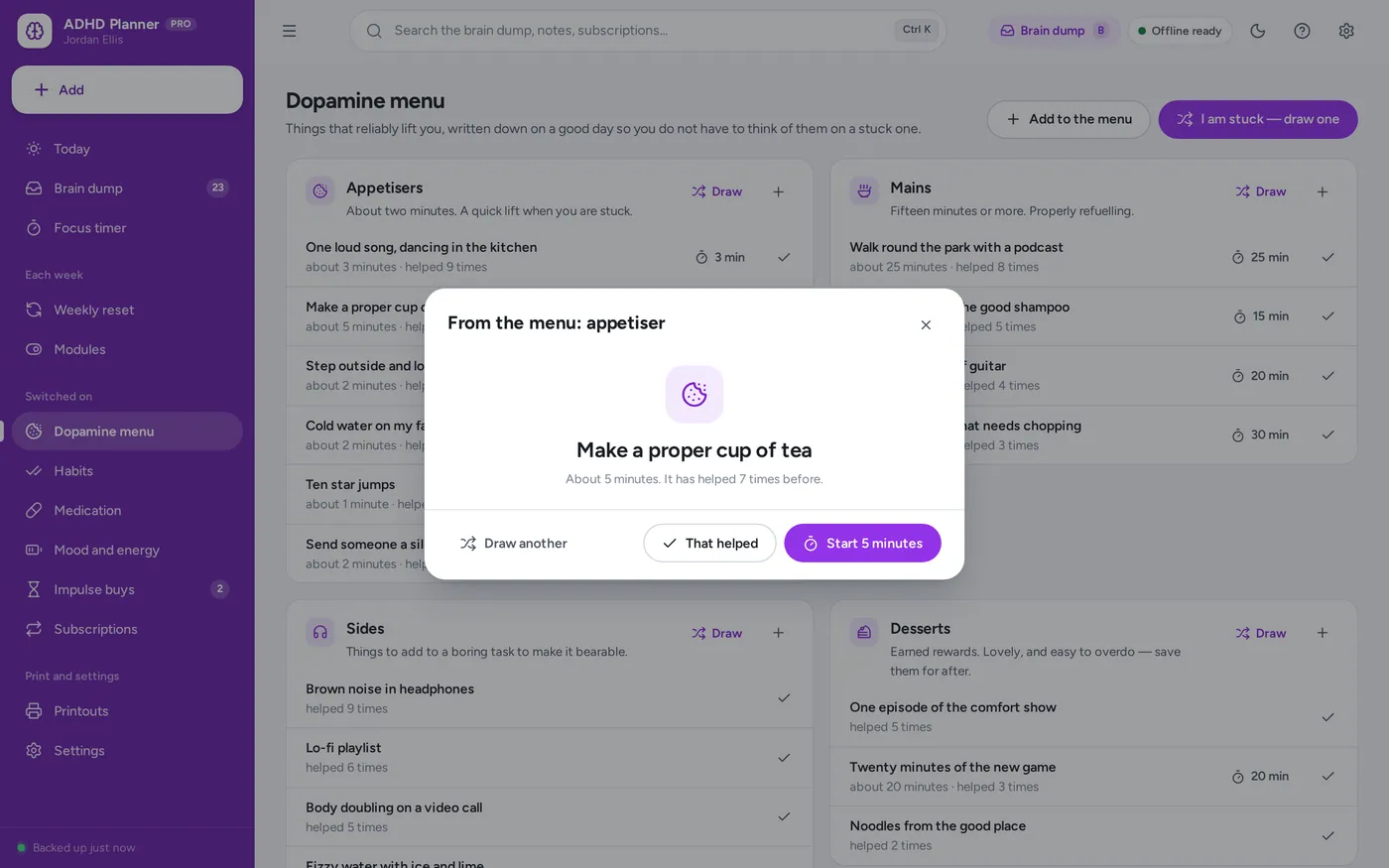
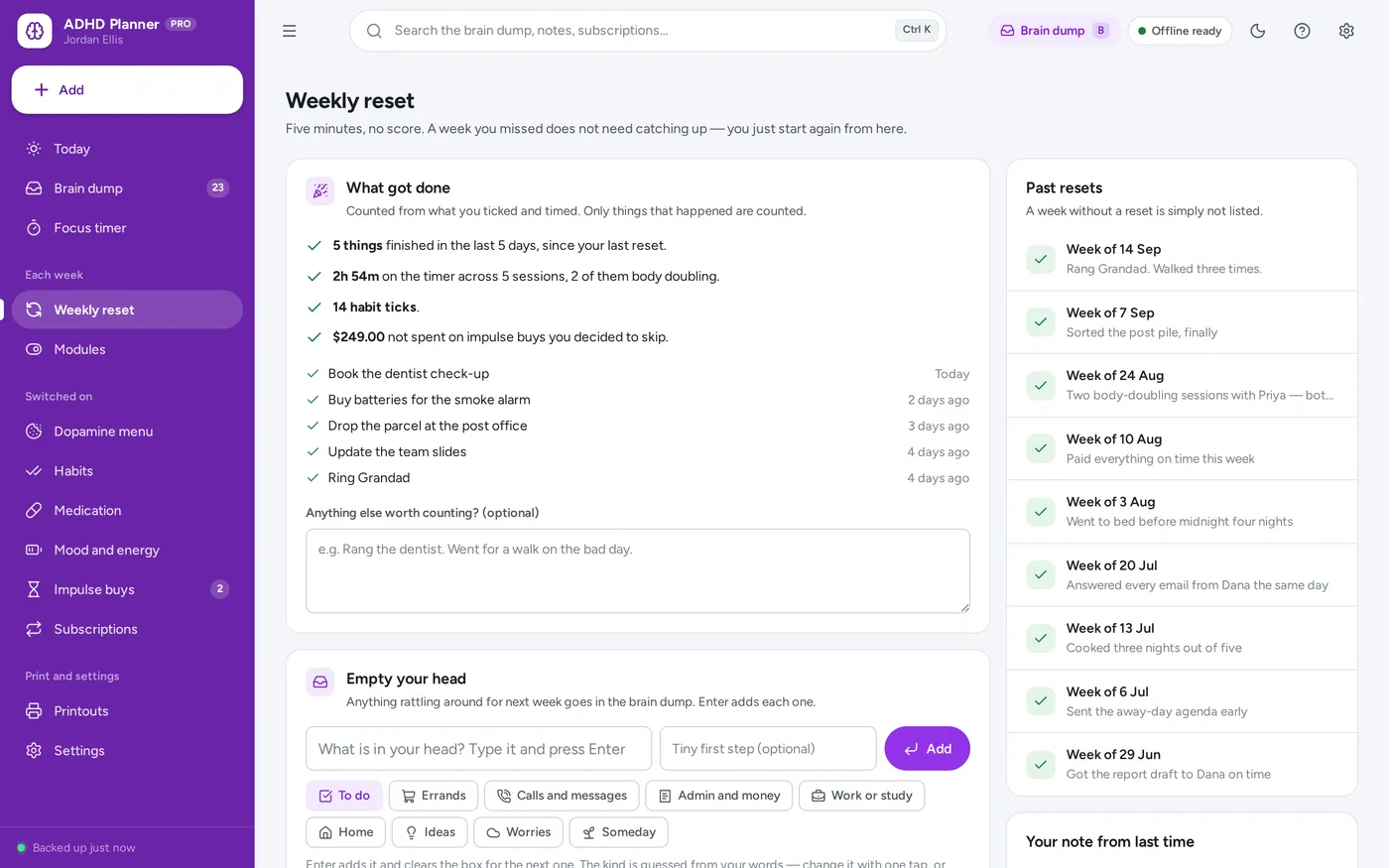
Undated, with a weekly reset
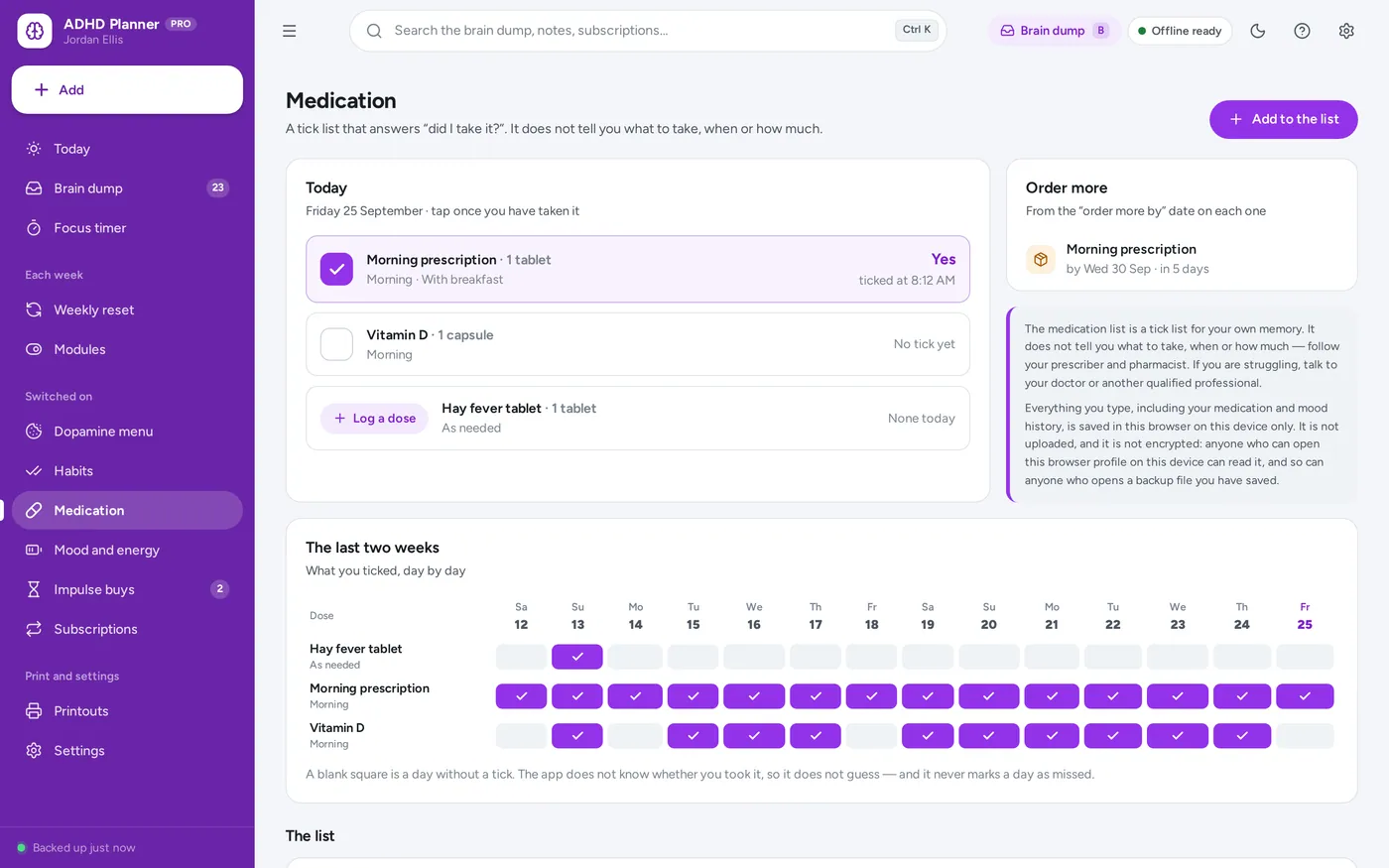
Medication, habits, mood
Most start switched off — turn one on a week. Built around how adults with ADHD say they work. A planner, not treatment or medical advice.
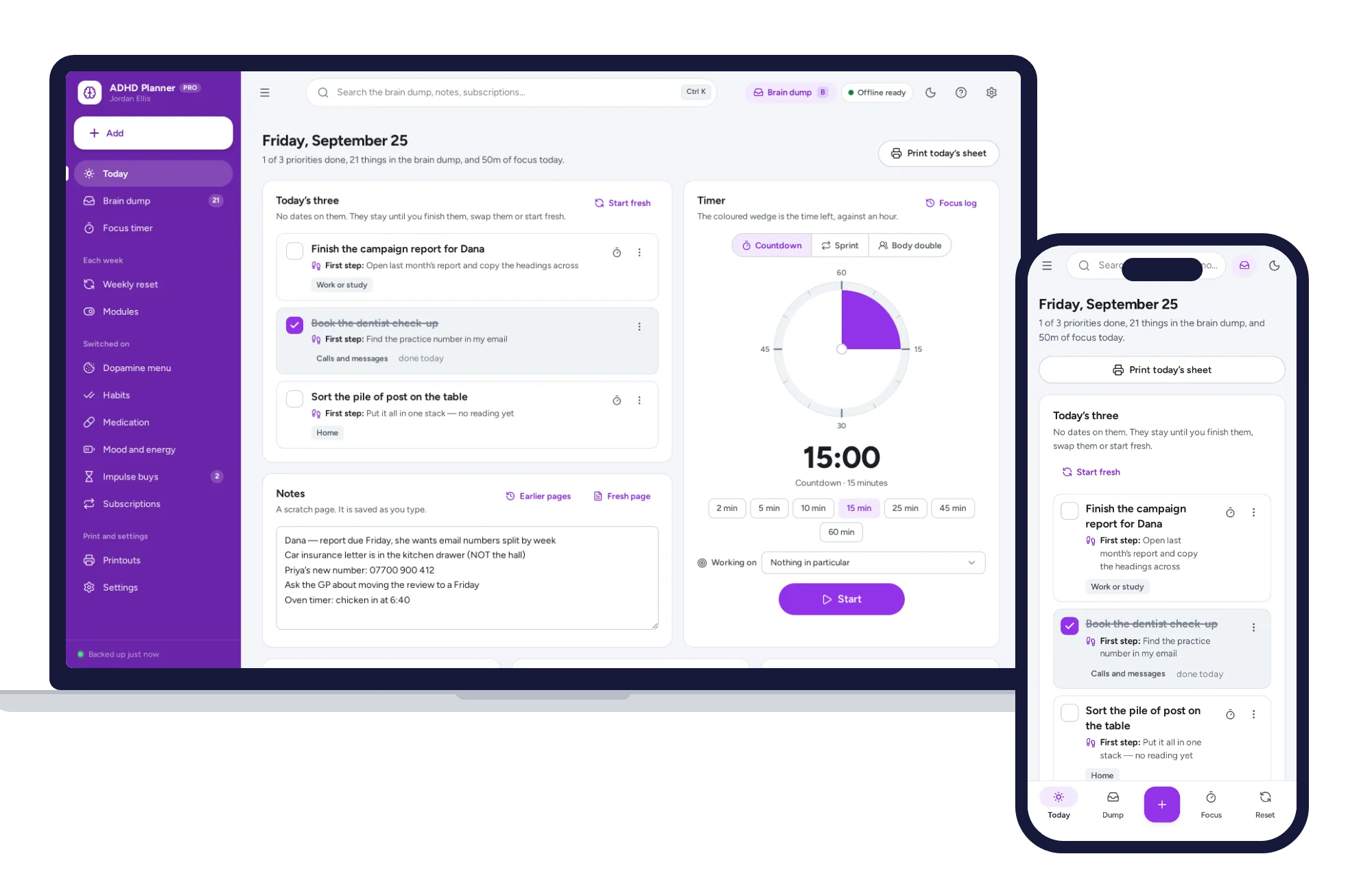
Three colourways, each in light or dark, not just purple. Install it like an app. Your entries stay in the browser on your own device — no account, no subscription, nothing uploaded.
What it needs, and what it does not do.
ADHD Planner is an offline app from ColadoSystems that runs in your web browser from a folder on your own device. It costs $24.99 once, with no subscription and no account, and includes 12 tools, sample data to explore and a PDF guide. Your records stay on your device and are never uploaded.
Something else? Email us and we'll answer before you buy.
Everything is saved inside your browser on this device. Nothing is uploaded and there is no account, so nobody can reach it over the internet. It is not encrypted, though: anyone who can use this browser profile on this device could read it. Download a backup regularly (Settings → Data & backup → Back up now) and keep it somewhere safe.
Yes. Open index.html and it runs fully offline. You can also host the folder on any website and choose “Install app” in Chrome or Edge to get a desktop or phone icon that works offline.
Yes. The layout adapts to phones and tablets with a bottom navigation bar. Each device keeps its own data, so use Back up / Restore to move records between devices.
Go to Settings → Data & backup → Erase records. Your own details and settings are kept; every sample record is removed. Modules you switched on stay on — switch them off under Modules if you want the planner back to its simplest.
No. ADHD Planner is a planner built around how adults with ADHD report they work: three priorities instead of a long list, a brain dump that is always one keystroke away, a timer you can see, and pages with no dates on them to fall behind on. It is not treatment, therapy, coaching, diagnosis or medical advice, and it is not a substitute for clinical support. It makes no claim to improve ADHD symptoms or anything else. If you are struggling, talk to your doctor or another qualified professional.
Nothing changes. Your three priorities are where you left them, the brain dump is as you left it, and nothing is marked as missed or overdue — there are no dated pages to fall behind on. Today says “Welcome back” and offers to keep your three or start fresh, and the weekly reset is the quickest way back in.
Because a planner with everything on at once is the thing people with ADHD most often abandon. You start with Today, the brain dump, the timer and the weekly reset. The dopamine menu, habits, medication, mood and energy, impulse buys and subscriptions are each one switch away under Modules — the suggestion is one a week.
No. Habits are counted as days ticked this week, with an optional aim beside them that never turns red. Medication and mood show only what you recorded; a blank day is left blank. Nothing in the app tells you off, resets to zero or counts a gap against you.
Everything you type, including your medication and mood history, is saved in this browser on this device only. It is not uploaded, and it is not encrypted: anyone who can open this browser profile on this device can read it, and so can anyone who opens a backup file you have saved. Keep the device itself locked, keep backups somewhere safe, and turn on the app lock if other people use this computer.
Settings → App lock lets you set a four-to-eight-digit PIN that is asked for when the app opens on this device. It covers the screen; it does not encrypt anything. If you forget the PIN, choose “Forgot PIN?” on the lock screen and type RESET — the PIN is cleared and not a single record is deleted or changed.
Yes, and it is a full colourway rather than an inverted afterthought. Choose purple, forest or monochrome, each in light or dark, on the welcome screen or any time under Settings → Colourway. Printouts always come out light, in the colourway you picked.
A soft chime when a countdown ends or a sprint moves between focus and break. It is made by the browser, needs no internet, and can be switched off under Settings → Timer and planner. The time left is also shown in the top bar and in the browser tab title.
No. It is made for one person on one device, and records do not sync between devices. To move to another device, save a backup and restore it there.
The health & care bundle has every system in this category for one price.
Records and routines for clinics, caregivers and your own health.
$139.99for 10 systems, $227.90 if bought one by one
You save $87
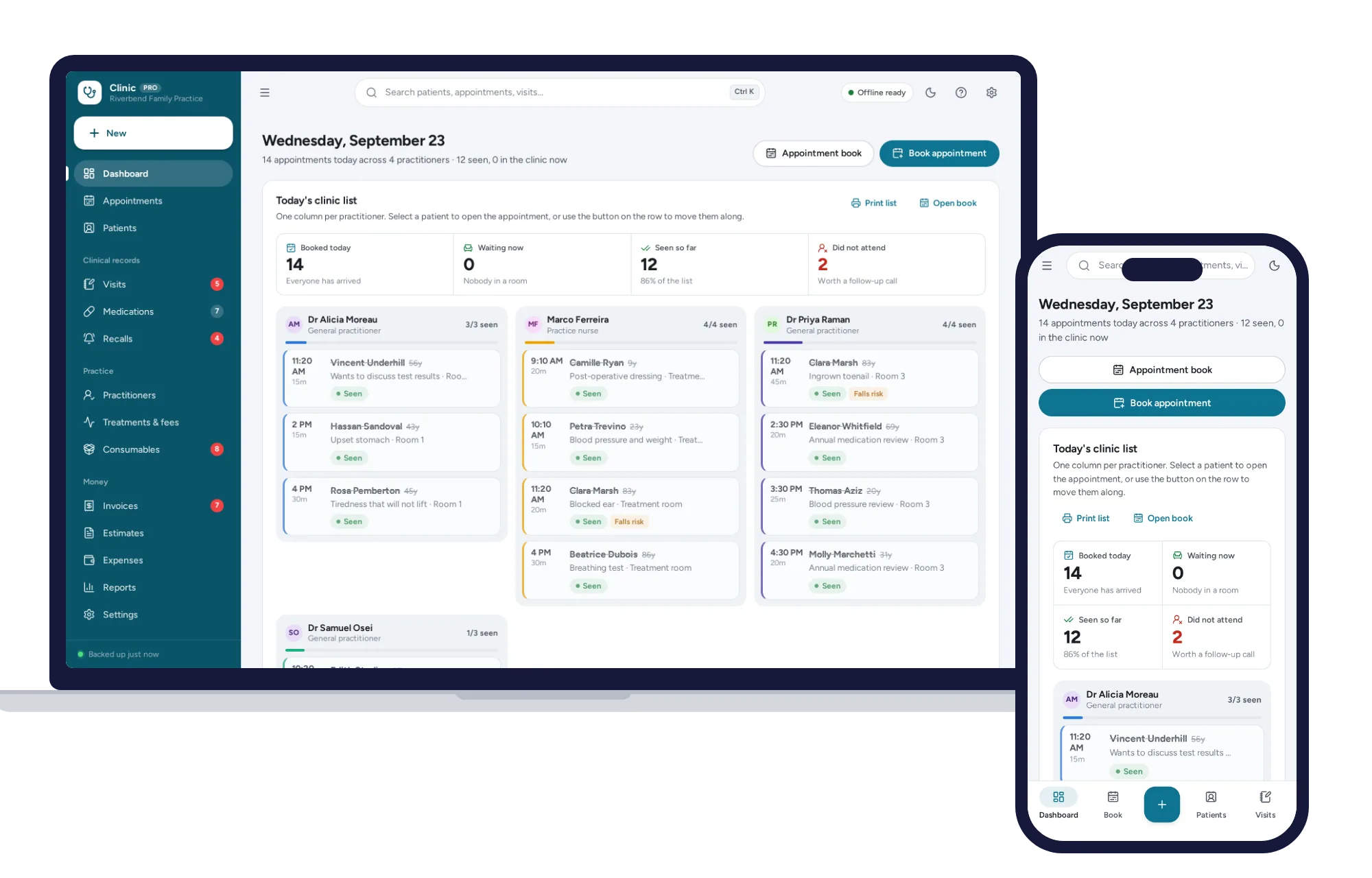
Health & care
Appointment book, patient records, visit notes, recalls and billing for a small practice — offline, on your own device.
$29.99one-time
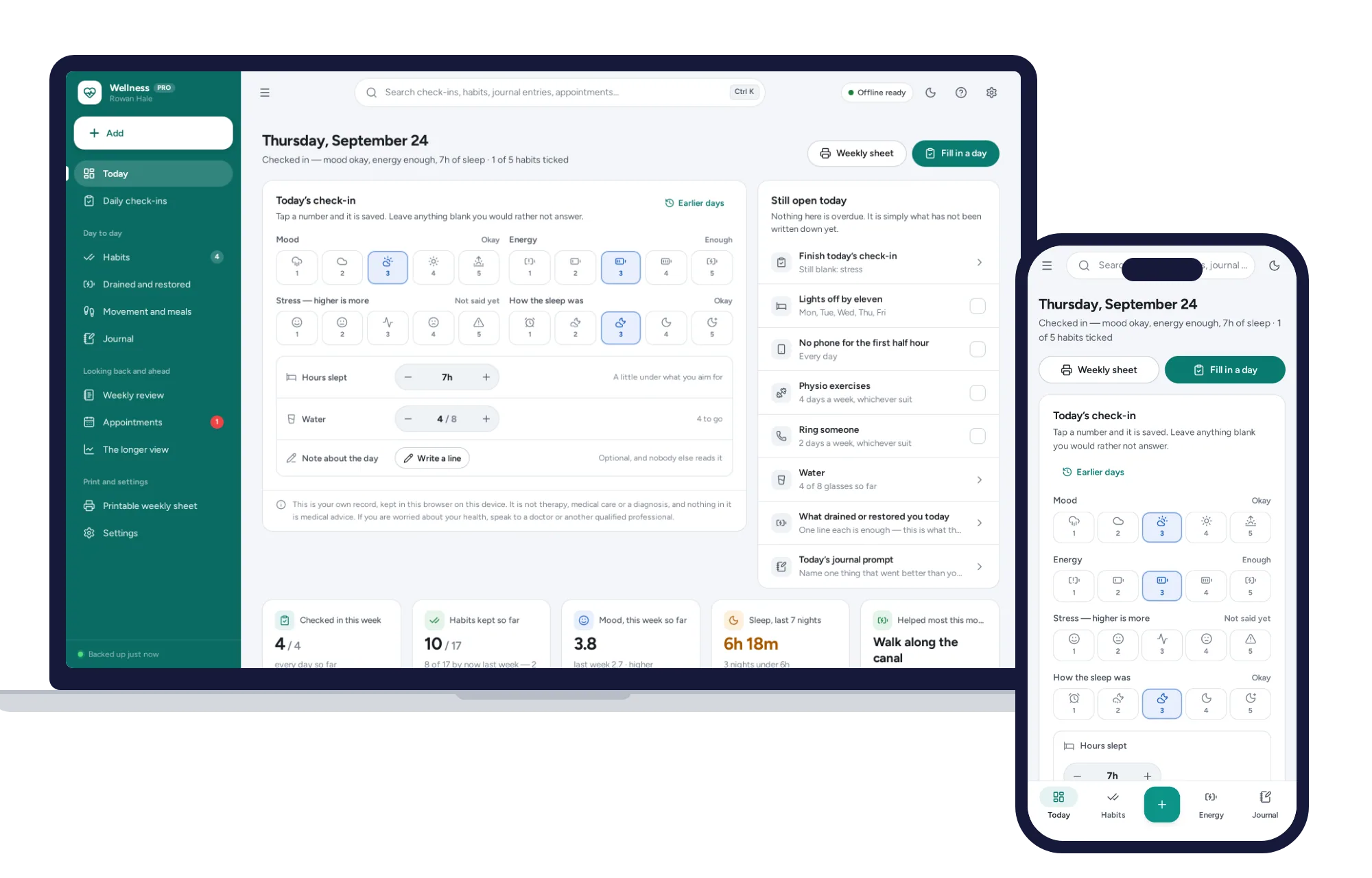
Health & care
A daily check-in that takes seconds, habits counted honestly instead of by streaks.
$24.99one-time
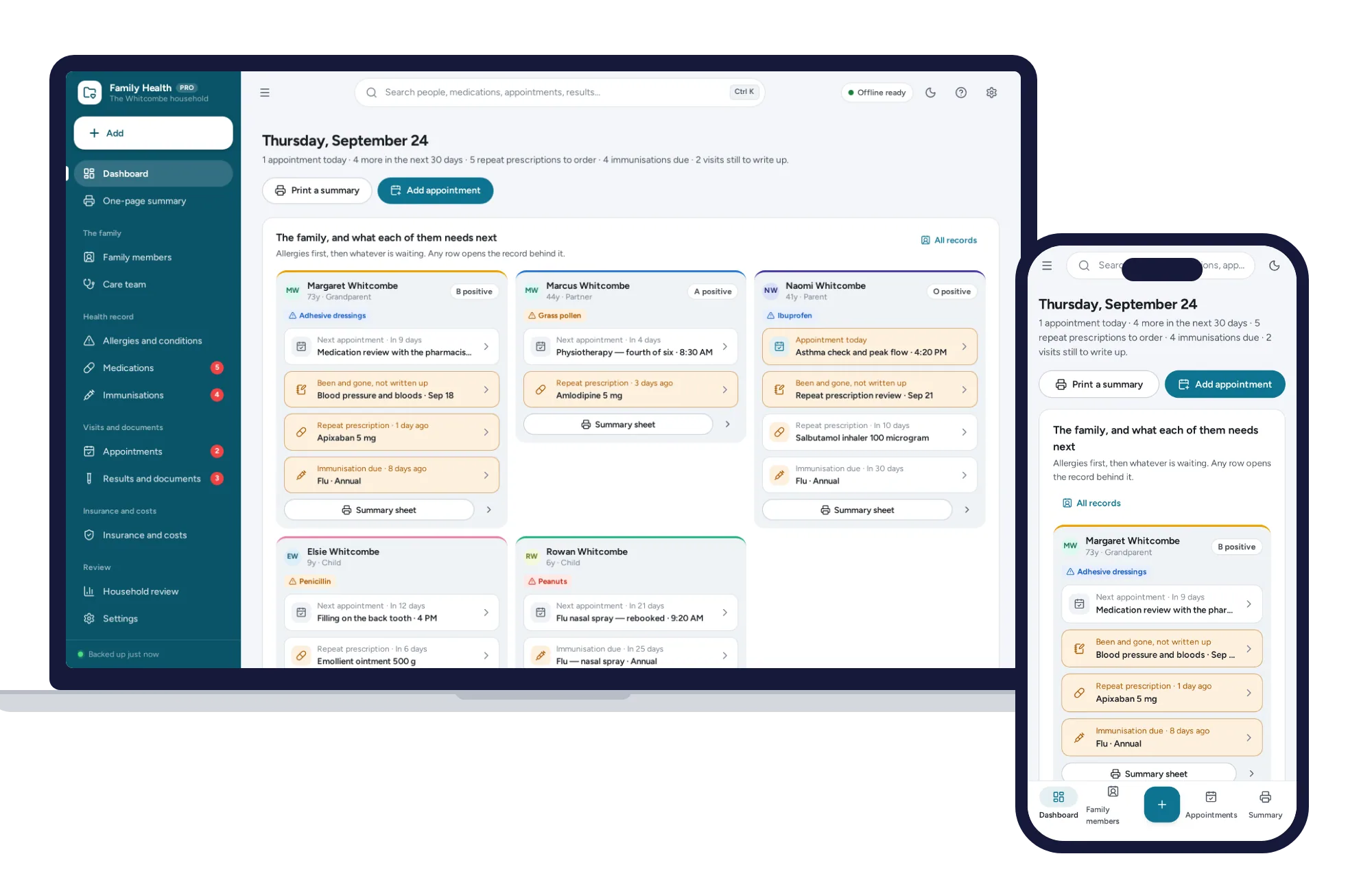
Health & care
Your family’s allergies, medications, immunisations and appointments in one place.
$24.99one-time
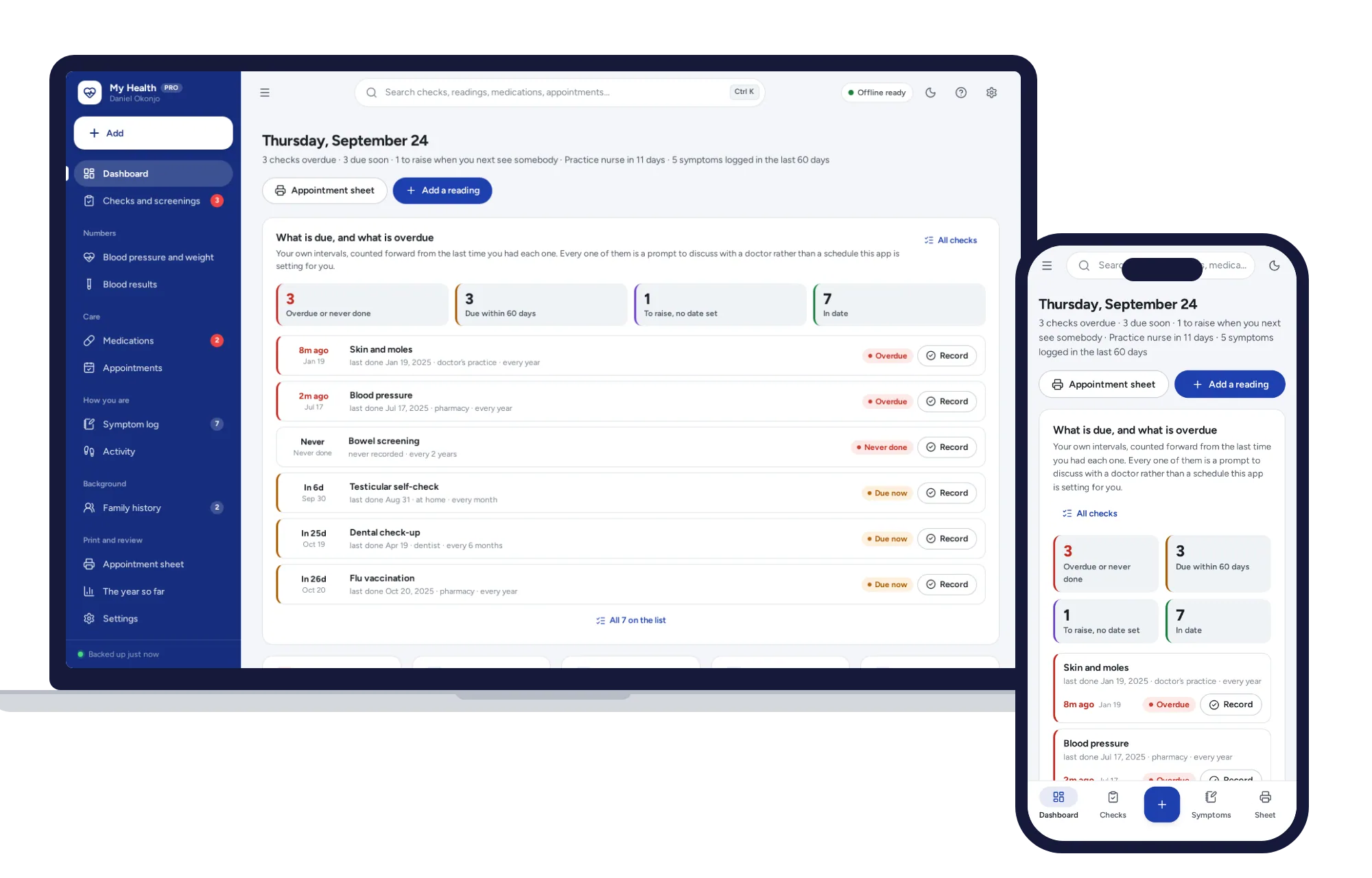
Health & care
Every check with a date on it, your numbers over time, and one printed page you can actually take in.
$24.99one-time