
Bank statement import
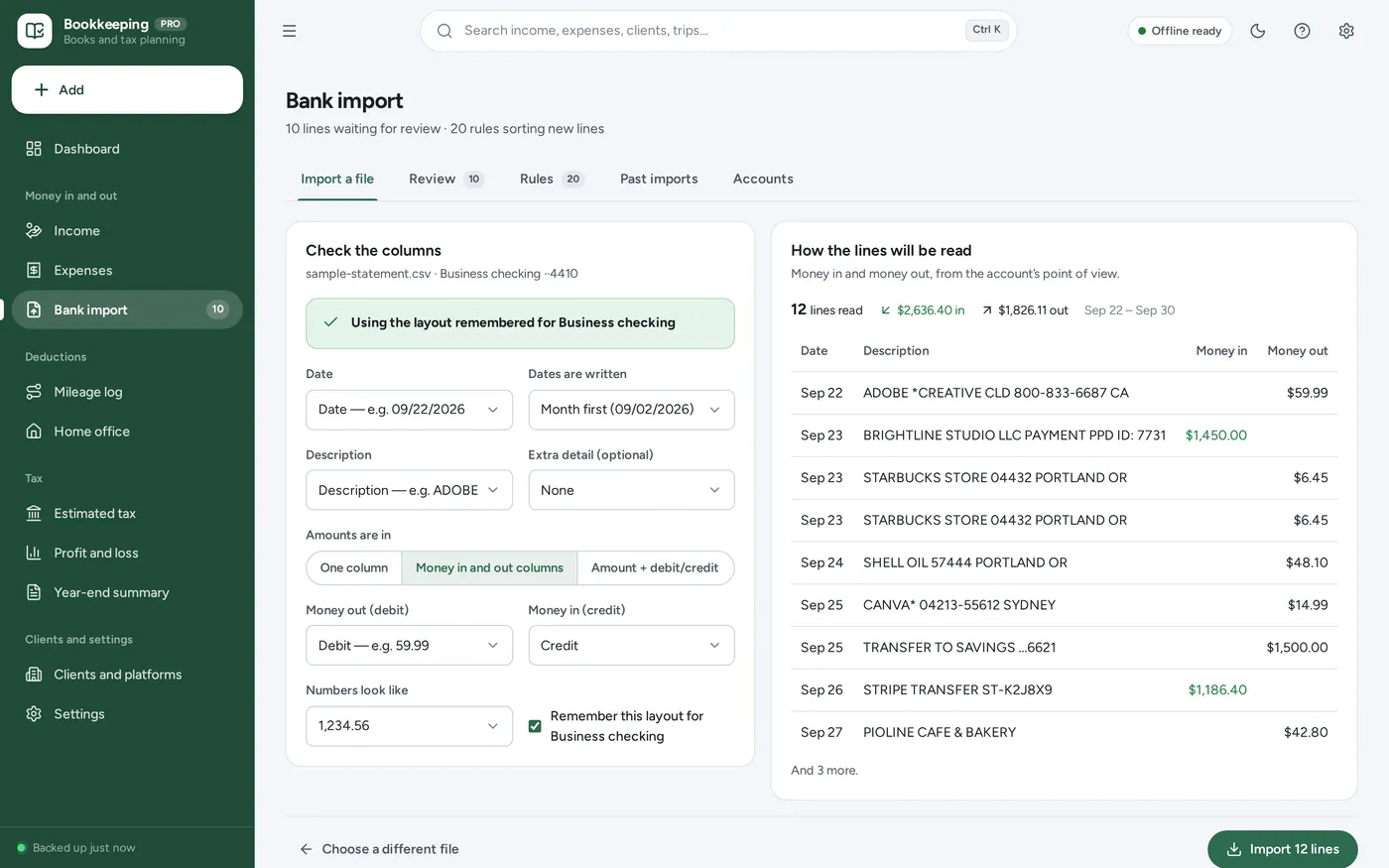
Drop in your bank’s CSV. No retyping.
- Date, description and amount columns found for you
- Commas or semicolons, one amount or debit and credit
- Read on your device, never uploaded
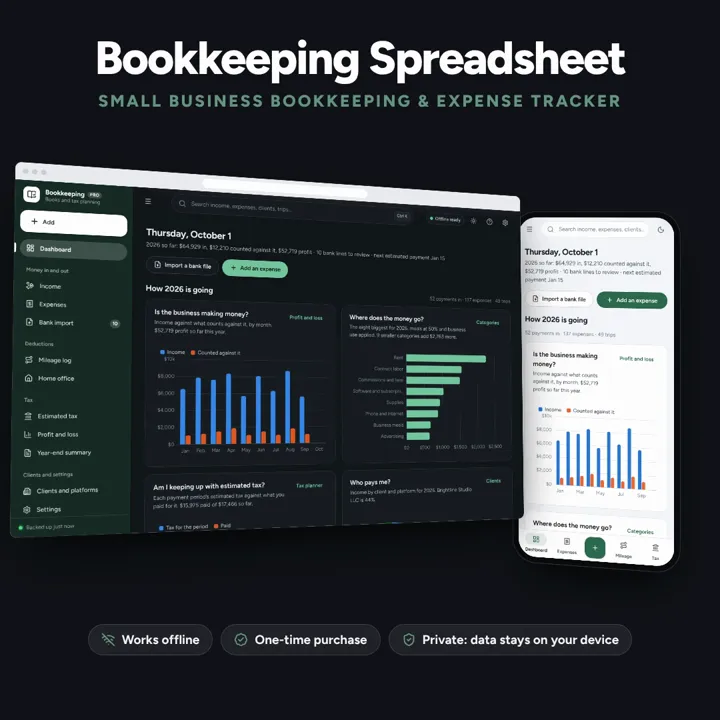
For freelancers and 1099 workers: import your bank CSV, sort it with your own rules, log mileage and plan quarterly tax. No formulas, no subscription.
No subscription. Pay once and keep it.
Checkout by Paddle. Tax is added where it applies, and you download straight after paying.
Made for Freelancers, independent contractors, 1099 workers and side hustlers in the US — one person filing Schedule C — who keep their books in a spreadsheet or a shoebox today and want income, expenses, mileage and quarterly tax in one place
A bookkeeping spreadsheet alternative and expense tracker for the self-employed: income by client with 1099 checks, expenses in Schedule C categories with receipt photos, bank and card CSV import sorted by your own rules with duplicates caught, a mileage log, the home office deduction, a quarterly estimated tax planner with the working shown, profit and loss, and a year-end summary for your accountant — offline, no formulas to break. Estimates for planning; confirm with a tax professional.
Bank statement import
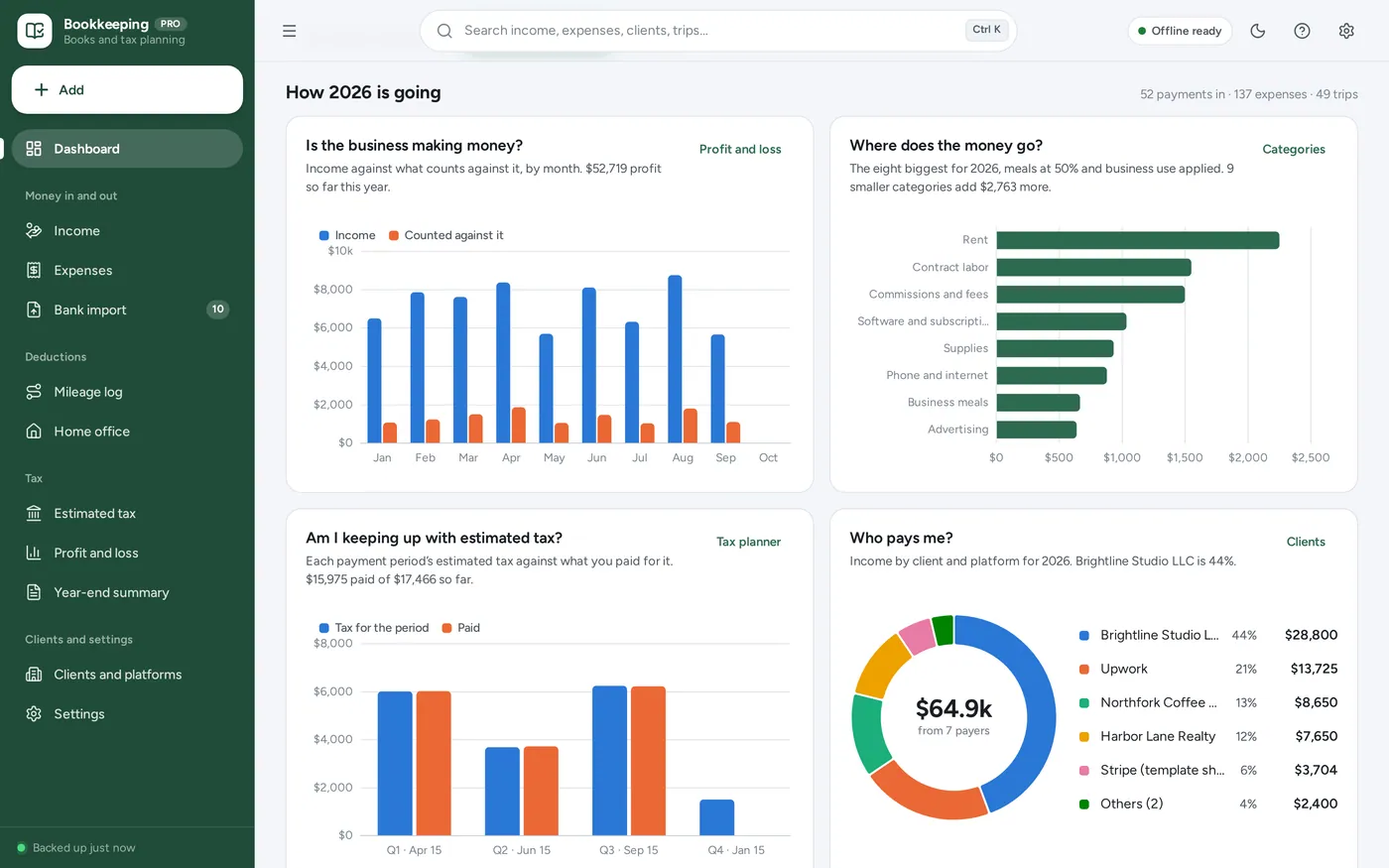
Bookkeeping dashboard
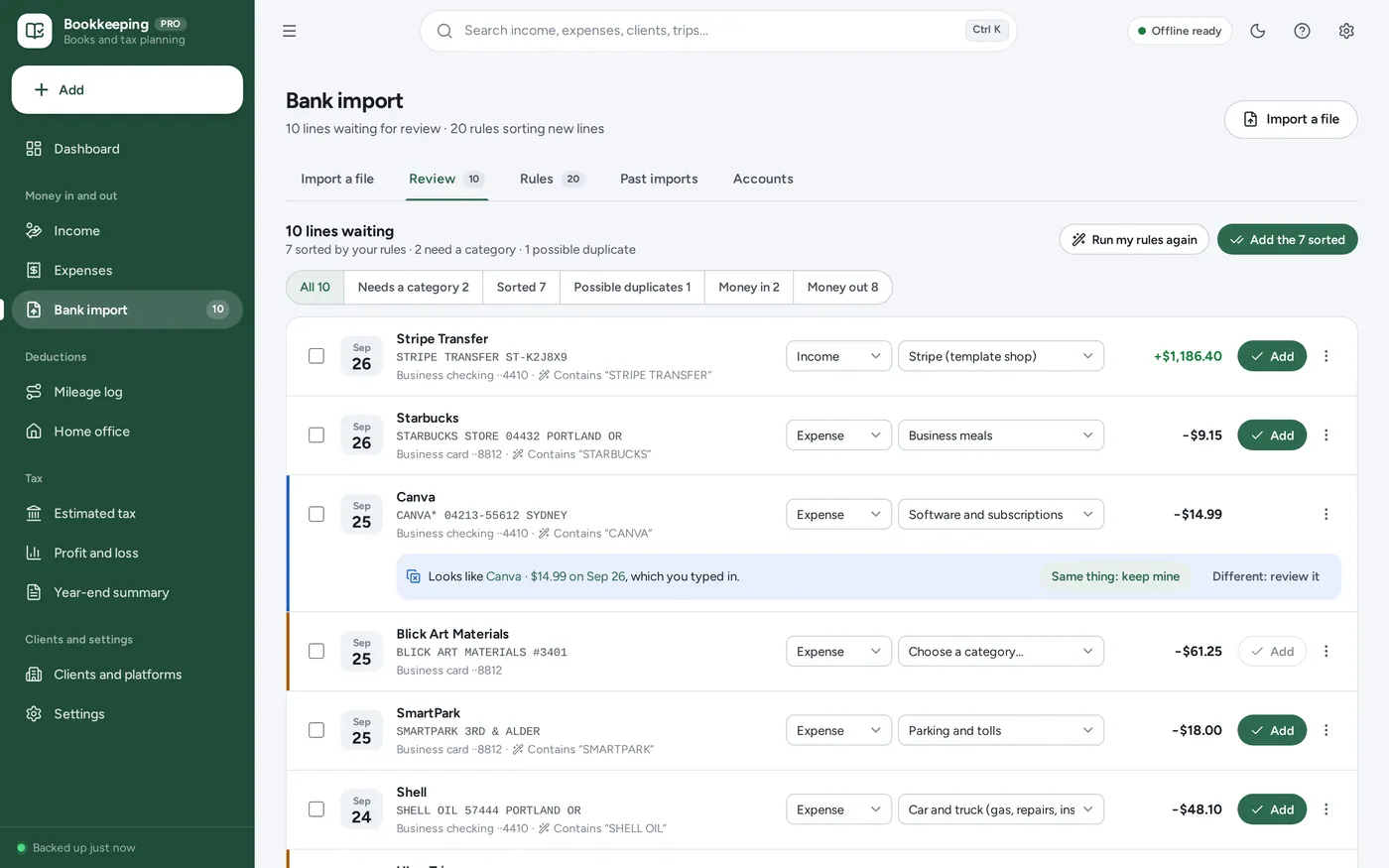
Categorisation rules
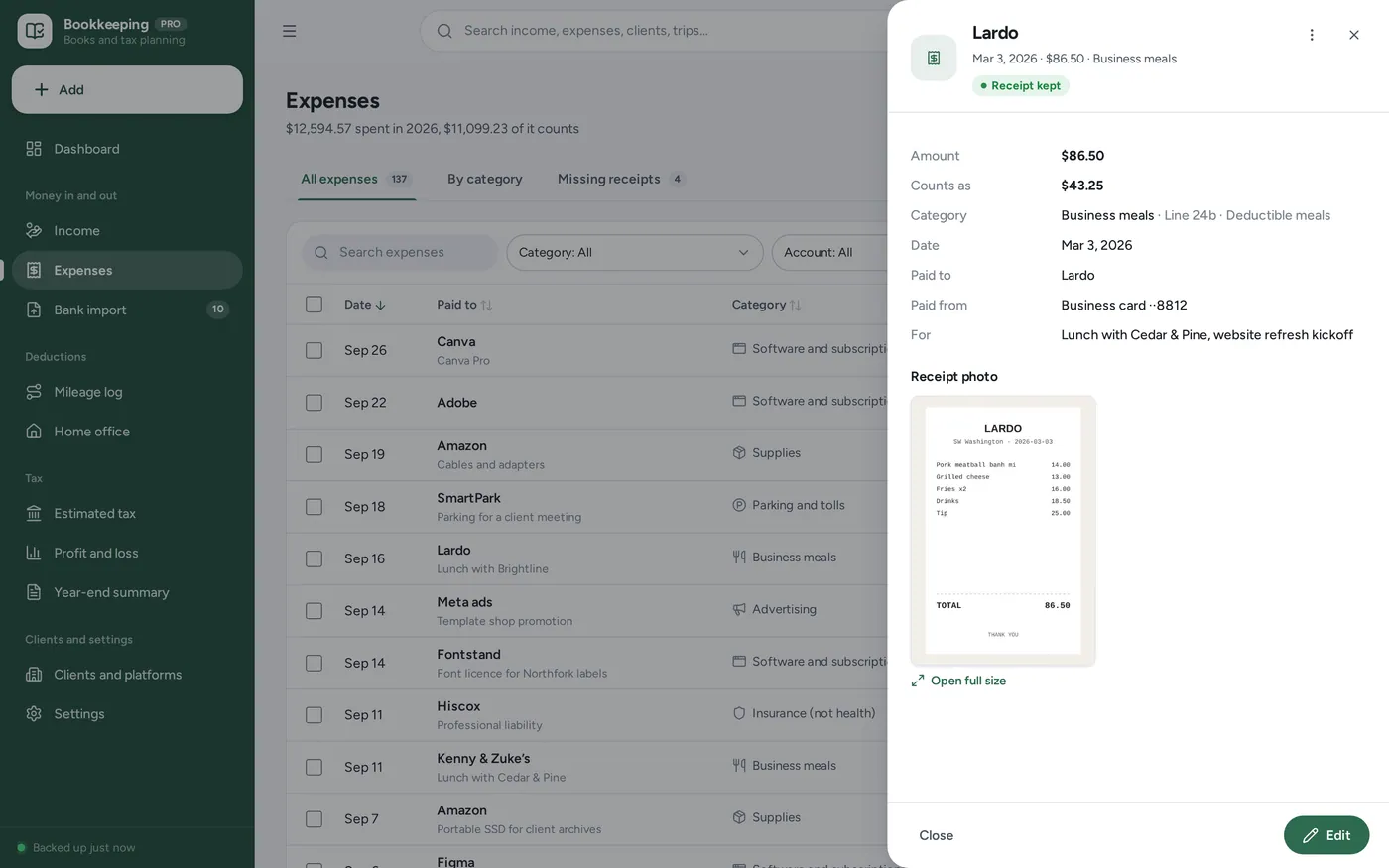
Expense tracker
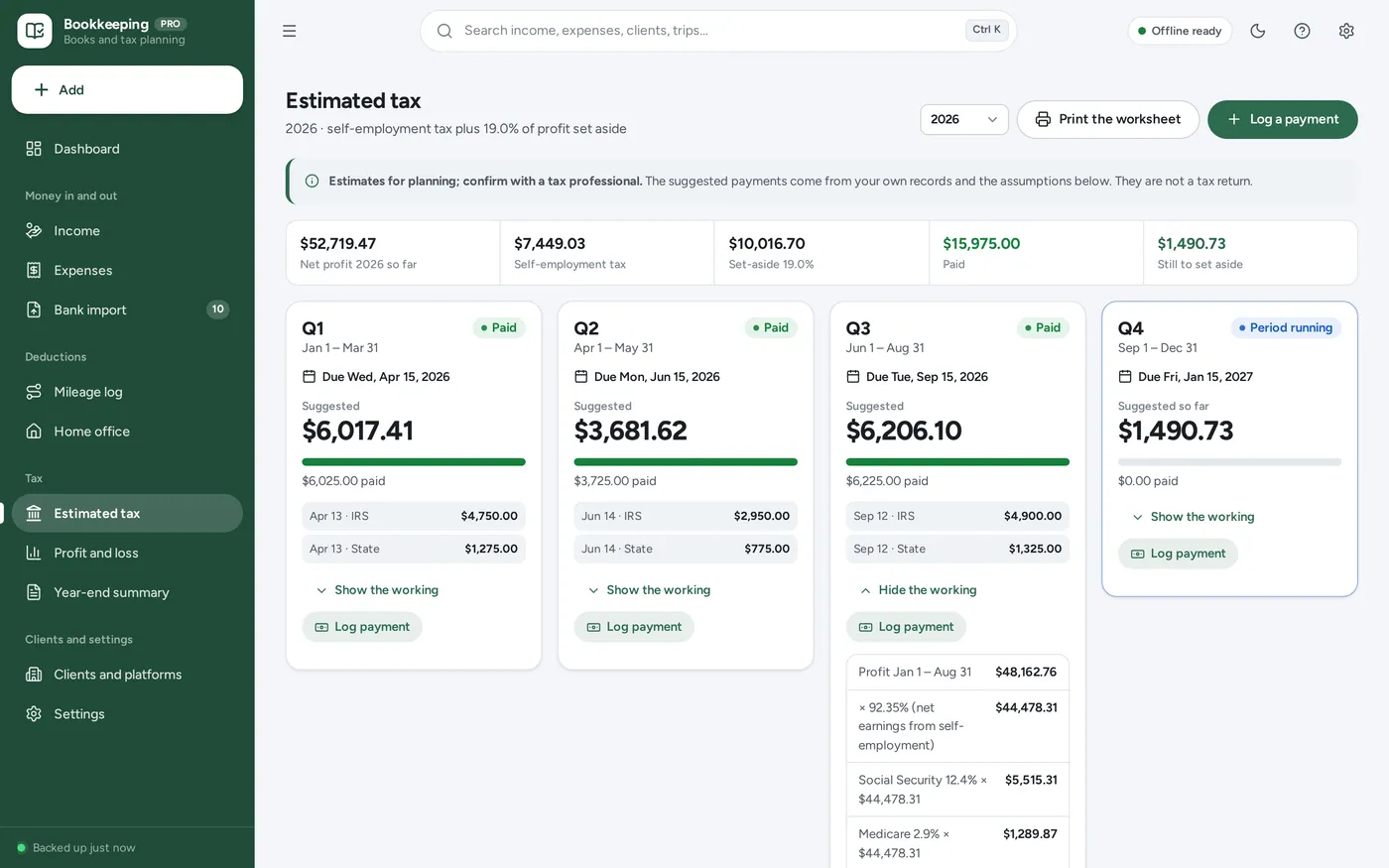
Quarterly estimated tax
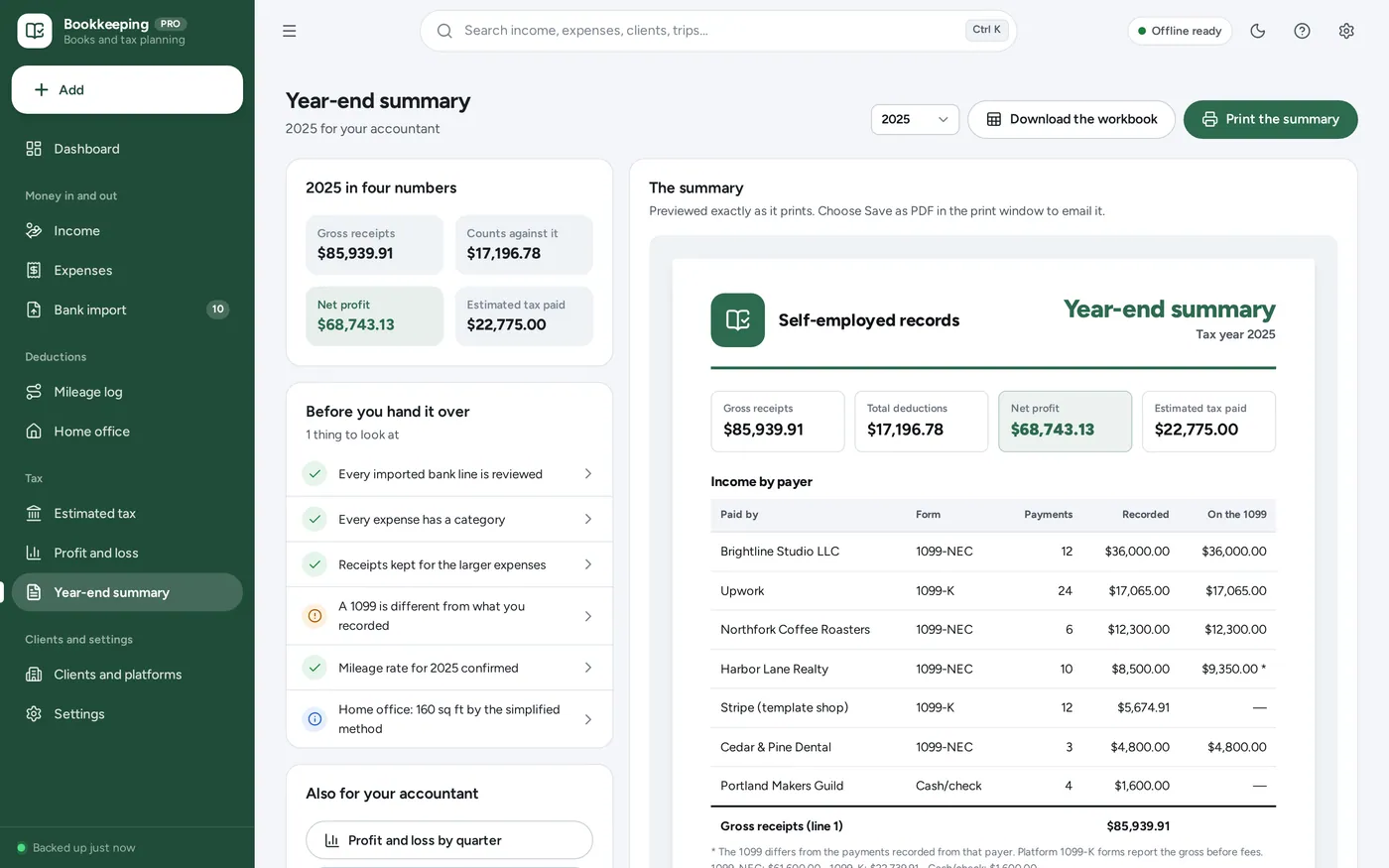
For your accountant
For freelancers, contractors, 1099 workers and side hustles: the income tracker, expense tracker, mileage log and quarterly tax sheet a bookkeeping spreadsheet promises, plus bank CSV import, rules and a year-end summary, without the formulas.
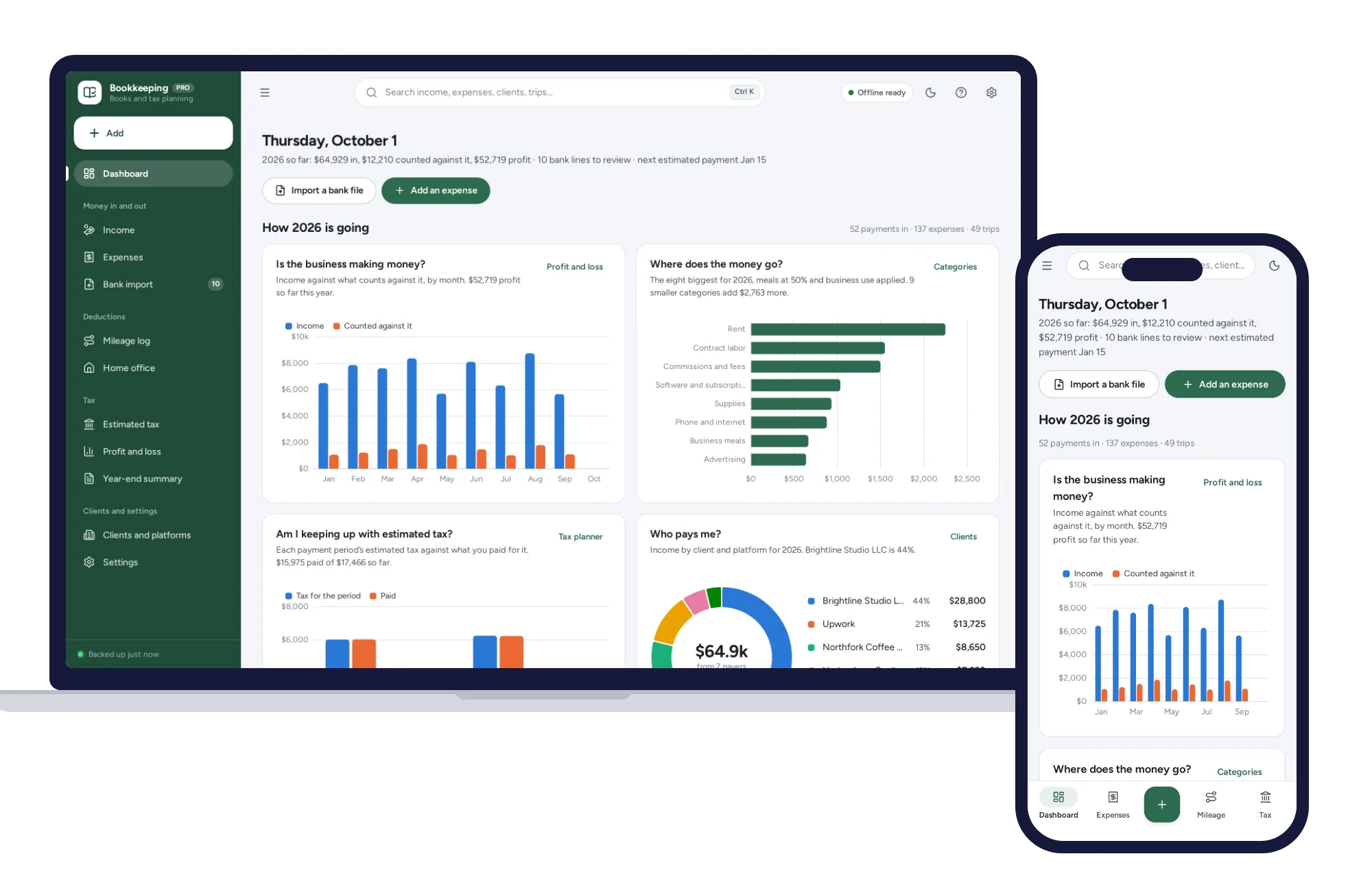
A bookkeeping spreadsheet means typing every bank line by hand, guessing what to put aside for tax, and one pasted cell breaking the totals. This reads your bank’s file, sorts it by your rules and works out the quarterly estimate — offline, on your own computer. Estimates for planning; confirm with a tax professional.
What it needs, and what it does not do.
Self-Employed Bookkeeping is an offline app from ColadoSystems that runs in your web browser from a folder on your own device. It costs $29.99 once, with no subscription and no account, and includes 16 tools, sample data to explore and a PDF guide. Your records stay on your device and are never uploaded.
Something else? Email us and we'll answer before you buy.
Everything is saved inside your browser on this device. Nothing is uploaded and there is no account, so no company holds a copy of your books. They are not encrypted, though: anyone who can use this device and browser can open them, so keep the device locked. Download a backup regularly (Settings → Data & backup → Back up now) and keep it somewhere as safe as the records themselves.
Yes. Open index.html and it runs fully offline. You can also host the folder on any website and choose “Install app” in Chrome or Edge to get a desktop or phone icon that works offline.
Yes. The layout adapts to phones and tablets with a bottom navigation bar. Each device keeps its own data, so use Back up / Restore to move records between devices.
Go to Settings → Data & backup → Erase records. Every sample record is removed, the 21 starting categories are put back, and the sample’s home office, odometer and mileage settings are cleared, so nothing of theirs stays in your books. Your business profile and other settings are kept.
No. It keeps your books and gives estimates for planning, with the working shown, so you know roughly what to put aside and pay each quarter. It does not prepare or file a return. Confirm what you owe with a tax professional.
No, and it never asks for a bank login. You download a CSV file from your online banking and import it; the file is read on this device and nothing is uploaded.
Most will. The importer reads commas, semicolons or tabs, finds the heading row (or works without one), and handles one signed amount column, separate money-in and money-out columns, or an amount with a debit/credit column. You see a preview and can change any column before importing, and the layout is remembered for that account.
No. It records income when you are paid, whoever sent the invoice. For quotes, invoices, stock and point of sale, our Small Business Manager is built for that.
They are pre-filled from the figures the IRS and the Social Security Administration published for each year, marked “check for your year”, and you can change any of them. For a year not yet published, the latest one is carried over and flagged until you enter the new figure.
It can. On the Estimated tax page, enter the Social Security wages from your job for the year. They use up part of the Social Security wage base, so less of your self-employment profit is charged the 12.4%.
The categories, Schedule C lines, 1099 forms and estimated tax dates are American. You can change the currency and keep your books in it, but the tax planner follows US rules.
No. It is made for one person on one device, and records do not sync between devices. To move to another device, save a backup and restore it there.
No. It runs offline on your own device, so there is no booking page for customers and it does not take card payments. You record bookings and payments in it yourself, including ones taken by phone, card reader or another website.
The work & side business bundle has every system in this category for one price.
Job search, freelance books and content planning for people working for themselves.
$59.99for 3 systems, $79.97 if bought one by one
You save $19
Work & side business
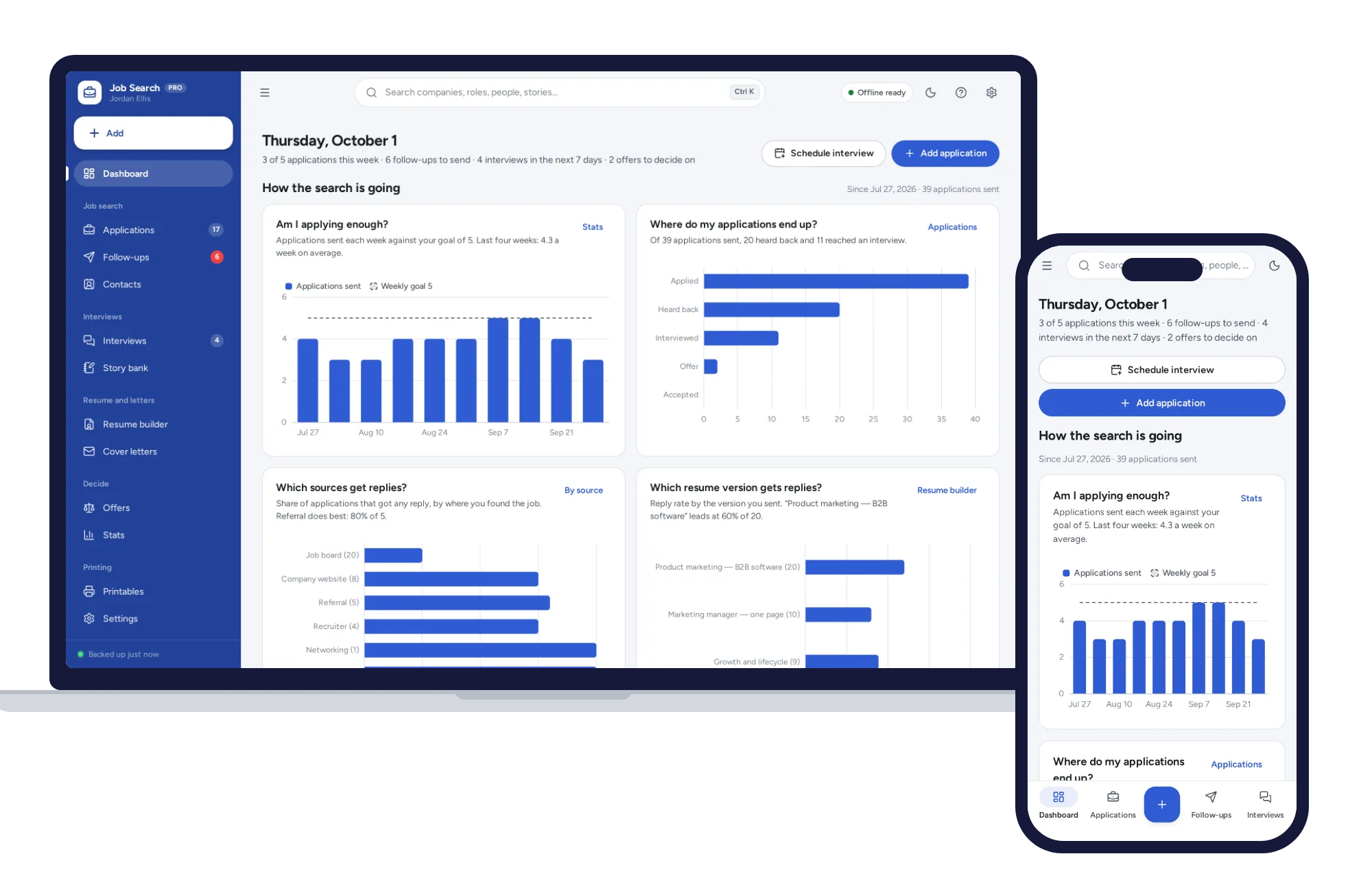
Track every application from wish list to offer, with follow-ups that schedule themselves and a resume builder that prints three clean layouts.
$24.99one-time
Work & side business
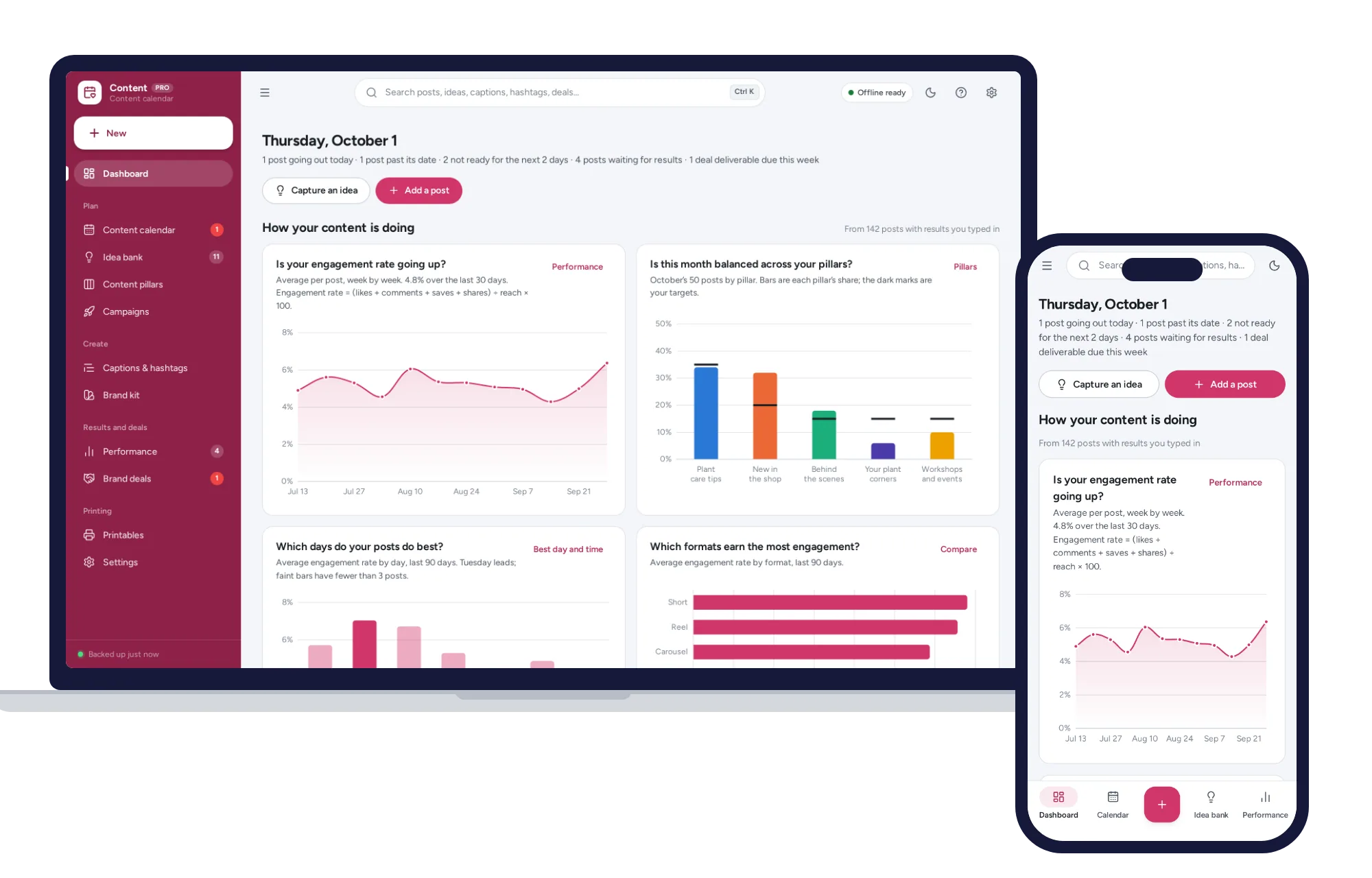
A content calendar you can drag, balanced content pillars, a caption bank and the days and formats that perform best.
$24.99one-time